Category: General

  • Best Mesh Wi-Fi Routers For Home Of 2020

    Best Mesh Wi-Fi Routers For Home Of 2020

    A mesh network can help you get better coverage of your internet connection in your home as well as office. No matter whether you have a two or three-storied home, you will never see the buffering icon while watching a YouTube video or Netflix movie. Here are some of the best mesh Wi-Fi routers that you can buy for your home in 2020.

    What Is A Mesh Wi-Fi Network?

    Let’s assume that you have a Wi-Fi network in your home. That means you have a Wi-Fi router in your home, which broadcasts the signal that you use to watch videos or browse the internet. Depending upon the router, you can use it from being on the same floor as the router. People often face problems when they go upstairs or downstairs. The Wi-Fi router sends a weak signal, and thus, users get buffering a lot.

    A mesh network will help you fix that issue. A mesh network is a combination of more than one router that you need to install in various locations inside your home. All the routers will use one internet source to provide a better signal all over your home. No matter where you go, the mesh network will help you connect to the most reliable router instantly so that you do not see the buffering icon on your screen.

    If you are willing to create a mesh Wi-Fi network, you should check out this list. Here are some of the best mesh Wi-Fi network routers that you can use in your home. Although an office requires more routers than a home, you can arrange that in your office as well.

    Best Mesh Wi-Fi Routers For Home

    1] Google Nest Wi-Fi AC2200 Mesh System Router and Point – $269

    Best Mesh Wi-Fi Routers For Home

    Google Nest is probably the most advanced and handy mesh network creator that you can install in your home. It comes with two routers that you can install anywhere in your home. Setting them up in your home doesn’t require more than ten minutes, and that is why it is on the top of this list. It looks fancy, and it can match with your computer desk as well. It comes with Wi-Fi 5, which will let you get a faster speed than usual. On the other hand, you can find WPA3, device grouping, etc. According to the users, it can cover up to a 5800-square foot of area without any problem. If you want to allow the network to your kids or so, you will be happy to see the parental control included in these routers. On the other hand, IPv6 is also available with this router. The only problem with this mesh network is that it doesn’t have an anti-malware tool, and there is no USB port available in the routers. Check the deal

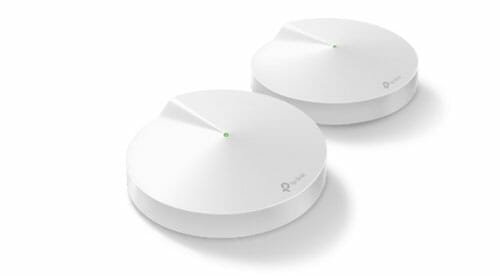
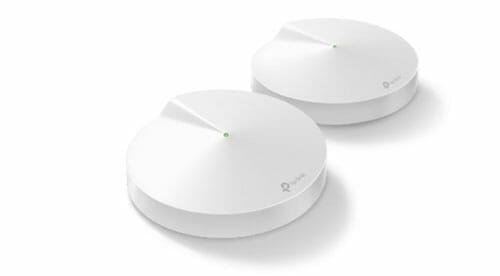
    2] TP-Link Deco M9 Plus Mesh Wi-Fi System – $223
    Best Mesh Wi-Fi Routers For Home

    TP-Link is a popular name in the network industry, and the same manufacturer is providing these mesh Wi-Fi routers for your home. There are tons of useful features that you can find in this router. For instance, there is an in-built antivirus so that you can protect your network from different online threats. On the other hand, you can use parental control to get control over all the users. No matter whether there is a party in your home, and you need to give access to almost fifty people, or you want to use it alone, you can make use of this mesh network. For your information, this network can allow access to over 100 users. Apart from there are Wi-Fi dead zone killer, fast tri-band speed, and in-built smart hub. Check the deal

    3] Linksys Velop AX MX10 – $699

    Best Mesh Wi-Fi Routers For Home

    First thing, first! You cannot set up this mesh network without having prior knowledge, and that is the first disadvantage of using these routers. The second drawback is the lack of in-built antivirus to protect your system. Although it has parental control, there is not many options to tweak the settings. Now, you should check out the advantages of using this mesh routers. Many people want to stream 4K content from anywhere in their home. If you are one of them, you should check out this mesh router as it can provide up to a 5.3Gbps connection over the network. It can cover up to 6000 square-foot without any problem, and you can connect more than fifty devices at a time. Talking about the speed, it comes with Wi-Fi 6, and that is the reason why there is so much speed included in this router. Check the deal

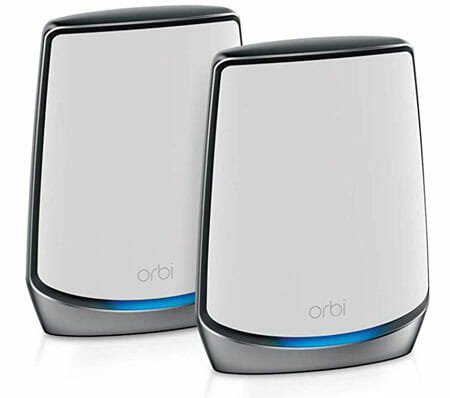
    4] NETGEAR Orbi Whole Home Tri-Band Mesh – $699.99
    Best Mesh Wi-Fi Routers For Home

    It doesn’t matter whether you have a 100Mbps or 1Gbps internet connection; you can set it up without any problem. To be precise, these mesh routers are compatible with an internet connection of up to 2.5Gbps. As it has Wi-Fi 6 compatibility, you can expect a high speed on multiple devices – no matter where you are in your home. Normal internet browsing, 4K video streaming, etc. are very common with this network. Regarding the number of devices you can connect, you can use it on more than sixty phones and computers without any issue. In simple words, you can consider it using in an office as well. Also, if you want to create an account for the guests, you can do that as well. It has three Gigabit Ethernet ports, and each port can carry 2Gbps connection without significant issues. Check the deal

    There are tons of other mesh Wi-Fi network routers in the market. Before purchasing one, you should check a couple of things. First, it should have parental control if you are going to use it in your office. Second, it should have an in-built anti-malware support. You can ignore it if you have networking knowledge. Third, it should have Wi-Fi 5 or Wi-Fi 6 support. Otherwise, it would be useful for you.


  • OPPO F15 Review: Features, Specifications, Price In India

    OPPO F15 Review: Features, Specifications, Price In India

    If you are looking for a mobile under Rs. 20000, you should look at OPPO F15, which is launched recently in the Indian market. It is quite challenging to choose a mobile under that price point, but this phone has made simpler. It comes with several unique functionalities and appearance that will help you to decide it effortlessly.

    OPPO mobiles are popular because of having huge selfie camera, and almost the same thing is present in this mobile as well. It doesn’t matter whether you like this brand or not; you should be impressed after checking out the hardware and functionalities they are providing in this mobile. The main thing is the price, which is comparatively cheaper than other brands. In the Indian market, OPPO is selling this mobile for Rs. 19990 through Amazon. However, the price might be hiked in future.

    OPPO F15 Features And Specifications

    OPPO F15 Features And Specifications

    Design And Build Quality

    On the front, you might not find anything fancy except the in-display fingerprint scanner. However, the back panel looks quite different from other mobiles as it has a different glossy texture. It has two colour variants (Black and White), and both look pretty decent from the backside. F15 is a huge mobile, and the exact dimension is 160.2 x 73.3 x 7.9 mm. However, it doesn’t weigh a lot – to be precise; it is 172g.

    The important is that you can find Gorilla Glass 5 to protect your screen from getting any scratches. Another essential thing is the 3.5mm headphone jack, which is extinct day after day. Apart from that, it includes USB Type-C for charging. Although it has a plastic body, it doesn’t look or feel cheap. However, a protective case would be preferred any day.

    Display

    Like said earlier, it is a huge mobile and that means you get to see a big screen on this mobile. OPPO F15 comes with 6.4-inch AMOLED, a multi-touch capacitive display that carries a resolution of 1080 x 2400 pixels. The pixel density is good enough for colour reproduction, and you can find 408 ppi on this mobile.

    The screen is bright, and it doesn’t create any problem in sunlight. The display is multi-functional as it includes an in-display fingerprint scanner in this mobile. According to OPPO, the unlock speed of this fingerprint scanner has been improved by 20% from past mobiles.

    Performance

    The performance of a mobile depends on various things, including chipset, memory, GPU, OS tuning, etc. Talking about the SoC, you can find 2.1 GHz Octa-core Mediatek MT6771V Helio P70 chipset in this mobile. Although OPPO has concentrated on the camera more than anything else, they could have included a better SoC. When it comes to the performance of this specific chipset, you might get satisfaction. But, when you will compare it with other same range mobiles, a slight disappointment will come for sure.

    Regarding other aspects, you can find 8GB RAM with 128GB of storage in this mobile, which should be enough for gaming and multitasking. For graphics, they included Mali-G72 MP3 GPU, which is pretty good for this mobile. There is one more important thing that plays a vital role to spruce up the performance, and that is the operating system. It comes with Android 9.0 (Pie) based ColorOS 6.1.

    The overall performance of this mobile should not bother you. However, if you use it for high-end gaming, you might find some lag, and there are more than one reasons for the expected result.

    Camera

    OPPO F15 Features And Specifications

    The camera is the central part of this smartphone. You can pick up any OPPO mobile, and the camera setup will amaze you for sure. For instance, OPPO F15 comes with a four-camera setup on the rear side. To be more specific, you can find the following sensors-

    • 48 MP f/1.8 wide-angle
    • 8 MP f/2.3 ultrawide angle
    • 2 MP f/2.4
    • 2 MP f/2.4 depth sensor

    On the front side, it has a 16 MP f/2.0 sensor that will help you capture some fantastic selfies without any issue. As usual, you can find several modes to capture excellent photos. For example, there are professional mode, panorama, portrait, might scene, time-lapse, slow motion, etc. Talking about the video recording, you can record 1080p video at 30fps and 720p video at 30fps. Unfortunately, there is no option to record 4K using this mobile. One last important feature of the camera is the EIS that lets you record stabilised video.

    Battery

    OPPO F15 includes a 4000mAh battery, and they included a good charger in the box. The useful feature is the VOOC Flash Charge 3.0 that will help you charge your mobile very quickly. According to the official statement, you can put your phone on charge for five minutes, and you are good to go for two hours.

    No matter whether you use multiple apps or play high-end games, it should last at least one day without any issue.

    Apart from these, OPPO F15 included all the other essential equipment such as Wi-Fi, Bluetooth, FM radio, GPS, Wi-Fi Direct, Hotspot, etc. Considering everything, it seems to be a handy device for mid-range buyers.

  • Best External Hard Drives To Carry Data Everywhere

    Best External Hard Drives To Carry Data Everywhere

    Nowadays, everyone is carrying an external hard drive to get important everywhere. No matter whether you are a student, businessman, or anybody else, you can use an external hard drive to transfer information from one computer to another quickly. If you are looking for an external HDD or SSD, you should check out this article as here are some of the best external hard drives you can buy in 2020.

    Let’s assume that you need to move 1TB of data from your old computer to a new computer. At such a moment, there are several methods you can follow, and the use of an external hard drive is probably the most time saving and efficient way. In this article, we have covered some affordable external SSD so that you can choose whatever you want.

    Best External Hard Drives

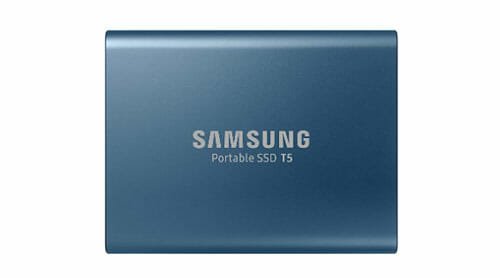
    1] Samsung T5 Portable SSD

    Best External Hard Drives

    Samsung T5 Portable SSD has four variants – 250GB, 500GB, 1TB, and 2TB. You can buy any one of them according to your requirements. However, it is suggested to opt for the higher storage because it is comparatively cheaper than lower storage. No matter which one you buy, you can find four color combinations – Blue, Brown, Red, and Black. It has a Type-C port in the SSD, and you can connect it to another computer via USB-A or USB-C. It has a Read-Write speed of up to 540 MB/s. It also as optional password protection or AES 256-bit hardware encryption. Check the deal

    2] SanDisk SDSSDE60

    Best External Hard Drives

    Like Samsung T5, SanDisk SDSSDE60 has four variants too – 250GB, 500GB, 1TB, and 2TB. The price starts from $72.49, and it goes up to $275.99. Considering the price only, it is quite cheaper. It has a unique design so that you can attach a strap and hang it to your backpack. The Read-Write speed of this external SSD is 550 MB/s, which is enough for almost all users. It is IP55 rated dust and water-resistant. There you can use it anywhere you want but not very roughly. It has only two variants – black and grey. Also, it has Type-C to Type-C cable, but you can get a USB-A connector as well. Check the deal

    3] Seagate STCM500400

    Best External Hard Drives

    If you need a classy-looking external SSD, you should check out Seagate STCM500400, which looks fancy, and it does the job without any issue. Although other external SSDs have four storage variants, it has only three – 500GB, 1TB, 2TB. The lowest variant costs around $85, and the 2TB variant costs around $250. It is compatible with almost any device and operating system. Another handy offer that comes along with this SSD is that you can get two months of Adobe Photography CC subscription. This SSD has a Read-Write speed of 540 MB/s, and you can connect it to a computer via Type-C or USB-A cable. Check the deal

    4] WD WDBMCG5000ABT-WESN

    Best External Hard Drives

    Although the price of the 2TB variant is higher than others, the Read-Write speed of this external SSD is much lower. To be precise, it is 400 MB/s. However, it can do your job without any issue. You might not notice the maximum Read-Write speed while transferring small files, but it is slightly noticeable when you move a 100GB file from computer to external SSD or vice versa. The build quality of this device is solid, and you should have any issue even after dropping it from a height of 2 meters. The size of this external SSD is tiny, and you can carry it in your pocket. Check the deal

    5] WD My Passport WDBKVX0010PSL-WESN

    Best External Hard Drives

    It is the second WD SSD on this list, and both are different from each other. No matter whether you compare the look, speed, or features, you cannot find any similarity except the storage. Talking about the storage, you can find four options – 256GB, 512GB, 1TB, and 2TB. The price starts from $72.99, and the 2TB variant costs around $279.99. The overall appearance of this external SSD is different from others, and it looks fancy – in simple words. It has a good Read-Write speed of 540 MB/s. On the other hand, it is compatible with USB 3.0, USB 2.0, and USB-A. Check the deal

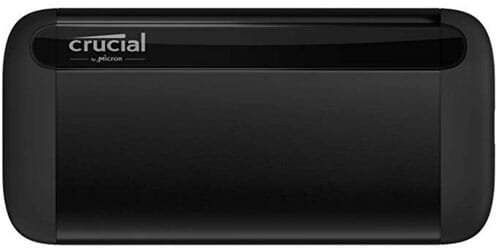
    6] Crucial CT1000X8SSD9

    Best External Hard Drives

    If you often upgrade your computer, you might have already heard of the name Crucial. The same company has manufactured this external SSD, which comes with USB-C and USB-A support. The highlight of this external SSD is that you can find a Read-Write speed of 1050 MB/s, which is not available in most of the other devices. Talking about the storage, you can find 500GB and 1TB on the Amazon website. The 500GB costs around $100, and the 1TB variant costs around $165. It has passed a shockproof test from a height of (more or less) 2meters. If you need to move tons of data from one device to another, it is recommended to check out this external SSD. Check the deal

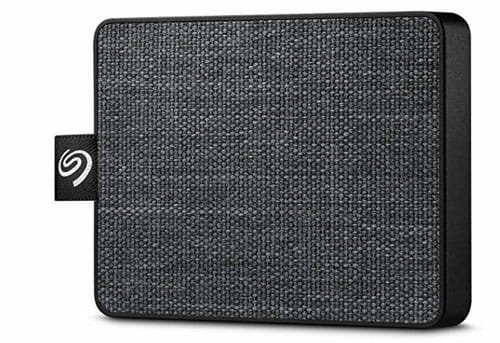
    7] Seagate One Touch SSD STJE1000400

    Best External Hard Drives

    Although this external SSD doesn’t come with a USB-C cable or OTG, you can use it with the latest MacBook or any other Type-C compatible device. This model of Seagate external SSD has numerous color combinations so that you can buy something that matches the desk or your theme. Talking about the storage, there are two options – 500GB and 1TB. Like Seagate STCM500400, you get two months of Adobe Photography CC subscription with this external SSD. Regarding the Read-Write speed, you can get up to 400 MB/s while transferring data. The 500GB variant costs around $70, and the 1TB variant is priced at $139.99. Check the deal

    At first, list down all the reasons why you need an external hard drive. It can be for pornography, raw data, or anything else. Then, you can know if you should opt for higher storage or not. If you want to store a few files, it is recommended to purchase a cheaper hard drive. However, if you need it every day, it is suggested to get an external SSD that has higher Read-Write speed.

  • Most Tech Friendly Backpacks To Carry All Gadgets

    Most Tech Friendly Backpacks To Carry All Gadgets

    Let’s assume that you are a photographer or tech product reviewer, who is going to a mobile launch event. There you need to pick up your camera and make some videos or capture some images. If you do that professionally, you must have to carry a few things, such as a camera, lens, lens hood, flash, mic, laptop, some cables, etc. You can carry them all in a regular backpack, but the problem will start when you need them one after one. You may have to reorganise everything to reach certain equipment. At such a moment, you might need a backpack that has room for everything. Therefore, you should check out this article for the most tech-friendly bags for everyday use.

    Most Tech-Friendly Backpacks In 2020

    1] Modoker Vintage Laptop Backpack – $23.99

    Most Tech-Friendly Backpacks

    It got room for everything, including an iPad, external hard drive, wallet, water bottle, papers, USB cables, etc. No matter whatever you must carry, you can put it in the right place in your bag and start your journey. To be precise, this backpack has six compartments to organise your stuff. The handles of this bag are quite soft so that you do not get any pain in your shoulders while carrying it for a long time. As of now, you can find two colours of this bag, and they are – Black and Grey. According to the official statement, it is suitable for students who need to carry some tech gadgets to an event or somewhere like that. Check the deal

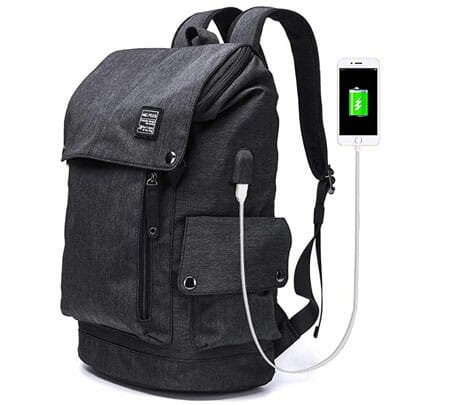
    2] MR. YLLS Business Laptop Backpack – $29.99

    Most Tech-Friendly Backpacks

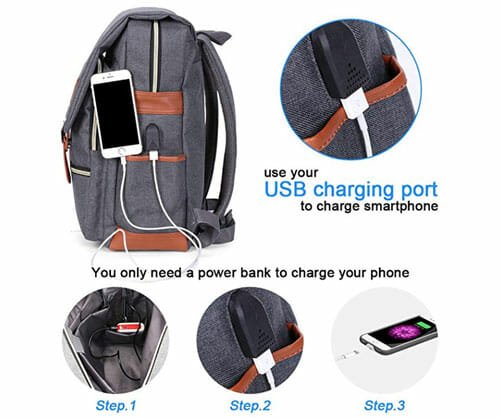
    Although it doesn’t have separate compartments for different objects, you can carry everything in this bag. This 40L backpack can take a huge amount of stuff, including diaries, laptops, iPad, books, etc. On the other hand, you can get a USB port outside of the bag, which you can use to charge your mobile from power back. You need a power bank placed inside of your bag and a USB cable to connect it to your phone to use the whole thing. While travelling in public transport, you need to be careful from thieves and for that, it comes with the anti-theft flip-top design. This backpack can deal with accidental water drops, but it is not a waterproof bag. Check the deal

    3] Voltaic Systems Converter Rapid Solar Backpack – $129

    Most Tech-Friendly Backpacks

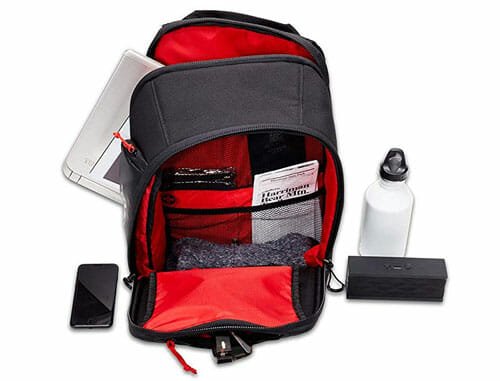
    The size of this backpack is not very big – to be precise, it is only 20L. However, it comes with some unique features that will help you spend such an amount without thinking twice. This backpack sports a high-performance solar panel that can provide power supply to your mobile to recharge it whenever possible. On the other hand, it stores the power in a power bank that is also given with the backpack. From the outside, the backpack looks uncluttered and neat. However, you can find several compartments inside the bag to carry whatever you want. For example, it has a separate pocket for laptop – no matter how big your laptop is. On the other hand, you can carry some external hard drive, USB cables, pen drives, and more. It has fully padded rooms so that nothing gets any damage while on a rough ride. You won’t face any problem while carrying it for a long time even after having a solar panel installed in the back. That is because it weighs only 2.4 lbs. Check the deal

    4] Swiss Gear Ibex 17in Laptop Backpack – $76.66

    Most Tech-Friendly Backpacks

    While carrying countless equipment, you might want to keep everything organised, and that is possible while using this backpack. Although it has three main compartments, every compartment has more than one pocket so that you can keep things where you wish. This backpack can carry a 15.6-inch laptop without any problem and that how big it is. On the other hand, it comes with a headset port for iPod or Mp3 player. Apart from that, you can put your iPod inside the backpack’s dedicated pocket. When you are buying a big backpack, you should check the handles and comfort. Talking about that, you should not be worried about the shoulder pain while using this backpack for a long trip. Check the deal

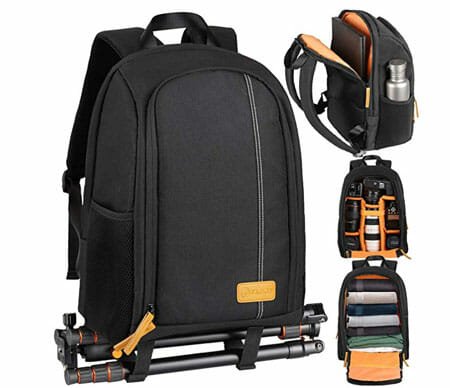
    5] Endurax Extra Large Camera Backpack – $119.99

    Most Tech-Friendly Backpacks

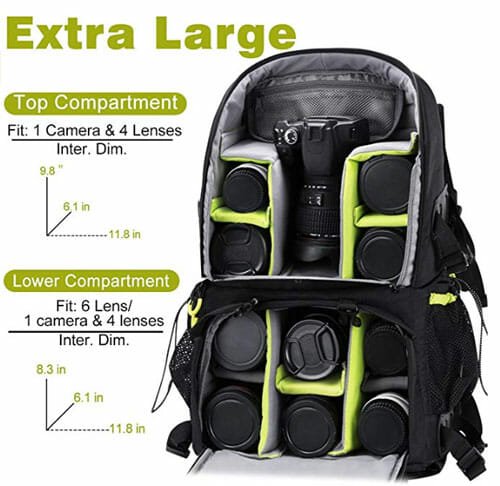
    As the name suggests, this backpack is mainly for photographers who need to carry a lot of photography equipment. No matter when you have one or five lenses, you can carry them all inside the bag. It got room for ten lenses and a camera body with a telephoto lens. You can use those compartments to carry other stuff such as charger, extra battery, lens hood, lens cap, external hard drive, USB cables, etc. It is very easy to carry the tripod because of having straps on the front side. Before purchasing this bag, you should know that it is not waterproof unless you apply the rain cover that comes with the kit. Check the deal

    6] Nayo Almighty Travel Backpack – $92

    Most Tech-Friendly Backpacks

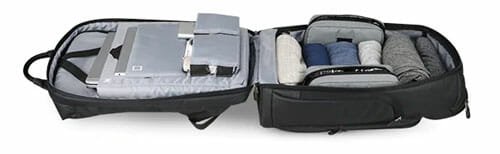
    Many people prefer to carry a backpack instead of a proper tourist bag. If you are going for a short trip, you can check out this backpack. Although it is made for travellers, you can use it in everyday purpose. It got room for everything – be it your laptop, mobile, clothes, iPad, iPod, camera, or anything else. The big compartment can hold almost anything, and the pockets can help you organise everything. There are two sizes of this bag – Normal size, which is 25L and the Large size, which s 32L. the quality of the material is top-notch, and you should not have any problem even after using it roughly. The highlight of this backpack is that you can opt it 180-degree so that management doesn’t get tougher anymore. Check the deal

    There are more other tech-friendly backpacks available in the market. However, we have checked the material, build quality, existing user reviews before putting them on this list.

  • Best Keyboard Covers For MacBook To Protect From Dust And Water

    Best Keyboard Covers For MacBook To Protect From Dust And Water

    If you spent a good amount of money on buying a MacBook Pro, you should also buy a keyboard cover. There are several reasons why someone should install a keyboard cover on their laptop. If you are thinking of getting a keyboard cover for your MacBook Pro, you should check out this list.

    Let’s assume that you have a kid who often use your laptop to watch cartoons. He/she can spill water, a small piece of cookies, etc. on the keyboard. You might not get any issue for a small drop of water, but if the limit exceeds, the keyboard will stop working correctly. That is why you should take a small amount of time to buy a keyboard cover so that you can protect your device for a long time.

    Best Keyboard Covers For MacBook Pro

    1] Kuzy – MacBook Keyboard Cover – $7.95

    Best Keyboard Covers For MacBook Pro

    It is a transparent keyboard cover for MacBook that you can purchase within $10. You cannot apply it on new models. To be precise, this cover is suitable for A1502, A1425, A1466, A1369, A1278, A1286, and A1297. If your MacBook has a touch bar, you should opt for this keyboard cover. The quality of this cover is pretty good, and you do not need to worry about any liquid because of the additional coating. Check the deal

    2] MOSISO Keyboard Cover – $6.99

    Best Keyboard Covers For MacBook Pro

    This cover manufacturer has numerous products that you can purchase for $6.99 only. These covers are compatible with 2018-2019 release MacBook Air 13 inch with Retina Display and Touch ID models. Therefore, if you have an older MacBook, you should not buy it. The keys look different and pretty good. In other words, you can give your laptop a new look by applying this cover. Check the deal

    3] MOSISO Silicone Keyboard Cover – $6.49

    Best Keyboard Covers For MacBook Pro

    If you like the black and white combination of MacBook keys, you can purchase this keyboard cover. This MacBook cover is compatible with old MacBooks only, and you should buy it for newer models. To be specific, if your model belongs to 1015-2017, you can opt for it. Talking about the quality, there is no comptonization with the material. It doesn’t matter the density of the liquid; it won’t intervene in the keyboard cover. Check the deal

    4] YMIX MacBook Keyboard Cove – $6.99

    Best Keyboard Covers For MacBook Pro

    This keyboard cover looks entirely different than others, and you do not need to worry about liquid or dust anymore after applying it. It has a rainbow color scheme. In other words, you can find several color combinations in this keyboard alongside the traditional black. Although it includes so many colors, the keys are vividly visible for any user. This cover is compatible with MacBook released in 2015 and older. Check the deal

    5] HRH Adobe Premiere Pro CC Shortcuts Hotkey Silicone Keyboard Cover – $6.99

    Best Keyboard Covers For MacBook Pro

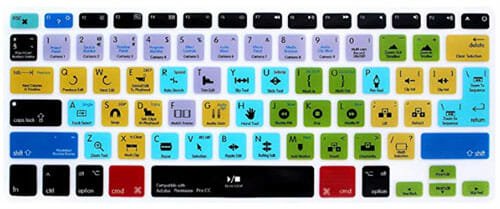
    If you use your MacBook to edit videos and Adobe Premiere Pro is the primary software, you should be happy to see this keyboard cover. This cover will help you in two different ways. First, it will protect your keyboard from getting any dust or water. Second, it will help you use various keyboard shortcuts while using the Premiere Pro CC. In other words, this cover is mainly for video editors whose primary tool is Premiere Pro. This cover has numerous colors including, yellow, blue, green, black, red, etc. Talking about the compatibility, you can apply it on MacBook released in 2015 or earlier. Check the deal

    6] MOSISO Ultra Thin Keyboard Cover – $7.99

    Best Keyboard Covers For MacBook Pro

    Here is another product from Mosiso, and it has been included because of the quality and appearance. If you do not like more than one color, but you want to give your keyboard a different look, you should check out this keyboard cover. It is a transparent keyboard cover with some greenish borders around the keys. The quality of this keyboard cover is top-notch, and it doesn’t have any sticky material on the top. This cover is compatible with all the MacBooks released from 2010 to 2017. Check the deal

    7] DHZ D6 Big Font Sky Blue Gradient Keyboard Cover – $7.99

    Best Keyboard Covers For MacBook Pro

    If you like the gradient color scheme, you should be happy to see this keyboard cover, which is compatible with all MacBooks that comes without a touch bar. If your MacBook released before 2016, you could buy this cover – to be precise. This keyboard cover has several variants, and you can find it in blue, orange, green, etc. the keys are incredibly bright and clean so that you do not face any problem if you cannot type without looking at the keyboard. Check the deal

    8] JRC Premium Shortcut MAC OS Keyboard Cover – $10.99

    Best Keyboard Covers For MacBook Pro

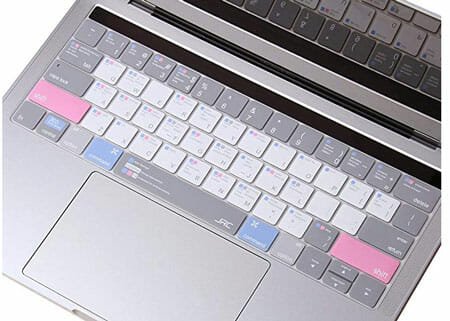
    This keyboard cover has some shortcuts for the original JRC brand, and it is fully compatible with all the MacBooks that have a touch bar. Although the same protection is available for older MacBook Air and Pro, you need to select that separately. The quality of this cover is pretty good, and you should have any issues even after using it for a long time. As it covers the whole keyboard, dust and liquids won’t get inside of the laptop through the keyboard. It looks uncluttered, and that might be a reason why you should choose it. Check the deal

    Before selecting a keyboard cover:

    • Please read everything about the compatibility. If the keyboard cover is not suitable for your MacBook, it would be useless.
    • While cleaning the keyboard cover, do not use any liquid on the downside of it. If you apply the keyboard cover with any liquid, it will be useless.
    • It is recommended to check the material before purchasing a keyboard. Many covers have sticky material that prevents users from typing faster.

    That’s it! I hope this list will be helpful for you to choose a keyboard cover for your MacBook.

  • Best Smart Plugs For Home For 2020

    Best Smart Plugs For Home For 2020

    When you can turn off the power supply of your mobile charger from mobile, why do you go near to the wall outlet? Wondering how? Here is a simple solution that will let you perform this kind of job without any issue. Introducing smart plugs that will help you do various tasks wirelessly or without touching it physically. Here are some best smart plugs that you can buy for your home in 2020.

    Best Smart Plugs For Home

    1] Kasa Smart WiFi Plug Mini – $17.95

    Best Smart Plugs For Home For 2020

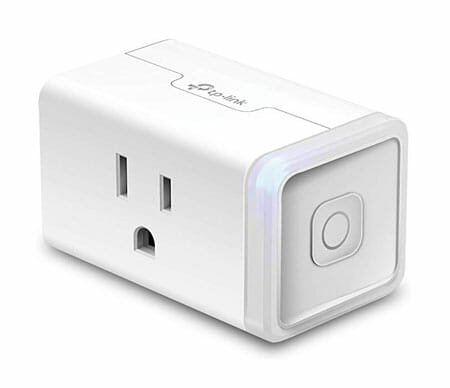
    TP-Link has made this smart plug for your home, and that says everything about the quality of this product. It is a neat and clean smart plug that you can purchase within $20. It doesn’t matter whether you want to use it in the kitchen or bedroom; it will look fancy everywhere. It offers an application so that you do not need to make changes physically. Instead, you can do everything via the mobile application. On the other hand, it works flawlessly with various smart home hubs and voice assistants, including Alexa, Google Assistant, Cortana, etc. Check the deal

    2] WeMo Insight Smart Plug – $40

    Best Smart Plugs For Home For 2020

    The best thing about Belkin WeMo Insight Smart Plug is that it can show power usage data so that you can know how much power a device is consuming. Although the mobile application is quite different, it works smoothly with different smart homemakers. For instance, it is compatible with Amazon Alexa as well as Google Assistant. On the other hand, you can set up IFTTT recipe and apply that to this smart plug. It doesn’t take a lot of place in your wall outlet so that you can plug in another device simultaneously. Check the deal

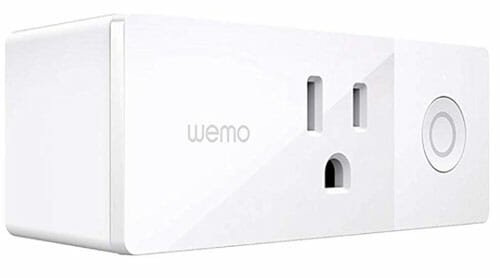
    3] Wemo Mini Smart Plug – $19.99

    Best Smart Plugs For Home For 2020

    It is the ‘mini’ version of the second smart plug mentioned on this list, and the price is lower than usual. This smart plug requires an active Wi-Fi connection so that you can establish a connection between mobile and this device. Following that, it features Alexa, Google Assistant, and Apple Home Kit support so that you can work using voice command. Talking about the Wi-Fi network, it is mandatory to have a 2.4GHz connection in your home. The overall appearance of the Wemo Mini Smart Plug is fancy, and it will attract users for sure. To install the mobile app, make sure that you have Android 4.1 or higher and iOS 9.1 or higher. Check the deal

    4] ConnectSense CS-SO-2 Smart Outlet – $59.95

    Best Smart Plugs For Home For 2020

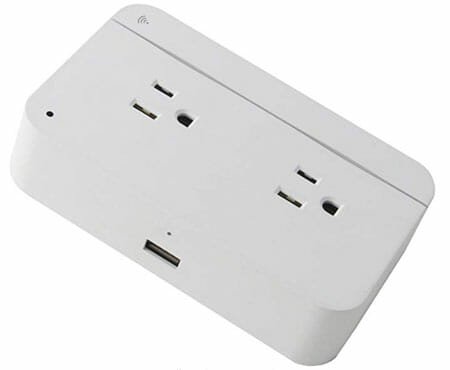
    ConnectSense CS-SO-2 Smart Outlet offers two outlets so that users can use multiple chargers to charge mobiles, laptops, etc. That is the main advantage of using this smart plug instead of others. As usual, it includes two buttons so that you can turn off/on each outlet at a time. Like other smart plugs, you can control it via the mobile app as well as Google Assistant, Apple HomeKit, Alexa, etc. If you are looking for IFTTT support, you might be disappointed. However, it has some other handy functionalities such as power usage report, USB charging port, etc. You do not need to spend much time to set it up as you can plug it in and allow it to access your Wi-Fi network. Check the deal

    5] Samsung Smart Plug – $17.99

    Best Smart Plugs For Home For 2020

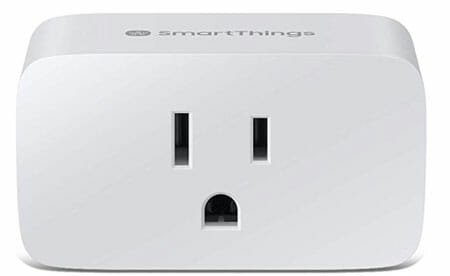
    It is quite cheaper than others, but it does the same job as other smart plugs. As Samsung made it, this smart plug is compatible with Bixby as well as SmartThings. Even if you do not have these two things, you can control it using Amazon Alexa and Google Assistant. As it is a wireless smart plug, you need to provide a Wi-Fi network so that you can connect and control it wirelessly. It offers an energy usage report, has IFTTT support, but it doesn’t have Apple HomeKit support. In other words, if you are using the Apple ecosystem in your home, you might have to opt for something else to give it some voice commands. Check the deal

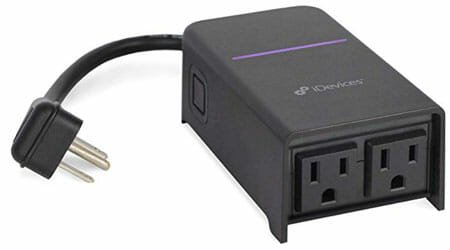
    6] iDevices IDEV0004ANP5 – $144.88

    Best Smart Plugs For Home For 2020

    Although it is expensive, it comes with some additional features that worth every penny. For example, you can install it in your home without any Hub. That means, it doesn’t matter whether you have Appel HomeKit and anything like it or not, you can use it without any problem. The next big thing is scheduling. If you install and setup the mobile app, you will be able to schedule the power supply. For example, you are going for a small ride in the night, and you do not want to keep the light on in your front door in the daytime. At such a moment, you can schedule the power supply of that light with the help of this smart plug. Check the deal

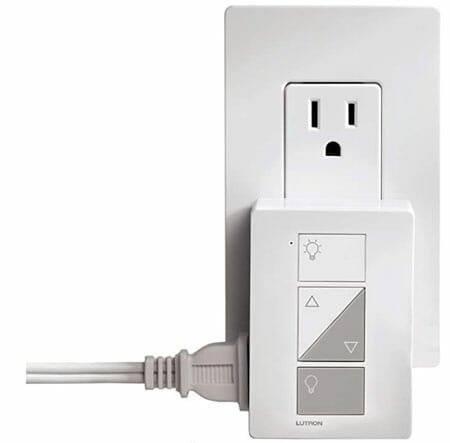
    7] Lutron Caseta Smart Home Plug-in – $54.95

    Best Smart Plugs For Home For 2020

    This specific smart plug works with lamps only so that you can dim the light whenever you want. If you want to dim the lamp at a certain point of time in day or night, but you want to do that wirelessly, you need to install a smart plug like this. It costs more than a regular smart plug, but it does the job without any issue. As usual, you can use it with Google Assistant, Apple HomeKit, and Amazon Alexa. It has three buttons and two outlets so that you can manage the lighting of your lamp effortlessly. The scheduling and all the other features can be accessed from the mobile application. Check the deal

    Before purchasing a smart plug for home, make sure you are not buying a big one because that will consume a lot of space. If a smart plug holds the word “mini” in the name, it means it is smaller than others.

  • Best Camera Backpacks For Photographers

    Best Camera Backpacks For Photographers

    Being a good photographer requires various skills, but choosing a backpack is tougher than that. There are countless manufacturers and styles for a camera bag, and that is when it gets difficult to select something from the list. If you are a photographer who often goes one place to another with all the photography equipment, you should check out this list. Here are some of the best camera backpacks for photographers so that you do not spend much time to handle all the lenses, camera bodies, etc.

    Best Camera Backpacks For Photographers

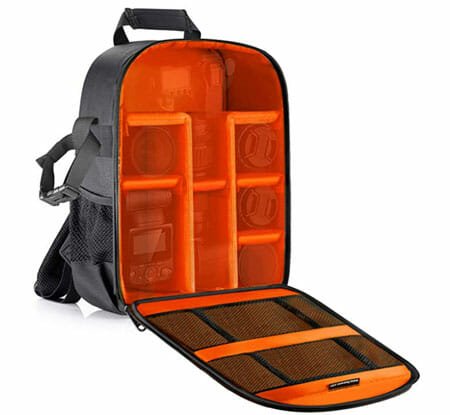
    1] Neewer Camera Backpack – $31

    Best Camera Backpacks For Photographers

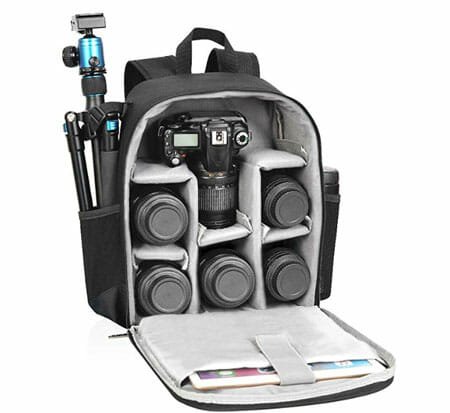
    This camera bag has a total of seven compartments for different objects. No matter whether you carry two or more lenses, you can certainly put that in this bag, and you are good to go for the next project. The compartments are made of the hard coating so that components do not move around inside the bag. Also, it comes with some pockets so that you can put your memory card, USB cable, charger, extra battery, etc. The bag looks hardy, but it doesn’t weigh a lot. The most important thing is that it is a waterproof bag so that you can travel with it even in the rainy season. This bag is available in four different colors – Orange, Red, Grey, and Green. Check the deal

    2] CADEN Camera Backpack – $27

    Best Camera Backpacks For Photographers

    This bag doesn’t have a lot of compartments like the first one, but it is convenient for them, who carry big telephoto lenses instead of macro lenses. It has total of four rooms for various things like a reflex camera, flash, another spare lens, a small macro lens. Many photographers use iPad to preview the image or do some instant editing. If you are one of them, you can carry an iPad inside the bag/On the other hand, tripod and a water bottle placement are quite easy with this bag. As usual, this backpack is also waterproof so that you can protect your expensive cameras from accidental water drops. As of now, you can find this backpack in three different colors, including Black, Grey, and Green. Check the deal

    3] TARION Camera Backpack – $40

    Best Camera Backpacks For Photographers

    No matter whether you carry only a telephoto lens, macro lens, or both, you can find room for everything in this backpack. The fabric quality of this bag is pretty good, and you should not have any issue related to placements. For example, you can put a macro lens, telephoto lens, camera body, charger, extra lens cover, lens hood, etc. There is a second compartment in the back that can hold your MacBook or any other 15-inch laptop easily. The bag is not waterproof, but it comes with a rain cover that might be helpful to make that what you need. As the weight of this bag is nominal, you should have an ache in your shoulder after carrying it for a long time. Check the deal

    4] MOSISO Camera Backpack – $56

    Best Camera Backpacks For Photographers

    This is a waterproof camera backpack that can make room for every equipment you have for your photography project. No matter how many lenses you carry, you can put them in your bag as it offers a total of nine compartments. In other words, it is very easy to manage everything inside your bag without breaking or damaging any equipment. If you are into videography, you might carry drones as well. In that case, it is very easy to carry a drone like DJI Mavic 2/Air/Pro inside the bag without any problem. It has a hard case on the front side so that your lens or cameras do not get any damage in any way. Not only that but also there are two pockets to keep your cleaners, microfiber cloth, a small iPad, etc. Like some other backpacks, you can find a big pocket to carry your 15-inch laptop. The handle of this bar is soft so that you do not get any pain in your shoulders. Check the deal

    5] Endurax Camera Backpack – $60

    Best Camera Backpacks For Photographers

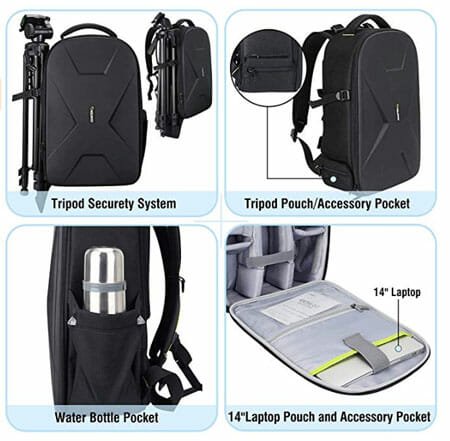
    This camera backpack users can carry three telephoto lenses alongside one camera body, flash, battery, and changer. The build quality is pretty good as it comes with a hard-shell on the front side. It has an ample amount of space for every camera gear, including a tripod. It is not possible to put it inside your bag, but you can carry it with you by attaching the tripod on the right side. This bag has only color combination (Black), and that is perfect for almost everyone. As usual, you can carry some other stuff such as soft cloth, cleaner, iPad, etc. There the compartment in the back will allow you to carry a 14-inch laptop effortlessly. The handle of this backpack is soft enough to get rid of all kind of pain when you have a fully loaded bag. Check the deal

    6] USA GEAR SLR Camera Backpack – $60

    Best Camera Backpacks For Photographers

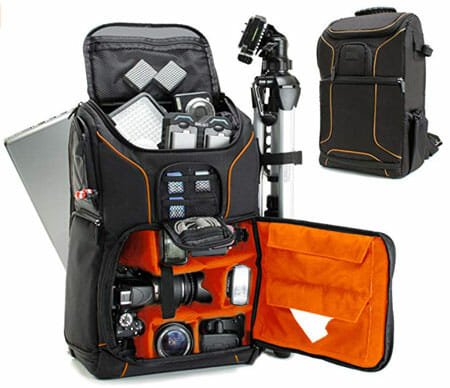
    This backpack looks quite different from the inside than others. That is because of the placement of different compartments of your bag. You can carry a lot of gears, including a couple of lenses, battery, charger, USB cables, camera body, memory cards, etc. The best thing about this bag is that there is a whole separate place where you can put other stuff such as a new camera body, external hard drive, a point-and-shoot camera, etc. You can carry a 15-inch laptop easily in the bag because of having an additional compartment. On the other hand, there are some more zipped pockets to carry some papers, credit cards, a pen drive, an additional mobile, etc. If you are thinking about the colors, you can find it in six different colors – Black, Blue, Green, Orange, Purple, and Red. Check the deal

    No matter which backpack you choose, you should know what you are going to carry. Different bags have different types of compartments, and thus, you should know the gears you are going to carry with you. Otherwise, you may end up wasting your money on a wrong camera bag.

  • Best Video Doorbells For Your Home In 2020

    Best Video Doorbells For Your Home In 2020

    Days are gone when you needed to open the door to know who is waiting for you outside of your main gate. Nowadays, you can install a doorbell camera to know about the person. Such a device will make your home even smarter, and you may not need to rush to the main gate every time someone calls you. No matter whether you have a new or old house, you can install a video doorbell in 2020.

    Best Video Doorbells For Your Home

    1] Google Nest Hello – $229

    Best Video Doorbells For Your Home

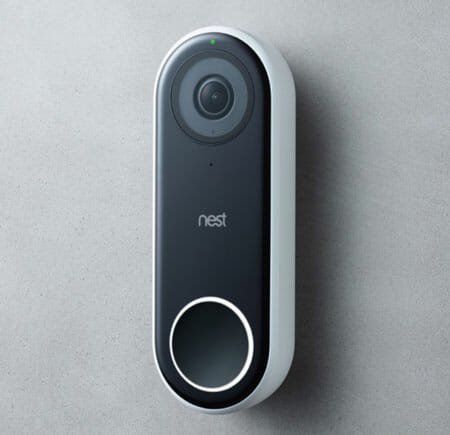
    Google Nest is where you can find some smart products for your home, and the Google Nest Hello is one of them. It is a wireless video camera that you can put in your main gate, and it will work like a doorbell. It is quite small, but it does the job well. For example, you can record 1600 x 1200-pixel video at 30FPS with the 3 MP camera included in it. It has a 160-degree view so that you can see someone even when he/she is in front of the camera. Also, it comes with 850 nm infrared LEDs, 128-bit AES with TLS/SSL for security, etc. You should have a 2.4Ghz or 5GHz wireless connection in your home to make it work. The appearance of the doorbell is pretty good, and it looks fancy from outside. Check the deal

    2] Ring Video Doorbell 2 – $199

    Best Video Doorbells For Your Home

    Ring has several video doorbells, and the Video Doorbell 2 is one of the best things you can buy to improve the smartness of your home. The dimension of this camera is 5.05 x 2.50 x 1.08 in so that you do not need to consume a lot of space to install it in your home. Right now, you can find it in two different color combinations – Satin Nickel and Venetian. The best thing about this video doorbell is that it can record 1080p video so that you can get a clear picture of the person who is standing in front of your gate. On the other hand, it has Live View and Night Vision so that it can keep helping you – no matter how the situation is. On the other hand, it has a 160-degree horizontal and 90-degree vertical range. Another important thing about this doorbell is that it comes with two-way audio so that you can talk to the person individually. It has a rechargeable battery pack, but you can buy the solar panel from the official website so that it gets charged automatically. Although it works with Alexa, it is not compatible with Google Assistant. Check the deal

    3] eufy Video Doorbell – $160

    Best Video Doorbells For Your Home

    Eufy Video Doorbell is a sophisticated doorbell for your smart home as it can differentiate between a human and an animal such as a cat, dog, etc. It allows you to remove the video in 1920 x 2560 pixel so that you do not miss out on any detail – be it an identity card or anything else. It stores all the videos in local storage so that you do not need to buy a subscription on any cloud storage to store your recordings. The corresponding app of this video doorbell allows you to check on the person who is standing in front of your gate from your mobile. You can get a facial snapshot of the person and unlock your door accordingly. It offers AES 256-Bit encryption to protect your data from information thieves. On the other hand, this doorbell can be used with Alexa voice command. The last but not the least advantage of this doorbell is the two-way audio communication. Check the deal

    4] SimpliSafe Video Doorbell – $169

    Best Video Doorbells For Your Home

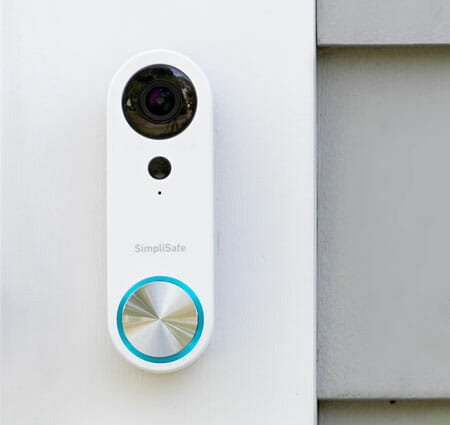
    SimpliSafe Video Doorbell can record videos in 1080p so that you do not find any blurry image on your mobile. On the other hand, it has HDR imaging to make the image sharper. Apart from that, it comes with infrared night vision, two-way audio, zoom in, etc. This wireless video doorbell has motion alerts. In other words, if someone has walked by your door, you can get a notification on your mobile. The viewing angle of this camera is decent as it covers the 162-degree field of view without losing quality. As mentioned earlier, it is a wireless camera, and it requires a Wi-Fi connection to set it up. The camera looks quite fancy, and it should be fit with any color of your home. You can enable various notifications (monition alerts, dual-sensor trigger, motion from cars) to receive alerts. It doesn’t support Google home, but you can work with Alexa. Check the deal

    5] Vivint Doorbell – $250

    Best Video Doorbells For Your Home

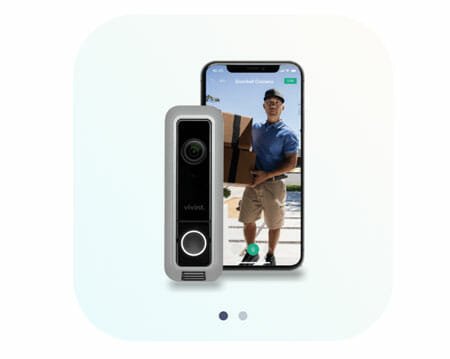
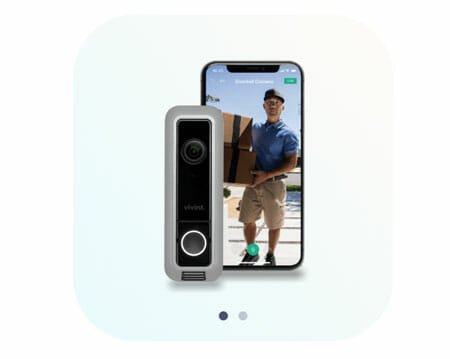
    Although it looks quite expensive, it covers more other smart home gadgets in that package. The best part about this video doorbell is that you can use it with Amazon Alexa as well as Google Home flawlessly. The important thing is that you do not need to do any work as the officials will visit your home to set it up properly. Talking about the features, it sports night vision, 180-degree viewing angle, two-way audio communication, 30-second video clip, etc. As usual, the mobile app of Vivint will let you get all alerts and notifications on the go. No matter where you are, you can answer your door using your mobile. The person may not see you, but he/she can hear your voice without any lag. The only drawback of this video doorbell is that you record up to 720p video with the 1.3MP camera. Check the deal

    No matter which video doorbell you buy, make sure that it comes with a good quality of the recording. Otherwise, you won’t be able to recognize the face, and thus, you will waste your money.

  • Best Gaming Mouse That You Can Buy In 2020

    Best Gaming Mouse That You Can Buy In 2020

    If you are an avid PC gamer, you might need a fully-featured gaming mouse. You can keep playing games with a cheap $10 mouse that has only three buttons. However, you can buy a multi-functional mouse that will let you do various jobs quickly. We have enlisted some of the best gaming mouse that you can buy in 2020. Although we have not given any number based on the performance, you can check all of them out to know which one is the most suitable for you.
    Best Gaming Mouse In 2020

    1] Logitech G Pro – $150

    Best Gaming Mouse In 2020

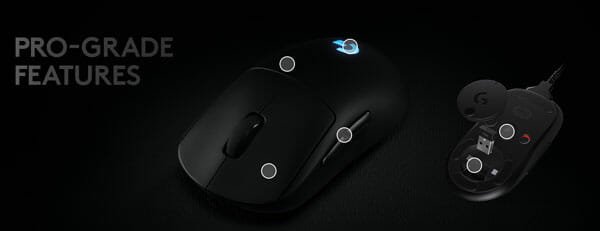
    Logitech is a popular brand in the computer peripherals industry, and the Logitech G Pro is one vivid example. This mouse costs around $149.99 but it worth every penny. No matter how big or small your hand size is, there should not be any problem while using it. Most importantly, it is a wireless gaming mouse, and that means you do not have to worry about any wires while playing a game. Apart from the three traditional buttons, it comes with two more keys for forwarding and back-warding. You can create various profiles and apply them to different games and apps. It also has a DPI management button that you can use to set the DPI from 200-16000. Check the deal

    2] Logitech G203 Prodigy – 40

    Best Gaming Mouse In 2020

    Another Logitech mouse that will help you perform different tasks quickly. The most important thing is that the price of this mouse is almost 1/4th of the first mouse. However, it doesn’t mean that you will get a bad performance from this mouse. Talking about the buttons, you can get six fully functional buttons included in this mouse. DPI management is quite simple with this mouse because it offers a dedicated button for that. Apart from the wheel, right and left click, there are forward and back buttons included in this mouse. Although you can find only two variants of this mouse, the interior colour is adjustable because of RGB support. The last but not the least thing is that it is a wired gaming mouse. Check the deal

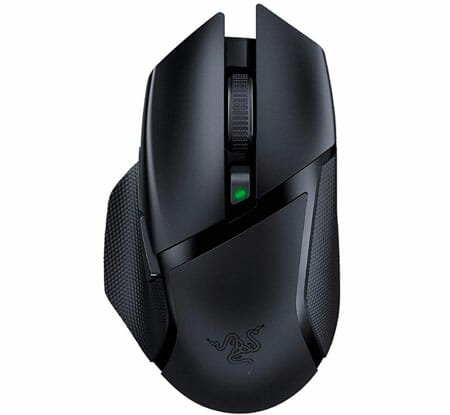
    3] Razer Basilisk X Hyperspeed – $60

    Best Gaming Mouse In 2020

    There are mainly three gaming mouse of this manufacturer, and this one is the cheapest that you can buy today. The mouse fits with almost any hand without any major problem. However, it is not recommended to purchase it if you have a tiny hand because that might be a problem. Talking about the buttons, it has six fully programmable buttons to various tasks. The additional buttons are for DPI adjustment, forward and back. According to the official statement, it has more than 450 hours of battery backup. The build quality of Razer Basilisk X Hyperspeed is impressive, and the wheel is smooth enough for fast scrolling. It has a texture on both sides so that the users do not face any problem related to gripping. Check the deal

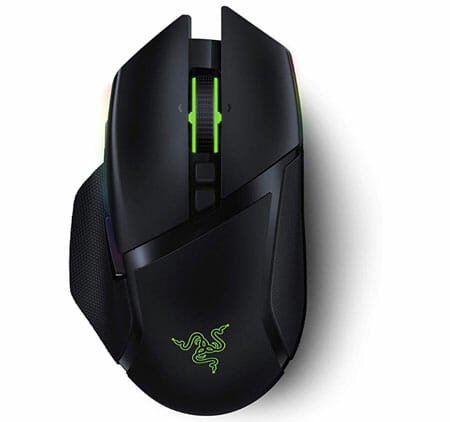
    4] Razer Basilisk Ultimate HyperSpeed – $170

    Best Gaming Mouse In 2020

    As you are spending more money on this mouse, you should expect to get more functionalities from it. Let’s get started with the number of buttons as you can find 11 programmable buttons in this mouse. No matter where you put your finger on this mouse, you can touch one button. All the buttons are smooth enough to perform a task quickly but hard enough to prevent accidental clicking. Whereas another mouse requires a wire or AA battery to charge, you can charge it using the charging dock that is provided with the mouse. It has RGB lighting and almost 100 hours of battery life. Another advantage of using this mouse is that you can have maximum 20K DPI. Check the deal

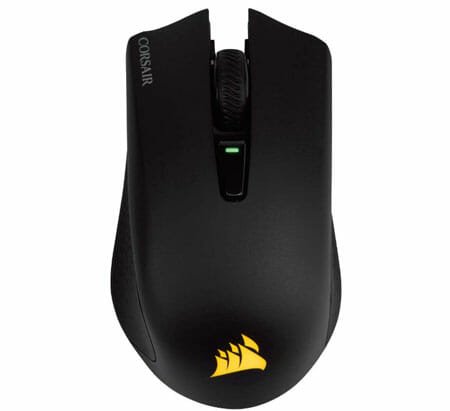
    5] Corsair Harpoon RGB Wireless – $48

    Best Gaming Mouse In 2020

    Corsair Harpoon has three variants – Wired, Wired Pro, and Wireless. We have decided to include the wireless mouse instead of others because it is very easier to manoeuvre a wireless mouse than a wired one. Like some other mouse, it comes with six different buttons to manage DPI, forward, and back. Talking about the DPI, you can set it to up to 10,000. It is effortless to use this mouse because of the weight as it weighs only 99g. According to the official statement, it provides up to 60 hours of battery backup. The size of this mouse is big, but you may not get issues to be used to it. Check the deal

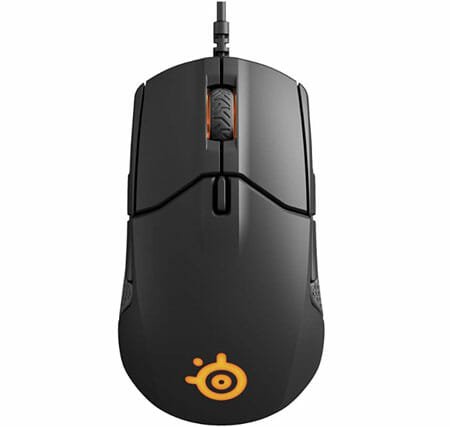
    6] SteelSeries Sensei 310 – $50

    Best Gaming Mouse In 2020

    SteelSeries Sensei 310 is another fully-featured gaming mouse that you can use with any OS, including Windows, Mac, Linux, etc. However, it is a wired mouse, and if you do not like to show a wire on your modern desk, you might not want to purchase it. Before making a final decision, let’s check the features. You are getting five additional buttons in this mouse so that you can set different shortcuts and use them accordingly. It allows you to set up to 12K DPI for smooth roaming. The size of this mouse is smaller than others, and that might cause issues for some, who has small hands. Creating a profile, apply them for different programs, RGB lighting, etc. are very common with this mouse. Check the deal

    Things To Check Before Buying A Gaming Mouse:

    • Test it out at a local store. There might be a computer store in your locality, and that is the best place to check how good or bad the mouse is.
    • Check the size of the mouse before purchasing. Everyone has a different dimension of a hand. Some mouse gets fit with everyone whereas some people need a very small or big mouse.
    • Try to opt for a high DPI. It will help a lot in action gaming.

    That’s all! I hope you will like this list of the best gaming mouse.

  • Best Waterproof Cases For iPhone 11 Pro Max

    Best Waterproof Cases For iPhone 11 Pro Max

    Undoubtedly, the iPhone 11 Pro Max is an excellent mobile with all the possible features. Apart from having top-notch video quality, it has excellent performance as well as IP68. In other words, this phone is waterproof, but that won’t work after a certain point in time. IP68 means it can deal with 30 minutes of underwater pressure within 4m of depth. After that, you will get issues, and the phone might not work as usual. As it is a costly device, you might not want to do such kind of damage. For that, you should check out these waterproof cases for iPhone 11 Pro Max that will help you protect your phone without any issue.

    Best Waterproof Cases For iPhone 11 Pro Max

    1] SPIDERCASE iPhone 11 Pro Max Waterproof Case – $16

    Best Waterproof Cases For iPhone 11 Pro Max

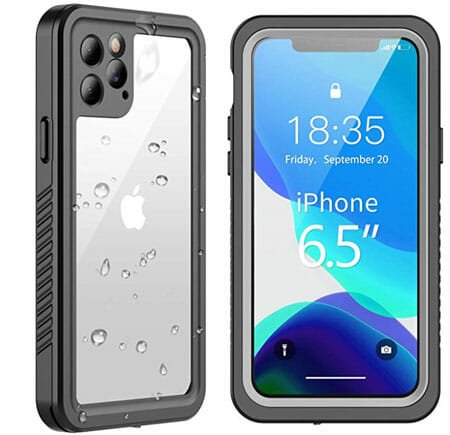
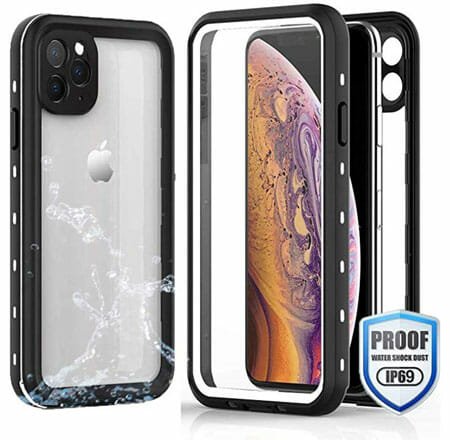
    It is one of the best waterproof cases for iPhone 11 Pro Max and you should try to buy it for other iPhones because that won’t fit. No matter whether you want to protect your phone from dust, water or accidental dropping, you can find this case very handy. According to the official statement, it has passed 1000 times drop test from a height of 6.6ft or 2m. This case is good enough for protecting the phone from dust and all, but the key is quite unfastened, according to the users. However, the overall look of this case is neat and clean so that users can get attracted and the iPhone logo shines on the back. Check the deal

    2] i-Blason Ares Case – $20

    Best Waterproof Cases For iPhone 11 Pro Max

    First thing first. This case is available in four different colour combinations – Black, Blue, Green, and Purple. You mobile will look fancy after installing this case because of the colour scheme. On the backside, it has a transparent layer so that you can showcase your phone. Also, the camera quality doesn’t reduce because of applying this case. The highlight of this case is that you can use a wireless charger even after using this case. Dust, water, drop, etc. are ubiquitous with this case, and it can handle them spontaneously. Although you are going to apply a screen protector on the front side, you won’t face any drop in the performance. Check the deal

    3] Garcoo Waterproof Case – 17

    Best Waterproof Cases For iPhone 11 Pro Max

    This is probably the most lightweight case for iPhone 11 Pro Max. Like any other case on this list, it can deal with water, dust, as well as accidental drop effortlessly. It has 360-degree protection so that your mobile doesn’t get any problem even when you use it roughly. The case looks big, but it doesn’t weigh a lot. As usual, you can find an in-built screen protector so that it can help you get rid of scratches on the front side. The last but not the least thing is that you get a 12-month warranty and 100% money back or replacement facility with this waterproof case. Check the deal

    4] Janazan – $18

    Best Waterproof Cases For iPhone 11 Pro Max

    This case looks quite the same as Garcoo waterproof case, but there are some differences in the appearance. Because of having a transparent back cover, you can showcase the original colour of your iPhone. On the other hand, it has a built-in screen protector, anti-scratch guard, and great shockproof protection. Meaningless to mention that it comes with 360-degree protection so that dust or water doesn’t intervene into your iPhone. Another important feature of this case is that you can keep using wireless charging even after installing this case. Also, it comes with a wrist strap so that you do not lose your phone in any way while swimming or trekking. Check the deal

    5] YOGRE – $19

    Best Waterproof Cases For iPhone 11 Pro Max

    Apart from having all the standard accessories, you are getting a good-looking waterproof case for iPhone 11 Pro Max. It is compatible with this specific iPhone, and you can use it to protect your phone from dust, drop, water, and scratch. The transparent cover on the back will help you get the original colour of your iPhone. After installing this case, you can put your phone under 3m water for one hour and keep using that afterwards without any issue. No matter whether it is raining or snowing outside, you can use this case and roam around without any problem. Regarding the colour, you can find four different combinations – Black, White, Blue, and Red. Also, you are getting some essential accessories with this case. For instance, a wrist strap and soft microfiber cloth are included in the pack. Check the deal

    6] Lanhiem – $20

    Best Waterproof Cases For iPhone 11 Pro Max

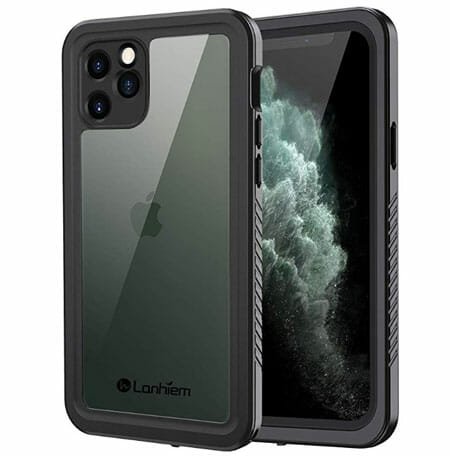
    This case is not more expensive than other cases, and it worth every penny. The build quality of this case is impressive so that you do not get any issue while using it for a long time. No matter if you have iPhone 11 Pro or Pro Max, you can purchase this case to protect your phone from dust, water, snow, etc. It has a full body or 360-degree protection so that you do not need to compromise with the protection of your mobile. The next thing is the weight of this case as it weighs only 60g. As usual, you can find a wrist strap with this case. Check the deal

    7] Temdan – $18

    Best Waterproof Cases For iPhone 11 Pro Max

    It has the support of wireless charging, and that might attract you towards this case. Like any other case on this list, this one comes with protection from water, dust, accidental drop, etc. More specifically, it passed 3.9ft drop test 1000 times. The build quality of this case looks quite promising, and you won’t be disappointed after using it for a long time. This case is available in three different combinations – Black, Teal, and Purple. Check the deal

    There are hundreds of other waterproof cases in the marker for iPhone 11 Pro Max. However, these are some of the best in terms of features, build quality and longevity.

  • RecMaster – An Easy yet Proficient Screen Recorder for Desktop

    RecMaster – An Easy yet Proficient Screen Recorder for Desktop

    According to Cisco’s VNI Forecast, 80% of the total global internet traffic (business and consumer combined) will come from video by 2022, reaching 282.3 EB per month. Such a staggering data! We have to admit that this is an age of video! Online courses, instructions, movies, music, and living broadcastings are scattering here and there. Netizens pass more time on video, and meanwhile the video marketers make their efforts to output more videos too for standing out from the rat race. In these processions, however, it may raise some screen recording problems such as:

    • I’m following an online course and want to save it for offline viewing, but I’m not allowed to do so. What should I do?
    • I came across an online webinar and want to take a recording of it for listening back?
    • I’m a new vlogger and plan to get my channel started with software guides, what screen recorder should I use?
    • I’m a gamer and want to show off some gameplay videos to my friends, and how do I record it on my Windows PC?

    Well, a quality screen recorder is just the point to break through the convention of streaming content or bypass the entry barrier for your vlog journey. Since there’s a plethora of screen recording software for computer, here we give one of the best and easiest around and its name is RecMaster.

    RecMaster is a lightweight but feature-laden screen capture program. Its multiple recording modes, various settings for quality and effects, and the built-in editor make it a top choice for both casual and advanced users. Now I will tell you about the feature details of this good bet. (Kindly to remind that before you take action on capturing copyrighted content online, please check the terms of service and get the permission of the content owner.)

    RecMaster Screen Recorder Features

    • Multi-mode recording to capture video & audio at will

    On the remarkably straightforward main interface of RecMaster, five recording types are here to cater to gamers, YouTube beginners, and the general audiences as well. You can start the no-brainer recording with one click.

    1. Record any gameplay moment? -> Choose Game Mode, please.
    2. Record the whole screen? -> Just select the Full Screen.
    3. Record a certain area? -> You deserve the Custom Area or Mobile Phone Mode if the recording is for mobile users.
    4. Record the front camera only? -> Webcam is what you want.
    5. Record audio coming from computer or/and microphone? -> Audio only is the right one.

    Desktop sources come with image and sound. And RecMaster is able to grab the full screen or any region of screen as you prefer, enable or disable the system sound/microphone according to your actual needs.

    • Possible to record 1080p or 4K MP4 video @60fps

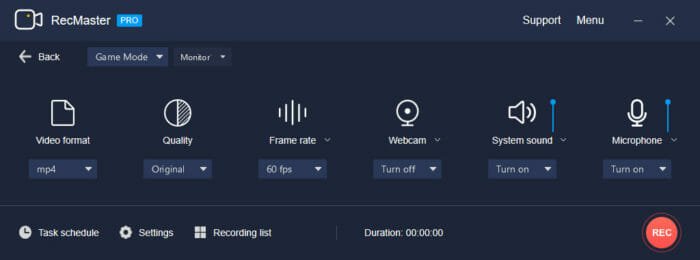
    RecMaster gives options to define the capture format and quality. You are free to screencast something in mainstream MP4, or FLV/AVI instead. Three quality levels and several frame rate values (up to 60fps) can meet any quality needs from low to high. As one of the 2020 top game recording software, if you use a 4K monitor for gaming, you can produce a high-quality 4K MP4 video at 60fps to keep the greatest moment.


    • Add effects and annotation

    Many vloggers get used to attaching a small facecam into their instructions, guides or gameplays. You can easily realize this picture-in-picture (PIP) effect by turning on webcam in advance. Also, you can use hotkeys Alt+4 to show or hided it during the recording. Besides PIP, RecMaster still assists you work out a unique and engaging guideline with customized mouse cursor movement/click, annotation and watermark effects.

    • Support multi-monitor recording

    If you are working with two or more monitors for gaming or so, RecMaster enables you to choose either or all to grab at the same time. This is a standout feature because most similar screen recorders don’t have this function.

    • Scheduler and built-in editor are icing on the cake

    To satisfy those who wish to shoot future live streaming and do easy edits, RecMaster is preloaded with a task scheduler and editor. Thus, you won’t miss any game, sports or concert broadcasting even you are away from the computer. For long large video recordings, you are free to cut them into shorter smaller ones or delete the unwanted parts off.

    How to Use RecMaster on Computer

    The self-explanatory UI of RecMaster makes it a breeze to do screencasting with it on computer. Below is a full guide on how to record screen on Windows. Mac user guide shares the same workflow.

    1. Launch the software on Windows computer or laptop once you have downloaded and installed it successfully.
    2. Select a proper recording mode and set for the recording, including format, quality, frame rate, webcam, audio source and cursor effects. Below is a screenshot on custom area recording with facecam overlay.
    3. Once the preparation is done, hit REC button to start the process. During the process, you are free to annotate using the draw tools, hide or enable webcam, pause and resume at any time. When the content goes to an end, hit stop button to stop the recording. At this time, your capture file will show in the recording list.
    4. Edit and share (optional). You can access to edit and share/upload operation panel from the recording list. As shown in the editing screenshot, cut and merge works is as easy as ABC.

    Final Words

    There’re a large amount of screen recording applications for Windows and macOS in the market. Some are so professional that novices have to invest a lot of money and take time to conquer the deep learning curve. Some are too basic and lack of capabilities to satisfy the demands of common recording requirements. In this case, RecMaster is one of the exceptions. On one hand, it keeps good balance between ease-of-use and recording features, and on the other hand, it’s priced rationally at $29.95 for a 1-year license and $39.95 for a lifetime license.

  • Best Wireless Headset For Gaming In 2020

    Best Wireless Headset For Gaming In 2020

    Multiplayer gaming and headsets are internally integrated into each other. No matter whether you want to play a simple adventure game or action-packed game on your computer, a headset can help you communicate with other people. If you use a cheap headset, it might get damaged after a few days of use, which happens very regularly. That is why you should check out these Bluetooth headsets that you can use for gaming – no matter which game you want to play on your computer.

    Best Wireless Headset For Gaming

    1] Razer Nari Ultimate – $180

    Best Wireless Headset For Gaming

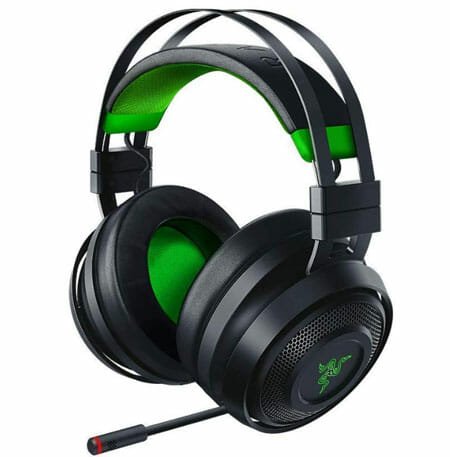
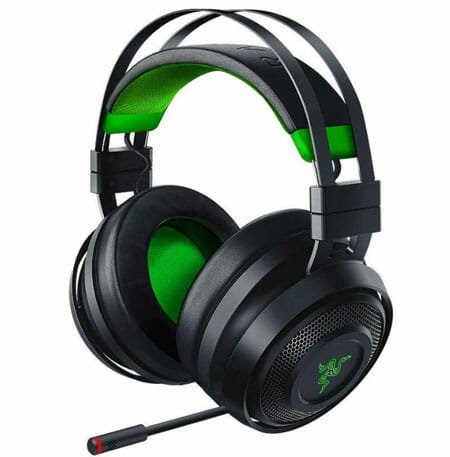
    Razer Nari Ultimate is one of the best wireless headsets that you can buy for gaming purpose. It works comfortably with Xbox, which is another great gaming console. The quality of the audio is more than enough for a standard and pro gamer. It offers 7.1 surround Sound for gaming alongside green lighting to make it look out-of-the-box. According to the official statement, it provides up to 20 hours of battery backup if you disable hyper sense. Although it weighs 2.23 pounds, you should not find any comfort-related issues while using this headset even for a long time, according to some existing users. It has a cooling gel so that you do not get any ear pain while using it. Check the deal

    2] Logitech G935 – $100

    Best Wireless Headset For Gaming

    The Logitech G933 was a hit in the market, and they have updated that headphone with G935. No matter which one you choose, you can get a great sound quality out of them. This wireless headset requires 2.4Ghz network to provide the premium audio quality. On the other hand, you can find RGB gaming-driven lighting so that it looks more professional. Regarding the compatibility, you can use it with more than one platform, including Windows, Mac, Xbox, etc. It included 6mm mic for speaking purposes and DTS technology to improve the audio quality. This headset also has some shortcut buttons so that you can perform various tasks quickly. Check the deal

    3] SteelSeries Arctis 9X – $200

    Best Wireless Headset For Gaming

    SteelSeries Arctis 9X is yet another handy gaming headset that has a sleek appearance, and it does work with all the platforms for gaming. Although this headset is not good for phone calls, you can use perfectly for gaming and music. You can expect to get up to 20 hours of battery backup from this headset. In the meantime, you won’t get any headache or ear pain even after using it for hours. It comes with integrated Xbox wireless feature so that you do not need to spend much time establishing a connection between Xbox and this gadget. It works with a computer wirelessly, and you need an active Bluetooth connection to build a connection between SteelSeries Arctis and a mobile phone. Check the deal

    4] ASTRO Gaming A50 – $255

    Best Wireless Headset For Gaming

    A matte finish doesn’t look great for gaming consoles, but this headphone seems different even in a matte finish. That might be because of the green touch that you can find in this headset. Although this headphone is quite expensive, it worth every penny and that is why you see it on this list. You can connect this headphone with any wireless device such as mobile, PC, Xbox, PlayStation, etc. While communicating with someone, you may not want to hear sounds from outside, and that is why Noise Cancellation is included it ASTRO Gaming A50. The company has promised to provide Dolby sound, and it is somehow right. The audio quality of this headset is sharp, and you should find any problem listening to it for long hours. Check the deal

    5] Sennheiser GSP 670 – $304

    Best Wireless Headset For Gaming

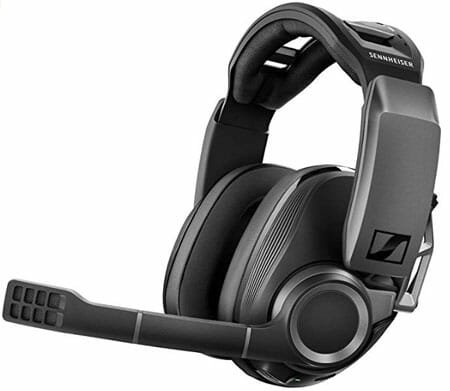
    If you do not care about the money and want to compromise with the audio quality even a bit, you should try out this headset for gaming. Sennheiser GSP 670 is one of the most premium wireless headsets for gamers that uses 2.4GHz wireless adapter to establish a connection. Although the battery backup of this headset is comparatively lower than other headphones, you should not get an issue because it can recharge your headset quickly. The design of this headset is unique, and it is equally comfortable in long hours. The microphone is crisp, and so is the speaker quality. Like ASTRO Gaming A50, it also has a noise-cancelling facility to get rid of outside noises. The best part of this headset is that you can move around in your room freely without any interruption because it has almost 10m range for Bluetooth connectivity. Check the deal

    6] Corsair HS70 – $300

    Best Wireless Headset For Gaming

    Corsair HS70 looks premium from the outside, and that is because of the build quality and colour combination. If you shortlist all the headsets by comfort level, you might have to put this one in the top three. The foam is good in terms of quality and comfort. It uses a 2.4 GHz wireless connection, and you can have a range of 40ft so that you can roam around in your room without any disconnecting. Talking about the battery, you may not find any issue since it provides almost 16 hours of backup. The first version of this headphone is not compatible with PlayStation and Xbox. However, if you have those consoles, you might want to check out the V2 of this headset. Check the deal

    No matter which headset you choose for your gaming desk, you should check for three things.

    • The comfort: If a headset is producing good audio, but it is not comfortable for you, you should purchase it anyway. That lousy decision might cause various health issues.
    • Price: If a headset is cheap, that does not mean that it has poor audio quality. You should try it with various sounds and then opt for something.
    • Compatibility: Let’s assume that you play games on Xbox as well as PC, but your headset is not compatible with Xbox. At such a moment, you would face problems, and that is why you should know about the compatibility.

    That’s all! I hope this list will be helpful to you.

  • How To Enable Wi-Fi Calling On Android And iOS

    How To Enable Wi-Fi Calling On Android And iOS

    If you recently bought a smartphone and you do not know how to enable Wi-Fi calling functionality on your phone, you should check out this tutorial. Here is how to turn on and use Wi-Fi calling on Android and iOS so that you can get a better voice call experience without any extra charge. This functionality is available in most of the countries, but it depends on the carrier that you are using as it is a carrier-based service.

    What Is Wi-Fi Calling?

    Wi-Fi calling is an HD voice service that allows you to make calls with a Wi-Fi network. Let’s assume that you have a poor network issue, or you are getting some call-drop problem on your mobile. At such a moment, you can utilise the Wi-Fi calling facility to make the call by ignoring all those call drop issues.

    You can receive and make HD voice calls using this facility. However, some carriers, around the globe, have enabled video call feature as well. That implies you do not need an LTE connection to initiate an HD video call through your carrier.

    Charges:

    The best thing about this Wi-Fi Calling feature is that you do not need to give any extra money to your carrier to initiate a call. If you already have a carrier plan activated on your number, you can use that to get the job done. No matter whether you are about to make a call in your country abroad, you do not need to pay extra money to your carrier.

    Important things to know:

    Here are some of the most important things you should know about Wi-Fi Calling before enabling it.

    1. You must have to be connected to a Wi-Fi network to start the call. Otherwise, it will use your cellular network.
    2. You do not need to pay an additional cost to your carrier.
    3. Your Wi-Fi network should be strong enough to hold the call.
    4. You can use this facility when you do not have a good cellular network, or you are getting call drops.
    5. You need to enable this feature manually in your mobile.
    6. You should have a phone that supports HD voice calling.

    Difference between LTE and Wi-Fi Calling:

    LTE is a type of network that holds the name of 4G. LTE or Long Term Evolution is a wireless communication standard, and it is prevalent in today’s mobiles. Almost all smartphones have 4G LTE connectivity to allow users to access faster internet service. Whenever you make a call, your phone connects through the LTE network, and it gets received by the recipient. On the other hand, Wi-Fi Calling is nothing like LTE – although it allows you to make calls. In this case, you must be connected to a Wi-Fi network, whereas LTE doesn’t require such a thing. Also, you can make calls via LTE without Wi-Fi, but the opposite thing is not possible at some special times.

    Now, if you have a smartphone, you can use these following steps to enable the Wi-Fi Calling feature. If you are an iOS user, you can find the exact steps in this article. However, if you have an Android mobile, you might need to know the location of that feature.

    How To Enable Wi-Fi Calling On Android

    At first, open the Settings app in your mobile and go to the location from where you manage your cellular network. Every Android mobile has a setting from where users can manage the mobile network, preferred network type, on/off VoLTE, etc. Here you should get an option called Make calls using Wi-Fi.

    How To Enable Wi-Fi Calling On Android

    You need to use the corresponding toggle button to enable this functionality.

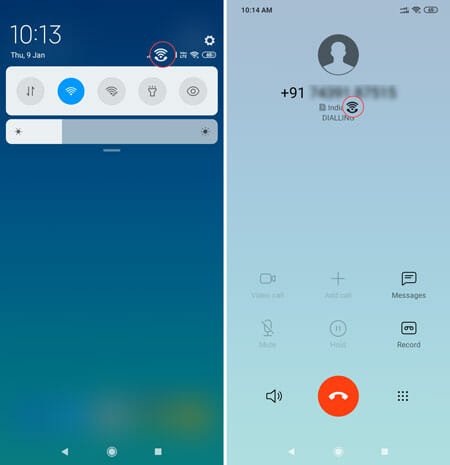
    If you want to use it to make a call, you need to connect to a Wi-Fi network first. Now, make sure that you are getting an icon like the following image in your mobile network area. Then, you can dial a number and check if the same icon is appearing on your screen.

    How To Enable Wi-Fi Calling On Android

    If there is a similar icon, Wi-Fi Calling feature is working for you.
    How To Enable Wi-Fi Calling On iOS

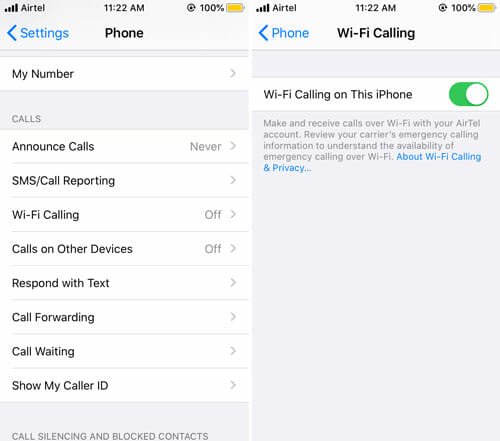
    Like Android, you can enable Wi-Fi Calling on any iOS mobile. To get started, open the Settings app and go to “Phone” settings menu. Here you can find an option called Wi-Fi Calling. By default, it should be turned off. You need to toggle the button to activate it.
    How To Enable Wi-Fi Calling On iOS

    After that, connect to a Wi-Fi network and try to make a call.

    In case, you are not getting the Wi-Fi Calling feature; this is recommended to contact your carrier because only they can activate it across their network.

  • Best Smart Gadgets You Can Install In Your Home

    Best Smart Gadgets You Can Install In Your Home

    Days are gone when you rushed to your main gate to check who is standing and pressing the calling bell. Nowadays, you can install a video camera with a two-way microphone to contact the person who is waiting for you to open the gate. Likewise, you can find countless gadgets that you can install in your home to make it smarter. If you are building or buying your dream house in 2020, you should check out these smart gadgets.

    Best Smart Gadgets For Home

    1] Amazon Echo (3rd Gen)

    Best Smart Gadgets For Home

    Amazon Echo is a great product, and the 3rd generation is even better in terms of audio quality. It comes with new premium speakers powered by Dolby so that you can get loud and clear sound while playing a song or so. Like other previous products, you can control it using voice commands. You can ask it to play a song, get some web results, manage Apple Music, Spotify, etc. According to Amazon, it comes with high-end privacy protection so that your commands stay within the product and your home. Talking about the appearance, it looks fancy, and you can get five different colours combination so that you can choose something that suits your room colour. Check the deal

    2] Smart Bulbs

    Best Smart Light Bulbs For Your Home

    By installing a smart bulb in your room, you can manage the lighting from anywhere in the world. All you need to do is to build a wireless connection with the bulb and install the mobile application. Almost all the smart bulb manufacturers have a mobile app so that users can manage the depth and colour of the light. There are mainly two types of smart bulbs – single-colour and multi-colour. As the names say, if you install a single-colour bulb, you can get only one colour whereas multi-colour bulbs can provide up to 16 million different colours. However, there is a price difference between these two types. You can read out guide to buy smart bulbs.

    3] Arlo Ultra Security Camera

    Best Smart Gadgets For Home

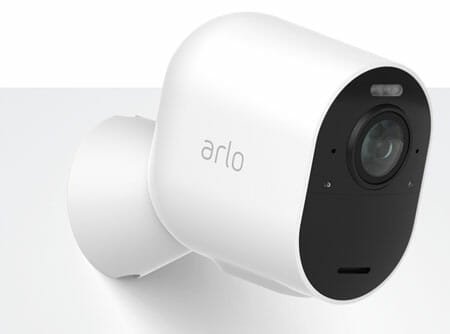
    No matter how big or small your house is, you should install at one security camera in your front gate and backyard. There are countless CCTVs you can find in the market, and that is why it is quite challenging to choose the best one for your business. Arlo Ultra is one of the best in the market because of several reasons. First of all, it is a wireless camera, and that means you do not need to get cluttered wire all over your house to keep recording. On the other hand, you can record in 4K HDR, which is a big plus point since most of the cheap cameras do not have such a functionality. Apart from that, you can find enhanced night vision, integrated spotlight, 180-degree view, noise cancellation, etc. Also, it is compatible with Google Assistant, Amazon Alexa, and Apple HomeKit. Check the deal

    4] Awair Glow Air Quality Monitor

    Best Smart Gadgets For Home

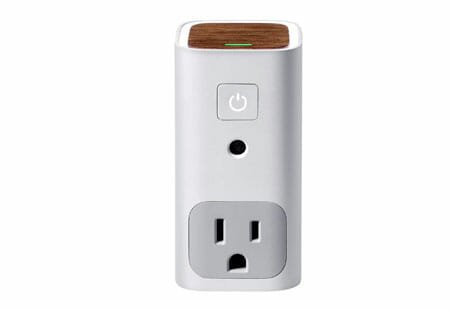
    No matter where you live, you should install an air quality monitor so that you can know whether you need an air purifier or not. Air is the only thing that humans need 24/7, and if you consume polluted air for a long time, you can face countless health-related problems. Air is polluted in almost everywhere (rating may be lower or higher), and that is not good for a kid as well as an adult. That is why you should install the air purifier in your home. Before that, you may want to know the actual air quality, and for that, you should check out Awair Glow Air Quality Monitor. It looks fancy, and you can give it power from any wall outlet. It can track toxins, CO2, temperature, and humidity. Check the deal

    5] Smarter Coffee (2nd Generation)

    Best Smart Gadgets For Home

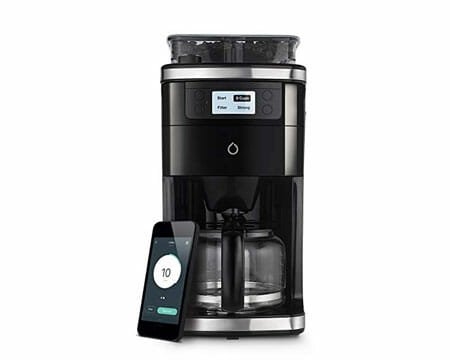
    Many people start their morning with a beautiful cup of coffee and Coffee Maker is not a new product. But do you know that you can deal with your coffee maker using your mobile? No matter whether you need a coffee maker for your home or office, you can check out this one. It is one of the best smart coffee makers in the market that you can have. It is possible to schedule the process with the mobile app. On the other hand, it works smoothly with Amazon Alexa. The best thing about this product is that you can create an IFTTT recipe and apply it to this coffee maker. It has a capacity of 1.5ltr, which is excellent for even an office. Check the deal

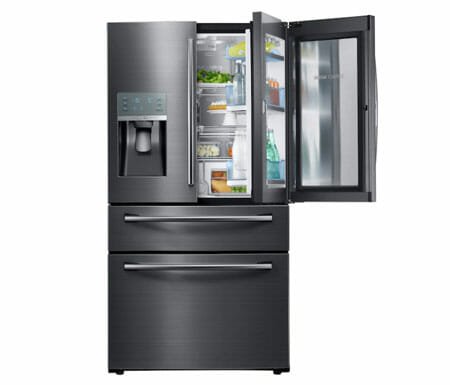
    6] Samsung French Door Refrigerator

    Best Smart Gadgets For Home

    After a morning walk or gym exercise, you certainly need a cold glass of water and nothing can provide that except a refrigerator. However, this refrigerator is quite different from others because of having some smart functionalities. For example, it has a food showcase option. That means you can easily access small items while keeping the vegetables or other products aside. You might find that fruits get an awkward taste after being in the fridge for some time. That won’t happen with this one as it comes with metal cooling locks. The FlexZone drawer makes fruits cool faster than usual time. Talking about some other features, it sports Twin Cooling Plus, LED lighting, Ice master, and so on. Check the deal

    There are tons of other smart products that you can buy and install in your home, and these are some of them. I hope you will like this list.

  • ASUS VivoBook 14 X403FA: A Compact Laptop With Impressive Features

    ASUS VivoBook 14 X403FA: A Compact Laptop With Impressive Features

    ASUS has been manufacturing laptop for a long time now, and they have some brilliant devices so far. ASUS VivoBook 14 X403FA is another excellent laptop that sports numerous smart functionalities that will impress you for sure. Although this laptop is not for avid gamers, this one is suitable for students, businessman, travellers, etc. If you are looking for a laptop under Rs. 60000 in India, you can take a look at this gadget.

    ASUS VivoBook 14 X403FA Features And Specifications

    There are several things you should know about this laptop, and some of the essential information are mentioned here.

    ASUS VivoBook 14 X403FA

    Battery: You might be thinking that who starts a review with battery. That’s correct as nobody does, but we need to make an exception because of the claimed battery life. According to ASUS, this laptop can provide up to 24 hours of backup with a single charge. Even if you get something close to that mark, it would be more than enough for anybody. Talking about the battery, it has a 4-cell 72Wh battery, and it can help you to play videos for 24 hours without any interruption.

    Display: This laptop includes a 14-inch display with 1920x1080p of resolution at 60Hz refresh rate. In other words, you can work on it to make a project, presentation, YouTube video, and so on. Although it has a FullHD panel, the colour could have been better. As travellers can use it regularly, they might work in broad daylight. To skip the reflection, ASUS included an anti-glare coating for better interaction. In other words, the screen is not reflective – instead, it has a matte finish.

    Talking about the GPU, it doesn’t have any additional graphics card as you need to be happy with integrated Intel UHD Graphics 620.

    However, as mentioned earlier, you might face little problems while using it in a park or open coffee shop in the daytime. The screen brightness is subtle, but it is not the brightest. The overall display quality is good, and it has a wide viewing angle, but it could have been better.

    ASUS VivoBook 14 X403FA

    Performance: The core performance and speed depend on the RAM, processor, and storage quality. This laptop has smart processors with less speed, but it does the job without any issue. To be more specific, you can find Intel Core i5 8265U at 1.6Ghz with 6M cache. The processor seems fine as ASUS targeted students and businessman for doing projects and low-end works on this laptop.

    However, you should know that you need to deal with DDR3 RAM, which might not be the deal-breaker, but it works pretty well. ASUS VivoBook 14 X403FA sports 8GB DDR3 RAM with a speed of 2133MHz. However, you might not get other issues because of the OS they are providing. Many old laptops got a new life with Windows 10, and you can find the same in this laptop as well. Other than that, it has a 512GB SSD.

    You might not want to play games because of the screen size, but if you play, you should not have any problem even with a high-end configuration. Before playing any game on this laptop, you should know that it is not for gamers. Therefore, some laptop and frame drops are regular on this laptop.

    Keyboard And Trackpad: A backlit keyboard always looks fancy and premium, and you can find that in this laptop. The keys are soft enough and friendly for a writer who spends 5-6 hours writing articles. You might not see the ‘clicky’ sound like a mechanical keyboard, but you can find a little bounce while typing. Your fingers should not have any ache because of the softness.

    The problem starts when you compare the trackpad with the keyboard. The position of the trackpad is not right, and many people might often face issues while using it. The trackpad quality is good enough for a regular user, but you might face placement issue while using it.

    Talking about the trackpad, you can find the fingerprint scanner included in it. There are some laptops, where the fingerprint scanner is not good enough as they take a lot of time to recognise it. That is not the case with ASUS VivoBook 14 X403FA as it is insanely fast so that users do not need to spend a lot of time to unlock their PC.

    Input/Output: This is a small laptop, but it has almost all the possible ports so that users do not encounter any issue with a third-party device. For example, you can find 3.5mm audio jack, 1 Type-C USB 3.0, 1 Type-A USB 3.1, 1 USB 3.0 Type-A, 1 USB 2.0 Type A, 1 HDMI 1.4, 1 SD card reader, etc. are included in this laptop. On the other hand, you can see HD webcam for video calling.

    Build Quality: The dimension of this laptop is 20.8 x 32.3 x 1.7 cm, and it weighs 1.35 Kg only. Being a Windows laptop, this is a reasonable weight that you can find right now. The overall appearance of this laptop is pretty good, and that is because of the glossy ASUS branding on the back. In the photo, the keypad might not look good, but it is totally fine in real life.

    Should You Buy It?

    Before jumping into the final decision, you should know one thing. Do you want to get a laptop for casual video/photo editing, PPT presentations, and writing projects? If the answer is yes, you can buy this laptop without any problem. However, if you are looking for a small laptop for gaming, this device might not suit your needs.