Author: Sudip Majhi

  • Best Travel Pillow For Long Flight Or Road Trip

    No matter where you sleep, you must have an excellent pillow to get a tremendous good-night sleep. A bad pillow can cause countless problems such as shoulder aches, headache, etc. At home, you can change the pillow whenever possible. However, that is not possible when you are traveling by flight or train. You cannot stop somewhere and buy a new pillow if the existing one is making you uncomfortable. Therefore, you should check out these travel pillows for a long flight or road trip so that you can enjoy your vacation after an excellent good-night sleep.

    Best Travel Pillow For Long Flight Or Road Trip

    1] Travelrest Ultimate Memory Foam Travel Pillow

    Best Travel Pillow For Long Flight Or Road Trip

    It is one of the best travel pillows that you can find on the Amazon website. Although the price of this pillow is $40, it is a value for money product. No matter whether you need a pillow for traveling or while watching movies at your home, you can use it without any problem. However, it is primarily intended for travelers. The best thing about this pillow is you can compress it to 1/4th of its original size so that you can carry it anywhere, including the cabin bag. Talking about comfort, you can find it very handy even when you are going through a bumpy road. Regarding the size, it is around 0.8 x 10 x 5 inches, and it weighs 13.4 ounces. Check the deal

    2] BCOZZY Chin Supporting Travel Pillow

    Best Travel Pillow For Long Flight Or Road Trip

    As the name says, it is a chin supporting travel pillow that you can purchase for $30 from the official Amazon website. Apart from the comfort, the best thing about this travel pillow is that you can find almost 22 different color variations so that you can choose something as per your preference. No matter whether you like to have a pillow that suits your dress or a random one, you can purchase anything from the Amazon website for $30. Regarding comfort, countless people have been using this product for a long time now, and they haven’t found any problem with it. However, as it is a chin supporting pillow, the size of this pillow is comparatively bigger than other neck support pillows. Check the deal

    3] HOKEKI Travel Pillow

    Best Travel Pillow For Long Flight Or Road Trip

    HOKEKI Travel Pillow is made off 100% pure memory foam so that you can keep getting the same comfort even after using it for a couple of months. The price of this travel pillow is quite low, but that doesn’t define the comfort it can offer. Unlike the above-mentioned pillow, it has only two color variants – Blue & Black and White & Black. The size of this travel pillow is smaller than the first one – to be precise, it is around 6.5 x 6.1 x 4.5 inches, and it weighs 10.2 ounces only. The overall quality of this product is pretty good, but it is not very comfortable for a 12-14 hours flight. However, you can use it for 5-6 hours without any problem. If you are willing to purchase, you should know that you need to pay around $12 to get it from the Amazon website. Check the deal

    4] MZYSKJ Travel Pillow

    Best Travel Pillow For Long Flight Or Road Trip

    If you need a pillow, which can cover your neck and chin at the same time, you should try the MZYSKJ Travel Pillow out. You should not doubt the comfort because of the material the company has used to manufacture it for the consumers. Also, the size of this pillow is reasonable – 11.4 x 10.6 x 6.1 inches to be precise, and it weighs around 13.6 ounces. Although it is more substantial than other aforementioned pillows, you should not have any problem because you can fold it as much as possible. It will eventually help you to carry it anywhere inside of any bag, including the cabin bag. This $25 pillow has two color variants – Black and White. Check the deal

    5] Upgrade Travel Pillow

    Best Travel Pillow For Long Flight Or Road Trip

    If you need a complete setup for your sleeping time while traveling by train or flight, this product might be helpful for you. For $22, you are getting one travel pillow, one eye mask, and one earplug. Apart from that, the bag will help you carry all of them at once. Talking about material, you can find magnetic therapy cloth, which us an ice-sensitive material, and it is very good for giving slight relief from shoulder pains. We often get dust in the pillowcase, and we cannot wash them most of the time. However, that should not be a problem since this pillowcase is machine washable. There are two color variants – Pink and White, and Black is common in both of them. Check the deal

    6] BCOZZY Chin Supporting Travel Pillow

    Best Travel Pillow For Long Flight Or Road Trip

    It is another chin supporting travel pillow, which can be used at home as well. Many people often watch movies sitting on the couch, and they can use this chin supporting pillow to get rid of should pains. You can expect a great comfort from this high ranged travel pillow. The outer cloth is so smooth and comfortable that will grab your attention for sure. On the other hand, it has almost nine color variants so that you can buy something as per your preference. Talking about the price, it costs around $50 on the Amazon website. Check the deal

    7] TRTL Pillow Plus

    Best Travel Pillow For Long Flight Or Road Trip

    While purchasing a travel pillow, you should know the size. Otherwise, you may not get a good level of comfort. However, that should not be a problem if you use this travel pillow. That is because it comes with manual adjustment functionality so that everyone can use it as per his/her needs. You need to push and twist the button to adjust the size of this pillow. For $60, you can find three different color options – Blue, Pink, and Charcoal. Check the deal

    No matter which travel pillow you purchase, you should check a few things  – material, outer cloth, size, etc.
  • Best Smart Coffee Makers For Your Home

    Coffee is an essential thing in everyone’s morning. If you drink coffee in the morning or at any time, this article will be helpful for you seen some of the best smart coffee makers for your home and office. Although there are some normal coffee makers, these gadgets help you make everything smooth and fluid so that you can get your coffee whenever you want and immediately.

    Best Smart Coffee Makers For Your Home

    1] Nescafe E Smart Coffee Maker

    Best Smart Coffee Makers For Your Home

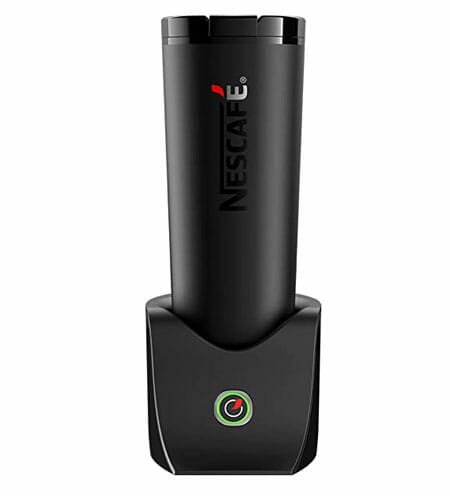
    It is one of the best apps hot and cold coffee makers that you can find in the market right now. Whether you want to control using your mobile or manual, both are possible without any problem. It has a temperature range from 20° celsius to 60° celsius, and it consumes a power of 220 to 240v at 50 or 60Hz. The overall look of this product is awesome, and yes, it comes in black, you can find a professional touch in this smart coffee maker. Whether you want to make coffee for one or multiple parcels, you can do that without any problem using the smart coffee maker. The net weight of the smart coffee maker is around 948 g, and that means you can carry it anywhere, including your office. It is not recommended to carry a coffee maker with you, which weighs almost 1KG. Check the deal

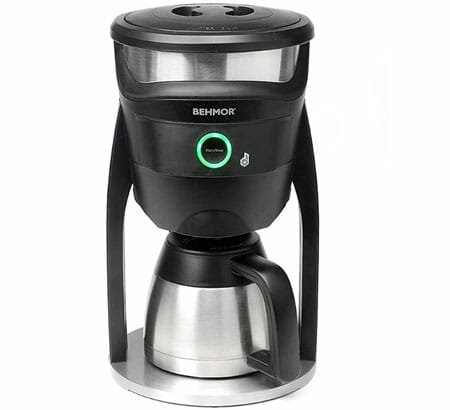
    2] Behmor Connected Customizable Temperature Control Coffee Maker

    Best Smart Coffee Makers For Your Home

    There are some coffee makers who do not allow users to adjust the temperature, and thus, the coffee doesn’t taste good. If you want manual control over temperature, you should check out this smart coffee maker called Behmor connected customizable temperature control coffee maker. You can control this gadget using your mobile, and the best thing is that you can control it using some digital voice assistant such as Alexa, Siri, Google Assistant, etc. For obvious reasons, you must have to download the mobile application, which is compatible with iOS 7.0 or later version and Android 4.0 or later version. In other words, you should get any compatibility related problems while using this coffee maker. Regarding the price, this smart coffee maker costs around $275 on Amazon. Check the deal

    3] Gourmia GCMW4750 WIFI Coffee Maker

    Best Smart Coffee Makers For Your Home

    As the name says, this coffee maker lets you make coffee using your mobile app, which you need to install after purchasing the product. On the other hand, you can use your voice command to get the morning coffee when you are still in your bed. First thing first. It is probably the smartest looking coffee maker that you can find in the market. It has a smart display, where it shows all the essential information such as remaining time, temperature, etc. It is possible to make coffee automatically, or you can have the manual control to make some better than the machine. The weight of this smart coffee maker is pretty higher than usual, and that is because of the design for sure. To be precise, it weighs around 4KG. Talking about the price, you need to pay around $350 to purchase it from Amazon. Check the deal

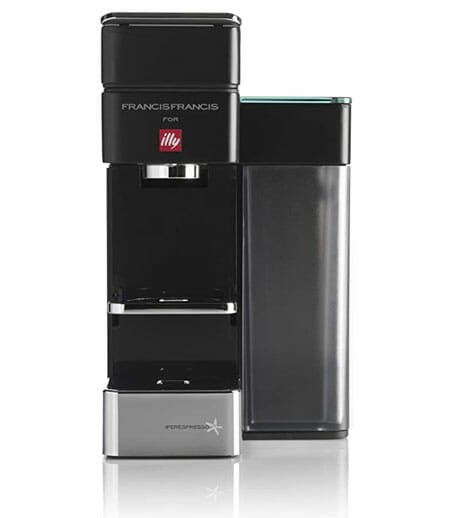
    4] Illy Y5 Espresso & Coffee Machine

    Best Smart Coffee Makers For Your Home

    If you want to purchase a space-saving smart coffee maker for your home or office, you should check out this gadget called Illy Y5 Espresso & Coffee Machine. As usual, you can control the whole coffee maker using a simple mobile app, which is compatible with Android as well as iOS. No matter whether you want to brew the coffee or do something else, everything is possible with the help of the respective mobile app. Although the design of this smart coffee maker is sleek, it weighs a lot, almost 3.74KG. However, the coffee tastes awesome, and that is all that matters. If you are willing to purchase this smart coffee maker for your home, you need to pay around $215 on the Amazon website. Check the deal

    5] Smarter SMC01 iCoffee Remote Brew App

    Best Smart Coffee Makers For Your Home

    If you need a fully mobile controlled smart coffee maker at your home, you can take a look at this sleek coffee maker, which costs around $219. It can make up to 1.5L of coffee at one go, which is probably more than enough for your family. As the capacity is higher than most of the other gadgets on this list, you can use this coffee maker at your office as well. This is meaningless to mention that you can download the respective mobile app and control every aspect of this smart gadget from your bed or couch. On the other hand, voice assistants such as Google Assistant, Alexa, Siri, etc. work pretty well with this coffee maker. The best thing is that you can use IFTTT to filter your coffee as well. Check the deal

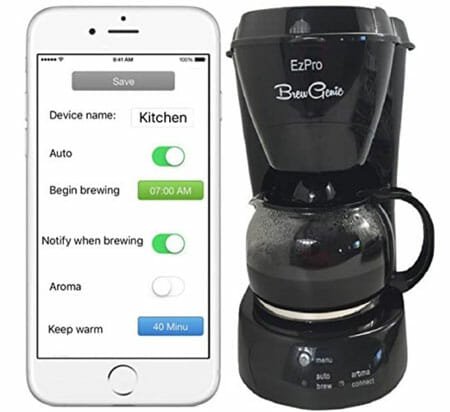
    6] BrewGenie BG120 Smart Coffee Maker

    Best Smart Coffee Makers For Your Home

    If you do not have a big budget, but you want to opt for a smart coffee maker for your home, you should take a look at BrewGenie BG120 Smart Coffee Maker. It can make up to 8 cups of coffee without any problem at one go. The most important thing is that it weighs only 1.36KG. The design of this smart gadget is pretty good, and you should not have any problem to match it with your existing kitchen theme. As usual, you can connect the mobile app and control different aspects of this smart coffee maker. For your information, it is compatible with Android as well as iOS. Regarding the price, you need to pay around $120 to purchase it from Amazon. Check the deal

    There are countless smart coffee makers for your home, but these are some of the best coffee makers that you can find right now. No matter whether your budget is $150 or $350, you can find something suitable on this list.

  • 5 Gadgets You Should Buy To Fight Stress

    Stress is probably the worst enemy of the human being. No matter whether you are a student, businessman, or anybody else, you might have gone through a period when you could not see anything but a dead end. That period might be going on now as well. If you know someone, your friend, kid, sister, brother, etc., you should help him/her as much as possible. In this article, you can find some of the best gadgets that you can purchase to fight stress. Although they won’t help directly, they can “help” for sure. Therefore, without wasting time, let’s check out these gadgets.

    5 Gadgets You Should Buy To Fight Stress

    1] IMPRESA Stress Relief Balls

    5 Gadgets You Should Buy To Fight Stress

    Kids often go through stress due to bully. Whenever someone teases, hits him/her, the kid wants to do the same in return. This is general psychology, and it is happening with adults as well. The revenge is bad for you as well as your loving persons. That is why you should purchase these stress relief balls that you can punch, throw, or do anything else. In that way, you might get rid of some stress without hurting anybody. They do not cost a lot, but they are effective for sure. Countless people have got some relief temporarily, and you might get the relief too. It is possible to purchase it from the Amazon website for $12. Check the deal

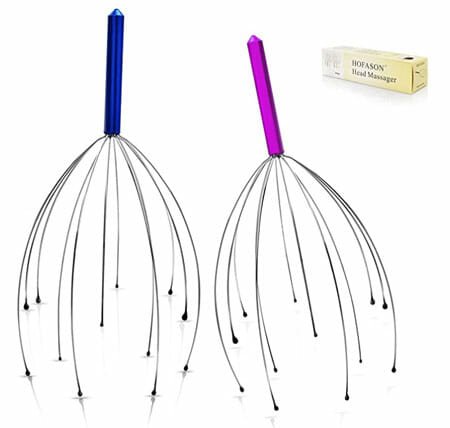
    2] Head Massager

    5 Gadgets You Should Buy To Fight Stress

    It is a very small product that you can purchase for $9-10 from the Amazon website. No matter whether you have a bad headache, stress, or anything else, which is affecting your daily work, you can purchase this product from Amazon. Just spend a couple of minutes doing massages using this product. You might be one of the people who have got some major relief after using this head massager. Check the deal

    3] Fidget Spinner

    5 Gadgets You Should Buy To Fight Stress

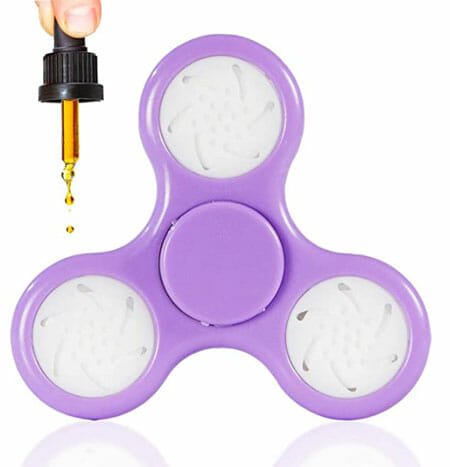
    Don’t know how much it affects your daily work, but it will definitely help you concentrate on your work instead of some time-wasting things. A fidget spinner can help kids as well as adults. There are tons of fidget spinners available on various websites. The price depends on the material quality, design, brand, etc. However, you can purchase something good for $10 from any online or offline retailer. No matter which spinner you are buying, make sure that it comes with an essential oil pouch. Otherwise, it might get worse day by day. You can use it anywhere, and so far, there are restrictions on this fidget spinner in any country. Check the deal

    4] Noise Cancelling Headphone

    iPhone with headphone

    Music has high power, but you need to find something suitable as per the environment. There are countless amount of songs available on various platforms, including YouTube, Spotify, etc. You need to put on a noise-canceling headphone and listen to some good music to get relief from stress. You can listen to anything you want – it can be hard rock music, soft classical, or anything else. There are hundreds of excellent noise-canceling headphones that you can find in the market. An excellent and well-equipped noise-canceling headphone can cost from $100 to $500, and the price depends on the brand, audio quality, etc. If you are going to some significant level of stress, you should opt for a headphone and listen to some music, speech, or anything else.


    5] A Pen And Notebook

    Things You Should Have On Your Desk

    Many times we want to say things to someone but could not do that as planned. Let’s assume that your boss has said something personal, and it hurt you, but you couldn’t say anything in return because he is your “boss.” At such a moment, you can write down everything in a notebook that you wanted to speak to your boss. It can be some bad words or anything you wanted to say to make things even. Almost everyone has a pen and a notebook. However, if you do not have, you can purchase one within $10. They do not need to be fancy since you are going to show them to anybody.

    Some Effective Methods to Get Relief From Stress

    1] Take A Walk At Night

    The night is the best time for many people to open up the brain as the surrounding is going through the silent mode. No matter whether you are a night owl or morning person, you should take a walk at night in your locality. It will let you see things differently and minutely.

    2] Shopping

    Who doesn’t like to do some shopping, buy new clothes, etc.? Everyone! That is why you should do some controlled shopping. However, it is not possible when you are going through stress because of the money problem.

    3] Take A Small Vacation

    Everyone likes to travel. Whenever you are going through some stress, you should take a small break from your office and daily life. You can go to the nearest beach, hill station, or anywhere else, which makes you happy. When you travel, you do not think about the work or why you were in the stress. That is how a vacation heals most of the problems we have.

    4] Small Ride or Drive

    Do you have a car or a motorcycle? No matter whether you like to ride or drive your motorcycle/car, you should do a small ride. Wake up very early in the morning, start the engine, and do a small ride of 100KM or so. Not only that, but also meet some new people ta a coffee shop, order your favorite coffee, drink it, and come back home. Those who like to ride a motorcycle have got considerable relief from this solution.

    No matter what your problem is, it can be solved. Do, don’t worry about the situation you are going through right now. Talk to your parents, friends, spouse, etc. Everything sees other people’s problems differently, and thus, they can help you to come up with a solution quickly.

  • Top 7 Things You Should Buy To Increase Productivity In Home Office

    Nowadays, many people work from home, and if you are one of them, you may find this article quite useful. Here are some of the most important things you should buy to increase productivity in your home office. No matter whether you are a photographer, videographer, writer, filmmaker, or anybody else, you can find something handy in this list. Therefore, let’s take a look at these critical productivity related things you should purchase for your home office.

    Top 7 Things You Should Buy To Increase Productivity In Home Office

    1] Desk With Compartments

    Best Space Efficient Desks

    No matter what you do, you just need a desk to execute all works. There are mainly three types of desks – L-shaped desks, space-saving desks, standard desks with a lot of compartments. If you do not have much space, it is recommended to check out the L-shaped desks and space-saving desks that we covered earlier. However, if your room has an ample amount of space where you can put a normal size desk without any problem, you should opt for something, which has a lot of compartments. It will let you store all the work-related things such as mobile, tablet, notebook, book, pen, pencil, hard disk, or anything else. The price of such a desk depends on the material, brand, size, paint, etc. However, you can get something handy within $300 from IKEA.

    2] All-in-one Charging Dock

    We all have mobiles, tablets, etc. and we need to charge them as we work. If you have right amount of power outlets near your working desk, it is okay. Otherwise, you should purchase an all-in-one charging dock. Before purchasing, make sure that it comes with multiple options to charge different mobiles, tablets, etc. Also, it should have an option to charge gadgets wirelessly so that you can charge iPhone, Apple Watch, etc. without any problem. Again, the price depends on quality, features, brand, etc. However, you can get something handy within $100 from Amazon. Before purchasing, it is recommended to read some reviews so that you do not waste your money on a charging dock.

    3] USB Hub

    Things You Should Buy To Increase Productivity In Home Office

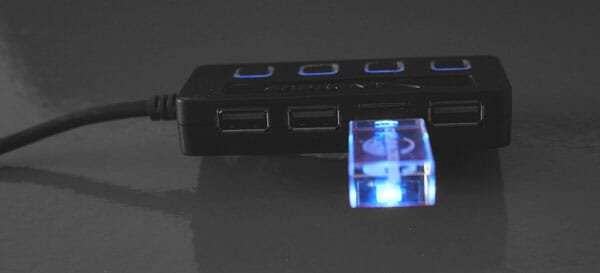
    Let’s assume that you power your workstation using a MacBook, which has only one Type-C port. For obvious reasons, you need to use that Type-C port to connect an external monitor, and now, there is nothing that you can use to connect your phone or anything else. At such a moment, you need a USB hub that will let you connect all the devices at a time. There are thousands of USB hubs available in the market, and something good comes for $50 or something like that. As usual, it is recommended to read reviews if you are about to make the purchase online.

    4] Sticky Notes

    Things You Should Buy To Increase Productivity In Home Office

    Many “work-from-home” people often forget to do important tasks and face problems due to that. It is why you should keep a sticky note on your desk so that you can write down your essential tasks, notes, etc. quickly and keep that in mind. You can stick all the notes on your monitor bezel so that you do not forget anymore. It doesn’t cost a lot, but it does the job pretty well. You can purchase a sticky note for as low as $5 from the Amazon website. No matter which sticky note you are buying, make sure that the quality of the paper is good enough. Otherwise, you will face problems while writing the note. Also, ensure that the size is big enough to keep all the texts.

    5] Alarm Clock

    Things You Should Buy To Increase Productivity In Home Office

    We often forget to take a break even when that doesn’t slow down the work. It happens because of the work pressure, and rest is equally important as work. Otherwise, several health problems might occur at times. Therefore, you should keep an alarm clock on your desk so that it reminds you to take a small break. You can use the Pomodoro technique or 20-20-20 rule, whichever suits your needs. An alarm clock doesn’t cost much, but it does excellent work for your health and work life. You can purchase an alarm clock from Amazon for $15.

    6] Multipurpose Cleaning Brush

    Things You Should Buy To Increase Productivity In Home Office

    If you are a freelance writer, who needs to use the keyboard very frequently, you might need a cleaning brush. Many people keep the keyboard and desk as it is, and that stores all the dust at times. Therefore, it is recommended to keep a brush or soft cloth within your range so that you can clean the desk, keyboard, and surroundings within moments. No matter what brush you choose from the Amazon website, it won’t cost more than $20. However, it recommended to go to the nearest store and pick up something from there so that you can check the quality and usage.

    7] Whiteboard

    Things You Should Buy To Increase Productivity In Home Office

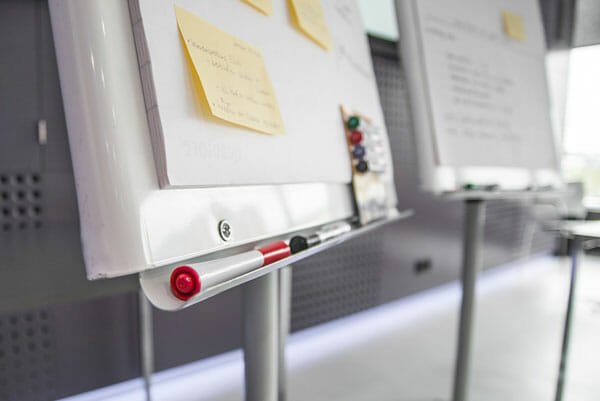
    Get a whiteboard and hang it in front of you. It looks awkward, but it serves the purpose. Many people take a lot of breaks and forget to do the job because of laziness. If you are one of them, it is time to write down your next day’s work on the whiteboard so that you can keep an eye on them the following day. It may ruin the overall look of your workstation, but it will help you get your job done, which is far better than having a well-looking workstation.

    There are more other things that you can purchase for your home office. However, these are some of the best things to increase productivity. Many people, like me, work from a home office or rent an apartment to do all the work. All the primary problems can be solved with the help of these things on the list.

  • 7 Vlogging Equipment To Make Vlogging Easier And Better

    Nowadays, vlogging has become a profession, and people are rushing towards it. However, only a few people get success. The key to long-term success in vlogging is quality content. No matter whether you make travel videos, lifestyle videos, or anything else, you need to provide quality. To present the quality content, you should have some good tools. Otherwise, you cannot make things clear. Therefore, you should check out this article where you can find some of the best vlogging equipment to make vlogging easier and better in a simple method. For obvious reasons, you need to spend some money to obtain all the tools, as mentioned in the following list.

    7 Vlogging Equipment To Make Vlogging Easier And Better

    1] Canon G7X Mark II

    7 Vlogging Equipment To Make Vlogging Easier And Better

    Canon is good in the video recording field, and everyone knows that already. Although Sony can compete with Canon in different areas, Canon will surely be the first preference for many people. Therefore, you should check out this camera called Canon G7X Marl II, which is not a DSLR, but it does a better job than most of the mid-range DSLR cameras for beginners. As it is a vlogging camera, you can find a flip screen so that you can continuously check the frame as you record. Talking about the display, it has a 3-inch LCD for management purposes. On the other hand, you can find a 20.9-megapixel lens with 4K video recording capability, 4.2x optical zoom, 4x digital zoom, etc. The only problem with this camera is that you cannot find the AC adapter. Apart from that, you may not notice any major lack of this small and portable camera. Check the deal

    2] Ring Light

    7 Vlogging Equipment To Make Vlogging Easier And Better

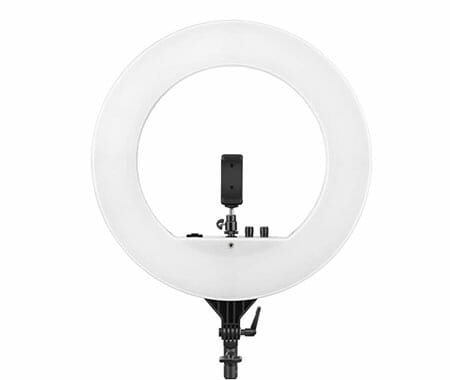
    There are mainly two kinds of vloggers – some make videos from home, and the rest of them travel places to make videos. If you often make videos from home, you might need perfect lighting to get the most out of your place. For better frames, you need to install studio lighting, which doesn’t have any reflection. However, there is another kind of light, which is called a ring light. The shape of this light is exactly what it says – circular. It makes the frame better, and you can get some good effects if you know how to use a ring light creatively. The best thing is that a ring light doesn’t cost a lot, but it does the job pretty well.

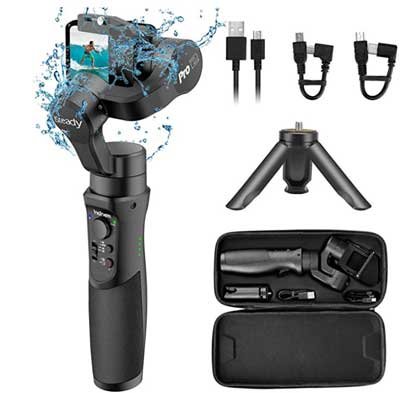
    3] Gimbal

    GoPro Accessories For Action Video Shooting

    Let’s assume that you travel a lot and make videos to make a living. At such a moment, you need a tool that can do a better job than a hand tripod. That is when a gimbal comes to play. If you do not know what a gimbal is, you are missing out on something convenient. A gimbal can stabilize your videos while recording by stabilizing the camera itself. No matter whether you record videos using your phone or a professional DSLR camera, you can use a gimbal to get the job done. On the other hand, it doesn’t matter if your camera has an optical image stabilization or not, you can still get a better recording using the camera or mobile. However, the price of a good DSLR compatible gimbal is high – $300 minimum. But it is worth the money.

    4] Hand Tripod

    7 Vlogging Equipment To Make Vlogging Easier And Better

    A hand tripod and vlogging are internally integrated into each other. If you often go out in the street to make videos for your YouTube channel, a hand tripod is what you need. As it is not practical to grab the camera directly to record videos, you should opt for a hand tripod. There are countless hand tripods available in the market, and the price depends on the manufacturer, features, build quality, design, material, etc. However, you can expect something excellent if you can spend around $100-150. However, if you are starting your YouTube channel now and you do not have much money to fund, you can opt for a cheaper one.

    5] Spare Camera Battery

    Almost all the cameras require a battery to power up the machine. However, some people often face problems because of low battery backup. Let’s assume that you are recording something awesome and your camera gives up, how would you feel? To get rid of such a moment, you should carry one or two spare batteries so that you never miss out on a special moment. No matter which camera you are using to record your films, you can get space batteries, either online or offline retailers. It is recommended to opt for the official website first to check if they sell spare batteries or not. If not, you can check out the Amazon or any other website to find a good deal.

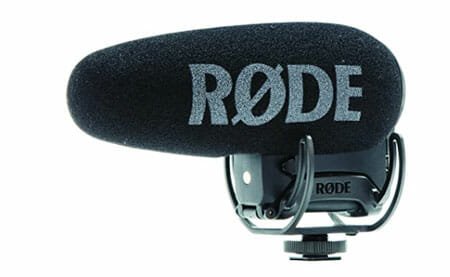
    6] External Microphone

    7 Vlogging Equipment To Make Vlogging Easier And Better

    A video is not complete without good audio, and every vlogger knows it. If you are a vlogger, you should use a good microphone instead of relying on the in-built mic of your camera or mobile. Most of the in-built microphones do not record good audio, and eventually, your vlog might get ruined. Therefore, it is recommended to spend some money on a good Rode microphone so that your audience can get clear audio when in a windy place.

    7] Adobe Premiere Pro

    Different people use different video editing software to make a good film. For example, most Mac users use Final Cut Pro, whereas most of the Windows users use Adobe Premiere Pro. No matter which platform you use, you should opt for the Adobe Premiere Pro, which is much more reliable and comes with a lot of features. However, you need to spend some time to understand all the features so that you can do something correctly. For that, watch some videos on YouTube or some other website or do some courses.

    That’s all! These are some of the essential tools for a vlogger. If you are going to start your vlogging career, you should follow this list.

  • Best Apple Watch Docks You Can Buy Today

    If you have an Apple Watch and you want to charge it at a secure location, you should opt for a dock. The official charger is pretty good in terms of build quality and features. However, if you want to purchase a third-party charging dock for Apple Watch, you should take a look at this article. Here are some of the best Apple Watch charging docks you can buy today. These are quite fancy, and they have a good number of features so that you do not think twice before opting for them.

    Best Apple Watch Docks You Can Buy Today

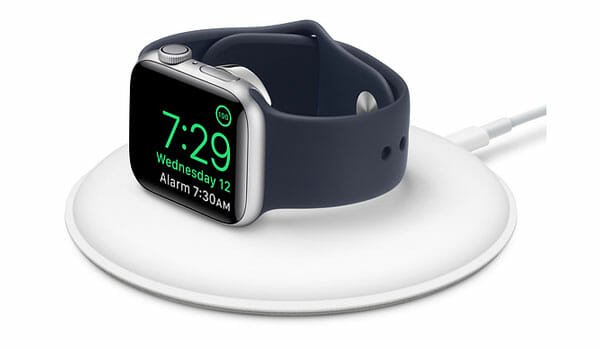
    1] Apple Watch Magnetic Charging Dock

    Best Apple Watch Docks You Can Buy Today

    It is the official charging dock that you can purchase from various online and offline retailers, including the official website of Apple. On the official Apple website, it costs around $79. Talking about the features, you can find a simple-looking dock where you can put your Apple Watch to start the charging. It comes with lighting to USB cable to provide the power supply. Talking about the compatibility, you can use any Apple Watch with this charging dock. That said, it is possible to use Apple Watch Series 5 as well as 1st Generation Apple Watch. The only drawback of this charging station is that it has a 5W USB power adapter. In other words, you cannot charge your Apple Watch quickly if you need it to be done within 15 or 20 minutes. However, the quality of this product is more than excellent, and that is Apple sells it for $79. Check the deal

    2] Belkin PowerHouse Charging Dock

    Best Apple Watch Docks You Can Buy Today

    If you need a multi charging dock, which you can use to charge your iPhone as well as Apple Watch, you should check out this product called Belkin PowerHouse Charging Dock. It looks very fancy and does the job without any problem. No matter whether you want to charge iPhone XR, XS, 11 Pro Max, or anything else, you can charge it with the help of this charging dock. On the other hand, it is compatible with Apple Watch Series 1 to 5. Therefore, no matter which latest iPhone and Apple Watch you use, you can put both of them in one place and get them charged. The overall appearance of this product is elegant, and you won’t be disappointed by the quality as well. Regarding the price, you need to pay $111 to purchase Belkin PowerHouse Charging Dock from the Amazon website. Check the deal

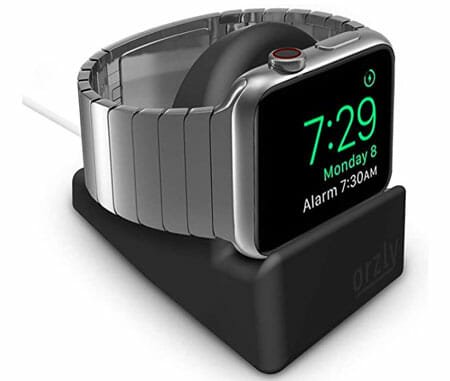
    3] Orzly Charging stand

    Best Apple Watch Docks You Can Buy Today

    If you do not want to spend a lot of money from your pocket, but you want to get a good-looking charging dock for your Apple Watch, it might be helpful for you. It costs only $9 on the Amazon website, but it provides almost all the features you might need. That said, you might not get a fast charger or very fancy looking stand, you can get a charging dock, which is compatible with all the Apple Watch, including Series 4. It has four different color combinations I.e., Black, Blue, Green, and Red. If your workstation theme matches with any given color, you should opt for that variant. Otherwise, Black goes with everything. Check the deal

    4] Belkin Valet Charge Dock

    Best Apple Watch Docks You Can Buy Today

    It is probably the fanciest looking charging dock for Apple Watch. No matter whether you have Apple Watch Series 5 or the 1st Generation Apple Watch, you can use this charging dock to get your wearable device charged. It is kind of a stand, which allows users to charge their devices without any issue. The body has a meta chrome finish so that it looks better than other plastic made docks. On the other hand, the base has a white color coating so that the overall product looks fancy on the table. It has an integrated magnetic charger so that you can charge your device wirelessly. The magnetic surface is strong enough to hold any Apple Watch, and as a user, you can use it without any worry. Check the deal

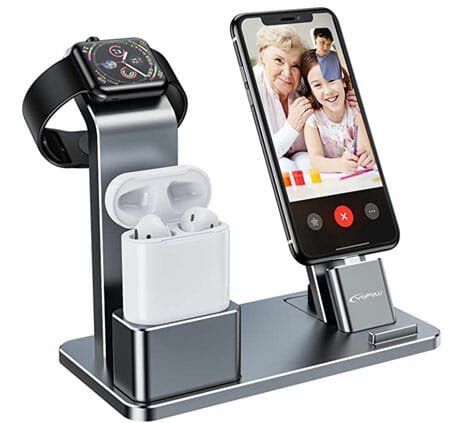
    5] YoFeW Charging Stand

    Best Apple Watch Docks You Can Buy Today

    Many people often need a charging station instead of a charging dock when they are into the Apple ecosystem. If you have all Apple products such as Apple Watch, iPhone, AirPod, etc. and you want to charge them simultaneously, you can think of a product like this one. No matter whether you have Apple Watch Series 5, 4, 3, 2, or anything else, you can use it alongside AirPods as well as iPhone. However, the only problem with this product is that it is not compatible with AirPods Pro. The overall quality and finish of this product are pretty good, and you would be impressed after getting it in your hands. The whole thing is made of metal (except a few things), and that is why you should expect good quality from the manufacturer. Check the deal

    6] XUNMEJ iWatch Stand Holder

    Best Apple Watch Docks You Can Buy Today

    In case you have only iPhone and Apple Watch and you want to get the most out of the charging dock, you should check out this XUNMEJ iWatch Stand Holder. It doesn’t cost a lot, but it does everything entirely. Talking about the price, it costs around $9 on the Amazon website. The best thing about this product is that you can use any Apple Watch and iPhone, which has wireless charging capability. It implies that you can use Apple Watch Series 5 as well as 1 alongside iPhone 7 and iPhone 11 Pro Max. The look of this charging dock is pretty good, and you should not get any problem to hold both items at a time. Check the deal

    These are some of the best charging docks available for Apple Watch. I hope you like the list.

  • Best Gift Ideas For Writers

    If your friend’s birthday is coming soon and he/she is a writer, you might get some help from this article. It is quite essential to give a second thought while choosing a gift for someone. Instead of getting a random gift, you could gift something useful so that he/she remembers you whenever he/she uses it. Therefore, here are some of the best gift ideas for writers. All these things are convenient for a writer, and you might like to gift these to your friends as well.

    Best Gift Ideas For Writers

    1] Unruled Diary And Pen

    Best Gift Ideas For Writers

    Most of the writers, including me, like to write on an unruled diary or journal. No matter whether he/she needs to write something special or random thoughts, he/she might get a lot of interest by seeing your gift. Although some writers like to have a ruled diary, many people often prefer unruled journal. It happens because he/she can write as well as draw different things on the same page. Therefore, if you know a writer and you want to gift something special to him/her, you can check out some unruled diary. They can cost from $10 to $100 depending upon the page quality, size, brand, etc. On the other hand, don’t forget to include a pen as a special touch.

    2] Online Writing Courses

    Let’s assume that your friend or someone else is trying to be a writer, but he/she doesn’t know where to start. At such a moment, you can buy him/her an online writing course from a reliable website. It will help him/her to get started in this field, which is very competitive at this moment. To stand out in the crowd, writers need to have a different style alongside the true sense of words. Courses can help for sure, and that is why it would be an excellent gift for any “wannabe” writer. There are several websites such as Lynda, Skillshare, Udemy, etc. Where you can find top-notch courses of various subjects including copywriting, creative writing, etc. In case you do not have any knowledge, you can ask some existing writers to suggest some courses.

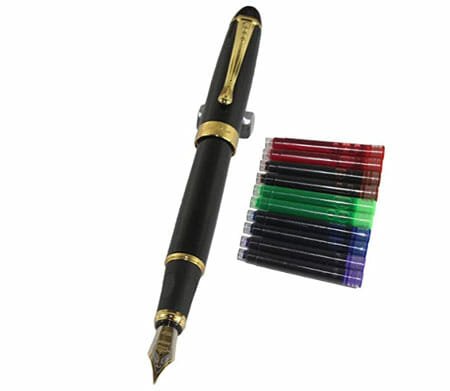
    3] A Fountain Pen

    Best Gift Ideas For Writers

    If you don’t know what the fountain pen is, you are missing out on a great team that can improve your writing and brings back your interest. A fountain pen and a regular pen are different, but the fountain pen can make you writing unique and different. For obvious reasons, this kind of pen costs a lot more than a standard pen. However, it is an excellent gift for any writer as well as a calligrapher. You can check out some of the best fountain pens on the Amazon website. However, it would be better if you can visit an offline store and get a pen for your friend.

    4] A Paid Writing Software

    If your friend is a scriptwriter, but he/she often faces several problems while writing a script in a low-quality tool, you can get a paid writing software for him/her. For obvious reasons, any paid writing tool provides a lot more features than a free one. On the other hand, you will get support so that the members can solve common issues a user receives. However, the software’s price depends on the developer, features, compatibility, etc. For instance, an online tool costs less than desktop software, which is available for Windows, Mac, or Linux. However, most of the writers use either Windows or Mac. Therefore, you might not have to search for a Linux compatible writing software.

    5] A Keyboard

    Nowadays, most of the people write on a computer. If your friend does that too, you can buy him/her the right keyboard. The keyboard is one of the essential tools for writers, which needs to be perfect all the time. A lousy keyboard can cause pain, and eventually, the person can lose interest gradually. Therefore, you can bring back the excitement by bringing him/her a keyboard. There are countless keyboards available in the market. You should ask your friend for him/her preference since some people like to use smooth buttons whereas the rest of them like to use a mechanical keyboard. The price depends on the keyboard quality, keys, manufacturer, etc.

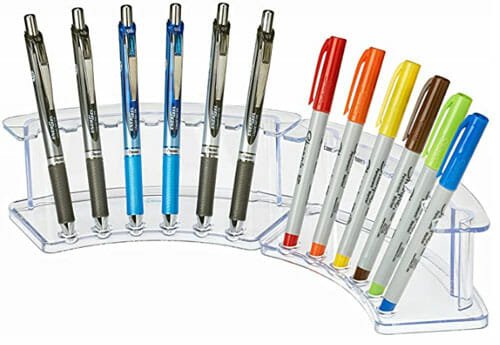
    6] A Pen Stand

    Best Gift Ideas For Writers

    Pen and writer are like vein and blood. Every writer has some pens got for various reasons from various persons. You should gift something like a pen stand so that the writer can organize them according to his/her preferences. A pen stand also goes with the writing desk or table so that the writer can unclutter his/her table by keeping all pens in one place. A simple pen stand doesn’t cost a lot – you can get something excellent if your budget is around $30-35.

    7] Photo Frame Of Some Quotation

    Every home has some photo frames of kids and happy memories. Some people often prefer to have some photo frames of some quotations, and it is a great gift idea for a writer. You can ask your friend about his/her favorite author or idol or inspiration and grab some quotations from the internet. Later, you can visit a local store and get it framed for your friend.

    8] Gift Card

    Sometimes, we cannot visualize a gift for someone. If you are in such a position, you can buy a gift card and give it to your friend. It can be from Amazon or any other online or offline store. It will help him/her to buy something essential.

    That’s it! These are some of the best gift ideas for writers. I hope you will like this list.

  • 8 Things You Should Have In Your Home Toolbox

    Let’s assume that you are making a toolbox for your home so that you can do minor hardware related jobs without calling a professional. For obvious reasons, you should ask for a professional who is more fluent than you. However, some people like to do things themselves. If you are one of them, you should take a look at this article where you can find some of the best things that you should include in your home toolbox. Thus, you can do almost every kind of job without any problem or delay.

    8 Things You Should Have In Your Home Toolbox

    Things You Should Have In Your Home Toolbox

    1] Set Of Screwdrivers

    It is probably the most essential, handy, and useful tool that you should have in your toolbox. No matter whether you need to do some electrical work or wood-related work, you must need screwdrivers. There are tons of sets available in the market that you can purchase from any online or offline store. However, we would suggest you to visit a local hardware store to buy the set of screwdrivers. If you are buying online, you might not be able to comprehend the size, quality, etc. those are essential while building a toolbox for the long term. Also, it is recommended to opt for the set of screwdrivers, which contain different types of screwdrivers instead of one single tool.

    2] Hammer

    It is another essential component of any home toolbox. In fact, every professional has a hammer in his/her toolbox. Let’s assume that you are making a small box and you need to use some pin nails. At such a moment, you can use a hammer to get the job done. Otherwise, you may have to search for a tool, which is equivalent to a hammer. While purchasing a hammer, you should check whether it has a good handle, grip, and material. Otherwise, it will be a waste of money purchase.

    3] Wrench Set

    The wrench is equally essential as a screwdriver. Screwdriver helps you with screws whereas a wrench can deal with nuts and bolts. Many people use wrench for different purposes and you can do that as well if you have a little bit of knowledge. While purchasing some wrenches from any store, you should check the quality first instead of the color and all. If the wrench has any hidden joint, it won’t go longer. Therefore, you should opt for a wrench, which is made with a frame or something like that. There are some cheap hardware manufacturers which use such techniques to reduce the cost but the end result is very bad.

    4] Scissor

    Many people do not like to have a scissor in their toolbox because of many reasons. If you are not one of them, you should keep a scissor in your toolbox because it is an essential item that can solve countless problems. Let’s assume that you need to cut some tape to wrap an electrical wire. At such a moment, you cannot use anything else except a scissor. For obvious reasons, you do not need to buy any set of scissors like wrench or screwdriver. However, you should opt for a proper manufacturer, which provides some warranty so that you can use it without having a second thought.

    5] Drill

    It is costly hardware if you purchase a good quality drill for your toolbox. It is recommended to buy something from a top-notch brand, which doesn’t compromise with the quality. It is because you are going to use it for a very long time and you may not want to have any problem in the mechanism part of a drill machine. On the other hand, a drill machine can help you make holes in any surface, including the wall, wooden tables, etc. so that you can make a place to hang a photo frame or something like that. Again it is suggested to visit an offline hardware store and buy something as per your needs.

    6] Painting Tools

    Many people often want to change the color of their bedroom, living room, dining area, kitchen, etc. If you are one of them, you should buy some essential painting tools that will help you paint your room whenever possible. Obviously, you cannot buy and store the paint in your storeroom but you can purchase all the other tools beforehand.

    7] Tape

    Let’s assume that you are making a wooden table, but you do not have something to measure the size. A tape can help you at such a moment. Therefore, you should buy a tape as per your needs. There is mainly two kind of tapes – one, which looks like a ribbon and normal tape. It is recommended to purchase a normal tape, which is more useful than the ribbon tape. Also, they go longer than other tapes because there is a shell, which protects the tape from dust and water.

    8] Safety Goggles And Gloves

    Although these two things do not go inside the toolbox, they certainly go with the toolkit. You should take care of your safety while working on a home project. Have you ever seen a professional without safety goggles? They know their safety and you should too. Therefore, you should purchase excellent quality safety goggles and a pair of gloves so that you can protect your hands from accidental scratches, which is very common among beginners.

    These are some of the best tools that you should have in your home toolbox. We hope you like the list.

  • 7 Reasons Why You Should Buy Mac Pro 2020

    Apple launched the Mac Pro 2020 with lots of improvements. If you are thinking of upgrading your existing Mac computer, it would be a great choice for you for sure. However, the price of this product is higher than almost 99% of the computers available right now in the market. However, when it comes to performance, this computer can beat almost everything. Therefore, let’s take a look at the features and some important reasons why you should opt for the new Mac Pro 2020.

    7 Reasons Why You Should Buy Mac Pro 2020

    1] Design And Build Quality

    Apple is known for building top-notch gadgets for the consumers, and the new Mac Pro 2020 is not an exception. This device computer is made of aluminum, and that defines the quality of this product. It is probably the most solid product that Apple has made to date, and many professional reviewers have already agreed with this.

    It has a unique design, which has already been mocked by some people from around the world. However, the bottom line is that it has an excellent design with a beautiful placement of everything. No matter how many resources you use, you cannot get any sound from the cooling fans. Apple has used unique technology to reduce the noise by almost 100%, and that is why users do not get any fan sound at all.

    On the other hand, it is effortless carry, but the weight might be a problem for some people. The dimension of this product is 20.8 x 17.7 x 8.58 inches. That said, you can place this box anywhere in your home and start using it without wasting much space.

    2] RAM

    We often mock Apple for providing less RAM as compared to similar Windows laptops. However, those days are gone with the launch of Mac Pro 2020. It comes with tons of memory so that users can do everything that they can think of. No matter whether you want to play games, do video editing, photo editing, or everything simultaneously, you can do them without any problem.

    Apple is offering seven variants of RAM, and all of them are equipped with DDR4 ECC memory. The base variant comes with 32GB of RAM, which is commonly available nowadays, On the other hand, you can find 48GB, 96GB, 192GB, 384GB, 768GB, and 1.5TB of RAM in the top-end machine.

    7 Reasons Why You Should Buy Mac Pro 2020

    As said before, it doesn’t matter what a user wants to do with his/her computer; he/she can do that without any issue. You can play games and open multiple Chrome browser tabs simultaneously. You won’t find any lag or anything because of the RAM Apple is offers to the consumers.

    For your information, the 1.5TB RAM variant requires a 24-core or 28-core processor. If you opt for a lower end, you cannot use that much of memory.

    3] Overall Performance

    You might have already got an idea of how the overall performance of Mac Pro 2020 is going to be. Spoiler alert! It is awesome. The performance of a computer depends on the hardware, and Apple is providing the top-notch equipment in the Mac Pro 2020.

    To be precise, you can find five variants, and they have different combinations of hardware. For example, the 8-core option comes with 3.5GHz Intel Xeon W with 24.5MB cache memory; the 12-core variant has 3.3GHz Intel Xeon W with turbo boost up to 4.4 GHz and 31.25MB of cache memory.

    16-core:

    • 2GHz Intel Xeon W
    • 16 cores, 32 threads
    • Turbo Boost up to 4.4GHz
    • 38MB cache
    • Supports 2933MHz memory

    24-Core:

    • 7GHz Intel Xeon W
    • 24 cores, 48 threads
    • Turbo Boost up to 4.4GHz
    • 57MB cache
    • Supports 2933MHz memory

    28-Core:

    • 5GHz Intel Xeon W
    • 28 cores, 56 threads
    • Turbo Boost up to 4.4GHz
    • 5MB cache
    • Supports 2933MHz memory

    In simple words, if you want to get the best performance from a Mac computer, you can try out any of these variants of Mac Pro 2020.

    Apple excels in the graphics section as well. That said, you can find four different variants – AMD Radeon Pro 580X, AMD Radeon Pro W5700X, AMD Radeon Pro Vega II, and AMD Radeon Pro Vega II Duo.

    Like said before, if you want to do video editing, photo editing, and play games at the same time, you won’t even feel any lag.

    4] 8K Video Editing

    Nowadays, YouTubers are opting for 8K videos. Also, if most of the people do not upload 8K videos, they record the raw footage in 8K resolution and reduce it to 4K for getting maximum sharpness. If you are thinking of editing 8K videos on a computer, you can use it for your benefits. Although there are so many computers that can edit 8K videos, this one won’t give you any ache in your head while importing the raw files. However, you need to compatible video editor as well. Otherwise, the experience won’t be good enough.

    5] Clean Internal Design

    Some people like to have RGB lighting inside the case, whereas some people like to get a clean look. If you fall in the second category, you should like this Mac Pro 2020. This CPU doesn’t have any wire inside the case. All the components are attached using clamps or screws. No matter whether the RAM, processor, or anything else, you cannot find any wire inside the CPU.

    Final Word

    The new Mac Pro 2020 is not for everyone. If you are a regular computer user, you might not need such a good configuration, which makes a big hole in your pocket. However, if you do extensive video editing, gaming, software testing, etc., you might find this computer very handy.

  • Top 7 Android Games That Support 120FPS 

    Top 7 Android Games That Support 120FPS 

    Nowadays, mobile manufacturers are upgrading their display’s refresh rate to 120FPS. The problem with those mobiles is that you cannot experience the upgrade if your games or apps do not support such a refresh rate. That is why you should try out these 120FPS Android games if you have recently bought a phone that comes with a 120Hz display. Although the list is not very long, you can find some of the best games on this list.

    Best Android Games That Support 120FPS

    1] 1945

    1945 is a free long-run shooting game for Android that you can play in 120FPS. Although the user interface of this game looks quite old-school, it has everything in terms of objects and features. Apart from having 120Hz support, you can find an interesting campaign option and some top-notch aircraft that were used in the 1945 tragedy. As you might have already guessed the gameplay, you need to shoot various objects in the air to win a battle. Some different campaigns and missions will be given to you, and you need to complete them to level up. In case you want to play it on a low refresh rate mobile, make sure that you have Android 4.1 or later version. Download

    2] Airline Commander

    If you want to play an airplane simulator game on your Android mobile, you should try out this one called Airline Commander. This game has everything, including dozens of aircraft, control panels, real-looking airports, runways, and so on. Not only that but also you can find countless situations that you need to pass to learn how to fly an airplane. It offers control tower communication so that you can talk to the ATC, check engine conditions, and much more. On the other hand, it will teach how to avoid some sensor failure situations calmly. For your information, you need Android 5.0 or later versions to download this game on your mobile. Although you can download it for free, you might need to spend some money to unlock all functionalities as mentioned above. Download

    3] BombSquad

    BombSquad is a small yet exciting Android game that supports 120FPS. Although it looks childish, you need to play it with some sense. Otherwise, there is no chance of winning any match. You can play this game as a single-player as well as with friends – it has a multiplayer option. On the other hand, you can make the team with your friends and play against the computer. The graphics of this game are pretty good, and you should have any lag or anything else. As per the official statement, you need an Android 4.4 or later version to download it. Download

    4] Cover Fire

    Best Android Games That Support 120FPS

    The core thing of this game is you are a snipper, and you need to blow up your enemies to win the match. No matter what the situation is, you need to follow the same strategy. The graphics of this game are top-notch, and you cannot find lag or anything else while playing it on 120FPS. Although it is an online game, you can play it offline as well. The best thing is that you can build a team with your friends to kill all enemies quickly and win the matches on the go. It is possible to upgrade everything in this game. In other words, you can upgrade the weapon, add more armor, etc. However, that doesn’t happen if you lose games frequently. Like some other games, you can download it for free, but you need to pay some money to unlock all functionalities. If you are about to download it on a low refresh rate mobile, make sure that you have android 4.1 or later version. Download

    5] CSR Racing 2

    Car Racing Games For Android

    If you want to experience the performance of a 120Hz display, you should try out a racing game as they have fast-moving graphics. CSR Racing 2 is a top-rated and interesting car racing game that you can download on Android 4.4 or later version. You can find some of the best legendary cars in this game. For example, there is Saleen S7 Twin Turbo, Lamborghini Countach LP 5000 Quattrovalvole, 1969 Pontiac GTO The Judge, Aston Martin DB5, and many more. As it is a racing game, the rule is simple – you need to win every match to upgrade your level and cars. Download

    6] Real Racing 3

    It is another racing game, but you can get some of the latest cars in this game. You can make a manufacturer and get their cars in this game. For instance, it has Ford, Aston Martin, McLaren, Koenigsegg, and Pagani. On the other hand, you can race on real-world tracks from across the world. It has Silverstone, Hockenheimring, Le Mans, Dubai Autodrome, Yas Marina, Circuit of the Americas, and many others. This game can be played alone as well as with or against friends. You can invite seven of your friends and race against them. Download

    7] Epic Battle Simulator 2

    Best Android Games That Support 120FPS

    Epic Battle Simulator 2 is a mini-battle game that you can download on your Android mobile. It has Ragdoll and physics effects, Advanced army placement, Smarter troops, etc. Like any other adventure game, you can upgrade your squad and your character. For that, you need to win battles from day one. The graphics of this game neat and clean so that you can play it without any issue. For your information, you need Android 4.1 or later version in case you are planning to download it on a low refresh rate mobile. Download

    Before downloading any of these games, you should know that 120FPS gameplay consumes a lot of battery and much higher than a 60FPS or 90FPS game. Therefore, it is recommended not to play 120FPS games all the time if you want to keep getting a good battery life from your mobile for a long time.

  • List Of Best Accessories For Samsung Galaxy S20, S20+, And S20 Ultra 

    List Of Best Accessories For Samsung Galaxy S20, S20+, And S20 Ultra 

    If you have recently bought one of the Samsung flagship mobiles, this article is for you. Here are some of the best accessories for Samsung Galaxy S20, S20+, and S20 Ultra. No matter whether you want to play games, capture photos, do videography or listen to music, you can do it better with the help of these affordable accessories. 

    Although these mobiles have almost everything you might need to have on a mobile, you can enhance the experience with the help of these third-party gadgets. 

    Best Accessories For Samsung Galaxy S20, S20+, And S20 Ultra 

    1] Case 

    Best Cases For Samsung Galaxy S20, S20+, S20 Ultra

    You should always protect your mobile as much as possible – no matter whether it is your hard-earned money or your dad gave you to purchase it. An excellent mobile case should protect your mobile from accidental drops and scratches. As these three mobiles are quite expensive, you should buy a good back cover and install that respectively. An excellent mobile case for S20 can cost around $25-30, and you can save a lot of money on your mobile by using a simple case. You can check out this article to find out some of the best cases for Samsung Galaxy S20, S20+, and S20 Ultra. 

    2] Galaxy Buds+ 

    Best Accessories For Samsung Galaxy S20, S20+, And S20 Ultra 

    Galaxy Buds+ is an AirPods alternative that you can use with your latest Samsung mobile. The best thing is that Samsung has made these wireless headphones. Therefore, you should not get any issue while using it with your mobile – no matter whether it S20, S20+, or S20 Ultra. They are quite comfortable, and the audio quality is pretty good too. No matter whether you like to listen to bass or classical music, you can find it very handy. Also, the price of these headphones is not very high. You can purchase it for $103 from the Amazon website. You can find three color variants – White, Black, and Sky Blue. 

    3] Galaxy Watch Active 2 

    Best Accessories For Samsung Galaxy S20, S20+, And S20 Ultra 

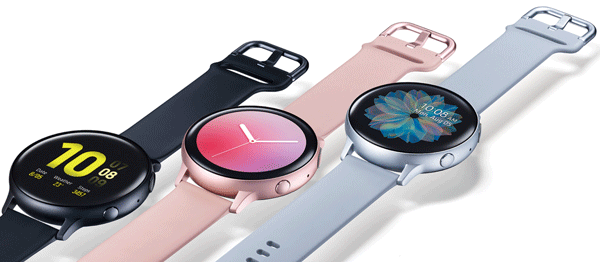
    Galaxy Watch Active2 is a SmartWatch that you can purchase for Rs. 36K in India. It is a simple yet convenient smartwatch from Samsung that is compatible with all the mobiles, as mentioned above. No matter whether you want to use it for checking times or tracking daily activities, it does everything on the go. The aluminum and stainless steel have made the build quality top-notch. The overall appearance of Galaxy Watch Active2 is excellent, and it looks premium on anybody’s hand. You can find three color combinations – Black, Silver, and Pink. 

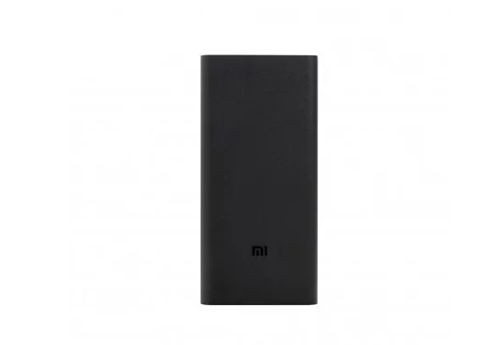
    4] Power Bank 

    Best Accessories For Samsung Galaxy S20, S20+, And S20 Ultra 

    All these mobiles have a perfect camera, and it is inevitable that you will go for a trip to capture photos and record videos only. If so, you are going to consume a lot of battery in a short time. To spruce up your experience, you can use a power bank to recharge your mobile on the go. There are many manufacturers, but only some of them are good enough for your mobile. As you have a high-end battery, you should purchase something in the 20000mAh range. If you buy a 10000mAh or 5000mAh power battery, it won’t support your mobile for very long. You have two options in your hand. You can go to a local store and purchase something for your mobile. Second, you can check out these power banks. 

    • Xiaomi 20000mAh: Rs. 1499
    • Ambrane20000mAh: Rs. 1299 
    • URBN 20000mAh: Rs. 899

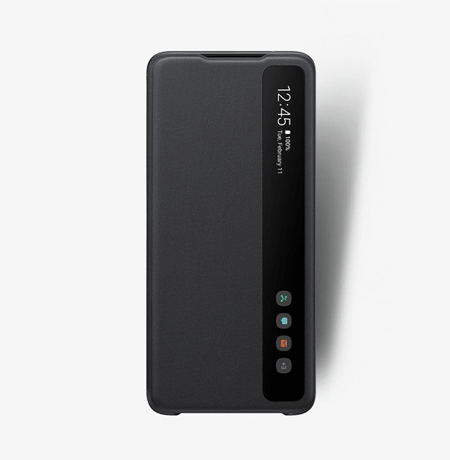
    5] Smart LED View Cover 

    Best Accessories For Samsung Galaxy S20, S20+, And S20 Ultra 

    If you want to upgrade the look of your existing Samsung mobile, you should check out this cover called Smart LED View Cover. As the name defines, it shows LED lights to display the time on the front side of your mobile. Apart from that, it something more so that you can enhance the appearance of your latest mobile, S20, S20+, or S20 Ultra. As it shows white LED lights, you cannot find this cover in light colors. For your information, you can purchase either Black or Gray – it depends upon your taste. You should know that this case costs more than other regular cases. That said, you need to pay around Rs. 3200 for the Samsung Galaxy S20 case. Check the deal 

    6] Smart Clear View Cover 

    Best Accessories For Samsung Galaxy S20, S20+, And S20 Ultra 

    Smart Clear View Cover is another handy mobile cover that you can use to show notifications smartly when your phone is locked. By default, Samsung S20, S20+, and S20 Ultra show all the notifications on the lock screen like any other mobile. If you want to have a mobile cover and it should show the notifications differently, you can check out this cover. No matter whether you have got missed calls, emails, WhatsApp messages, or anything else, it displays the corresponding icon on your secondary screen. Like the above-mentioned cover, Smart Clear View Cover is available in two different colors – Black and Gray. The best thing is that you can get the same cover for all three mobiles. 

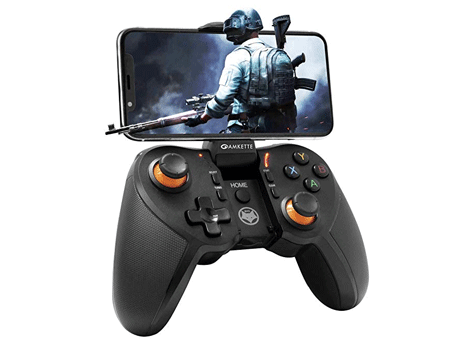
    7] Amkette Evo Gamepad Pro

    Best Accessories For Samsung Galaxy S20, S20+, And S20 Ultra 

    Amkette Evo Gamepad Pro is a gaming controller that you can use to play games on your mobile. Some games require multiple taps at a time. If you are playing such a game, you can check out this controller that has multiple buttons that you can assign to various tasks and do your job accordingly. It looks like the PS4 controller and the buttons are smooth enough so that you can press them as per your requirements and do not miss anything during the gameplay. The best thing about this controller is that you can attach your mobile to play racing games. On Amazon, it is priced at Rs. 2099. Check the deal 

    The accessory list varies from person to person. If you like to record videos, you might need a selfie stick, lens, etc. If you play games a lot, you might need a gaming controller. 

    Do let us know about your favorite accessory for Samsung Galaxy S20, S20+, and S20 Ultra. 

  • List Of Best Drawing Tablets For Beginners 

    List Of Best Drawing Tablets For Beginners 

    There are mainly two types of drawing or graphics tablets. First, you can find tablets that require a separate display for visuals. Second, you can find your drawing on the same tablet itself. In this article, we are going to walk you through some of the best drawing tablets that fall into the first category since other graphics tablets are more expensive and used by professionals mainly. There are numerous manufacturers, and you can choose some of them from this list.

    Best Drawing Tablets For Beginners

    1] HUION 1060 Plus

    Best Drawing Tablets For Beginners

    It is one of the best drawing tablets that you can purchase if you want to learn drawing on your computer. The dimension of this product is around 14.2 x 9.4 x 0.4 inches, and it weighs 3.09 pounds. The dimension of the working area on this product is 10 x 6.25 inches. The best part about this drawing tablet is it has 12 keys that you can assign to various options of your drawing application and perform some tasks faster than earlier. On the other hand, it has in-built 8GB microSD storage so that you can store everything on the tablet and resume your work in the future. It looks quite sleek, and it does the job pretty well. On Amazon, this product is priced at $67. Check the deal

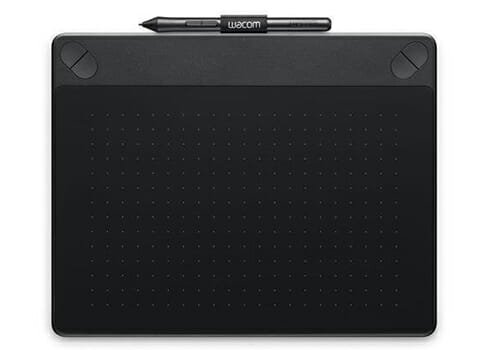
    2] Wacom Intuos Art

    Best Drawing Tablets For Beginners

    The dimension of this product is 10.8 x 0.2 x 8.5 inches, and the size of the working area is around 8.5 x 5.3 inches. It works perfectly with any Windows or Mac computer, and you can use it to draw on Paint as well as Photoshop without having any issue. The price of this product is quite higher than usual since it costs around $160 on Amazon. The primary drawback of Wacom Intuos Art drawing tablet is that it doesn’t have any shortcut keys. Otherwise, the pen work flawlessly, and you do not need to use much pressure to get the work done. Check the deal

    3] Wacom Intuos Pro

    Best Drawing Tablets For Beginners

    Wacom Intuos Pro is probably the best drawing tablet for beginners as well as professionals. No matter whether you want to make a minor change in your photo or draw something from scratch, Wacom Intuos Pro can do everything for you. Talking about the dimension, you can find it in the size of 13.2 x 8.5 x 0.3 in. The working area of this drawing tablet is big enough for any drawing – it is around 8.7 x 5.8 inches. The best thing about this product is that you can use eight shortcut keys that you can assign to do various jobs based on the program you use to draw your sketch. It doesn’t weigh a lot, and that is why you can carry it everywhere you want. However, the price of this product is quite high – you can purchase it for $298 from Amazon. Check the deal

    4] Wacom CTL4100 Intuos

    Best Drawing Tablets For Beginners

    Wacom CTL4100 Intuos doesn’t have as many shortcut buttons as the previous one, but it does everything you want to do. For your information, you can find four buttons that you can use to perform various tasks faster. The width of the height of this product is 7.9 x 6.3 inches, and the size of the active area is 6.0 x 3.7 inches. The same product has a ‘medium’ size that is quite bigger than the ‘small’ one that we are talking about in this article. For obvious reasons, the other version costs more than this one. Regarding the price of Wacom CTL4100 Intuos, you need to pay $79 to purchase it from Amazon. Check the deal

    5] Huion Giano WH1409

    Best Drawing Tablets For Beginners

    Huion Giano WH1409 is a great drawing tablet that you can use to draw something awesome. Unlike most of the other graphics tablets, you can find twelve shortcut keys to assign to various options in your drawing application. It is compatible with Windows as well as Mac. In other words, if you want to draw something on Photoshop with the help of a graphics tablet, you can make use of Huion Giano WH1409. On the other hand, it has got an 8GB microSD card so that you can store your drawings and access them in the future. The dimension of this product is 18 x 10.5 x 0.6 inches, but the size of the active area is much smaller than the original dimension. Check the deal

    These are some of the best graphics tablets that you can purchase at an affordable price. However, if you have been using these tablets and you want to upgrade it to a different one, you should check out these two following drawing tablets. They have an in-built screen so that you can use them dedicatedly.

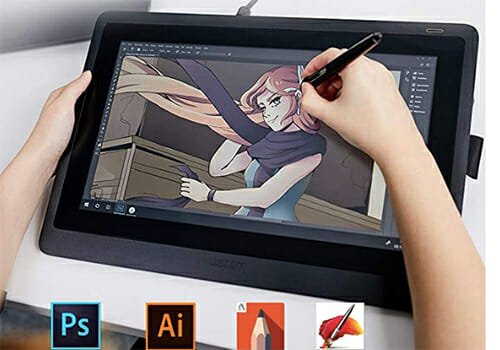
    6] Wacom Cintiq 16

    Best Drawing Tablets For Beginners

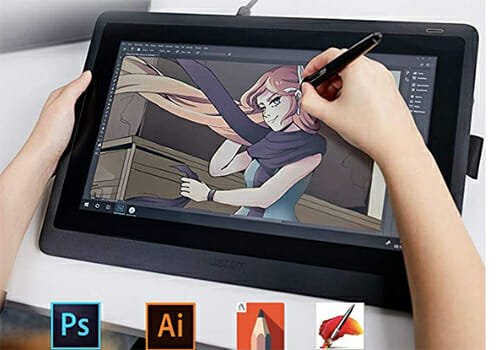
    Wacom Cintiq 16 has a full HD display so that you can draw without any problem. The screen quality is excellent, and it is bright, which might help you to draw in broad daylight as well.  Apart from using it dedicatedly, you can connect to a Windows or Mac computer and use it accordingly. The dimension of this product is 28.5 x 2.5 x 42.2 cm, but you can get a 15.6-inch display in this drawing tablet. You can purchase this product from Amazon for $650. Check the deal

    7] XP-PEN Artist

    Best Drawing Tablets For Beginners

    If you need an in-built display, but your budget is not very high, you can check out this product called XP-PEN Artist.  It has a 15.6-inch IPS display with some shortcuts keys to perform tasks faster. The resolution of this screen is 1920 x 1080 pixels. In other words, it has a Full HD display with a viewing angle of 178-degree so that you can do your work, and someone can assist you from being on your side. Apart from that, you can use this tablet with a computer running Windows 10/8/7 or macOS 10.10 or later version. You can purchase this product for $230 from Amazon. Check the deal

    That’s all! These are some of the best drawing tablets that you can find in the market. We hope you will like this list.

  • Top 8 QuickCharge 3.0 Phone Chargers 

    Top 8 QuickCharge 3.0 Phone Chargers 

    Nowadays, most of the mobiles have a fast charging facility. If you are using an old device or your existing charger is no longer working, you should take a look at these chargers. Here are some of the best QuickCharge 3.0 enabled phone chargers that you can use without having any problem. No matter which mobile or how many mobiles you have, you can charge almost all of them using these multi-chargers.

    Best QuickCharge 3.0 Phone Chargers

    1] Anker Wall Charger

    Best QuickCharge 3.0 Phone Chargers

    It is a cheap yet convenient wall charger that has QuickCharge 3.0 support so that you can charge your mobile and other gadgets faster than ever. No matter whether you have S10, S9, or iPhone, you can use this charger to charge your mobile or tablets quickly. In other terms, it is an 18W charger that you can purchase from the Amazon website. The weight of this product is 2.4 ounces. Therefore, you should not get any issue while carrying it in your backpack or so. The quality of this charger is pretty good, but it doesn’t come with a cable, as usual. Check the deal

    2] Besgoods Wall Charger

    Best QuickCharge 3.0 Phone Chargers

    It is another excellent quality fast charger that you can purchase from the Amazon website. The price of this product is $16 only. Although the price is low, the quality of this product is much better than some other chargers on this list. As usual, it is an 18W wall charger that doesn’t come with any USB cable. No matter whether you want to carry it while traveling or at home, you can use it without any problem. The overall appearance of this product is quite fancy, and you should not get any issue regarding the quality. Check the deal

    3] Anker Elite Dual Port Charger

    Best QuickCharge 3.0 Phone Chargers

    If you need to charge more than one mobile at a time (which is a common scenario with many people), you should purchase this wall charger by Anker. It has two ports, and both of them can charge your mobile faster than another regular charger. Talking about the numbers, it is a 24W charger that supports QuickCharge 3.0. The price of this fast charger is comparatively lower than the others – it costs $9 only. You can also choose between colors as it is available in black and white. It has a robust design and coating so that it doesn’t welcome scratches easily. Check the deal

    4] Anker 39W Dual USB Charger

    Best QuickCharge 3.0 Phone Chargers

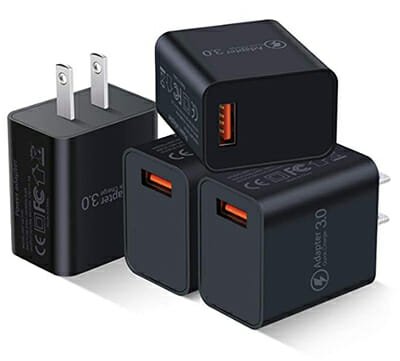
    If you need more power supply than the previous one, you should opt for it as it is a 39W wall charger with the support of QuickCharge 3.0. Another handy feature is that it has two ports. That means you can charge two mobiles at a time without any problem. No matter which port you use to charge your phone or tablet, you will get QuickCharge support in both of them. Unlike the Anker Elite charger, it doesn’t have multiple color options. That means you need to happy with the black color charger if you want to purchase it. Regarding the price, it costs around $26 on the Amazon website. Check the deal

    5] FONKEN Wall Charger

    Best QuickCharge 3.0 Phone Chargers

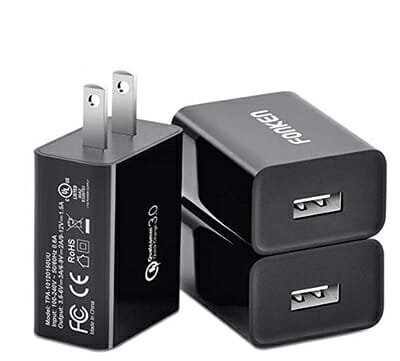
    It is another good manufacturer that produced the QuickCharge 3.0 supported wall charger. It costs lower than usual, and there is a simple reason why that happens. It is because it has only one USB port. That implies you can charge only mobile or tablet at a time. However, the port supplies 18W power to the mobile so that your phone or tablet gets charged very quickly. The material quality of this charger is top-notch so that it doesn’t get broken due to accidental drops. It provides 6V/3A, 9V/2A, and 12V/1.5A power output. That means you can charge almost all the flagship and midrange mobiles without any issue. Check the deal

    6] Quick Charge 3.0 Wall Charger

    Best QuickCharge 3.0 Phone Chargers

    On the Amazon website, the manufacturer name of this product is missing, but the specification is interesting. It has three USB ports, but only one of them has QuickCharge 3.0 support. The other two ports can deliver up to 4A current. To be specific, it offers 5V/3A, 9V/2A, 12V/1.5A options. The main advantage of this charger is that it has two 5V/2A ports. That means you can charge almost all the USB devices without having any problem. There are two color combinations of this product – Black and White. You can purchase any of them for $12 from the Amazon website.  Check the deal

    7] Anker 5 Port Wall Charger

    Best QuickCharge 3.0 Phone Chargers

    If you have multiple devices and you often need to charge together, you should buy something like this. As the title says, Anker had made this massive 5-port charger and you can purchase it for $36 only from the Amazon website. The first two blue ports have QuickCharge 3.0 support and the rest of the ports do not have such a facility. You can find some power outputs like these – 3.6V-6.5V / 3A, 6.5V-9V / 2A, 9V-12V / 1.5A. In other words, it is a 63W charger that you can use to charge your mobile, tablets, and other USB gadgets. Check the deal

    8] MIVI Dual Port Charger

    Best QuickCharge 3.0 Phone Chargers

    You might have already guessed the number of ports this charge has – two it is. However, only one of them has QuickCharge 3.0 functionality and other one is a normal port. As per the price of this product, it is quite good. The build quality and usability of MIVI Dual Port Charger is top-notch so that you do not get any issues while using it for a long time. No matter whether you have an iPhone or S10, you can charge your mobile quickly with the help of this charger. Talking about the price, these products costs around ₹1099, which is equivalent to $15 in the USA. Check the deal

    It depends on you whether you need a multi-USB port charger or a single USB port charger. The price of the first category is higher than the second category for obvious reasons.

  • What Are The Best Travel Laptops That Weigh Minimum 

    What Are The Best Travel Laptops That Weigh Minimum 

    If your work includes travelling a lot, and you work online, you should have a lightweight laptop. For obvious reasons, you cannot carry a desktop computer while travelling. On the other hand, you might get a weight issue because of having a heavy-weight gaming laptop. That is why you should check out this article. Here are some of the best minimal weight laptops that you can purchase to carry them when travelling. They will let you do all the work without any problem.

    Best Travel Laptops That Weigh Minimum

    1] Apple MacBook Air 13-inch

    Best Travel Laptops That Weigh Minimum

    Apple upgraded this laptop a few months back with retina display. The primary reason why you see this laptop at first is because of the weight. It weighs only 1.25Kg. No matter whether you choose 128GB or 256GB variants, the pressure is the same across both. Talking about other features, it has 1.6GHz 8th generation Intel Core i5 processor with minimum 8GB of RAM. It has a resolution of 2560 x 1600 pixels. You can get two USB-C ports on this laptop, but there is no USB 3.0 or 2.0 port available on this gadget. On Amazon, this product is priced at $1149. Check the deal

    2] Lenovo Yoga C930

    Best Travel Laptops That Weigh Minimum

    Lenovo Yoga C930 is another very lightweight laptop that you can purchase within $1000. To be specific, it is around 1.3Kg. Talking about the features, it has 8th Gen Intel® Core™ i7-8550U processor, 13.9-inch Full HD display with a resolution of 1920 x 1080 pixels, 8GB of DDR4 RAM, 256GB of SSD, 720p camera for video calling, and a fingerprint reader on the front side. It is quite sleek and looks fancy as well as premium. The display quality of this laptop is very good and bright enough in broad daylight. There is more than one variant of this laptop, and you can choose something suitable for you. On the official website, this laptop is priced at $980. Check the deal

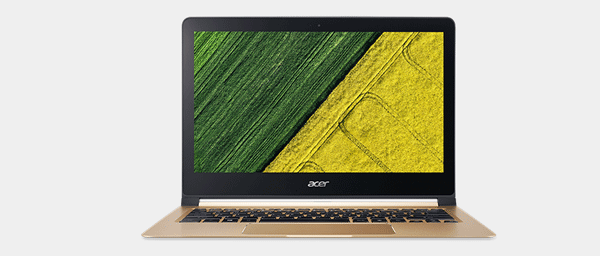
    3] Acer Swift 7

    Best Travel Laptops That Weigh Minimum

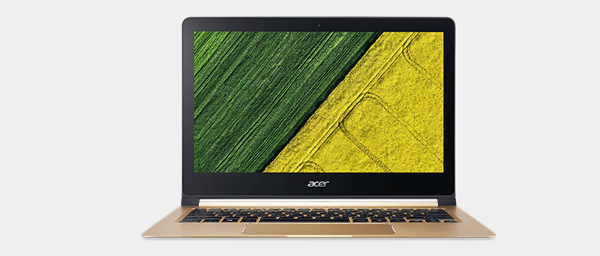
    Although this laptop weighs a little bit more than the first two laptops, it manageable. For your information, the net weight of Acer Swift 7 is 1.65Kg. Regarding the configuration, it has Intel Core i5 processor, 13.3-inch display, 8GB DDR3 RAM, and excellent battery backup. The only problem you might see is the RAM because it is 8GB DDR3 and not DDR4. If you do lightweight tasks, you won’t have any problem. However, you might get some issues if you use it for high-end video editing or gaming. Apart from that, it looks quite sleek and premium. The keyboard of this laptop is soft for typing. However, it has a big trackpad, which might create problems for big palm holders. Check the deal

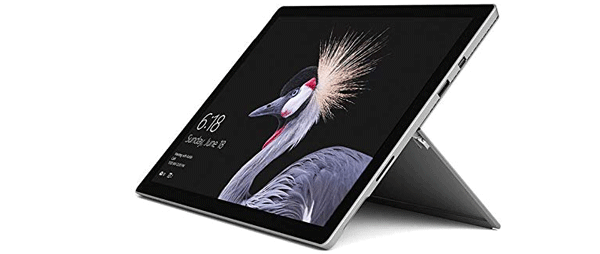
    4] Microsoft Surface Pro

    Best Travel Laptops That Weigh Minimum

    Microsoft Surface Pro is a great device even when you need to do high-end jobs such as video editing, gaming, or running multiple apps at a time. The net weight of this product is only 771g, and that defines everything. Talking about the configuration, you can find the Intel Core i5 processor, 4GB DDR3 RAM, 128GB SSD, 12.3-inch display with a resolution of 2736 x 1824 pixels. It has a great battery life so that you can watch movies while travelling. As you can install a separate keyboard, it will be advantageous even when you do not want to carry it alongside the laptop. On Amazon India, this product is priced at Rs. 72500. Check the deal

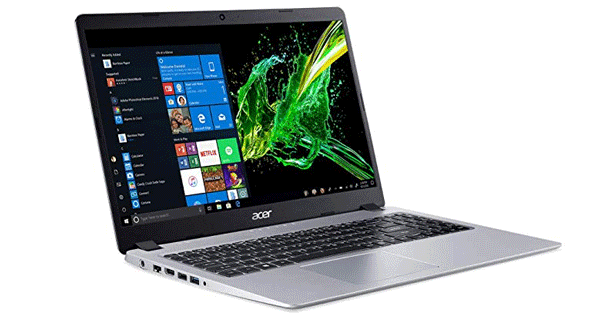
    5] Acer Aspire 5

    Best Travel Laptops That Weigh Minimum

    Acer Aspire 5 weighs around 1.8Kg, which is quite higher than other laptops. However, you can find some of the best hardware on this laptop. It is suitable for lightweight gaming, movie watching, etc. For your information, it has 3.5 GHz Ryzen 3 2200U processor, 4GB DDR4 RAM, 128GB of SSD, integrated graphics, etc. The main advantage of this having this laptop is that you can find a Full HD 15.6-inch display with a resolution of 1920 x 1080 pixels. If you like to use Ryzen instead of Intel, this laptop should be suitable for you at a cheap price. Talking about the price, Amazon is selling it for $313. Check the deal

    6] HP Ryzen 3

    Best Travel Laptops That Weigh Minimum

    This laptop has probably everything that you might need in a computer. For example, you can find 2.6 GHz Ryzen 3 2300U processor, 8GB of DDR4 RAM, 128GB of SSD, 12-inch display with a resolution of 1366 x 768 pixels, a great battery life, etc. If you can ignore the screen, you can find it very handy for travelling. Regarding the weights, it weighs around 1.47Kg. This laptop looks quite fancy, but it is not thin. That is because of having all the traditional USB and Ethernet ports. This laptop runs Windows 10 Home, and it is possible to upgrade it to something else if you have the product key. On the Amazon website, this product is priced at $324. Check the deal

    7] Dell XPS 13

    Best Travel Laptops That Weigh Minimum

    If you can carry a little bit more weight, Dell XPS 13 will be a great choice for you. No matter whether you want to do professional video editing or play high-end games, this laptop can handle everything with ease. Dell XPS 13 has 8th Generation Intel Core i7 processor, 16GB of DDR4 RAM, 512GB of SSD, and a 13.3-inch Full HD display with a resolution of 1920 x 1080 pixels. The best thing is that you can find Windows 10 Professional installed on this laptop so that you do not need to make any upgrade separately. If you are worried about the weight, you should know that it weighs around 1.80kg. However, you should consider the specifications first. In terms of price, it is quite higher as Amazon is selling it for $1685. Check the deal

    There are tons of other lightweight laptops that you can find in the market. However, these laptops have minimal weight, and they can do almost everything you want to do.

  • Top Mechanical Keyboards For Gaming 

    Top Mechanical Keyboards For Gaming 

    If you type a lot of words every day, you might not like to use a mechanical keyboard because it has comparatively hard keys. However, if you are into video editing or gaming, you should check out this article. These are some of the best mechanical keyboards that you can purchase if you are a gamer. The price of a keyboard depends on the brand, material, key quality, etc. Therefore, you should have a reasonable budget to use for a top-quality mechanical keyboard.

    Best Mechanical Keyboards For Gaming

    1] Corsair K70 RGB MK.2

    Best Mechanical Keyboards For Gaming

    Corsair K70 RGB MK.2 is a top-class mechanical keyboard for gaming and video editing. No matter whether you need to press keys very frequently or once in a while, you can find it quite handy. It includes CHERRY MX mechanical keys, RGB light, etc. The only problem with this keyboard is the wiring. If you do not like to use a wired keyboard, you might be disappointed because Corsair K70 RGB MK.2 is a wired mechanical keyboard. There are two variants of this keyboard – Low Profile Mechanical and Mechanical. It is recommended to opt for the standard version instead of a Low Profile Mechanical variant. Talking about the price, it costs around $119 on Amazon. Check the deal

    2] Razer Huntsman Elite

    Best Mechanical Keyboards For Gaming

    Razer Huntsman Elite is another excellent mechanical keyboard that you can purchase for $160 from Amazon. The keys of this mechanical keyboard are perfect, and you should not have any problem typing it for a long time. No matter whether you are writing an article or playing games, this keyboard will solve tons of typing problems. The intuitive media controls will let you tweak the media playback instantly. On the other hand, you won’t get any ache in your palms even after using it for a long time. However, nothing is perfect, and so is the Razer Huntsman Elite keyboard. For your information, it doesn’t switch on the RGB light by default. You need to provide the power supply through a second USB port. On the other hand, you cannot find any macros on this keyboard. Check the deal

    3] Corsair K95 RGB Platinum

    Best Mechanical Keyboards For Gaming

    Corsair K95 RGB Platinum comes with Cherry MX Speed keys for typing faster. On the other hand, you can find Cherry MX Brown keys as well. In other words, copywriters can use this keyboard without having any problem. Although some keyboards have some color variants, you cannot find anything else except Black for this mechanical keyboard. The important thing is that it includes a palm rest so that users do not get any pain after typing for a long time. It also offers six macro keys so that you can do some jobs very quickly. The RGB light is there to spruce up the user experience. For protection from accidental drops, it has an aluminum frame. Regarding the cost, you need to pay $139 to purchase it from Amazon. Check the deal

    4] Razer BlackWidow Elite

    Best Mechanical Keyboards For Gaming

    Razer BlackWidow Elite has several variants, and you can purchase any one of them to get your job done. Before purchasing, you should know the purpose of the keyboard. There are three main variants – Green Switch (Tactile and Clicky), Orange Switches (Tactile and Silent), and Yellow Switches (Linear and Silent). If you want to get the first mechanical keyboard experience, nothing can beat the first variant. If you want to get a mechanical keyboard for typing purposes mainly, you should opt for a silent variant. Otherwise, you might get irritated after hearing the clicky sound for a long time. There is a standard variant of this keyboard as well and costs less than the Elite version. However, it is recommended to try out the Elite version once to find the difference. You need to pay $122 to purchase it from the Amazon. Check the deal

    5] Cougar Attack X3

    Best Mechanical Keyboards For Gaming

    Although it doesn’t come with RGB light, you can find a red light combination in the Cougar Attack X3 mechanical keyboard. This keyboard comes with Cherry MX Brown switches so that users can get the best experience while using a mechanical keyboard for the first time. No matter whether you want to play FPS games, MMORPG games, MOBA games, or RTS games, everything is very much compatible with this keyboard. In other words, Cougar Attack X3 will provide the best experience while playing such games on your computer. The price of this keyboard is not that high as well. For your information, you can purchase it for $70 from Amazon. Check the deal

    6] Logitech G Pro

    Best Mechanical Keyboards For Gaming

    Logitech G Pro is a mechanical keyboard that comes with Romer-G switches, and you can find twelve programmable keys in this keyboard. Another drawback of this keyboard is that it doesn’t have any media control keys. The second setback is that there is no palm rest. If you are planning to get this keyboard for typing purposes only, it is not recommended. However, Logitech G Pro is pretty good when it comes to playing games on the computer. You can play any type of games fluently, and you won’t face any issue at all. Talking about the price, you need to pay $93 to purchase it from Amazon. Check the deal

    7] Redragon K551

    Best Mechanical Keyboards For Gaming

    If you want to try out a cheap mechanical keyboard, you can check out this keyboard called Redragon K551. It costs only $39, but it can provide a good user experience while playing games. Although it is not recommended to use this keyboard for typing, you can play games smoothly with this keyboard. There are two variants on this keyboard, and the variants are related to the light – nonbacklit, Red LED-backlit, RGB LED-backlit, and Rainbow LED-backlit. The good thing about this keyboard is that it comes with Cherry MX Blue switches and it sounds clicky. Check the deal

    There are tons of other mechanical keyboards you can find on the internet. However, these are some of the best in terms of quality, price, and usefulness.