How To Create a Branded URL Shortener in Your Own Domain
Using a branded URL shortener on your website has it’s own advantages. First, you can create short links of important pages of your site and then promote those links in social networks like Twitter, Facebook.
It also helps in spreading your website’s brand – when people see the domain name in a tweet or in a status update, the name will stick in their mind and they may visit your site at a later time.
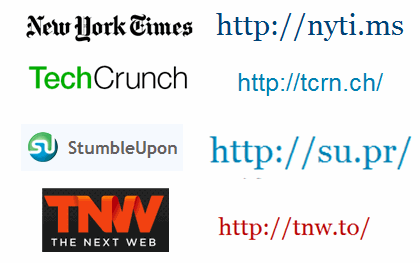
Examples of some popular Branded URL shorteners
The second advantage is that with branded short links, you can customize your affiliate links, products or services without losing credibility of your readers.
For example – if you are an affiliate of xyz.com, simply use your own branded URL shortening service to shrink the URL to yoursite.com/go/1 and use the shortened link for promoting the affiliate links. When people hover on those links, they will see your branded links instead of the affiliate links – thinking that the link points to any other page of your site.
Installing a branded URL shortener is quite easy, all you need is a web server and a database. Following are the steps involved:
Create a Branded URL Shortener in Your Own Domain
1. Log in to the cpanel of your web hosting account and create a database. Assign a user to the database and grant the user all the privileges.
2. Download HarryJerry Linx script. It’s a simple script written in PHP and uses a MYSQL database to create short URL’s for any web URL.
3. Extract the package somewhere in your hard drive and open the conf.php file from the includes folder. Enter the database details as shown below:
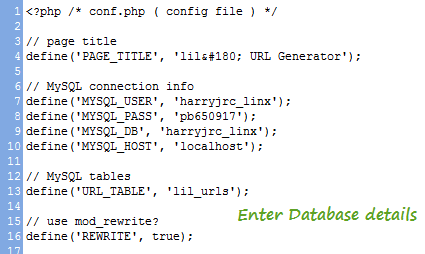
Enter database credentials
4. Create a sub directory in your site such as yoursite.com/go and upload all the files in this directory. Do not use a very deep directory because it will make the URL’s longer.
Upload all the files in a directory
5. Log in to phpmyAdmin of your web hosting control panel. Next, select the database from the left column and import the database.sql file using the import tab
Improt the SQL dump
6. Once the import operation is over, your URL shortener is ready to be used. Open the directory from the browser and you can start shortening URL’s straight away.
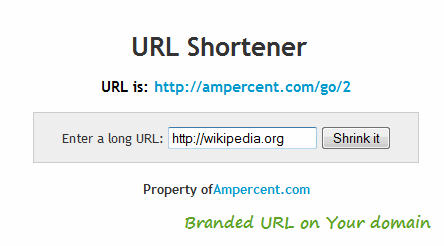
Branded URl shorteners
See an example of a branded URL shortening service. Note: The URL shortener can be used to shorten any link, not just links from your site.
Shortly is another good script for creating branded short URL’s – allows more features and customizations such as choosing a particular keyword for a short URL.
Create a Branded URL Shortener without Using a Web server
Suppose you want to create a branded short URL bur feel helpless because you do not have a web server to host the files or create a database. In such situations – 9MP can help. The site lets you create branded short URL’s on the fly ( e.g yoursite.9mp.com/xyz) – just request an invite and you could set up a custom URL shortener in minutes.
Using WordPress as a URL shortener
WordPress has it’s own URL shortener and you can get the short URL of any post by clicking the “Get Shortlink” button from the Edit Post panel. The short URL is automatically generated and is of the form – http://wp.me/ppeaz-1zu.
But the short URL’s generated by WordPress are not branded, they tell nothing about which site the link points to.
However, you can use a simple trick and get a branded URL of every post of your WordPress blog. Just use yoursite.com/?p=X where X is the ID of the post or page. (e.g ampercent.com/?p=6044)
Tip: Find who is stealing your shortened links