How to Capture Screenshots of Complete Web Pages
A screenshot can generally capture only the current instance of the screen. However, web designers and other users may need to capture the entire web page and save it exactly as it appears. This ability is not available in many of the screen capture tools.
Nevertheless, there are plenty of tools and extensions available on the internet that can be used to save the entire web page as a screenshot and that too in numerous formats.
The following article covers various methods that can be used to capture screenshots of complete web pages. Let’s have a look at what they are.
Option 1: Capture Screenshots of Complete Web Pages Using Browser Plugins or Extensions
These plugins work as an extension to your browser.
-
Nimbus Screenshot
Nimbus Screenshot plugin can be installed on both Chrome and Firefox browsers, can capture the entire web page and save it either on your local computer or on a cloud account. It also enables you to externally share the screenshot. This plugin can be used to edit the captured screenshot to add lines, patterns, boxes, or blur private content from the screenshot.

Installation and usage steps for Chrome browsers:
Step 1: Go to the Chrome Store and download the Nimbus Screenshot extension.
Step 2: Click add to chrome from the top right corner.

Step 3: Click on ‘Add extension’.

Step 4: Find the plugin from your browser tab and use it to capture entire web-page in a screenshot.

Step 5: Save screenshot in the format of your choice.

-
Awesome Screenshot Plugin
This plugin allows you to capture an entire or part of a web page and then to save it in any file format. You can edit the screenshot to add annotations, comments, or blur out certain sections.
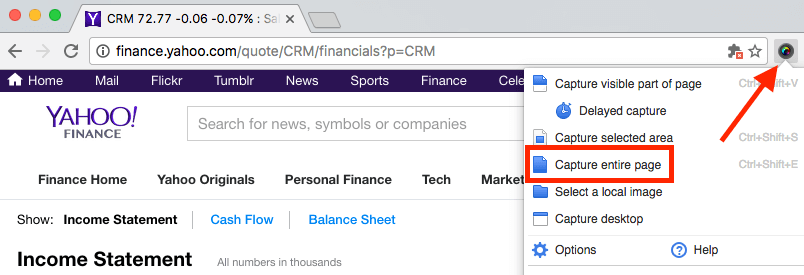
Installation and Usage Steps:
- Based on the browser you are using, go to the following plugin links: Chrome, Firefox, and Safari.
- In case of the Chrome browser, click on ‘Add to Chrome’.

- Launch the app
- Use this app to capture an entire screen or web-page

-
Screengrab Firefox Extension
It adds as a Plugin to your Firefox browser with a drop-down option to capture the entire web page or part of a web page.

Installation and usage steps:
- Go to Firefox Add-ons and download Screengrab from there.
- Click add to Firefox.

- In the next step, click ‘Yes, I fully support the author’

- Click complete page

- Save the screenshot of the web-page as required.
-
Webpage Screenshot Extension for Chrome
This plugin is exclusively available for Chrome browser and allows users to save an entire web page as a picture, you can edit this to add comments, annotations, blur contents, and draw on it.

Installation and usage steps:
- Download Webpage screenshot extension for Chrome from the Appstore.
- Add to chrome

- Click on ‘Add extension’.

- Capture web page after the extension is installed by clicking on its icon in the status bar.

- Save the screenshot in the format that you require as seen in the image below.

Option 2: Capture Screenshots of Complete Web Pages using Desktop solution standalone tools
Most operating systems have a built-in tool to capture a screenshot but, there are no tools embedded into the operating system to capture an entire web page. However, there are many third-party standalone tools, which we can opt for like the ones below.
-
FastStone
It is a screen capture and screen video recording tool. It can be used as the editing tool to include annotates, resize, crop and sharpening the screenshot in any format like GIF, JPEG, PDF etc.

Installation and usage steps:
- Download FastStone
- Click on “exe” as seen in the image below.

- Follow the installation steps to install and use the tool.
-
DuckLink
DuckLink can be used to capture full screen, part of the screen or the entire web page and saves the screenshot in formats like PNG, JPG etc.

Installation and usage steps:
- Download DuckLink for free on its official website.
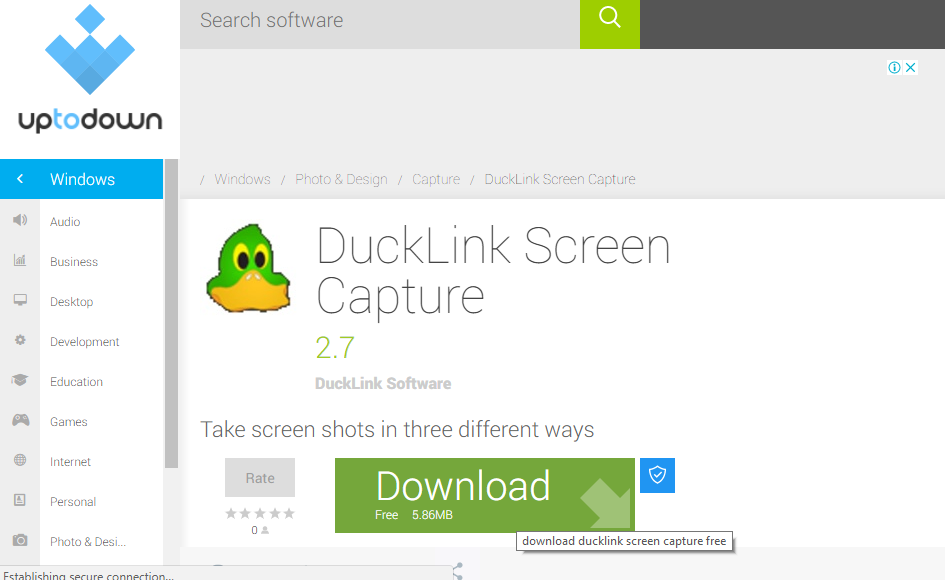
- Follow installation steps.
- Launch and use the tool from the interface given below to capture a screenshot of a web-page.

Option 3: Capture Screenshots of Complete Web Pages with a Web-based tool
There are some tools that allow you to capture screenshot on the fly. Some of these web-based tools are listed below:
-
Capturefullpage.com(CFP)
This tool allows you to take stand-alone screenshots or screenshots of the entire web-page and save them in formats like JPG, PNG etc. You need to mention the URL of the website for which you want to capture the screenshot.

Access CFP through this link.
-
Web-capture.net
Submit a link to the web-page and this web-tool converts the web-page to a screenshot and saves it in the format like JPG, PDF etc.

Access Web-capture.net through this link.
Conclusion
Either you are using a web-based tool, plugin or a third-party tool to capture the web-page, all the above-mentioned tools can be easily used to capture a web-page as a single screenshot. Depending on the browser you are using and the format you want your screenshot in, you can choose from a wide list of tools to serve the purpose. Some of these tools provide direct option to print the screenshot which is very helpful if you want it to be printed.