Author: Sudip Majhi

  • Top 7 Cases For AirPods Pro In 2020 

    Top 7 Cases For AirPods Pro In 2020 

    AirPods Pro is an expensive gadget that you can purchase to listen to some music. The audio and build quality of AirPods Pro is good enough. However, it takes the right amount of money to be purchased in the USA and other regions as well. Therefore, you should install a case so that you can protect your device and give it a different look. No matter which variant you are using, you can check out these cases for AirPods Pro.

    Best Cases For AirPods Pro

    1] In case AirPods Pro Case

    Best Cases for AirPods Pro

    This AirPods Pro case is listed on the Apple website, and they listed it because of the quality of this product. It is one of the best cases that you can purchase for your wireless headphones. It has a very lightweight fabric blend that gives weather resistance and abrasion. You do not need to worry about the protection since it provides 360-degree protection for your AirPods Pro. It also has a Woolenex overlay to extend the protection level. It is needless to mention that you can charge your AirPods Pro wirelesslessly even after installing this case. Talking about the price, you need to pay $30 for this case, and you can purchase it from the official Apple website. Check the deal

    2] Catalyst Waterproof Case
    Best Cases for AirPods Pro

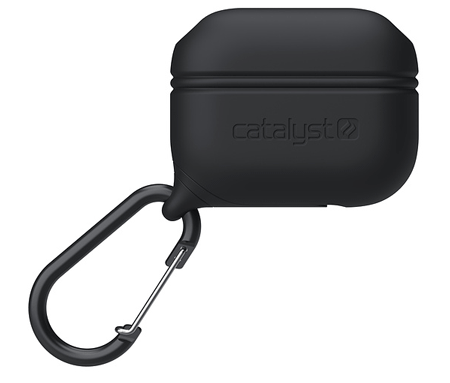
    As the name suggests, it is a waterproof case that you can buy from the official Apple website for $30. The advantage of using this case is already above – you get waterproof protection from this case. In other words, even if water goes inside your bag, your AirPods Pro will be safe and good to go. It is a silicone case with an IP67 rating. In other words, it can protect your AirPods from being 3.3feet under the water. The quality of this case is pretty good, and it is soft too. It looks fancy, and you can charge your AirPods Pro wirelessly after getting this case. It has an anchor attached to it so that you can hang it somewhere inside your bag. It will let you find the case quickly. Check the deal

    3] Tough Armor

    Best Cases for AirPods Pro

    As the name defines, it is a heavy-duty case for AirPods Pro. No matter whether you drop your device intentionally or by mistake, nothing should happen – you should do that intentionally, though. It is made of Thermoplastic polyurethane, and it weighs around 4.2 ounces. On the outside, you can find a silicone coating so that you can grip it properly. The look of this product is out-of-the-box, and that is why many folks like it so much. On the official website, this case costs around $25. If you bought that expensive wireless headphone, you should opt for it too. Check the deal

    4] Silicone Fit

    Best Cases for AirPods Pro

    This case is made of Thermoplastic polyurethane as well but is looks utterly different from the above case. It is for soft users only, who do not use the AirPods Pro every day. As it is a soft case, the price is also much lower than in other cases. To be precise, you need to pay only $15 to purchase it from the official website. However, the overall appearance of this product is neat and clean – it is one of the reasons why people like to so much. You do not need to spend much time to put on this case since it has a one-click setup process. Talking about the color variants, you can find Black, Charcoal, Pink, and White. Check the deal

    5] Rugged Armor

    Best Cases for AirPods Pro

    If you like the black finish on your gadgets, you should check out this case for AirPods Pro. Not only it looks excellent, but you can also find great protection as well. As usual, it is made of Thermoplastic polyurethane. However, you can find two different combinations of materials. Spigen included that to enhance the look of this product. This case weighs around 4.2 ounces so that you do not feel any additional weight on this product. As it is black in color, it suits every theme – no matter whether you are making a gaming build or something else. Regarding the price of this case, it costs around $25 on the official website. Check the deal

    6] NOMAD Rugged Case

    Best Cases for AirPods Pro

    Many people like to apply a leather coating on their mobile as well as other gadgets. If you are one of them, you should try out this case for your AirPods Pro. It is made of Rustic Brown Horween leather so that it looks premium and fancy at the same time. Also, it includes a layer of microfiber. All the features are working or visible, even after installing this case. For instance, you can find the LED charging light, and the wireless charging works perfectly. As it is made of original leather, the price of this product is comparatively higher than in other cases. You need to pay $35 to purchase it. Check the deal

    7] BRG Case

    Best Cases for AirPods Pro

    This case is suitable for girls who like to have a touch of pink. However, it is available in more other color combinations, including Red, Black, Yellow, etc. The price of this product may surprise you since it costs only $9 on the Amazon website. Talking about the protection, it might not protect the case from accidentally damaged like Tough Armor or so; you can get rid of minor scratches quickly. For your information, it has 360-degree protection. It is quite easy to install this case since it has a plug-and-play method. The charging LED light is visible clearly, and the wireless charging works without any issue. Check the deal

    These are some of the best cases for AirPods Pro. No matter which one you choose, make sure that your case works with wireless charging. Otherwise, you may get some issues.
  • Best 6 Wireless Routers With 5 GHz Band 

    Best 6 Wireless Routers With 5 GHz Band 

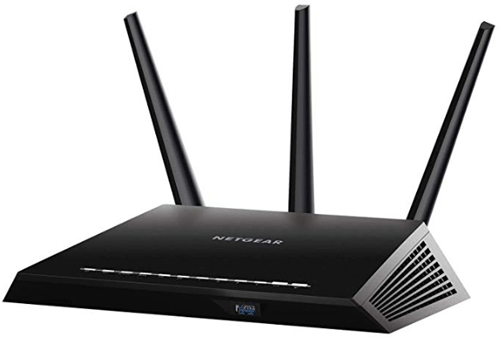
    Most of the Wi-Fi routers have only 2.4 GHz band, and that might not be enough for you when you need to get a faster internet connection. 5 GHz is the solution for you as long as you can keep a short distance from the router. If you are willing to upgrade your home Wi-Fi network, you should install a 5 GHz router. For that, check out this article to know about some of the best wireless routers with 5 GHz band. Spoiler alert! They are a little bit costlier than a 2.4 GHz router.

    Best Wireless Routers With 5 GHz Band

    1] TP-Link AC1750

    Best Wireless Routers With 5 GHz Band

    TP-Link is a common name in the Wi-Fi router field, and the AC1750 is a great model if you need a 5 GHz band to upgrade your home network. It has a USB port so that you can use it to stream media. On the other hand, you can find four output Ethernet ports so that you can connect four devices at a time by wire. On the other hand, you can find 450mbps 2.4 GHz and 1300mbps 5GHz network. That means, no matter whether you want to use an upgraded version of 2.4 GHz or brand-new 5 GHz connection, you can use both by installing this router. You can use the TP-Link tether app to set up this router. On the other hand, the traditional method (opening the IP address in browser) is also available so that you do not have any problem for the very first time. On Amazon, it is priced at $52. Check the deal

    2] TP-Link AC1200

    Best Wireless Routers With 5 GHz Band

    There is a big difference between the first router and this one. The AC1750 comes with a USB port that is useful for creating a media server. However, you cannot do the same with this router. Otherwise, you can find all the common features. For instance, there are 4 Gigabit LAN ports to connect four devices at a time. However, the speed of the network is quite lower as compared to AC1750. This router provides 300mbps 2.4 GHz and 900mbps 5 GHz connections. Apart from that, you can find almost all the essential features such as parental control, MAC address blocking, etc. In this router as well. The price of this router is quite lower than the other one. To be precise, it is $50 on the Amazon website. Check the deal

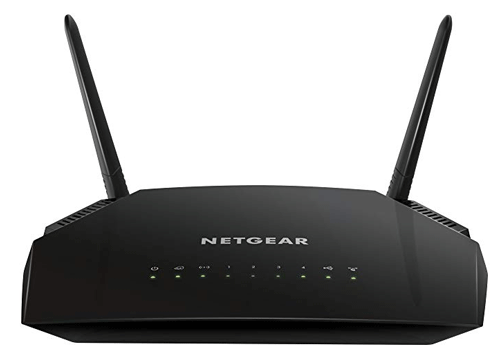
    3] NETGEAR Nighthawk X65

    Best Wireless Routers With 5 GHz Band

    If you need a business-class Wi-Fi router with a 5 GHz band, you should check out this router. Although the price of this router is much higher than other common 5 GHz routers, you will find some handy functionalities in this router.  the highlight of this router is that it can cover up to 3500 square feet without any problem. On the other hand, you can Tri-band up to 750 + 1625 + 1625 Mbps connections. Another very important plus point of this router is that you can connect up to 55 devices at a time. That means this router is very much compatible in an office where multiple computers and other devices need to be connected to the same Wi-Fi network. Apart from that, it has two USB ports – 1 USB 2.0 and 1 USB 3.0 ports so that you can use it as a media server. The price of this router is $218 on Amazon. Check the deal

    4] NETGEAR R6230

    Best Wireless Routers With 5 GHz Band

    If you need a simple 5 GHz NETGEAR Wi-Fi router, you should check out this router called NETGEAR R6230. Like the first two routers, it has everything you might need in a simple home Wi-Fi router. The price of this product is low too – $58, to be specific. The advantage of using this router is that you can get 1200 square feet of wireless connection coverage so that you can install the router on the ground floor and use it from the first floor. It has 300 Mbps 2.4 GHz and 900 Mbps 5 GHz networks so that you can use all the devices without any problem and have a better speed. This router comes with four gigabit LAN ports and one USB 2.0 port. The USB port is for creating a media server via your router. Check the deal

    5] Linksys AC1000

    Best Wireless Routers With 5 GHz Band

    This Wi-Fi router doesn’t have a USB port, but it offers four gigabit LAN ports to connect four devices at a time by wire. On the other hand, you can connect the total sixteen devices at a time wirelessly. Talking about the networks, it has 300 Mbps 2.4 GHz and 900 Mbps 5 GHz networks. Apart from that, other common functionalities are available as well. For example, you can find parental control, MAC binding, device blocking, etc. This router is quite compact and comparatively smaller in size than other similar routers. Considering all the specifications, Linksys AC1000 seems to be a better option for home instead of an office. You can purchase it for $40 from Amazon. Check the deal

    6] TP-Link AC1900

    Best Wireless Routers With 5 GHz Band

    If you need a router that works flawlessly with Amazon Alexa or IFTTT, you should take a look at this Wi-Fi router. It costs quite higher than other standard 5 GHz routers but offers more functionalities as well. Talking about the options, you are getting 600 Mbps 2.4 GHz and 1300 Mbps 5 GHz networks in this router. On the other hand, there is Beamforming, Smart Connection, etc. Settings up a router-based VPN is straightforward with this router since it offers a dedicated panel to do that. Other than that, you can find a USB port to make a media server, four-gigabit ports to share connections, and other essential functions. Regarding the cost, it is priced at $80 on Amazon. Check the deal

    These are some of the best 5 GHz Wi-Fi routers that you can find in the market right now. There are more other manufacturers, but TP-Link, NETGEAR, etc. are some of the most well-known names in this field.

  • What Are The Best iPhone Gaming Accessories 

    What Are The Best iPhone Gaming Accessories 

    Although iOS and gaming are not very connected like Android, you can turn your iPhone into a gaming console. You need to buy some accessories to make that conversion happen. No matter if you want to play some action games, strategy games, or anything else, you can play them effortlessly and better with the help of these accessories. Although you cannot play games as you do on an Xbox or PlayStation, you can enjoy more with these affordable items.

    Best iPhone Gaming Accessories

    1] iSound Game Wheel

    Best iPhone Gaming Accessories

    If you often play racing games on your iPhone, you will be happy to see this product. A game wheel can increase productivity while playing racing games. The same thing you can obtain if you purchase it from the Amazon website. It doesn’t cost a lot, but it can help you a lot. No matter whether you play something intense or casually, you can use this game wheel to attach your mobile and start playing whatever you want to play. The quality of this wheel is pretty good, and you should not have any problem even after using it roughly for a long time. On the Amazon website, this product costs around $12. Check the deal

    2] AOLVO Gaming Case

    Best iPhone Gaming Accessories

    If you often play retro games, you should purchase a gaming case like this one. It doesn’t cost a lot, but it can make the gameplay more interesting. For your information, the AOLVO Gameboy Case for iPhone costs around $21, and it is compatible with almost all the latest iPhones. If you played games on the video play console that was available almost a decade back, you would be happy to see this product since it has got a similar look to those consoles. Check the deal

    However, it is suggested to search for some other gaming cases as well so that you can find something to fulfill all the needs.

    3] iCade Mobile Game Controller

    Best iPhone Gaming Accessories

    iCade Mobile Game Controller is a simple yet handy controller that you can use to play games in portrait mode. Some games are easy to play in portrait orientation, and this controller will let you do that effortlessly. It has some buttons so that you can assign to control different aspects of your game and play them better than others. Instead of touching the display and clicking on the wrong option, you can use this gaming controller that does everything flawlessly. No matter whether you play soccer, cricket, or racing gamers, you can play them without having any problem. Check the deal

    4] SteelSeries Nimbus Bluetooth Mobile Gaming Controller

    Best iPhone Gaming Accessories

    If you want to get the experience of the PlayStation or Xbox gaming console, you should check out this accessory called SteelSeries Nimbus Bluetooth Mobile Gaming Controller. It looks similar to the other dedicated gaming console remotes, and you can use it smoothly. It doesn’t matter if you want to play an adventure game, racing game, or anything else, use this controller to control everything correctly and in a better way. It looks pretty good, premium, and fancy. On the other hand, the build quality of this Bluetooth gaming controller is good enough for rough usage for a long time. Check the deal

    5] Gaming Trigger

    Best iPhone Gaming Accessories

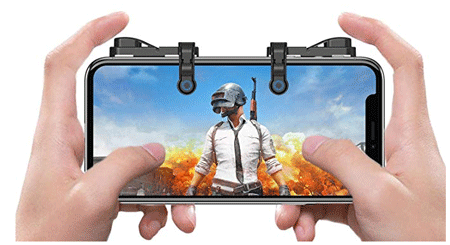
    If you play action and adventure games mainly, you should opt for a gaming trigger, which costs around $10 on the Amazon website. It looks like a bulky device, but it does the job very well. You can control everything fluently and without any issue. No matter whether you have a small iPhone or a big one, you can use a gaming trigger with any mobile. Sometimes it is challenging to control all the options when you have a small mobile because of the grip. That issue might be resolved by installing a gaming trigger. This specific trigger is available in black for $9.99 on Amazon. Check the deal

    6] VR Headset

    Best iPhone Gaming Accessories

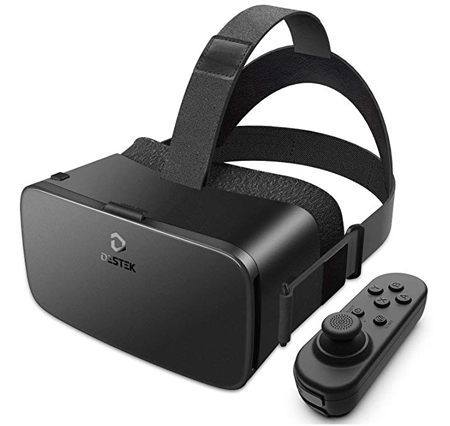
    There are tons of games that require VR to get the most out of it. If you want to play such a game, you should buy a VR headset. There are hundreds of VR headsets made by countless manufacturers, and you should purchase something that is fully compatible with your iOS device. Generally, most of the VR headsets are compatible with almost all the Android and iOS devices, but you should check for it in specific. Not only games but also you can watch some videos on YouTube after installing a VR headset. A standard VR headset can cost from $40 to $400. It depends on the manufacturer, features, compatibility, etc. Check the deal

    7] Screen Magnifier

    Best iPhone Gaming Accessories

    IOS devices are pretty powerful, but most of them have a comparatively smaller display. If you want to play games on your old and small iPhone, you should buy something like a screen magnifier. It will let you increase the size of your screen virtually so that you can play all the games without any problem. Controlling every option on a bulky screen will not be a problem if you purchase a Screen Magnifier. There are different screen magnifiers available in the market, and the price starts from $12 or so. This specific screen magnifier costs around $15, and it does everything pretty well. Check the deal

    8] PS4 Controller For iPhone

    Best iPhone Gaming Accessories

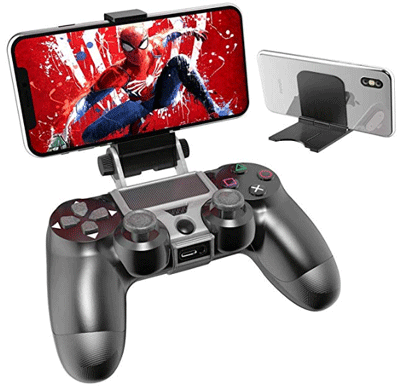
    If you like the PS4 controller size and quality, you should purchase a similar product for your iPhone for gaming purposes. This controller will help you play all the games fluently, and you can control everything without any problem. As it provides multiple buttons, you can assign them to control different aspects. No matter if you play racing games or Angry Bird, you can use this controller to get your job done. There are similar PS4-like gaming controllers for iPhone, but this specific one costs around $13 on the Amazon website. Check the deal

    That’s it! We hope you will like these iPhone gaming accessories.

  • Top 7 Cases For Pixel 4 And 4 XL 

    Top 7 Cases For Pixel 4 And 4 XL 

    It’s been a long time since Google released two new smartphones in the USA – Google Pixel 4 and Pixel 4 XL. Both mobiles have some of the best specifications and software you can find on any Android mobile. However, Pixel mobiles are fingerprint and scratch magnet, as stated by some professional mobile reviewers. If you purchased a Pixel 4 or Pixel 4 XL device, you should buy a case too. It will protect your phone from dust, water, accidental damage, and so on. They do not cost a lot, but they save a tremendous amount of money.

    Best Cases For Pixel 4 And 4 XL

    1] Sonix Clear Coat Case

    Best Cases For Pixel 4 And 4 XL

    It is one of the best cases for female users as it has got some flower prints that you might like as a male individual. This case is made of Polycarbonate and Thermoplastic Polyurethane, and it is UV coating, as per the official statement. It doesn’t matter if you have Pixel 4 or 4XL, you can purchase it for both devices. The weight of this case is minimal – 45.35g for Pixel 4 as well as Pixel 4 XL. In simple words, this case looks pretty good as it has multiple colors on it. The only problem you might face is with the white background. White color might get damaged if you use it roughly during trekking or so. On the official website, this case costs around $35. Check the deal

    2] Moment Phone Case

    Best Cases For Pixel 4 And 4 XL

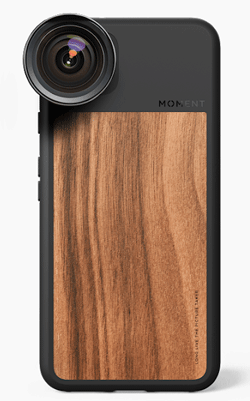
    The highlight of this case is that you can get an 18mm lens that you can attach to your mobile and capture beautiful photographs. Talking about the case, it has everything you might need. It can protect your phone from accidental falls. On the other hand, the overall appearance of this case is pretty good. It has a black and wooden color finish so that it looks fancy and premium at the same time. The buttons areas are soft enough so that you do not get any problem even after using them multiple times in a short time. The weight of this product is 40.3g, which is lightweight, and you should not feel the weight after installing the cover on your mobile. If you purchase it from the official website, you need to pay $40. Check the deal

    3] OtterBox Defender Series Case

    Best Cases For Pixel 4 And 4 XL

    As usual, this case is available for Pixel 4, as well as Pixel 4 XL. The best part of this case is the protection as it is a heavy-duty case that you can apply to your expensive mobile. Although it costs quite more than in other cases, it is worth the money when it comes to the protection levels. It has a rugged polycarbonate shell and synthetic rubber slipcover so that your phone does not welcome any scratch or tear due to accidental falls. As it is a heavy-duty case, it weighs more than other cases – to be precise, it is around 133gm. In other words, you can feel the weight, but you should consider the safety of your mobile as well. Regarding price, you need to pay $50 to purchase it from the official website. Check the deal

    4] Power Support Air Jacket Hybrid Case

    Best Cases For Pixel 4 And 4 XL

    If you are one of them who doesn’t like to hide the original color of the mobile, you should install a transparent case like this one. Although the price of this transparent case is higher as compared to other third-party cases, you will get the protection that your phone needs. Polycarbonate, PMMA, and TPU materials have been used to build this case. The best thing about this case is that it has an anti-fingerprint coating so that your phone doesn’t keep all the fingerprints over a long time. Unlike some of the other cases, you can use the wireless charging facility of your Pixel 4 or Pixel 4 XL even after installing this case. If you want to know the price, you need to pay $40 to purchase it from the official website. Check the deal

    5] Rugged Armor – Pixel 4 XL

    Best Cases For Pixel 4 And 4 XL

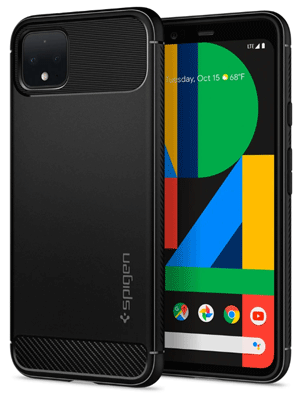
    As the title says, this case is made for Pixel 4 XL only. Another essential thing is that Spigen has made this case. Spigen is a great mobile case manufacturer, and its products are excellent in terms of quality. Talking about this specific case for Pixel 4 XL, you can get a lightweight case for $25. As usual, it is made of Thermoplastic polyurethane so that the weight gets reduced dramatically. For your information, it weighs only 5 ounces. It is quite flexible, but it does everything without any issue. No matter whether your mobile falls down from your hand or gets rubbed by something, you can get rid of all the scratches with the help of this case. Check the deal

    6] Spigen Liquid Crystal – Pixel 4

    Best Cases For Pixel 4 And 4 XL

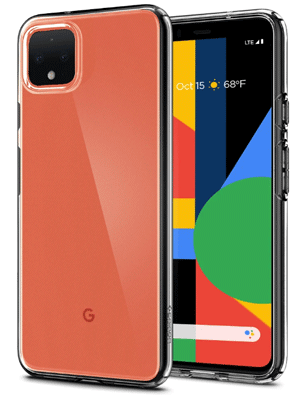
    If you need a transparent case, you can choose it called Liquid Crystal. It weighs around 4.8 ounces, and it is made of Thermoplastic polyurethane. Unfortunately, you can purchase it for Pixel 4 only. According to the official website, this transparent case is shock-absorbent, and it is ready for everyday drops. However, you should test the drop every day. Like the Rugged Armor case of Spigen, this is also a flexible case. Being a transparent case, it gets dirty frequently. If you can clean it every week or so, this case will do wonder. The price of this product is $15 only. Check the deal

    7] Tough Armor – Pixel 4 XL

    Best Cases For Pixel 4 And 4 XL

    As the name defines, this is a heavy-duty case for Pixel 4 XL only. You can purchase this case for $40 from the official website. If you like to have a black color case, you are in luck. If you do not like to use a black case for your mobile, you might not want to purchase it since the Tough Armor case is available only in black. It is made of Polycarbonate and Thermoplastic polyurethane. The advantage of this case is that it has an impact-foam-coating so that your mobile doesn’t get damaged due to accidental drops. Check the deal

    No matter which case you purchase for your mobile, make sure that the wireless charging works flawlessly or not. Otherwise, you might get some issues if you rely on the wireless charging facility only.


  • Best Cases For Samsung Galaxy S20, S20+, S20 Ultra

    Best Cases For Samsung Galaxy S20, S20+, S20 Ultra

    Samsung recently launched three new flagship mobiles called Samsung Galaxy S20, S20+, and S20 Ultra. If you have purchased any of those mobiles, you should also buy a case. A case can help you protect your phone from accidental falls, which is very common among people. Although the build quality of these mobiles is top-notch, you should still install a protector like these. Here are some of the best, cheap, and fancy looking cases for Samsung Galaxy S20, S20+, and S20 Ultra.

    Best Cases For Samsung Galaxy S20, S20+, S20 Ultra

    1] URBAN Armor Gear UAG Case – S20

    Best Cases For Samsung Galaxy S20, S20+, S20 Ultra

    It is a heavy-duty case that is compatible with Samsung Galaxy S20, and you can purchase it for $40 from the Amazon website. According to the description, it uses MIL-STD 810G 516.6 material and protection. The best thing is that you can use Samsung Pay, charge wirelessly, etc. even after installing this case. It has five color variants – Pathfinder Black, Pathfinder Olive Drab, Plasma Ash, Plasma Ice, and Plyo Ice. Each of them will look beautiful on your Galaxy S20. Check the deal

    2] Spigen Liquid Air Armor – S20

    Best Cases For Samsung Galaxy S20, S20+, S20 Ultra

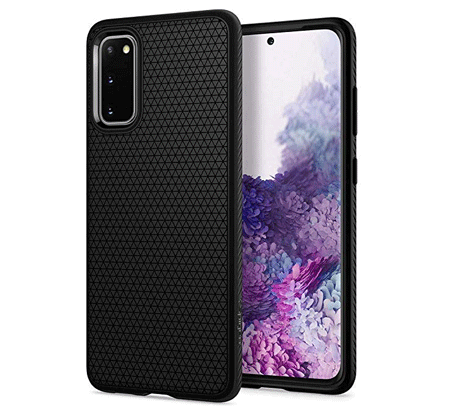
    It is a lightweight case for Samsung Galaxy S20. The plus point of this case is the grip. It allows users to grip the expensive device correctly so that it doesn’t fall off your hand in the rainy season as well. Although it doesn’t cost as much as the first case, it does the job pretty well. The buttons are very soft, and you do not need to press hard to work with them. As of now, you can find this case only in a matte black finish. Regarding the price, you need to pay around $11 to purchase it from Amazon. Check the deal

    3] SupCase UB Pro Series – S20

    Best Cases For Samsung Galaxy S20, S20+, S20 Ultra

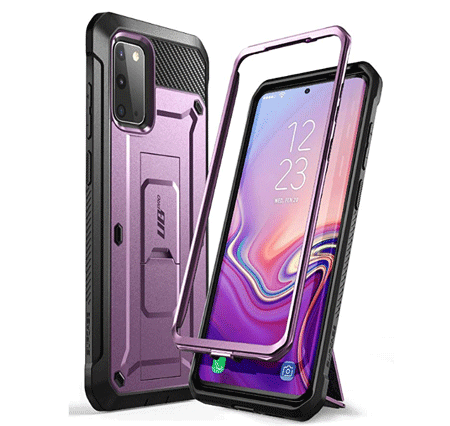
    If you want to apply the protection on the back as well as the front side of your phone, you should check out this case. It costs around $22, and you are getting two pieces to protect the whole phone. It is available in black and pink, but the black one looks better than the other one. It is made of multi-layered TPU and Polycarbonate materials so that it can offer better protection. Like other cases, you can use all the wireless functionalities such as wireless charging, Samsung Pay, etc. even after installing this case. Check the deal

    4] ArmadilloTek Vanguard – S20+

    Best Cases For Samsung Galaxy S20, S20+, S20 Ultra

    It is a heavy-duty case made for Samsung Galaxy S20+, which has both side protection. In other words, front side protection comes with this case alongside the regular rear protection. It costs around $19 on the Amazon website, but you should judge it by the price. It has very strong protection for the whole body. For your information, this case doesn’t have a screen protector, but it protects the side panels of your mobile. If you watch movies frequently, you can find the in-built kickstand quite handy. Check the deal

    5] Spigen Slim Armor – S20+

    Best Cases For Samsung Galaxy S20, S20+, S20 Ultra

    Spigen is a well-known case manufacturer, and you can get something awesome for your Samsung Galaxy S20+ as well. This case for the newly launched phone looks excellent as it is made of Polycarbonate and Thermoplastic polyurethane. The case doesn’t weigh a lot, and that is why you will not feel any extra weight after applying for this protection. Another essential thing about this case is that it comes with an in-built kickstand that you can use to place the mobile on a table while watching a movie or something else. On the official website, this case costs around $40. Check the deal

    6] ESR Air Armor – S20+

    Best Cases For Samsung Galaxy S20, S20+, S20 Ultra

    Many people do not like to cover the original color of the phone with a random case. If you are one of them, you can purchase this transparent case for Samsung Galaxy S20+. It looks pretty good, and it can protect your phone from minor damages. As it is a plastic cover, you should not expect top-notch protection from this cover. However, it can help you get rid of accidental scratches that people get very often. You can purchase it for $11.04 from the Amazon website. Check the deal

    7] URBAN Armor Gear UAG Case – S20 Ultra

    Best Cases For Samsung Galaxy S20, S20+, S20 Ultra

    The first case on this list and this case are different in terms of overall appearance. According to the official statement, it has five-layer protection with meta hardware so that you do not get any damage even you throw the phone intentionally – you should try that, though. The best part is that you can use all the wireless stuffs, including wireless charging, Samsung Pay, etc. As it has multiple layers, it weighs quite more than others. To be precise, it is 5.1 ounces. Check the deal

    8] Spigen Tough Armor – S20 Ultra

    Best Cases For Samsung Galaxy S20, S20+, S20 Ultra

    If you do not want to compromise with the safety of your expensive mobile, you should not have a second thought about this case. It is probably the best case for Samsung Galaxy S20 Ultra that costs around $45. Like most of the other Spigen cases, it is made of Polycarbonate and Thermoplastic polyurethane. It looks fancy, and it does the job pretty well. Like the Spigen Slim Armor, you can find an in-built kickstand in this case as well. Check the deal

    9] Temdan Case – S20 Ultra

    Best Cases For Samsung Galaxy S20, S20+, S20 Ultra

    The plus point of this case is that it comes with an in-built screen protector. In other words, you are getting a case and a screen protector for only $16 on the Amazon website. Talking about the materials used to make this case, you can find Polycarbonate and Thermoplastic polyurethane. All the functionalities and buttons work perfectly after installing this case. The power button and volume toggle buttons are soft enough so that you won’t get any issue even after pressing them a lot. Wireless charging, Samsung Pay, etc. work flawlessly too. Check the deal

    No matter which case you choose for your new Samsung mobile, you should check whether the wireless functionalities are working or not. Otherwise, it will be a waste of money.

  • Best Flip Screen Camera For Vlogging 

    Best Flip Screen Camera For Vlogging 

    Nowadays, vlogging is being considered as a career by a countless amount of people. If you are a vlogger, who makes videos for YouTube or any other website, you should buy a flip screen camera. A flip screen camera helps you adjust the frame better when you are walking down the street and recording yourself alone. They will let you set the frame and check if everything is working fine or not. In this article, we have enlisted some of the best flip screen cameras for vlogging that you can purchase online as well as offline.

    Best Flip Screen Camera For Vlogging

    1] Canon G7X Marl II

    Best Flip Screen Camera For Vlogging

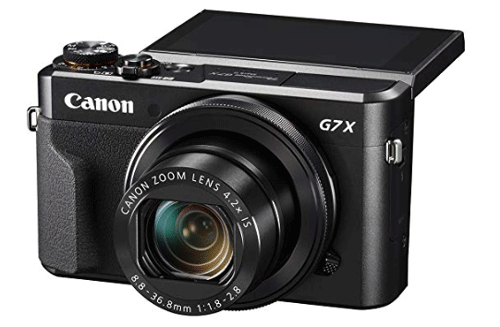
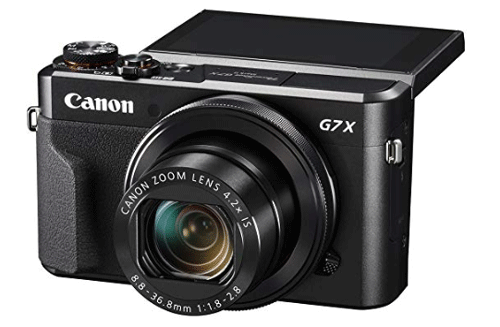
    When you need a compact and feature-rich camera for vlogging, you should check out this camera called Canon G7X Mark II. No matter whether you make videos as a profession or casual purposes, you can use this smooth camera to get most out of it. It has a 1-inch 20.1 megapixel CMOS sensor with an aperture of f/1.8-2.8. f/1.8 aperture is good enough to play with the light. In other words, you won’t have any issue while recording in a low light area. The flip screen appears on the top of the camera, and that is quite useful because you do not need to look on the side to check the ongoing recording. Check the deal

    2] Panasonic Lumix G85

    Best Flip Screen Camera For Vlogging

    Panasonic is a well-known manufacturer in the camera industry, and the Lumix G85 is a great device as well. It comes with a 16 megapixel CMOS sensor with 12-60mm lens + optical image stabilization. However, you can opt for a different variant that comes with the 45-150mm lens, which is suitable for long-range videography and photography. 4K video recording option is available in this camera so that users can create great videos at an affordable price. This camera weighs 1.11lbs, and that means you can carry it anywhere without taking tons of pressure on your shoulders. Check the deal

    3] Panasonic LUMIX DC-ZS70S

    Best Flip Screen Camera For Vlogging

    Panasonic LUMIX DC-ZS70S is another camera from the same brand as above. It has almost everything as the aforementioned camera, but you will miss some features. That is because of the price difference. For your information, this camera costs less than the Lumix G85. Talking about the specification, you can get 20.3 megapixels MOS sensor with 24-720mm ELMAR lens, 5-axis hybrid optical image stabilization, etc. It also has a 166k-dot electronic viewfinder for photography. Like most of the other cameras on this list, you can record 4K videos with the help of this specific camera. It weighs minimal – to be precise; it is only 11.4 ounces. In other words, you won’t have a problem to carry it in your bag. Check the deal

    4] Canon EOS 80D

    Best Flip Screen Camera For Vlogging

    If you make videos as a profession, you should opt for a DSLR instead of mirrorless or point-and-shoot camera. Canon EOS 80D is an excellent choice for newbie video makers, who are getting started with YouTube. It gets everything – from flip screen to CMOS sensor. You can find a 24.2 APS-C CMOS sensor in this camera, and it has 45-point all cross-type AF system so that it can autofocus on anything very swiftly. The base variant comes with an EF-S 18-55mm f3.5-5.6 STM lens, but you should upgrade it to a prime lens for better videography. Because of being a DSLR, it weighs more than other cameras. Regarding the weights, it weighs around 3.95lbs. Check the deal

    5] Sony DSC-RX100

    Best Flip Screen Camera For Vlogging

    It is a mirrorless camera that comes with a flip screen facility for the users. The price of this camera is pretty higher as compared to others, but the features will impress you for sure. It comes with a 3-inch OLED screen, 20.1 megapixel CMOS sensor with DRAM for better picture quality, phase detection, 315 autofocus points, hybrid autofocus system, etc. It is needless to mention that you are getting 4K video recording capability in this camera. Another handy feature of this camera is that it has slow-motion videos quickly. For more information, you can record a slow-motion video at 960FPS, which is more than enough even for a professional video maker. It also has 3.6x optical zoom so that you can capture long-range scenes without any noise. Check the deal

    6] Nikon D5600

    Best Flip Screen Camera For Vlogging

    Nikon comes to mind when you need sharp images instead of matte colours. Nikon is a famous camera brand, and the Nikon D5600 is an excellent option for video makers. Like the Canon 80D, it has every essential functionality so that users can do whatever they want to do. For your information, you are getting 24.5 megapixel CMOS sensor that you can use to record videos at up to 60FPS at 1080p. This camera comes with an 18-55mm f/3.5-5.6 and AF-P DX NIKKOR 70-300 mm f/4.5-6.3 G ED lenses. The first lens has VR or vibration reduction system so that you can reduce the noise in your images if you have a shaky hand. Check the deal

    7] Canon M50

    Best Flip Screen Camera For Vlogging

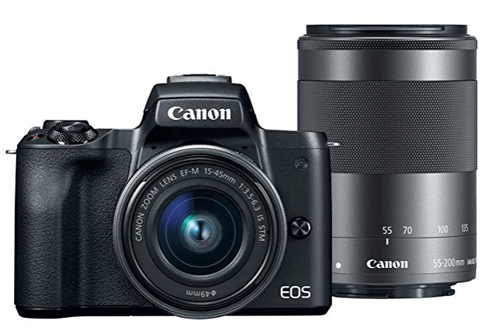
    The full name of this camera is Canon EOS M50, and as the title says, it has optical image stabilization for better photo and videography. You can record 4K videos without any issues with the help of this camera. The highlight of this M50 is that it has dual pixel CMOS autofocus system. Talking about the lens and sensor, you are getting 24.1 megapixels APS-C CMOS sensor with DIGIC 8 image processor and EF-M15-45mm alongside EF-M55-200mm lenses. In other words, no matter whether you want to use it to capture images or record videos, you should not get any problem with it. Check the deal

    These are some of the best flip screen cameras for vlogging. I hope you will like them.

  • Best L-Shaped Desks For Space Saving People 

    Best L-Shaped Desks For Space Saving People 

    Not all people in the world have a big room for work. Sometimes you need to be happy with a small 1BHK apartment. If so, you should opt for some space-saving appliances for apparent reasons. If you are a writer, student or anybody, who lives in a small apartment and needs an L-shaped desk to utilize one corner of your room, you should check out this article. We will walk you through some of the best L-shaped desks for space-saving people like you.

    Best L-Shaped Desks

    1] BESTAR Hampton Corner Workstation

    Best L-Shaped Desks

    BESTAR Hampton Corner Workstation is a simple looking yet very convenient L-shaped desk for your work. No matter whether you want a desk for your home or office, you can use it to get benefits. The total dimension of this product is nearly 70.1 x 70.1 x 35.4 inches, and it can handle up to 145lb of weight without any problem. As the number defines, you will not get any problem while using it for installing computer monitor as well as placing some book, notebooks, etc. According to the official statement, this desk is made of recycled wood, and the quality of the material is top-notch. Therefore, you should not get any issue even after using it for a very long time. Check the deal

    2] DlandHome L-Shaped Computer Desk 

    Best L-Shaped Desks

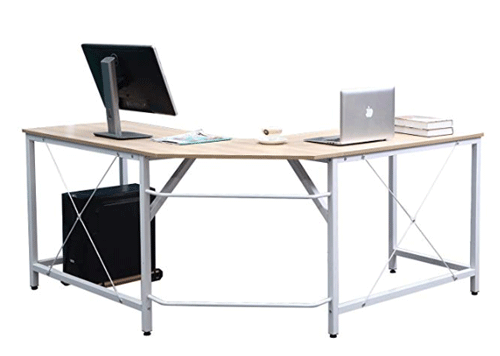
    DlandHome L-Shaped Computer Desk is available for $129, and you pay attention to this because of the overall appearance. Although it doesn’t look as strong as the first table on this list, it is quite strong in practical. The legs are made of metal, and the top surface is made of wood. As it is an L-shaped table, you can get an ample amount of space for almost everything, including a computer monitor, laptop, books, lamp, etc. The corner of this table is not 90-degree shaped, and that might be a problem for you. Other than that, you the white metal and wooden finish will impress you for sure. Check the deal

    3] TY ARTS & CULTURE – L-Shaped Corner Desk 

    Best L-Shaped Desks

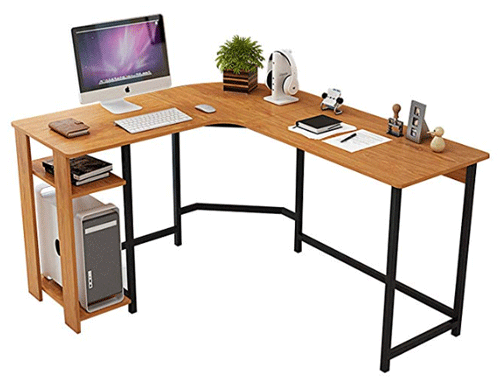
    TY ARTS & CULTURE – L-Shaped Corner Desk is yet another low-budget L-shaped desk that you can purchase from the Amazon website. The main advantage of having this desk is the two rows on the very left side, where you can place some notebooks or essential files. Apart from that, it got a place to have your CPU in case you use it as a computer desk. As usual, it is made of two different materials – metal for legs and wood for the top surface. The exact dimension of this product is L 47.2″ x W 55″ x H 29″, and you can understand how big it is and whether you should purchase it or not. Regarding the price, you need to pay $119 to buy it from the Amazon website. Check the deal

    4] Monarch Storage Desk

    Best L-Shaped Desks

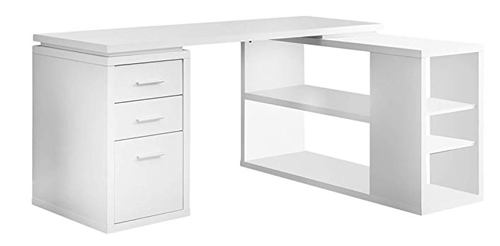
    As the name defines, you can use this table to store your collectives. No matter whether you want to have your work files, project files, or anything else, you can place them here. It has three separate compartments or drawers so that you can put some stuff to protect them from kids. On the other hand, the top surface is capable of having more books, computer monitor, pen stand, photo frame, headphone stand, and many more. This table is suitable for them who want to have a desk for work as well as storing all the belongings at once place. It has four different color combinations, but the pure white one looks far better than others. Check the deal

    5] VertDesk v3 L Shape Electric Sit Stand Desk

    Best L-Shaped Desks

    VertDesk v3 L Shape Electric Sit Stand Desk is for them, who want to have an L-shaped standing desk for work or any other purpose. It costs much higher than usual desks, and that is because it has adjustable stands. In other words, you can adjust the height of this desk according to your height and convenient. The black legs and wooden color surface look pretty good at home as well as office. According to the official statement, this table can handle up to 375lbs of weight without any problem, but it is always recommended to store less than optimum capacity. Check the deal

    6] Modular Wooden Sectional L-Shaped Workstation

    Best L-Shaped Desks

    Modular Wooden Sectional L-Shaped Workstation is another L-shaped desk that you can find at an affordable price. Although it allows users to keep books and computer monitor on the same surface, it has a minor problem. As it comes with a dedicated place for keyboard, you must keep your computer on the left side of your desk. If you can ignore this issue, this table will be worth your money. Talking about the dimension of this desk, it is around 59″ (L) x 55″ (W) x 29.5″ (H). The metal legs and wooden surface table can handle up to 66lbs of weight without any problem. Check the deal

    7] TUSY Modern L-Shaped Computer Desk

    Best L-Shaped Desks

    TUSY Modern L-Shaped Computer Desk is a cheap yet good quality desk for your work. Although it looks smaller as compared to other similar desks on this list, the dimension of this product is 57.87″ (L) x 44.09″ (D) x 29.52″ (H). In other words, you cannot find a significant difference between different products and this one. Like some other desks, it has metal legs and wooden surface to give you lightweight yet good strength. It comes with a dedicated and separated cover to place your CPU in case you use it as a computer desk. Check the deal

    There are tons of other L-shaped tables available online. However, you should check out them before heading to others.

  • Best Adjustable Standing Desks For Work

    Best Adjustable Standing Desks For Work

    If you need to work for six hours a day, you may prefer to sit in a comfortable chair. However, many people often prefer to stand up, walk for a minute and get back to work. If you usually do that and you need a desk for your work where you can do all the jobs while standing, here is a solution for you. There are some very affordable adjustable standing desks that you can buy for your home or office. The height of these desks is adjustable so that you can change the position to whatever you want.

    Best Adjustable Standing Desks For Work

    1] UPLIFT V2 Standing Desk

    Best Adjustable Standing Desks For Work

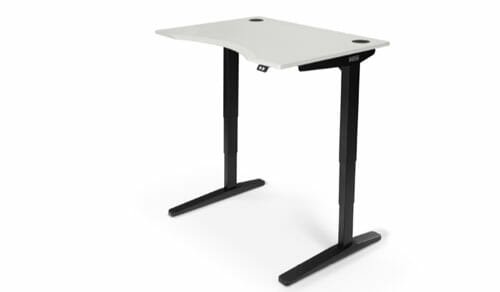
    UPLIFT V2 Standing Desk costs around $539 and it is one of the best standing desks that you can find in the market. This desk is good for installing a laptop or something lightweight since there is not much space for a whole desktop computer. The dimension of the top panel is 42 x 30-inch. However, you can increase the size up to 80 x 30-inch. The legs are made of metals so that you can get good support and the top surface is made of wood. There are several color combinations that you can choose. Also, you can find different designs for the buttons that help you increase or decrease the height of the desk. Check the deal

    2] SKARSTA

    Best Adjustable Standing Desks For Work

    SKARSTA is a product from IKEA, and that says everything about this listing. It is completely white, which suits every theme of your setup. No matter whether you need the desk for office or home, you can purchase it. The only problem with this desk is that you won’t get any electronic switch to adjust the height. Instead of that, IKEA included a handle that can increase or decrease the height of this table. However, this table is steady since it can bear up to 50KG weight without any problem. In other words, you can put your heavy monitor and the CPU side by side. No matter whether you want to put some books or a laptop, everything is possible to have on this table. The price of this table is Rs.16,990. Check the deal

    3] UPLIFT V2 120 Degree Standing Desk

    Best Adjustable Standing Desks For Work

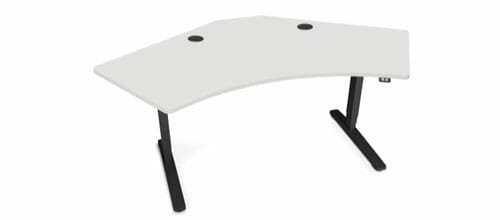
    As the name suggests, UPLIFT V2 120 Degree Standing Desk can help you to have multiple objects on the table. Many people like to have a computer as well as books on the same desk. If you are one of them, you can check out this UPLIFT V2 120 Degree Standing Desk, which has an ample amount of space for everything. The top surface is made of one wood and that is why you should not have any problem like unnecessary crack or something. According to the official website, it has a 160Kg of lifting capacity, which is huge as compared to other tables on this list. As the legs are made of metals, that is somehow possible without any issue. The official website says that it costs around $853. Check the deal

    4] Lelly Q Standing Desk

    Best Adjustable Standing Desks For Work

    It is not a standalone standing desk like the first three desks. In other words, you need to put it on something and then, you can adjust the height of this table according to your requirements. It looks fancy and you should not have any problem to have multiple heavy monitors on this table. According to the statement, it can handle up to 22Kg without any crack or something. The dimension of this table is around 32″ (L) x 20.6″ (W) x16″ (H). It has a separated space for the keyboard, and the dimension of that panel is around 23.6 x 10.4inches. It offers five different incremental height options so that you can set something as per your needs. On the Amazon website, it costs $170. Check the deal

    5] SDADI 2 Inches Carpet Wheels Mobile Standing Desk

    Best Adjustable Standing Desks For Work

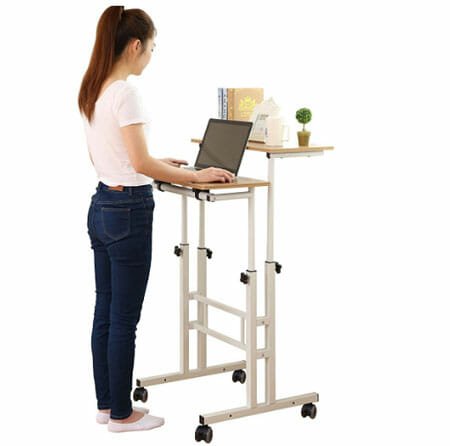
    It is a very cheap standing desk, which is suitable for very lightweight users. In other words, if you use a laptop for work or study, you should consider this table. Otherwise, it will be a waste of money for you. the advantage of this table is that you are getting four wheels to move it around your home or rooms. As the height is adjustable, you can use it while sitting on a couch as well as standing on your legs. The rough dimension of this table is 27.5 x 23 x 4 inches. As this table is very lightweight, you can carry it everywhere. You can purchase it from the Amazon website for $60. Check the deal

    6] BEKANT

    Best Adjustable Standing Desks For Work

    BEKANT is powered by IKEA, and it is costlier than SKARSTA. However, it is much more durable than others. It has a full white coating that looks premium and suits with any office or workroom theme. It is a heavy-duty standing desk that can bear up to 70Kg of load without any problem. In other words, you can use it even if you have a dual-monitor setup for your work. Talking about the dimension, it is around 160 x 80 x 65cm. The top panel is made of particleboard, melamine foil, and ABS plastic. You can find aluminium and polyester powder coating in the legs. Unlike some analogue standing desks, it has a pair of buttons that help you adjust the height according to your requirements. Check the deal

    7] VIVO Black Height Adjustable Standing Desk

    Best Adjustable Standing Desks For Work

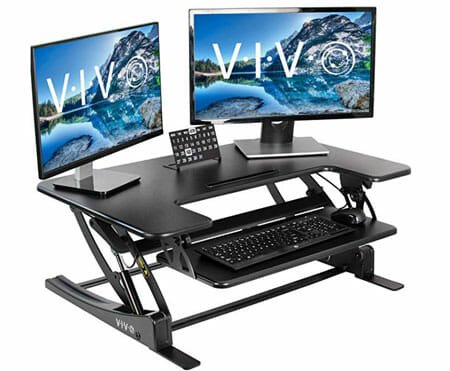
    It has an analogue method to adjust the height – you can find a lever on the left side that you need to pull or push for height adjustment. Although it is a fancy looking standing desk, you need to have another desk or something to put this desk on it. In other words, it is not a standalone standing desk. It can deal with a good amount of weight, and that is why you can install multiple monitors on it. There is a separate panel for keyboard as well. The frame is made of steel, and the top surface is made of wood. On the Amazon website, this product is priced at $170. Check the deal

    There are tons of other standing desks with adjustable height facility. However, these are some of the best, popular, and steady adjustable standing desks you can find on the internet.

  • Best Apps For Samsung Galaxy S20, S20+, And S20 Ultra

    Best Apps For Samsung Galaxy S20, S20+, And S20 Ultra

    Samsung has finally announced three new high-end smartphones globally – Samsung Galaxy S20, S20+, and S20 Ultra. All of them have some cool specifications, features, camera, performance, etc. They work fluently and differently – no matter which app or utility you are going to use on them. If you have bought any of these smartphones, you should check out this article. Here are some of the best apps for Samsung Galaxy S20, S20+, and S20 Ultra.

    Best Apps For Samsung Galaxy S20, S20+, And S20 Ultra

    1] Adobe Lightroom

    All these mobiles are camera-specific smartphones, and that’s why you should have a photo editing application that does everything. Adobe Lightroom is a well-known image editing software among professionals, and the same company has develops this application for mobile as well. You can download it for free on Android mobile, but you might need to spend some money to unlock more functionalities. No matter whether you want to do color grading or color adjustment, it is possible to do everything with the help of this free application. The most important thing about this app is that you can remove unnecessary objects from your photo. Download

    2] Evernote

    Evernote

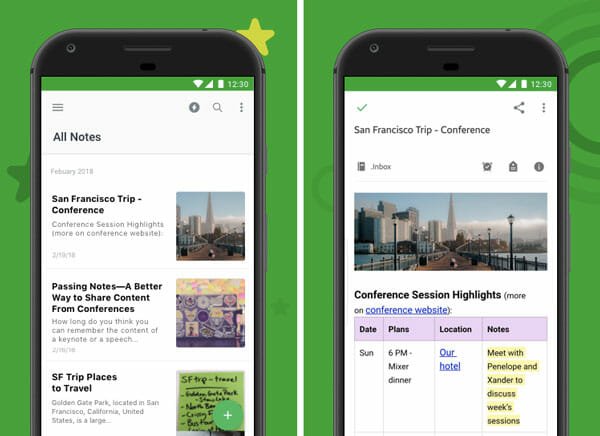
    Evernote is a note-taking application for Android mobile that is compatible with almost all versions of Android. Therefore, you should not have any problem while installing it on your Samsung S20 mobile. The user interface of Evernote is neat and clean. All the options, notes, and features are well-organized, and that is why you should not get any issue while using it to create a list of grocery, or anything else. The best thing is that you can lock it down using a password or fingerprint. The dark mode is also there, which will let you get rid of eye strain. As you can synchronize notes across multiple devices, you should not get any problem to use it among team members. Download

    3] SmartThings

    Best Apps For Samsung Galaxy S10 Lite

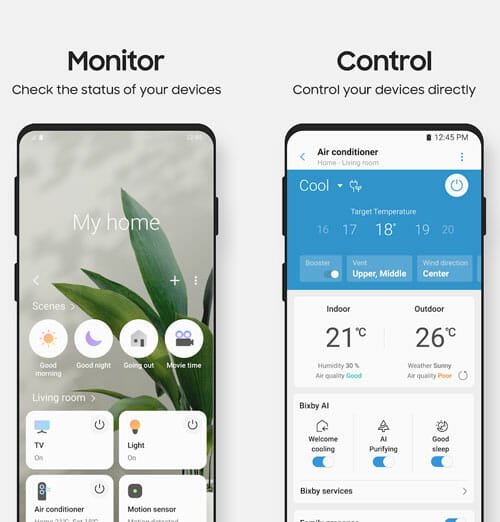
    If you have installed multiple smart gadgets in your home and Samsung has made all of them, you should have SmartThings app on your mobile. This application will let you control everything remotely. No matter whether you want to check the status or control anything else, you can do everything from your mobile. It is possible to operate the refrigerator, wine cellar, washer, dryer, oven range, dishwasher, cooktop, robot vacuum, air conditioner, etc. using the SmartThings app. The user interface of this app is modern so that you won’t feel anything like old-school while using it on the latest mobile. Download

    4] Microsoft Office

    Best apps for Samsung Galaxy S20, S20+, and S20 Ultra

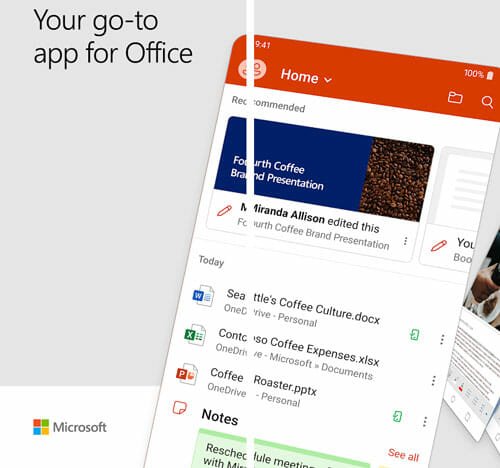
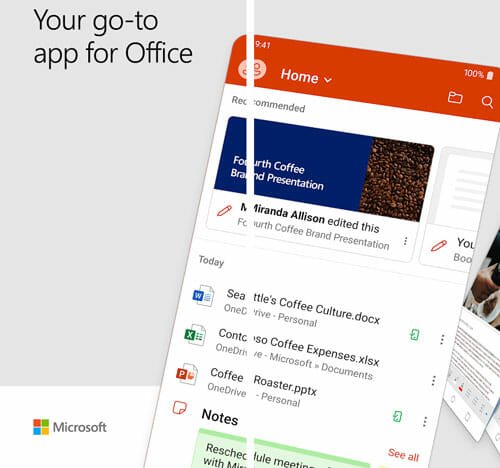
    All these mobiles have big displays – no matter which one you purchase. Therefore, it is straightforward to create or edit a document, PPT, or spreadsheet. If you often do that for office, school, or anywhere else, you can install the Microsoft Office application on your mobile. Although it is under development, you can try it out since it comes with all the apps as a bundle. You can create and upload documents to your OneDrive storage and access them from any other device. If you have Office 365 subscription, you can get all the benefits. You can use it fluently, even if you do not have any Office 365 subscription. Download

    5] Sound Assistant

    Nowadays, mobiles are getting better sound speakers, and thus the sound quality has improved dramatically. If you have a Samsung mobile, you should have this audio management application called Sound Assistant. It will help you do various things on your mobile that are unavailable by default. For example, you can play audio from two apps simultaneously. On the other hand, you can get a floating button, control media volume, manage the volume of each app, and more. The best thing is the Scenarios. It will let you create a sound profile with effects, and you can apply them at different times of the day. Download

    6] FiLMiC Pro

    As these three mobiles have top-notch cameras, you can use them in different situations. You can use the camera for vlogging, general video recording, professional video recording, etc. The in-built options are excellent, and they allow you to almost everything. If you want to do more, you should take a look at this app called FiLMiC Pro. FiLMiC Pro is what you need when you want to record professional videos like a studio. From frame management to zoom facility, it offers everything so that users can get the most out of a mobile camera. It requires Android 6.0 or later versions, and you can install it on your new S20 mobile without any problem. Download

    7] Weather by Weatherbug

    Best apps for Samsung Galaxy S20, S20+, and S20 Ultra

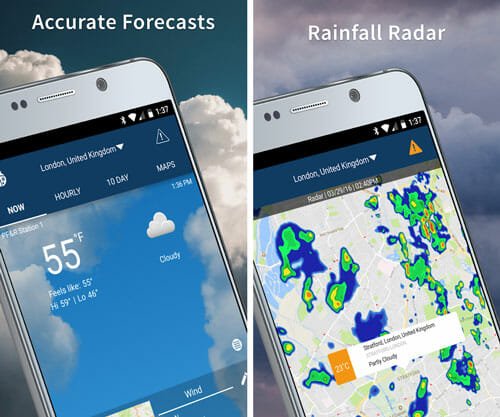
    Nowadays, you do not need to wait for the weather report section while watching the morning news on television. You can open your mobile and download this app called Weather Weatherbug. It will let you obtain every information related to the weather. You can set your location if you do not want to use the ‘current location’ functionality. The best thing is that you can get an icon in the status bar and all the information by tapping that icon. Also, you can include the temperature information on the lock screen as well as the Always-on-Display screen. Another handy feature is that you can add multiple cities and get weather forecasts of all of them at once. Download

    8] Unique Wallpaper

    Best apps for Samsung Galaxy S20, S20+, and S20 Ultra

    There are tons of wallpaper apps for Android, but only some of them excel because others provide copy-paste wallpapers. Talking about some excellent wallpapers, you can install this application called Unique Wallpaper, which will provide ‘unique’ wallpaper for your mobile. As these mobiles have punch cutouts for the selfie camera, you can get some compatible wallpaper from this application. The user interface looks good, and all the wallpapers are organized by categories. Therefore, you can opt for a category and download something according to your desire. Download

    9] Gmail

    Best Apps For Samsung Galaxy S20, S20+, And S20 Ultra

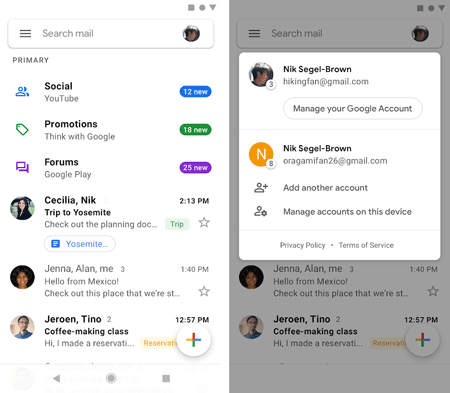
    Gmail is one of the best email clients for your Android mobile. No matter whether you want to use Gmail, Outlook, or any other customized email service, you can certainly take the help of Gmail on your mobile. The ad-free user interface makes everything better than anything else. It offers almost every essential option so that users can utilize this email client without any problem. For instance, it allows users to schedule emails, manage multiple email accounts, etc. Apart from that, you can see all the common features in this email client. Download

    10] LastPass Password Manager

    In these present days, you should always use strong passwords so that attackers do not get an easy chance to gain access to your account. LastPass helps you create and save all your passwords within moments. As the security of LastPass is top-notch, you cannot find any problem while using it for a long time. However, it is recommended to change the login credentials in every one or two weeks to be on the safe side. Although LastPass has some paid plans, you may not need to opt for that since the free edition is more than enough for a regular internet user. Download

    11] Nova Launcher

    Best Apps For Samsung Galaxy S20, S20+, And S20 Ultra

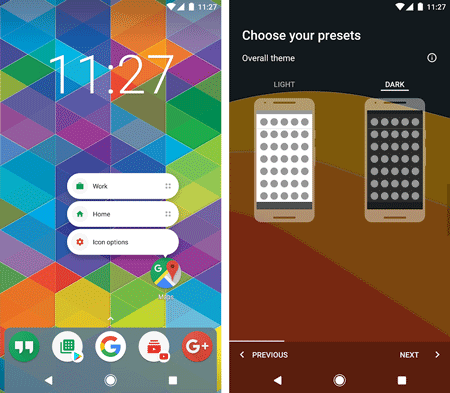
    Many people like to use Samsung mobile but they do not like the OneUI, which is the default ROM of these mobiles. If you are one of them, you can try using the Nova Launcher, which is one of the best launchers out there for Android. This launcher is available for free but you can spend some money to unlock all the functionalities. It allows users to change the icon pack, home screen theme, app drawer, etc. The best thing is that you can set various gestures to open apps, settings, etc. Download

    12] Gboard

    Best Apps For Samsung Galaxy S20, S20+, And S20 Ultra

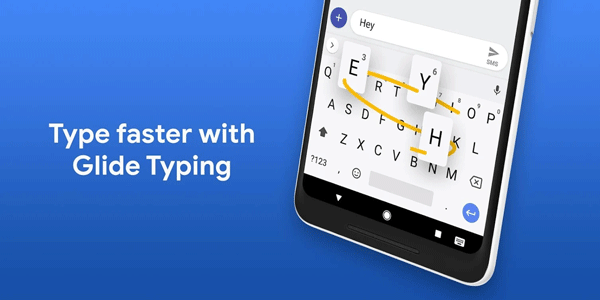
    If you previously used stock Android, chances are you have used Gboard. It is the default keyboard application for stock Android mobiles. Now, if you are facing problems while using the default keyboard of Samsung, you can install the Gboard. From gestures to glide typing – everything is available in Gboard. The best thing is that you can choose various themes so that it matches your system theme (Light or Dark). Download

    These are some of the best apps for Samsung Galaxy S20, S20+, and S20 Ultra. I hope you will like them.

  • Xiaomi Mi 10 And Mi 10 Pro Review: Features, Specifications, And Price

    Xiaomi Mi 10 And Mi 10 Pro Review: Features, Specifications, And Price

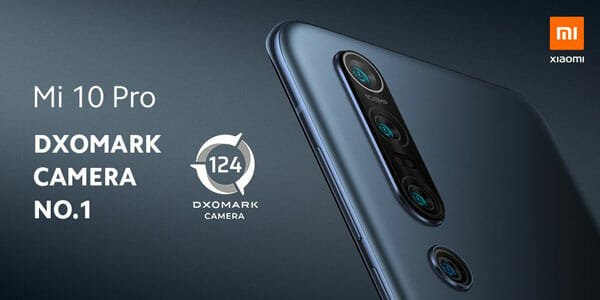
    Xiaomi has launched two new smartphones in the Mi series – Xiaomi Mi 10 and Mi 10 Pro. As the name suggests, the ‘Pro’ edition is the big brother of the standard edition, but there is not a massive difference between these two smartphones. In this article, we are going to show you how you can differentiate these mobiles and opt for one specific one for long-term usage. You can find the features, specifications, and price of the Xiaomi Mi10 and Mi 10 Pro.

    Xiaomi Mi 10 And Mi 10 Pro Review

    Xiaomi Mi 10 And Mi 10 Pro

    Design And Build Quality

    First thing, first! The design of these mobiles is good, but the build quality could have been better, according to some professionals. They look sleek, and you cannot find any major problem with these smartphones. Most manufacturers play with the dimension and increase it in the upper variant. However, Xiaomi didn’t make any changes to these variants. Instead of the dimension and screen size, you can find a difference in the camera and some other components.

    The exact dimension of these smartphones is 6.40 x 2.94 x 0.35 inches, and they weigh 208g. The weight is a bit higher than usual, but you should consider the size of the mobile as well. They have an aluminum frame for body protection and Corning Gorilla Glass 5 on the front side for screen protection. However, the company has cut some costs by not putting the same on the rear panel. Talking about the rear panel, it has a glass back that is a fingerprint magnet.

    It doesn’t have a 3.5mm headphone jack, but you can see Type-C 1.0 port for all the wired connectivity, including charging. It has stereo speakers, and the audio quality is good enough for movies, YouTube videos, etc.

    Display

    The display of these smartphones is pretty good as the manufacturer included a well-equipped panel. The display ratio is 19.5:9, so that you do not face any problem while playing a game like PUBG. Talking about the main panel, you can see a 6.67-inch Super AMOLED capacitive touchscreen with a resolution of 1080 x 2340 pixels. However, the pixel density is not that high – to be precise; it is 386PPI. Although some other manufacturers have started offers 120Hz display, Xiaomi has provided 90Hz panels with 180Hz touch-sensing. That makes more sense since more than 98% of apps are still not upgraded to 120FPS.

    As mentioned earlier, these mobiles have Gorilla Glass 5 for screen protection. On the other hand, you can find HDR10+ for better quality. In terms of the overall display of these mobiles, you can find something great. It is bright, is daylight, almost non-reflective, and 500 nits brightness.

    There are two more things about the display panel. First, there is a punch cutout on the top-left corner, which represents the selfie camera. Second, the fingerprint scanner is installed under the display. It is fast and works without any issue.

    Performance

    Xiaomi Mi 10 And Mi 10 Pro

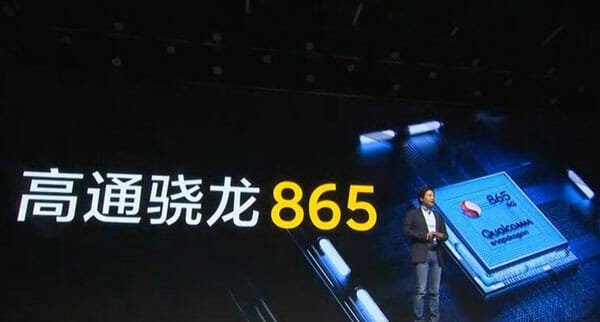
    On paper, these mobiles have some great hardware, and that should not cause any issue when you need it the most. Talking about the SoC, they have Qualcomm SM8250 Snapdragon 865, which is 5G and 8K compatible. Apart from that, you are getting a minimum of 8GB of RAM, but you can increase it to 12GB while purchasing.

    As it allows you to record 8K video, you should have a good amount of storage. For that, you are getting a minimum of 128GB of storage, which goes up to 256GB if you purchase the standard variant and 512GB if you purchase the Pro variant. More specifically, the standard edition has 8/128GB, 8/256GB, and 12/256GB variants. On the other hand, the Pro version has 8/256GB, 12/256GB, and 12/512GB variants.

    For graphics enhancements, Xiaomi included Adreno 650. It is an integrated GPU that comes with Snapdragon 865 SoC. According to the official statement, this combination can offer 20-25% more performance than earlier. That means you should not have any problem while playing some high-end games in maximum settings. Lagging should not be an issue as long as you run countless apps in the background.

    Camera

    Xiaomi Mi 10 And Mi 10 Pro

    It is where you can find some differences between these two smartphones. Although the primary camera is the same on both mobiles, secondary cameras are different. Let’s talk about the numbers first. Xiaomi included a 108MP f/1.7 sensor in both smartphones, and it works as the primary camera. However, the Mi 10 has 13MP f/2.4 ultrawide, 2MP f/2.4 macro, and 2MP f/2.4 depth sensors. Although the primary camera and the ultrawide lenses make sense in a way, there is no guarantee on what you can do with the 2MP macro and depth sensors.

    The Pro variant has an 8MP f/2.0 telephoto lens with a 10x hybrid optical zoom function. It is useful, and people can use it for their benefits. On the other hand, it has a 12MP f/2.0 portrait lens that you can use to create beautiful photographs. Also, you can find a 20MP f/2.2 ultrawide camera on this mobile.

    As mentioned earlier, both smartphones can record 8K video at 30FPS. However, the advantage of the Pro edition is that you can record 1080p video at 960FPS. That is what we do not see in every smartphone.

    Regarding the selfie camera, both mobiles have a 20MP f/2.0 sensor that you can use to capture photos and record 1080p videos.

    If you compare the sensors of these two mobiles, you might find the Pro edition more interesting than the other one. The Pro edition has sensible components from what people can get benefits.

    Battery

    Surprisingly, the Pro version has less battery capacity than the standard variant. The Mi 10 has a 4780mAh battery, but the Mi 10 Pro has a 4500mAh battery. However, if you go to charge both mobiles, you can get that done faster on Mi 10 Pro. Two reasons – less battery and better charger. Xiaomi is giving 30W charger with the standard edition but 50W charger with the Pro edition.

    Price

    The price is these mobiles have not disclosed in India. However, the 8/256GB of Mi 10 Pro costs around 4999 Yuan, 12/256GB costs around 5499 Yuan, and the 12/512GB costs around 5999 Yuan.

    The price of Mi 10 8/128GB is 3999 Yuan, 8/256GB is 4299 Yuan, and 12/256GB is 4699 Yuan.

    However, they are yet to launch these mobiles globally. You might need to wait for some time to get the exact price in your region.

  • Most Important Things To Carry While Travelling Solo

    Most Important Things To Carry While Travelling Solo

    Travelling makes people happy. It can be a small solo road trip or 15-days long trip with friends; you should go on a trip every year. If you often travel solo for work or pleasure, you should know the place where you are going to visit. However, most times, that is not possible, and it is why you should check out this article. Here are some of the most important things you should carry with you when travelling alone. They will help you come out from various problems and situations.

    Most Important Things To Carry While Travelling Solo

    1] An Extra Mobile & Cash

    Most Important Things To Carry While Travelling Solo

    You do not know how good or bad people are where you are going to visit. A snatcher or thief can ruin an awesome sunset or sunrise. At such a moment, you can use the additional cash that you separated earlier. Nowadays, mobiles are internally integrated with us, and that is when mobile can help you to get rid of that unfortunate situation. You can call somebody, ask for help, etc. by a simple phone call. You can choose any mobile but make sure that it has an internet facility.

    2] Medicines

    Most Important Things To Carry While Travelling Solo

    Many folks get sick due to bad weather, food, water, etc. At such a moment, medicines are handy. Many people often rely on local shops to buy medicine. DO NOT do that as that might be worse if you do not get the prescribed medication at that specific shop. Not all drug stores keep all the medication. That is why you should consult with a professional and ask him/her to prescribe some common and essential medications so that you can use them when needed.

    Bonus tip: You should download an app called 1mg. It shows the compositions of medicine. Therefore, you can ask the medicine shop individual to give some according to the compositions. Also, it is better if you can carry a first-aid box with you.

    3] A Physical Map

    Most Important Things To Carry While Travelling Solo

    If you are going to a solo trekking, you should have a physical map with you. Many people often get lost in an unknown place where they cannot speak the local language. If you want to avoid such a situation, you should carry a physical map. Alternatively, you should download offline maps on your mobile. No matter whether you are using an Android or iOS mobile, you phone can download maps for offline usage. The most common and useful map application is Google Maps.

    4] Water Bottle

    Most Important Things To Carry While Travelling Solo

    When travelling solo, you should take care of your health first. Dehydration is a common problem among solo travelers. It doesn’t matter whether it happens with you or not; you should carry a water bottle with you to be hydrated all the time. No matter if you are going on a bike trip, or by train, you should carry your water supply with you. Again, do not rely on local shops to buy water. You can when you do not have an ample amount of water in your bottle. A simple water bottle costs around $20-50 on the Amazon website.

    5] Power Bank

    Most Important Things To Carry While Travelling Solo

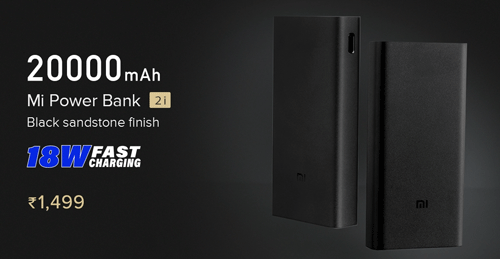
    Nowadays, we cannot live without a mobile despite the travel. Sometimes it is necessary when sometimes we watch movies or check the Facebook timeline. If you do the same, but your phone doesn’t have a good battery life, you should use a power bank. A power bank doesn’t cost more than $50, but it solves countless problems within moments. In India, a 20000mAh power bank costs around ₹1,499, which is equivalent to $21. Also, don’t forget to carry the USB cable to charge your mobile.

    6] A Tech-Friendly Backpack

    Most Tech-Friendly Backpacks

    It doesn’t matter if you are a tech-savvy person who needs to carry some gadgets or not; you should purchase a tech-friendly backpack. There are mainly two reasons. First, these kinds of backpacks are easy to carry because of the internal management system. Second, they come with some locks to protect your files and allow you to charge your mobile on the go. Such a backpack can cost from $50 to $150. You need to check out this list of best tech friend backpacks. Choose something based on your requirements and budget.

    7] TSA Approved Lock

    Most Important Things To Carry While Travelling Solo

    You should carry some Transportation Security Administration (TSA) approved locks with you. They do not cost a lot, and you can use them anywhere in the USA. In case you do not know how much handy a lock is, you should keep reading. Such a lock can assist you in protecting your belongings in your bag. There are different types of TSA-approved locks, and you can buy them from Amazon for $15-50. The price depends on the quality, design, etc. Check the deal

    8] Camping Light

    Most Important Things To Carry While Travelling Solo

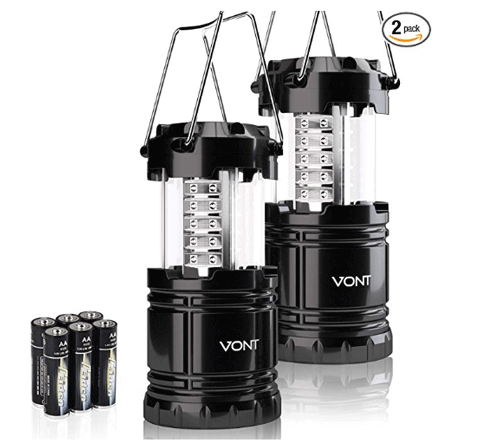
    It is useful only when you are going to camp somewhere. You should not rely on natural light or mobile flashlight all the time. At night, you might need some more light to read a book or do something else inside your tent. That is when camping light comes to play. The price starts at $20, and it goes quite up. The price depends on the material, led bulbs, quality, design, etc. Check the deal

    Final Word

    These are some of the best most essential things you should when travelling alone. However, you should also carry some other things such as an extra pair of socks, a blanket, headphones, a multi-port mobile charger, etc. We didn’t include them because most of the people always carry them by default.

  • Best Straps For Huawei Watch GT 2

    Best Straps For Huawei Watch GT 2

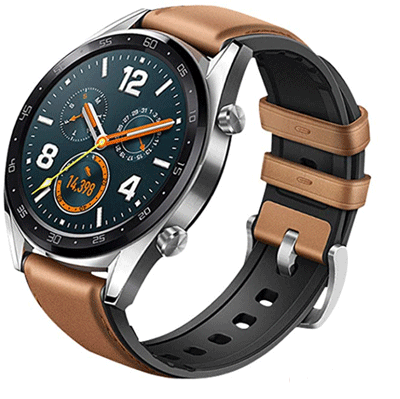
    Huawei launched the first edition of Huawei Watch GT almost 1.5 years back, and recently, they launched the successor of that watch called Huawei Watch GT 2. For obvious reasons, it is much better than the first edition in terms of features and builds quality. If you have purchased Huawei Watch GT 2 and you are looking for some straps for your watch, you should check out this article. We will let you know about some of the best belts for Huawei Watch GT 2, as well as the advantages and disadvantages.

    Best Straps For Huawei Watch GT 2

    1] Stainless Steel Metal Smartwatch Wristband

    Best Straps For Huawei Watch GT 2

    If you do not want a leather band, and instead, you want to purchase a traditional metal wristband, you should check out this product. It doesn’t cost much, but the quality of this band is good enough for daily usage. It has three different colors – silver, black, and golden. The black variant looks fancy, and it suits everyone. It is made of premium grade 316L stainless steel and colored by vacuum plating. It is the reason why you won’t find rust on this product even after using it roughly. On the Aliexpress, it is priced at $8.54. Check the deal

    2] TASLAR Dual-Color Soft Silicone Band

    Best Straps For Huawei Watch GT 2

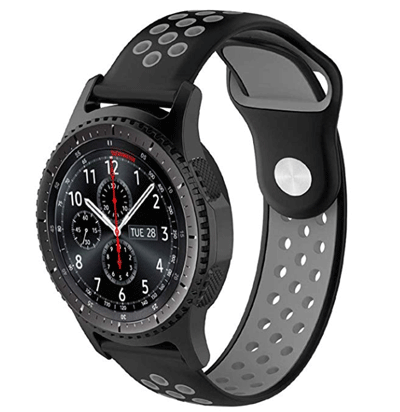
    TASLAR Dual-Color Soft Silicone Band is compatible with both versions of the Huawei Watch GT series. It is a silicone band, and therefore, you should not have any allergic issues after wearing it for a long time. The main advantage of this strap is the weight. For your information, it weighs 40.8gm only, and that’s why you won’t feel it in your hand. The dual color tone of this band looks cool for students. However, that doesn’t mean you cannot wear it by being anybody else. It is priced around ₹ 699.00 on the Amazon India website. Check the deal

    3] TASLAR Leather Watchband

    Best Straps For Huawei Watch GT 2

    It is another classy wristband for Huawei Watch GT 2. The color combination of this band is pretty good, and you won’t get quality-related issues after using a long time. They have made three different combinations – Brown/Black, Black, and Black/Gray. For your information, the Brown/Black variant looks fanciest even though the prices of all those bands are the same. It weighs 18.1gm only, and that is one of the reasons why you should purchase it because you won’t feel any weight in your hand. No matter whether you are going to the gym or office, you can wear it without having any second thought. You can purchase it for ₹ 749.00 from the Amazon India website. Check the deal

    4] invella NATO Nylon Strap

    Best Straps For Huawei Watch GT 2

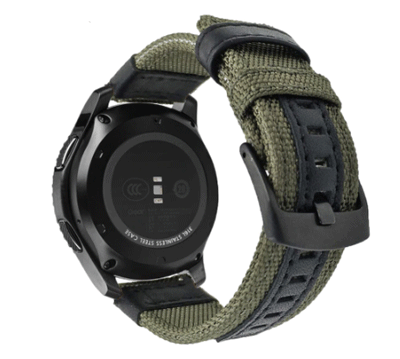
    If you have tried everything and you want to check something else other than leather and metal straps, you should try out this nylon strap. The build and material qualities are good enough, but it doesn’t look as fancy as others. That is because of the nylon, the material used to make the band. However, the weight of this strap is not minimal since it weighs 31.8gm. Other than Huawei Watch GT 2, you can wear it with Samsung Gear S3, Magic Smartwatch, etc. It is not recommended to wear it in the rainy season because you might get some issues due to water storage issues in the band. On Amazon, it costs around ₹ 773.00. Check the deal

    5] invella 22mm Vintage Strap

    Best Straps For Huawei Watch GT 2

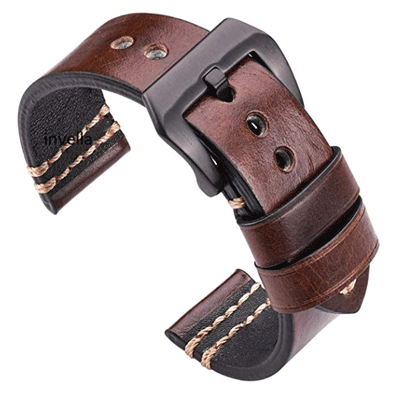
    This strap for Huawei Watch GT 2 is made of pure leather. If leather suits you, you can wear to give a different look to your smartwatch. Although it costs higher than other straps, it does the job pretty well. This strap is more durable, has better comfort than a nylon strap, and has a long-lasting service life. As it is made of leather, it weighs more than others. To be precise, it weighs around 90gm, which is fine when you consider the material used to make this band. You can purchase this band for ₹ 1,599 from the Amazon India website. Check the deal

    6] Canvas Nylon Watchband

    Best Straps For Huawei Watch GT 2

    Canvas Nylon Watchband is a nylon wristband for Huawei Watch GT 2 that is suitable for men as well as women. You can use it with Huawei Watch GT 2 46mm and 42mm. Although it is made of nylon, this band is very comfortable when it comes to wearing for the whole day. There is only one color variant of this band, and that is Black/Gray. However, you can between the clasp – black and silver. It has a smooth polish over the strap so that users do not get annoyed by the band even after wearing for in hot summer or so. This wristband is available for $13.99 on the AliExpress. Check the deal

    7] AOOW Nylon Strap

    Best Straps For Huawei Watch GT 2

    This specific strap is available in four different colors – Brown, Black, Green, and Blue. Every variant, except the Black one, has a dual-color tone so that you get a different feel while using on your wrist. As the name says, this band is made of nylon, but the quality of this band is top-notch because of the small amount of leather, according to the reviews. It has a one-click clasp that you can attach or detach anytime without being an expert. In simple terms, you can use this band anywhere, including a party, office, school, college, etc. However, it is not recommended to wear it in the gym or anywhere, where you often get sweats. On the AliExpress, it costs around $3.62. Check the deal

    So, which strap you like the most for you Huawei Watch GT 2? No matter which one you buy, you should read some buyers’ reviews so that you can understand the product better.

  • Samsung Galaxy S20 Ultra Specifications, Features and Price

    Samsung Galaxy S20 Ultra Specifications, Features and Price

    Samsung Galaxy S20 Ultra is the third mobile in the S20 series, but it is the most powerful Android smartphone you can purchase today. From the display to the camera – everything is top-notch and the best on paper. However, how practical is this smartphone? Do you need Samsung Galaxy S20 Ultra in your pocket? Let’s delve into the specifications, features, and price to know everything about this new smartphone with extraordinary configuration.

    Samsung Galaxy S20 Ultra Review

    Samsung Galaxy S20 Ultra Review

    Design And Build Quality

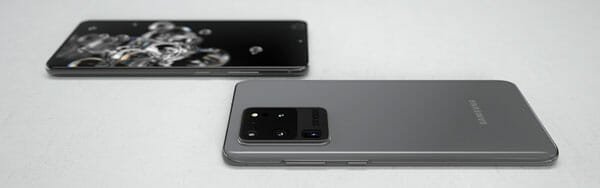
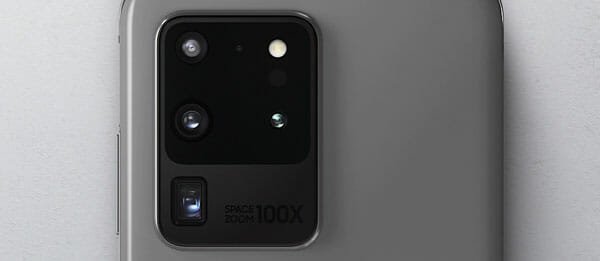
    The design of this smartphone is entirely different from other mobiles that are already ruling the market. The front side is nothing but the display with a punch hole that represents the camera. On the bottom side, it includes the in-display fingerprint scanner. On the rear side, you can find a big bump, and this bump contains some of the essential components of this smartphone. As usual, Samsung included an aluminium frame, and the material of the overall build is excellent. You can feel the difference while holding this mobile in your hand, and that is how good it is.

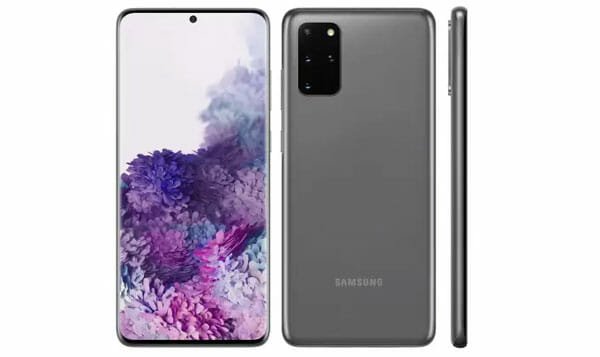
    Talking about the side, it has a dimension of 6.57 x 2.99 x 0.35 inch, and it weighs 222gm. Although the weight of this smartphone is higher than usual, you might not have any problem if you have a big hand. However, small hand people can get serious issue because of the size. Apart from that, it has Corning Gorilla Glass 6 on both sides for protection and IP68 rating. In the bottom, it has USB-C port that you can use to charge the battery. Regarding the color variants, you can find Cosmic Grey and Cosmic Black.

    Read More: Samsung Galaxy S20 and S20+ Specifications, Features and Price

    Display

    The display can always make or break a smartphone. In this case, the display of Samsung Galaxy S20 Ultra is a big plus point that can surely make the audience in the global market. To be specific, this beast has 6.9inch Dynamic AMOLED 2X capacitive touchscreen with a resolution of 1440 x 3200 pixels. On the other hand, it has HDR10+ support and 120Hz refresh rate at FHD and 60Hz refresh rate at QHD. The panel of this display is nothing but excellent. The color saturation is much better than others, and the overall display is vivid in broad daylight.

    You should get the color that way it meant to be. The good thing is that Samsung did not include a curved display this time. Instead of a curved display, you are getting a flat display. Although a curved display was not an issue, many people faced problems while installing a screen protector.

    Performance

    As mentioned in every phone review article, you get an excellent performance only of the hardware is good enough to bear your apps. This time, you won’t find anything to complain about since Samsung has made sure of that. On paper, it has probably the best hardware you can see right now. That means it has Qualcomm SM8250 Snapdragon 865 in the USA edition and Exynos 990 in the Global edition.

    On the other hand, you can see Mali-G77 MP11 in the Global edition and Adreno 650 in the USA edition. Although there is no difference between S20/S20+ and S20 Ultra, you can undoubtedly find a slight variation in the performance. That happens because of the amount of RAM they are giving.

    You can see minimum 12GB of RAM in the Samsung Galaxy S20 Ultra. If you need more, you can opt for the 16GB variant as well. Talking about the storage, they are offering 128GB, 256GB, and 512GB options. However, the 512GB variant includes the 16GB of RAM. No matter which edition you purchase, you can increase the storage with a microSD card. However, they use the Hybrid SIM slot. In other words, you can use either one SIM + SD card or two SIM.

    Camera

    Samsung Galaxy S20 Ultra Review

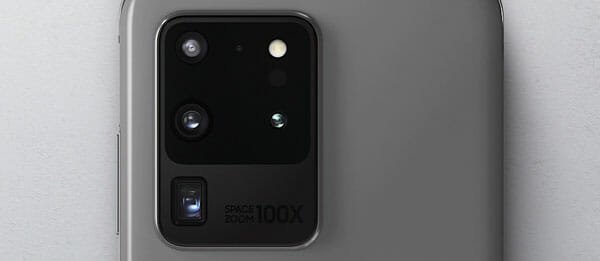
    It is where the main element of this smartphone is lying down. You can buy any Samsung mobile; you will always get two things better than others – display and camera. This time, Samsung included 108 MP f/1.8 26mm sensor, and you can use it as the primary camera. According to some people, Samsung added a high-end digital camera in this camera that can capture and record impressive scenes without any issues. On the other hand, you can find 48 MP f/3.6 telephoto lens, 12MP f/2.2 ultrawide lens and 0.3MP depth sensor. The most important thing about the 48MP camera is that you can get 10x hybrid optical zoom and 100x digital zoom that is named after Space Zoom by Samsung.

    The videography would be smooth on this smartphone since it can record 8K video at 24FPS, 4K video at 60FPS, 1080p video at 240FPS and 720p video at 960FPS. Apart from that, it sports OIS so that you can record shake-less videos effortlessly.

    Regarding the front camera, you can find 40MP f/2.2 sensor for a selfie that can record 4K video at 60FPS.

    Battery

    When you have such a big display, a camera, etc., you must need a bigger battery. Otherwise, you won’t be able to use the smartphone for a long time. To deal with that, Samsung included 5000mAh battery in this smartphone along with a 45W charger that can charge this smartphone from 0 to 100% in an hour.

    Connectivity And Other Features

    Samsung Galaxy S20 Ultra has 5G compatibility – though 5G is not standard in every region, as on today. On the other hand, you can get Wi-Fi. Wi-Fi Direct, Hotspot, Bluetooth, GPS, NFC, FM Radio (the USA and Canada), etc.

    Price

    The price of Samsung Galaxy S20 Ultra starts from ₹92,999.

    What do you think about this smartphone? Will you spend ₹92,999 to purchase a mobile?

  • Samsung Galaxy S20 and S20+ Specifications, Features and Price

    Samsung Galaxy S20 and S20+ Specifications, Features and Price

    After S10, Samsung jumped into the S20 series, which is probably the best mobiles Samsung have ever launched. Although they released three smartphones – galaxy S20, S20+, and S20 Ultra, we are going to talk about the first two smartphones and leave the third one for another day. That is because these two smartphones are identical in terms of specifications and features. Although there is a tiny size and rear camera difference, that is negligible. If you are thinking to purchase a new mobile, you should check out this article to know everything about the specifications, features, and price of these two mobiles.
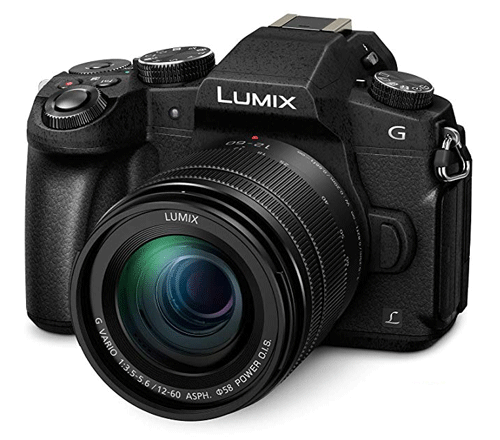
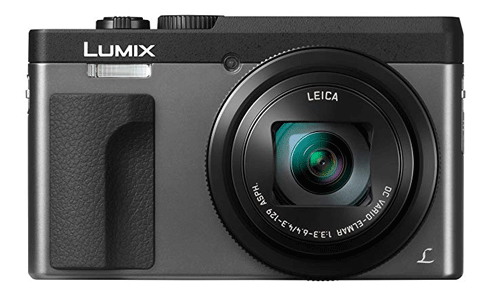
    Samsung Galaxy S20 and S20+ Specifications, Features and Price

    Samsung Galaxy S20

    Design And Build Quality

    No matter which smartphone you pick, you won’t find any problem related to the build quality. They have aluminium frames, and the overall appearance of this smartphone is premium. You can feel that after holding it in your hands. The dimension of Samsung Galaxy S20 is 5.97 x 2.72 x 0.31 inch and the dimension of Galaxy S20+ is 6.37 x 2.90 x 0.31 inch. Both are big, but weight management is pretty good. The weight of these smartphones is not high as well. The S20 weighs 163g, and the S20+ weighs 186g.

    They have an IP68 rating, and that means it can bear 1.5m deep of water for 30 minutes. On the other hand, it comes with Corning Gorilla Glass 6 on the front as well as the backside. Samsung offers a single SIM as well as dual SIM facilities, but it depends on the region. The best part is that you can find an eSIM facility on this mobile.
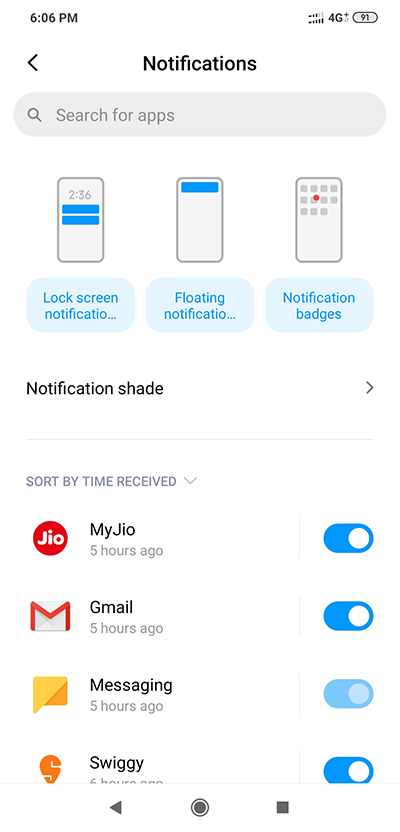
    Display

    Samsung always outperforms all the other manufacturers in the display section, and they have not compromised a bit in this case as well. The display quality of these smartphones is top-notch, and you should not get any issue while using it for a long time. The Samsung Galaxy S20 has a 6.2-inch Dynamic AMOLED 2X capacitive touchscreen and S20+ has a 6.7-inch Dynamic AMOLED 2X capacitive touchscreen. Although there is a size difference between these two smartphones, the resolutions are the same. To be precise, it is 1440×3200 pixels. If you have not guessed it yet, you should know that there is a difference in PPI. In other words, S20 has 563PPI, and the S20+ has 525PPI. Although you may not find the difference in the naked eye, the difference is there.
    It has a 20:9 display so that you can play games and control everything effortlessly. You might not have to tap on another button by mistake while playing an action-packed game like PUBG. Both mobiles have HDR10+ support, and the best thing is that you are getting 120Hz refresh rate at FHD condition and 60Hz refresh rate at QHD condition.

    Performance

    Samsung Galaxy S20 Plus

    The performance of a smartphone depends on various things, including the chipset, RAM, GPU, etc. Talking about the overall performance, you are about to get high-end output from these two premium smartphones. No matter which one you choose, you will get the same SoC and other hardware so that users do not miss out on anything. In the USA, you will get Qualcomm SM8250 Snapdragon 865 chipset but, the global version sports Exynos 990 chipset. Apart from that, it has Adreno 650 in the USA variant and Mali-G77 MP11 GPU in the global variant. Regarding the memory, it comes with 8GB of RAM along with 128GB of internal storage that you can expand up to 1TB using a microSD card.

    On paper, these phones have some excellent specifications, and users should be happy to get such hardware at such a price point. The overall performance of these mobiles is more than excellent, according to some reviewers. No matter whether you will use these mobiles for gaming or recording videos – you should not have any problem at all.

    Read More: Samsung Galaxy S20 Ultra Specifications, Features and Price

    Camera

    The camera department of Samsung is far better than other manufacturers in today’s world, and Samsung has proved that again. However, before getting started, you should know that the Samsung Galaxy S20 has a three-camera setup on the rear side, but the top variant has four camera setups. That is the only difference between these two mobiles in terms of camera. Talking about the numbers, the S20 has 12MP f/1.8 (main camera), 64MP f/2.0 (telephoto lens), and 12MP f/2.2 (ultrawide) cameras. On the other hand, the S20+ has the exact three cameras along with a 0.3MP f/1.0 depth sensor. You might not be able to do anything good with that camera, but Samsung included that for you.

    Both mobiles can shoot excellent photographs and record 8K video at 24FPS. However, the most important thing you should know about these two smartphones is that they cannot record 8K video with the primary camera that has a 12MP sensor. In other words, they use the 64MP telephoto lens to capture the 8K camera.

    Regarding the front side, you can find a punch-hole design, and they have 10MP f/2.2 wide lens so that users can capture selfies with friends without any issue.

    Battery

    Samsung has finally upgraded the battery section, and it was a much-awaited fix from Samsung. The S20 has a 4000mAh battery whereas you can find a 4500mAh battery in the S20+. However, you should not expect a great battery life because they have 120Hz 6.2 and 6.7-inch displays and they are going to eat a lot of battery. The good news is that you can find a 25W charger in the box.

    Connectivity And Other Features

    There is nothing new except the 5G compatibility. The Qualcomm SM8250 Snapdragon 865 chipset is 5G compatible SoC, but it seems Samsung has not included that facility in these two phones.

    Apart from that, there are Wi-Fi, Bluetooth, Wi-Fi Direct, GPS, Hotspot, and everything other essential components.

    Price

    In India, the Samsung Galaxy S20 is priced at ₹66,999, and the price of S20+ is ₹73,999.

    What do you think about these two smartphones? Do let us know in the comment section below.

  • Known MIUI 11 Problems And Solutions 

    Known MIUI 11 Problems And Solutions 

    MIUI 11 launched a few months back, and till now, people are facing numerous problems now and then. If you are using MIUI 11 on your mobile, and you are facing some issues, you should check out this article. We have enlisted some of the most common and known MIUI 11 problems and solutions so that you can fix them and use your mobile like before. For your information, some issues can cause due to the age of your mobile, but other issues can be fixed using this tutorial.

    Very Low Battery Life

    Although it is a common issue on some Android mobiles, MIUI 11 has given some fuel in the fire. The initial release of MIUI 11 Stable was awful in terms of battery management. As a result, every MIUI 11 users were getting lousy battery life no matter which phone they were using. If you are getting the same, you should follow these tips and tricks.

    • Close all the unnecessary apps. You need to close them from the Recent Apps menu. The more apps are running, the more battery power you need to provide to your application. Thus, it is a wise solution to close all the unnecessary apps from the Recent Apps section.
    • Opt for a specific cellular network. In other words, you should use only 4G or 3G or 2G. If your carrier often switches from 4G to 3G or vice versa, it will consume more battery – no matter which service provider you are using.

    Known MIUI 11 Problems And Solutions

    • Gaming matters. Games use most resources of your mobile so that users get the best experience. The more resource your phone uses, the more battery consumes. That implies you should reduce the gaming addiction – no matter whether your mobile has a 4500mAh or 4000mAh battery. Also, do not charge your battery and keep gaming games at the same time.
    • Do not overcharge the battery. Many people put their phone on charge and keep it like that till the morning. You should do not if you want to get a good battery life from your mobile.

    There are more other tips and tricks to save battery, but these are the essential guides.

    Not Getting Notifications

    Known MIUI 11 Problems And Solutions

    If apps are not showing any notification on the lock screen as well as in the notification shade, you should follow these tips and tricks. Although it is not a common issue, many people have encountered it after upgrading to MIUI 11.

    • Check if the app is enabled for notifications. In other words, Android allows users to allow or block certain apps from showing notifications. If you have enabled it recently, you won’t get any notification from that specific app. For that, open the Settings app and go to Notifications. After that, check if the toggle button is turned on for an individual app or not. If not, you need to enable it by toggling the button.
    • If you are not getting notifications on the lock screen, you should tap the Lock screen notifications option on the Notifications page, and check if the toggle button is enabled or not.

    Apps Not Opening

    After upgrading to MIUI 11, some apps might not open on your mobile. It happens when you deleted some system apps previously (before upgrading) and then, upgraded to the latest version of MIUI. There is only one solution. You need to reset your mobile or re-install all the system packages that you removed earlier.

    Please note that resetting mobiles affect data lose. It is recommended to backup all relevant data before resetting mobile.

    All Accounts Are Gone

    Many people claimed that all the accounts are no longer visible on your mobile. No matter whether if someone had a Gmail or Facebook account or multiple accounts, many people faced this issue. If you are one of the victims, you are not alone. Unfortunately, if all the accounts are gone, you cannot get it back automatically. You need to install all the apps and add your account manually. There is no other solution apart from that.

    Infinite Boot Loop

    It is another common problem with POCO users, who upgraded their mobile from MIUI 10 to MIUI 11. Some users claimed that their phone is not starting after downloading the update package. Although it should not happen, it is happening very often. If you are facing the same, you need to reflash MIUI 11 with Flash boot, or you can visit the nearest service center.

    Cannot Change The Wallpaper

    Known MIUI 11 Problems And Solutions

    After upgrading your system to MIUI 11, if you are unable to change the wallpaper, here is a simple solution. It occurs when you uninstalled some system packages in any way and updated your phone to the latest version of MIUI. Changing the wallpaper requires specific packages that your system includes. If you remove them, you cannot change the wallpaper in any way. The only solution to this problem is the reset. Before doing that, don’t forget to backup your data.

    Fingerprint Is Missing

    Known MIUI 11 Problems And Solutions

    The fingerprint is biometric security that users should use to unlock their devices quickly. If you have been using it for a long time, but it is disappeared after upgrading to MIUI 11, you cannot do anything to get that back. However, you can add them again to your mobile. To add the Fingerprint unlock facility, you need to open Settings and go to Passwords & security. After that, go to Fingerprint unlock option and follow the screen instructions to get the job done.

    There are more other problems with MIUI 11. However, people are mostly facing these issues, as per some online forums. If you are getting some other issues while using MIUI 11, you should let us know. We will try to give you a solution as soon as possible.