The Best Sites to Create Anonymous Email Addresses
It’s foolish to reveal your real email address just for the sake of signing up to yet another forum, newsletter or web service. You can use Anonymous email addresses for one time signups, evaluating offers, accessing newsletters or ebooks, downloads and other random stuffs.
We have earlier discussed a few websites to create anonymous email addresses. Here is a quick recap of some more.
The Best Sites to Create Anonymous Email Addresses
Dispostable: Create Unlimited Disposable Inbox
Dispostable let’s anyone create a temporary email inbox without any signups or registrations. You pick a username and the inbox is created instantly. After that, you can share this inbox with anyone and any email sent to your address will land here. The inbox requires no password and you can create as many inbox as you want.
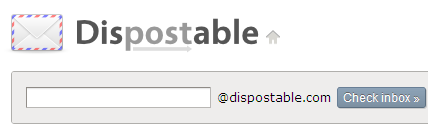
Note: Do not share the same inbox with multiple persons because anyone knowing the Dispostable email address can check the inbox right away.
MailExpire: Forward emails to your Real Email address from a Disposable Email Inbox
If you want to autodelete disposable inboxes after a specified time, try Mailexpire. First enter your real email address and choose an expiry time from the set up page.

Mailexpire will create a new email alias like Something [at] mailexpire.com. The email address expires after your chosen time interval. Any email sent to the email alias will be forwarded to your real email address.
A similar tool for Firefox lovers is Jetable.org which comes with a Firefox add-on.
10 Minute Mail – Read and reply from Disposable Inbox
The idea behind 10Minute Mail is that you can read as well as reply from the anonymous email address you create. The email address is created as soon as you browse to the homepageof 10MinuteMail.
No signups or registrations are required and the site is available in all the major international languages.(also read: send secret notes that self destruct after being read.)
SpamMotel – Access Disposable Emails from Microsoft outlook or Desktop Email clients
This site requires registration but it’s well worth it. You can create up to 20 disposable email addresses and all the emails received here can be accessed from desktop email clients like Microsoft outlook.
The service also supports email forwarding and replying to messages from the anonymous email address. Highly recomended and best of the lot. (also read: Hide your email address from spam bots)
Other Services To Create Disposable Email Addresses
Tempemail.net: Using Tempemail, you can create temporary email addresses and the email messages can be viewed in the browser. As you never sign-up, there exist no record of your identity and you remain anonymous for a period of 14 days. (That’s because every Tempemail inbox is destoyed after 2 weeks.)
SpamFree24.org: This site stands out because it lets you delete incoming messages from your temporary email inbox. Otherwise there is also an option to delete the inbox after a few hours.
Caution: Never ever use any of these services to store sensitive information. These websites are to be used for one time signups at forums, services etc and not for regular email jobs.
Tip: Let people email you without knowing your real email address.