Author: Sudip Majhi

  • Best Tablets That Can Compete With Mid-range Laptops

    Best Tablets That Can Compete With Mid-range Laptops

    Tablets are evolved a lot over the past couple of years. Although some top manufacturers have reduced the pace of the release of tablets, there are still some tablets that can do everything smoothly. In this article, we have enlisted some of the best tablets that can compete with mid-range laptops. In other words, you can do almost everything on your tablet as you do on your computer. However, the list is not very big, and you need to happy with the limited options.

    Best Tablets That Can Compete With Mid-range Laptops

    1] Apple iPad Pro

    Best Tablets That Can Compete With Mid-range Laptops

    There are two variants of Apple iPad Pro – 11-inch and 12.9-inch. Do you remember the MacBook Air 13-inch variant? If yes, you and you used that laptop a lot, you can get almost the same size of display but in a tablet. It can do everything because of having A12X Bionic chip, 2732×2048-pixel resolution, ProMotion technology, Wide color display, etc. It comes with a liquid retina display so that you can watch movies as well as edit videos in a very pleasant environment. You can find a 12-megapixel camera that can record 4K video at 60FPS. On the other hand, it has a 7-megapixel TrueDepth camera, time-lapse, playback zoom, noise reduction, etc. It does support Nano-sim as well as eSim. You can see the USB-C port for connecting external devices and charging your tablet. On Amazon, the 12.9-inch variant costs around $1100. Check the deal

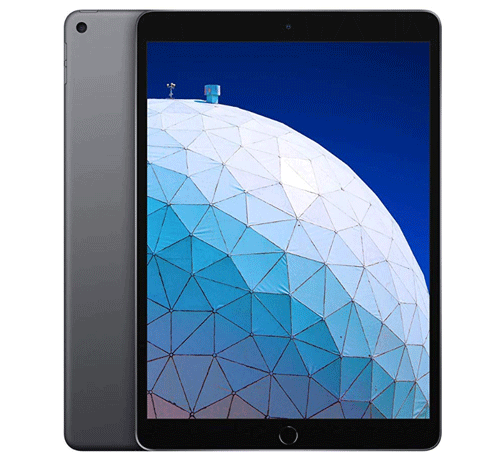
    2] Apple iPad Air
    Best Tablets That Can Compete With Mid-range Laptops

    iPad Air has only one size variant, and it has a 10.5-inch Retinal display. The size of this tablet is suitable for travelers, and that is why you should not have any issue while using it for any purpose. No matter whether you need a tablet for video editing, school project, PowerPoint presentation, or anything else, you can use iPad Air to get the job done. You can find 64GB or 256GB internal storage. On the other hand, it has an A12 Bionic chip to run all processes. Apart from that, you can find 2224×1668 resolution, Wide color display, 1.8% reflectivity, 8-megapixel camera, Hybrid IR filter, HDR for photos, Burst mode, 1080p HD video recording, Time-lapse video with stabilization, 7-megapixel front-facing camera, etc. There is Nano-Sim as well as eSim facilities so that you can insert your Sim and use the internet or video call. The speaker quality of this tablet is good enough so that you can perform all the audio editing-related tasks without any issue. On Amazon, this tablet is priced at $499. Check the deal

    3] Microsoft Surface Go

    Best Tablets That Can Compete With Mid-range Laptops

    Microsoft Surface Go is one of the best mobile workstations that you can purchase for you. No matter whether you want to use a tablet for writing projects, graphics designing, video editing, audio recording, or anything else, you can use Microsoft Surface Go without any problem. This tablet sports Intel Pentium Gold Processor 4415Y alongside Intel HD Graphics 615, 4/8GB RAM, Windows 10 Home in S mode, etc. Talking about the ports, you can find something awesome as it includes 1 USB-C, 3.5mm headphone jack, MicroSDXC Card Reader, etc. The display of this tablet is excellent as you can see a 10-inch PixelSense Display with 1800 x 1200 (217 PPI) resolution. For protection, it comes with Corning Gorilla Glass 3. The overall appearance of this tablet is nice, and you should now have any issue while using it for a long time. However, you should buy the keyboard so that you can use it as a laptop. On Flipkart, this tablet is priced at Rs. 52,300. Check the deal

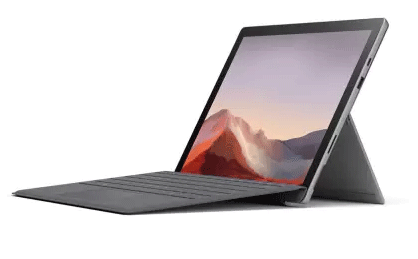
    4] Microsoft Surface Pro
    Best Tablets That Can Compete With Mid-range Laptops

    If you need a computer-like user experience, you should opt for Microsoft Surface Pro. It has everything you might want to have on a tablet. From smart processor or HD graphics, everything is included for users. To be precise, it has 7th generation Intel Core i7 processor, 8GB DDR3 RAM, 256 GB of storage, 13.5 hours of battery life, and so on. It has a 12.3-inch display that can play HD videos without any problem. There are four color combinations – Blue, Burgundy, Platinum, and Black. If you attach the keyboard, it will work like a laptop. If you detach the keyboard and start using the pencil, it will be a tablet – in a nutshell. It sports Windows 10 Home, but it is possible to upgrade it to another version of Windows 10. Talking about the ports, you can find 1 USB-A, and 1 USB-C, and 1 MicroSDXC card reader included in this tablet. On Flipkart, this tablet is priced at Rs. 70,990. Check the deal

    5] Samsung Galaxy Tab S4

    Best Tablets That Can Compete With Mid-range Laptops

    Samsung Galaxy Tab S4 is almost 1.5 years old, but it can do everything you want to do. It has Qualcomm MSM8998 Snapdragon 835 chipset alongside 10.5-inch Super AMOLED capacitive touchscreen with a resolution of 1600 x 2560 pixels. For GPU, they included Adreno 540 so that users do not get any problem while playing a high-end game or use a heavyweight photo editing application. There are three variants of this tablet – 64GB 4GB RAM, 256GB 4GB RAM, 256GB 6GB RAM. The audio quality of Samsung Galaxy Tab S4 is excellent as AKG/HARMAN tunes it. On the other hand, you can find a non-removable Li-Po 7300 mAh battery so that power never becomes a roadblock for you and your work. As usual, you can find Stylus support so that you can do all your job without any issue. Check the deal

    As mentioned earlier, the list would be smaller as compared to other lists. However, you can check some other old Apple iPads as they are good enough for day-to-day use.
  • Top 7 Household Products For Lazy People

    Top 7 Household Products For Lazy People

    Every house has a lazy person who forgets to do something meaningful, and that is a routine. If you live alone for study or work purposes, you should have these products in your apartment. Here are some of the best productivity-related items for lazy people that will let you do something quickly without consuming many calories.

    Household Products For Lazy People

    1] Robotic Vacuum Cleaner

    Top 7 Household Products For Lazy People

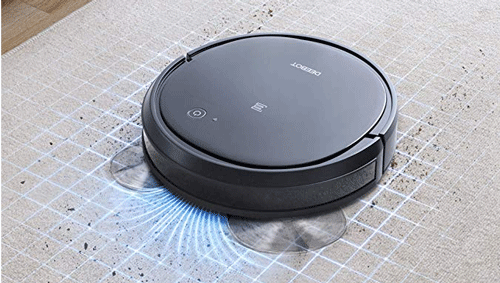
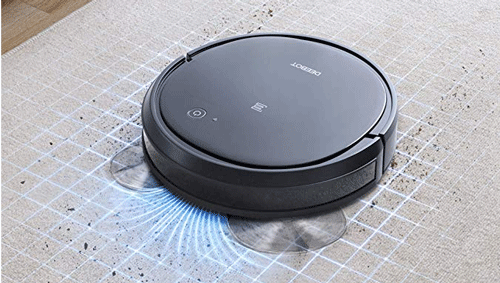
    No matter whether you live alone or with family, cleaning your room should be your top priority to stay healthy. A cleaned room can help you in different ways, and that is why you should purchase a robotic vacuum cleaner that will let you clean your room automatically. Nowadays, numerous companies manufacture such products for your home. The price depends on various things such as features, power source, compatibility, etc. However, you can find something useful within $400. Although not all, you can give commands to clean your room to some of them via mobile. For that, your robotic vacuum cleaner should have a Wi-Fi facility. Also, some of these cleaners come with a dedicated remote so that you can control it and clean your room from lying down on your bed. Check the deal

    2] Smart Bulb

    Best Smart Light Bulbs For Your Home

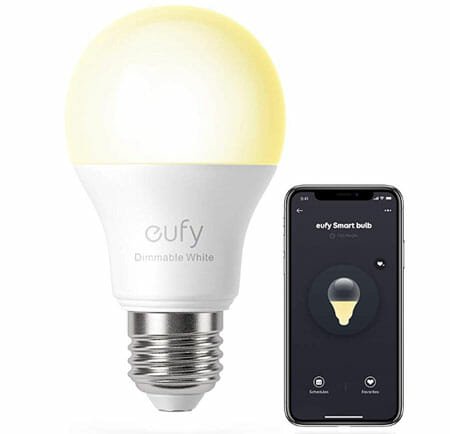
    If you have a night lamp placed beside your bed, you are luckier than people who do not have such a lamp or switch. Many people forget to switch off or dim the light before going to bed at night. If you are one of them, you should install a smart bulb that you can customize and control from being anywhere in your room. No matter whether the switch is near you or not, you can control the lighting in your room using your mobile. A smart bulb can cost you around $50. However, you should increase your budget a bit to get something that is feature-rich and has an RGB lighting option. Otherwise, you may have to stick to a one-color light bulb.

    Read More: Best Smart Light Bulbs For Your Home

    3] Video Doorbell

    Best Video Doorbells For Your Home

    Nowadays, you do not need to get up and visit your main gate to check who is pressing the calling bell. You can install a video doorbell in your entrance so that you can know who is calling you from your couch. Almost all standard video doorbells allow you to check the video from your mobile so that you can answer the call form being anywhere. Also, some video doorbells allow you to have a two-way conversation so that you can tell something to the person. It is useful when you have a parcel delivery, and you are not in your home right now. the price of the doorbell depends on video quality, recording facility, and other features. However, you can expect something awesome within $250.

    Read More: Best Video Doorbells For Your Home

    4] Vegetable Cutter

    Top 7 Household Products For Lazy People

    Fresh vegetables are good for your health, and everyone knows that for a long time. However, it is quite tough to cut all the vegetables when you are a newbie in the cooking section. Many people get their fingers with the knife while cutting the vegetables. If you are a pro, you might not have any issues. However, till then, you can try out this vegetable cutter that will let you cut all the vegetables within seconds. You do not have to use a knife if you purchase some of these cutters. They have an in-built option to slice all vegetables and get what you want. The price of such a thing doesn’t exceed $30. You can get something handy at $20 or so. There are different types of vegetable cutters, and you should know what you want to do before opting for something. Check the deal

    5] Adjustable Laptop Bed Table

    Top 7 Household Products For Lazy People

    If you watch movies or work from your home while lying down on your bed, you should check out this adjustable laptop bed table. No matter whether you are sitting or lying on your bed, you can use such tables to put your laptop and keep doing your job. There is no need to get up as long as you know how to adjust the height and use it for your benefits. The price of such an adjustable laptop bed table is around $40. Before opting for anything, you should check the material quality, paint quality, etc. Check the deal

    6] Smart Plug

    Best Smart Plugs For Home For 2020

    Overcharging your battery is not suitable for a long time. Let’s assume that you need to unplug the mobile or laptop charger in the early morning. For that, you need to get up from your bed. However, that would not be a scene as long as you have a smart plug in your home. You can install a smart plug in your home and use that to charge all the electronic gadgets. A smart plug can help you cut down the power supply remotely using your mobile. You do not need to touch the plug physically, and you can control everything from your mobile.

    Read More: Best Smart Plugs For Home

    7] Smart Coffee Maker

    Top 7 Household Products For Lazy People

    Coffee helps many individuals to freshen up the brain for the whole day. If you need a cup of coffee every morning, you should opt for a smart coffee maker. A smart coffee maker can help you get a cup of coffee automatically. You can schedule the process, and the maker will do the rest of the job in automation. You can place the smart coffee maker anywhere in your home, and that way, you do not need to visit your kitchen to make a cup of coffee in the morning or anytime. Some products allow you to make coffee with a voice command. For that, you should purchase something that is Amazon Alexa, Siri, or Google Assistant compatible. Check the deal

    There are more other products for lazy people. However, these are something that you might need every day.

  • Best G-Sync Compatible FreeSync Monitors For Gaming

    Best G-Sync Compatible FreeSync Monitors For Gaming

    If you played games with V-Sync on, you might know what the exact problem is. On the other hand, if you turned off the V-Sync, you get screen tearing, frame rate lagging, etc. issues while playing the game. To deal with those awkward things, NVIDIA came up with G-Sync. In other words, G-Sync is supposed to be the solution to the screen tearing and shuttering issue while playing a high paced PC game.

    On the other hand, FreeSync is AMD’s answer to G-Sync because of the traditional rivalry. In other words, it is possible to enable G-Sync while playing a game on a FreeSync monitor from the NVIDIA Control Panel. If you are looking for such a monitor, you should check out this article. Here are some of the best G-Sync compatible FreeSync monitors for gaming purposes only.

    Best G-Sync Compatible FreeSync Monitors

    1] Acer XV273K – $699.99

    Best G-Sync Compatible FreeSync Monitors

    Acer XV273K is fully compatible with G-Sync, and you won’t get any issue related to the compatibility. Talking about the dimension, it is a 27-inch 4K monitor with a resolution of 3840 x 2160 pixels. It includes 2 x Display Port V1. 4, 2 x HDMI V2 0 & 4 x USB 3. 0 Ports so that users do not encounter with any Input-Output related issue. It also has 2 x 4-watt speakers included inside. The appearance of this monitor is excellent, and you should not have any problem while using it for gaming. It sports 120Hz refresh rate, but you can overclock it to 144Hz. Check the deal

    2] LG OLED55B9PUA B9 – $1396.99

    The price of this G-Sync compatible FreeSync monitor is almost double, but it has more functionalities than the first one. Although it carries 4K resolution, the size of this monitor is 55-inch. It doesn’t matter whether you want to use it as a daily driver or part-time gaming; you can place it anywhere. For some people, the size would be an issue. However, if you need performance and crystal-clear picture quality, you should compromise with the quality. The look of this monitor or TV is more than awesome. Check the deal

    3] Acer Shadow Knight – ¥ 2999.00

    Best G-Sync Compatible FreeSync Monitors

    This monitor is mainly made for China. However, you can import it to another region as well without any problem. Before getting into the core features, you should know that it is a 2K monitor, and that is why the price is lower than others. It has a resolution of 2560 x 1440 pixels. The best thing about this monitor is that you can get a refresh rate of 144Hz in a 27-inch IPS panel. It has an aspect ratio of 16:9, and the viewing angle is 178-degree. Talking about the I/O ports, it includes one headphone output, 2 HDMI ports, and 1 DisplayPort. Check the deal

    4] AOC 27G2 – $209.99

    Best G-Sync Compatible FreeSync Monitors

    AOC 27G2 is a G-Sync compatible 27-inch 1080p monitor that has several variants. In other words, you can opt for 2K as well as 4K variants of this monitor, and the price depends on that resolution and size. For example, if you choose 27-inch FullHD, the price would be the same as mentioned earlier. However, if you opt for a 32-inch 2K variant, it will cost you around $320. It doesn’t matter which variant you choose; you do not need to spend a huge amount of money to own it. Also, you can find a 144Hz refresh rate across all the monitors. In the 27-inch version, it includes HDMI 1.4, DisplayPort, DVI, VGA, audio in/out so that you do not face any trouble connecting to the monitor with your CPU. The picture quality of this monitor is crisp, and that is why it will be interesting to play adventure and action games on this monitor. Check the deal

    5] ASUS VG258Q – $259

    Best G-Sync Compatible FreeSync Monitors

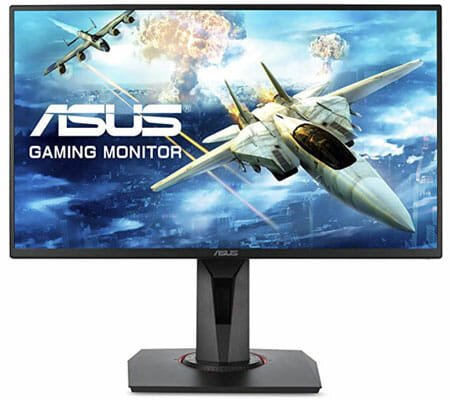
    ASUS VG258Q is another cheap and G-Sync compatible monitor that you can use with AMD’s FreeSync as well. It has a very thin bezel, and that is why you can set up a multi-monitor setup with this specific monitor. It is a 1080p screen with a resolution of 1920 x 1080 pixels and a 144Hz refresh rate. You can have the tilt and height adjustment facilities so that you can set it up according to your height and requirement. It has 1 earphone jack, 1 DisplayPort 1.2, 1 HDMI 1.4, 1 Dual-Link DVI-D, and 1 audio-in port. The only drawback of this monitor is the size as it is only 24.5-inch. Check the deal

    6] Acer Nitro XV273 Xbmiiprzx – $499.99

    Best G-Sync Compatible FreeSync Monitors

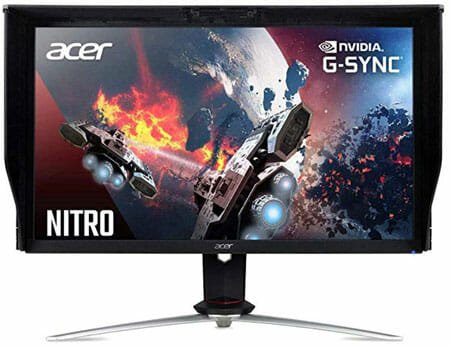
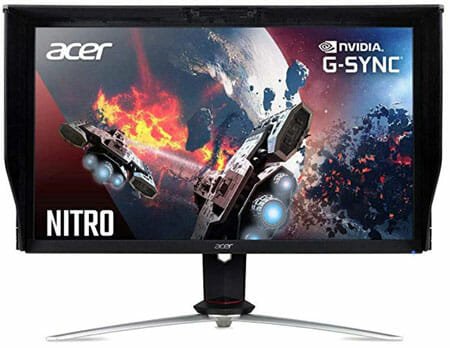
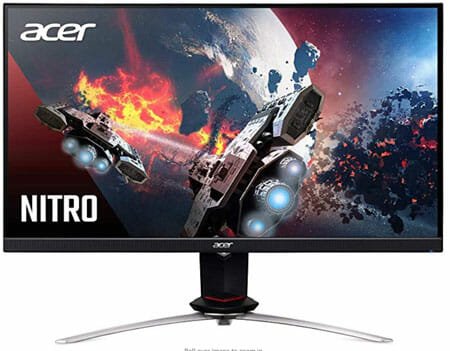
    When it comes to G-Sync compatible monitors, you can find a lot of Acer monitors on every list, and there is no exception on this particular list as well. Acer Nitro XV273 Xbmiiprzx is an excellent monitor with all the required functionalities. To be precise, it is a 27-inch 1080p monitor with AMD Radeon FreeSync and G-Sync Compatibility. The highlight of this monitor is the refresh rate as it can produce up to 240Hz refresh rate without any problem. Regarding the Input-Output ports, you can find 1 x Display Port 1. 2, 2 x HDMI 2. 0 & 4 x USB 3. 0 Ports included in Acer Nitro XV273 Xbmiiprzx. The overall appearance of this monitor is not unique, but you can use it with any theme. Check the deal

    Please note than Acer Nitro XV273 and Acer XV273K are different models.

    7] Dell S2419HGF – $194

    Best G-Sync Compatible FreeSync Monitors

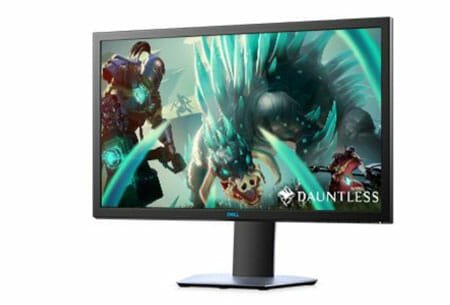
    Dell S2419HGF is one of the cheapest G-Sync compatible FreeSync monitors that you can find on this list. The design of this monitor is not unique, but the features will impress you for sure. It is a 24-inch 1080p monitor with a refresh rate of 144Hz. It comes with all the I/O ports including 2 x HDMI 1.4, 1 x DP 1.2 , 1 x USB 3.0 upstream port, 2 x USB 3.0 Downstream port, 1 x Headphone-out jack, and 1 x Audio Line-out jack. It also has an antiglare coating so that you can use it in a very bright room where tons of lights are installed. Check the deal

    There are more other G-Sync compatible FreeSync monitors available in the market. However, we have enlisted some expensive, cheap, and feature-rich monitors so that you can purchase something according to your budget.

  • Best Home Decoration Items Under $30

    Best Home Decoration Items Under $30

    Who doesn’t love to decorate his/her home? It doesn’t matter whether someone has a one-rom apartment or a big two-storied house; he/she certainly likes to put things in place so that it looks beautiful. You can go to a local retailer and search for some necessary items. However, if you have a tight budget, you can check out this article where we have enlisted some exciting home decoration items under $30.

    Best Home Decoration Items Under $30

    1] LED String Lights

    Best Home Decoration Items Under $30

    If you often like to turn off the big 20W LED bulb and spend some time in a low light area, you should put some LED light strips. They are not very bright, but it can lighten up your room for sure. It will give you a different feel in your old room. There are numerous vendors that sell such light strips, and you need to go through some of them on the Amazon website to find something unique and according to your requirements. You can choose something by the number of bulbs, length, etc. The best thing is that you can hang it anywhere in your room as long as you can provide the power supply. Check the deal

    2] LED Photo Clip String Lights

    Best Home Decoration Items Under $30

    Nowadays, people often user mobile more than a dedicated camera to capture photographs. However, if you have a lot of images captured by your father or yourself and you want to put them in a frame, but there is not much space in your room, you can check out this category of the LED light strip. It comes with a clip that you can use to stick to your photographs. It can make your childhood photo, birthday photo, wedding photo, or any other special moment’s. They do not cost a lot but is sure does look awesome in the bedroom. As usual, you need to choose the length or the number of clips you want to have in the strip. Check the deal

    3] Wall Mount

    Best Home Decoration Items Under $30

    A corner wall mount can help you put some photo frames, books, showpiece, etc. You can place some like that in your bedroom, dining room or anywhere you want. There are mainly two materials used to make such a wall mount – metal and wood. The price depends on the material used to build the wall mount. Also, it depends on the quality and format of mounting. For example, if you want to stick a wall mount using screws only, it won’t cost you a lot. However, if you’re going to have back support for your wall mount and it is made by plywood, it can cost a little bit more. In either case, you can find something under $30. Check the deal

    4] Floating Shelves

    Best Home Decoration Items Under $30

    This kind of shelf can help you keep your books. If you have a balcony where you are going to spend some time at the weekend, you should have some books near to your couch. Books do not harm people as long as they can understand the inner meaning. So, having a bookshelf near to your balcony can help you spend the time without having a second thought. As usual, the price depends on the material type, quality, design, etc. For your information, there are many bookshelves under $30. Check the deal

    5] USB Table Lamp

    Best Home Decoration Items Under $30

    Many people like to read books under the light of a table lamp. Also, some people like to have a table lamp on the table just for the decoration purpose. No matter why you need a table lamp, you should choose something that helps you decorate your room and has some unique feature. For example, this USB table lamp allows you to charge your mobile without having a proper wall outlet. In other words, you do not need to connect your phone to your charger directly because you can do that using just a USB cable. It comes with 10W charging port, which might not be sufficient for a quick charge, but it can fulfil your demands for sure. Check the deal

    6] Wall Clock

    Best Home Decoration Items Under $30

    $30 is not a very big budget for a smart wall clock. However, if you need a simple and old-school wall clock, you should check out the Amazon website. It has a huge list of cheap yet premium-looking wall clock that you can purchase at $30. There are several manufacturers, and the prices depend on that too. Apart from that, it depends on the quality, material used to make the clock, features, shape, size, etc. You need to choose what you want for your room, and it is suggested to have something in simple so that. Sometimes a simple wall clock can serve the purpose and looks elegant. You can play with that psychology. Check the deal

    7] Ceramic Succulent Planter Pots

    Best Home Decoration Items Under $30

    Having a tree (even a fake one) can increase the beauty of your room. That is why you should have a Ceramic plant on your table – it can be a computer table, work desk or anything else. Even if you have a wall shelf where you can find some space, you should try out a ceramic plant. There are tons of options available on the Amazon website, and you can check them according to your requirements. Check the deal

    8] A Rug

    Best Home Decoration Items Under $30

    It doesn’t matter whether you have a wooden floor or anything else, you can put a rug on it to make it look better. There are different types of rugs available on the Amazon website, and you can purchase something according to the size, colour, and shape. The price depends on the size, material, type, etc. However, you can undoubtedly find something under $30 on the Amazon website. Check the deal

    There are more other items for home decoration, and the list cannot be ended here. The list depends on the person’s taste. However, these are some of the most common home decoration items that you can purchase within $30.

  • Poco X2: A Budget Phone With 120hz Display And 27W Charger

    Poco X2: A Budget Phone With 120hz Display And 27W Charger

    After almost 1.5 years, Poco has finally launched its new smartphone called Poco X2. As per the official statement, it is not the successor of Poco F1 – instead, it is a new series they have launched for the long-awaited customers. It is a budget phone with tons of high-end features so that users can experience what they want on mobile. Here is everything you should know about Poco X2 so that you can make the final decision of purchasing.

    Poco X2: Specifications, Features, Design, Price

    Poco X2

    Poco F1 was a massive hit for the company, and for obvious reasons, they needed to come up with something better than that. They have done exactly what needed to be done. In other words, Poco X2 is a far better smartphone than F1 so that consumers get attracted to the new one. Talking about highlights, here is a few of them – 20:9 aspect ratio, Qualcomm SDM730 Snapdragon 730G chipset, side-mounted fingerprint scanner, 27W charger, 120Hz display, 64MP Sony IMX686 sensor, etc. Now, let’s get started with the design and display.

    Design:

    Poco’s mobiles are quite hardy in terms of build quality. The Poco X2 comes with an aluminum body so that it performs well in terms of longevity. The design of this mobile is not very unique, but it has everything you might want to have on a mobile. For example, you get Type-C port, 3.5mm headphone jack, curved back panel with Gorilla Glass 5 protection, a huge display, splash resistance, etc.

    It has a glossy finish, and you can see three color variants – Atlantis Blue, Matrix Purple, and Phoenix Red. All of them look nice, but it depends on the taste of each user. There is a circle-kind of thing around the rear camera panel. It is also not anything near to unique as some mobiles already such thing in the past.

    Poco X2 front side

    Previously, they tried the notch with Poco F1. However, according to them, the in-screen cameras are better than a notch. It is a debatable topic since many folks like to use the whole screen where some others want to get different types of grooves for front camera placement. You can like it or not, but you can do unique things with this in-display camera if you can find the right wallpaper.

    The speakers are quite loud, but sometimes it may not perform well. The depth is not there, as per some professionals. In other words, it is okay to watch YouTube videos or gaming. However, you might want to have a headphone while watching a movie or so.

    Display:

    Poco X2 might not have a higher PPI, but it has a 120Hz IPS LCD. Now, you might compare it with a 60Hz AMOLED display, but you should not do that after using the 120Hz LCD as a daily driver. There is no clear winner because it depends on the user how he/she is going to use it for. For example, if you want to self-captured a 120FPS video on a 120Hz display, you might not want to go back to the 60Hz display. Also, it is smoother than any other display right now for another mobile. Apps are smooth, and scrolling is like butter on a 1220Hz display – and there is no doubt about that.

    Poco X2 Back panel

    There is another important thing about this smartphone, and that has happened because of the manufacturer only. Poco has included an algorithm to reduce the refresh rate to 60Hz when 120Hz is not in use. There is a fair logic behind this change. As of now, not all the games and apps have 120Hz support, and if you use an app that doesn’t support a 120hz refresh rate, it is not wise to have that high refresh rate. It will drain your battery faster.

    Talking about the display size, you are getting a 6.67-inch display with a resolution of 2400 x 1080 pixels. On the other hand, it has Corning Gorilla Glass 5 and HDR10 support.

    SoC, RAM, Storage:

    Chipset and other things are equally important to improve the performance of mobile. Talking about the chipset, you can find Qualcomm SDM730 Snapdragon 730G, which is probably the fastest SoC in the 700 series. On the other hand, it sports Adreno 618 so that graphics do not create any issue in any situation. Regarding the memory, it has 6GB and 8GB variants. To be precise, you can see 6/64GB, 6/128GB, and 8/256GB options.

    Camera:
    The camera performance of Poco F1 was good enough for mid-range mobile. However, a much better sensor has been included in the next smartphone, and that is called 64MP SONY IMX686. From now onwards, you should not have any issue even if you zoom into a photo as per your requirements. Images are detailed, and colors are vibrant – these are two things user soften need, and Poco has included both of them. Apart from that, you can find an 8MP ultrawide camera, 2MP depth sensor, and 2MP macro camera included in the rear side.

    As mentioned earlier, it comes with the in-display front camera. To be specific, you can find a 20MP primary camera and a 2MP depth sensor.

    Both cameras can capture great photographs. Images are very detailed, and it gathers a lot of natural light. That is why you can find a crisp image, no matter how bad or good the light condition is. It has introduced a new mode called VLOG MODE that can create a video for your YouTube channel of Instagram.

    Battery

    They have improved the battery section as well. That means you are getting Li-Po 4500 mAh battery. However, that is not the best part. The highlight is the charger. They have introduced 27 W changer, and that is too included in the box (if you know what I mean).

    The last but not least thing is the price that decides whether you should buy this smartphone or not. Before reading the next line, try to guess the price.

    Poco X2 6/64GB: 15,999

    Poco X2 6/128GB: 16,999

    Poco X2 8/256GB: 19,999

    So, what do you think about this smartphone? Will you buy it? Check the deal

  • 11 Things You Should Have On Your Desk

    11 Things You Should Have On Your Desk

    No matter whether you are a student who often does freelance projects, or you are a businessman, you might already have a desk for your work. Isn’t it? If it is the place where you spend countless amount of time every day, you should check out this list. Here are some of the best things you should have on your desk so that you do not feel bored, yet you can increase your productivity.

    Things You Should Have On Your Desk

    1] Calendar

    Things You Should Have On Your Desk

    Are you a student who needs to save all critical dates? Are you a businessman who needs to manage all the appointments? Are you a freelancer who needs to finish everything before the deadline? If any of these is true, you might need a dedicated calendar. The mobile calendar is undoubtedly handy, but a desk calendar will let you check all the tasks quickly and do them accordingly. It doesn’t cost a lot, and you will get your job done.

    2] Desk Lamp

    Things You Should Have On Your Desk

    If you are a student, you might need a desk lamp instead of high-density light that you already have in your room. It is helpful when you are sharing your room with someone, and you need to study at night. There are countless old-school as well as smart desk lamps that you can purchase from Amazon and offline retailers. A regular desk lamp costs around $35-40 and on the other hand, you can buy a smart desk lamp for $150 or so. It depends on your requirements.

    3] Acrylic Office Desk Organizer

    Things You Should Have On Your Desk

    If you have a small desk, you need to use something to save some space without compromising with the objects. An Acrylic Office Desk Organizer can help you do that. There are various designs of such a desk organizer, and you can buy something that fits with your necessity. You can store your notebook, pen, or even mobile without any issue. On Amazon, a simple Acrylic Office Desk Organizer costs around $30. However, you can search for the same in local retailers to get a better discount.

    4] Wireless charger

    Best Wireless Chargers For Your Mobile

    If you do not want to make clutter on your desk with a bunch of wires, you can opt for a wireless charger to charge your mobile and other smart gadgets. There are hundreds of wireless chargers available in the market, and you can purchase the best one for your needs. It will make your desk uncluttered, and you can get the job done by creating a mess. A smart wireless charger can allow you to charge a mobile, smartwatch, as well as wireless headphones. Read this article to know more about some of the best wireless chargers for your mobile.

    5] Multi Charging Cable

    Things You Should Have On Your Desk

    If your gadgets have different USB ports such as Type-A, Type-C, microUSB, etc., you should buy a multi charging cable. It will unclutter your desk, and you do not need to carry a lot of wires even when you are travelling. They do not cost more than $25 on Amazon as well as local retailers.

    6] Honbay Ladybug Shaped Portable Corner Desk Vacuum Cleaner

    Things You Should Have On Your Desk

    This Honbay ladybug shaped portable corner desk vacuum cleaner is handy when you spend countless amount of time on your desk and you east food in the same place. It will clean your meals without any problem from your desk. It costs only $8.47, but it does everything quite peacefully. It uses two AA batteries, which can work for a quite long time without any problem even if you use it every day. It is a very tiny device, but it will make everything neat and clean. Check the deal

    7] Notebook And Pen

    Things You Should Have On Your Desk

    When you are making a list of groceries while sitting on your desk, it is better to use a notebook and pen instead of a note-taking app like Evernote or Google Keep. It is helpful, especially when you are giving away the list to someone who doesn’t handle a mobile very well in a crowded area such as a supermarket. On the other hand, you can use the notebook and pen to write down additional notes, appointments, etc. It is that you can buy a pen and notebook from anywhere at any price.

    8] Headphone Stand

    Things You Should Have On Your Desk

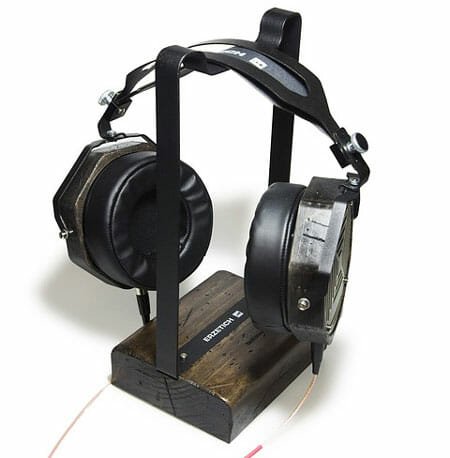
    If you have a big headphone but no place to keep it on the desk, it is better to use a headphone stand instead of just putting it away. A headphone stand can help you protect your headphones from accidental damages, foods, etc. You can open up the Amazon website, find a headphone stand according to your requirements and purchase that accordingly. There is another kind of headphone holder that you need to place under the table. You can try that out too.

    9] Neck Pillow

    Things You Should Have On Your Desk

    If you often watch movies on your desktop computer, or you work for long hours continuously, you should buy a neck pillow. It will give you comfort, and you can get rid of neck pain by almost 60-70%. Always buy a neck pillow according to your size. Otherwise, it won’t work well. For that, you should purchase it offline unless or until you know the brand that is making the pillow for you.

    10] Fidget Spinner

    Things You Should Have On Your Desk

    According to Wikipedia,

    The toy has been promoted as helping people who have trouble focusing or those who may need fidget to relieve nervous energy, anxiety, or psychological stress.

    You can use this simple toy to bring back your concentration even after working late in the night for a couple of months. There is no specific price tag for this product as you can purchase it for $5 as well as $50.

    11] Clock

    Things You Should Have On Your Desk

    If you are practising for an exam, you should have proper knowledge about timing. A dedicated physical clock can help you do that. No matter whether you want to go through a writing or reading test, you can use a clock to get it done.

    These are some of the must-have products on your desk. However, it depends on user to user as different people have different needs.

  • Alienware Aurora R8 Gaming Desktop Review – A Gaming Beast

    Alienware Aurora R8 Gaming Desktop Review – A Gaming Beast

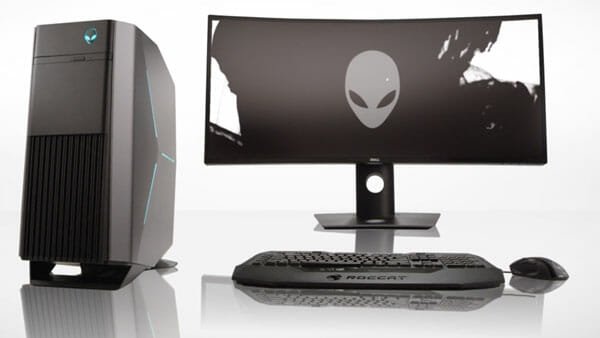
    Nowadays people are opting for gaming on a 4K monitor instead of old 1080p. If you are a gamer and thinking to upgrade your existing computer to a new configuration, you should check out this pre-assembled computer called Alienware Aurora R8. Meaningless to mention the manufacturer as every gamer and hardcore computer user knows that it is Dell. Here is the full specification and review of Dell Alienware Aurora R8 so that you can make up your mind.

    Alienware Aurora R8 Configuration

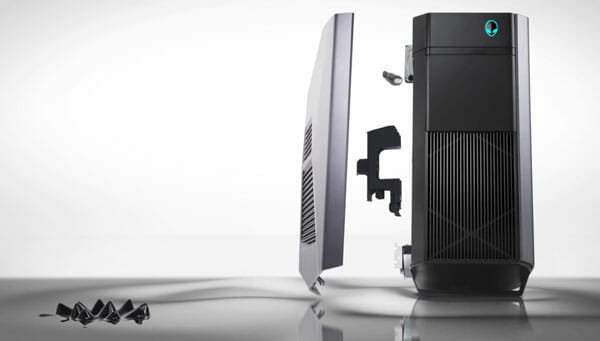
    Before getting into performance, you should know what is inside the case. Let’s get started with the case itself as it is a unique looking PC you are getting from Dell. The Alienware logo is visible, and so is the RGB lighting on the right side. It looks premium, but it is made of plastic. However, the build quality of this case is no bad, undoubtedly, but it can grab scratches very quickly. Talking about the case size, it is significant – to be precise, it is 18.6 x 14.2 x 8.4 inches.

    Alienware Aurora R8

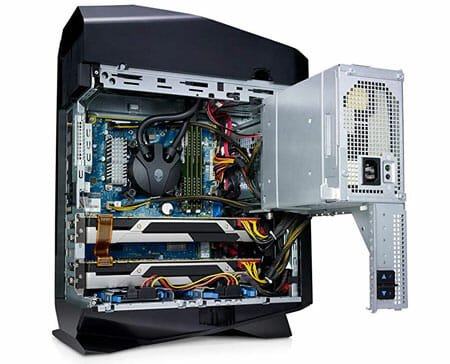
    Under the hood, it comes with 9th Gen Intel Core i9 9900K processor with Intel Z370 Express Chipset. There are four different versions of this pre-assembled PC, and it is the top model. On the other hand, it included 64GB Dual Channel HyperX FURY DDR4 RAM with a speed of 2933MHz. To increase the performance of a PC, you must have SSD instead of HDD. That is why Dell included 2TB M.2 PCIe NVMe SSD to boot up your computer and 2TB HDD to store your files. On the top of them, you are getting NVIDIA GeForce RTX 2080 Ti 11GB GDDR6 graphics card. Talking about the power supply, it includes Alienware 460 Watt as well as Alienware 850 Watt Multi-GPU approved PSU.

    Regarding the I/O ports, it comes with 1 headphone port, 1 microphone port, 3x SuperSpeed USB 3.0, 1x SuperSpeed USB 3.0 Type-C, 1x SPDIF Digital Output, 6x Hi-Speed USB 2.0 Type-A, 1x SuperSpeed 10Gbps USB 3.1 Type-A, 1x SuperSpeed 10Gbps USB 3.1 Type-C, 3x SuperSpeed USB 3.0 Type-A, 1x RJ-45 Killer Networks e2500 Gigabit Ethernet Port, 1x DisplayPort, 1x Audio-In / Microphone, 1x Front L/R surround line-out, 1x Side L/R surround, 1x Rear L/R surround, 1x Center/subwoofer LFE surround, and 1x Line-in.

    Apart from these, you can find Wi-Fi and Bluetooth connectivity to connect your gadgets wirelessly.

    In simple words, you are getting one of the best pre-assembled computers at this price point. Now, if you want to know how it performs in the real world, you should keep reading.

    Performance:

    Theoretically, there should not be any issue related to performance. No matter whether you use it for gaming or everyday task like writing projects, creating PowerPoint presentation, internet browsing, AutoCAD, Photoshop, etc. – it will perform equally. Practically, it gives an out-of-the-box performance so that you do not find any difference between on paper and in real life.

    While testing some games like Metro Exodus, Battlefield V, etc., we have gathered some information that might be helpful for you. It doesn’t matter if you play simple tic-tac-toe or some heavyweight games like them, the performance is the same. A high frame rate is expected from this gaming build, and it provides that without any issue.

    For Metro Exodus, it provided around 80 FPS with RTX Off and 60 FPS with RTX On. This performance is based on 1080p. In 4K resolution, the frame rate drops to around 50FPS with RTX Off and 33FPS with RTX On.

    For Battlefield V, we got some impressive numbers. While playing Battlefield V in 4K, we got around 70FPS with RTX Off and 50FPS with RTX On. On the other hand, it gave around 150FPS with RTX Off and 120FPS with RTX On at 1080p resolution.

    These simple stats should be more than enough for you to know how god the performance is of this build.

    Alienware Aurora R8

    Talking about the multitasking, there should not be an issue because of the 8-core 9th Gen Intel Core i9 9900K processor that is included in this build.

    Pros:

    There are a countless thing that should be on this list, and some of them are-

    1. NVIDIA GeForce RTX 2080 Ti 11GB GDDR6 graphics card
    2. The overall premium-looking appearance of the case
    3. Number of input and output ports
    4. RGB lighting
    5. Easy to upgrade or install a new hardware
    6. A huge amount of SSD
    7. High-end processor

    Cons:

    There are some setbacks of this pre-assembled build, and some of them are-

    1. The build quality is good, but it could have been better
    2. They used plastic instead of metal
    3. Comparatively louder fan

    Considering these minor problems, you might not find any other issue in this build.

    The last but not the least thing is the price. This gaming beast costs $3990.79 on the official Dell website. The best thing is that you can customize the hardware according to your requirements before purchasing. They offer almost eight different configurations so that users can get whatever they need. Check the deal

  • Best Space Efficient Desks For Study And Work

    Best Space Efficient Desks For Study And Work

    Days are gone when a desk had only four pillars or stands, and your computer sits upon the flat panel. Nowadays, the rooms are getting smaller, but the number of everyday stuff is getting bigger. If you live in a one-room apartment and you need everything organized, you are on the right page. In this article, you can find some of the best space-efficient desks for study as well as work. If you are a student, you can put a laptop on the desk alongside your books, notes, etc. If you are a businessman, gamer, or anybody, you can place your big monitor on the desk and put other things in different compartments.

    Best Space Efficient Desks For Study And Work

    1] IKEA LINNMON / ALEX – $229.99

    Best Space Efficient Desks

    This desk is quite big, but it has lots of compartments to store your files, books, diaries, etc. No matter whether you want to use it for study, as a computer desk or both, you can do everything effortlessly. It might take a good amount of space in your room, but it will save a lot more than that. It has a total of ten drawers to store your stuff. This desk is available in five different colors – Blue, Gray, Black/White, White/Blue, and White. Check the deal

    2] 4HOMART Home Corner Desks – $59.99

    Best Space Efficient Desks

    Although this desk won’t be able to hold your heavy computer, you can put your laptop, books, etc. on the desk. Apart from that, there should be an ample amount of room for a clock, wireless charger, etc. If you create a platform for your computer case under the table, there is a chance of putting the monitor on your desk and use it as a computer table. The size of this desk is 33.1 x 36.6 x 31.5 inches. Check the deal

    3] Topeakmart 2 Tier Computer Desk – $67.99

    Best Space Efficient Desks

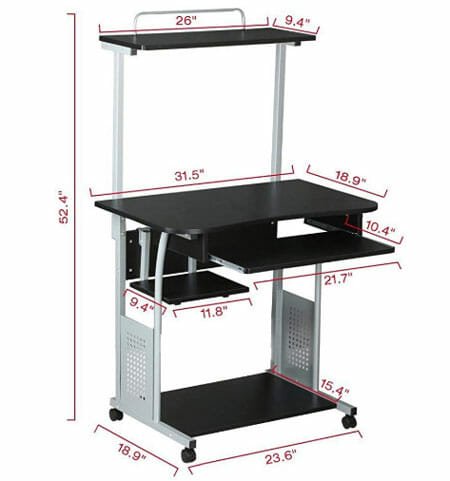
    As the name says, it is a 2-tier computer desk that you can place in a tiny space. It is strong enough to hold your whole computer setup, including the cabinet, monitor, PSU, etc. The second tier can be used to put some books, printer, Wi-Fi router, etc. It is made of 15mm P2 particle board and stamped PVC iron tube. Also, this desk has wheels so that you can move it from one place to another. The only drawback of this table is that it doesn’t have any storage unit, which would be better. Check the deal

    4] FURINNO Econ Multipurpose Home Office Computer Writing Desk – $47.18

    Best Space Efficient Desks

    It is made of a PVC tube, and it has room for everything. No matter whether you want to use it as a computer desk or for study purposes, you can do everything without a problem. It has a keyboard and mouse placement area, an ample amount of space on the right side, a platform to keep the book, notebooks, pen stand, etc. Another important thing is that it has a storage unit that you can use to keep your important documents. The size of this desk is 39.4 x 15.8 x 34.1 inches. Check the deal

    5] Tribesigns Computer Desk – $169.99

    Best Space Efficient Desks

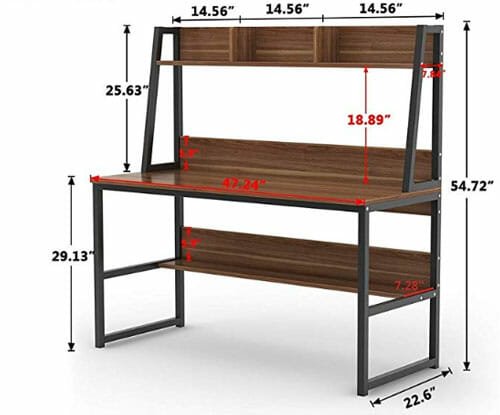
    This desk is made of metal and wood, and the combination of these two things looks pretty good in terms of appearance. According to the statement, they used heavy-duty metal to build the structure, and you can see that while using it. It can hold several things, including your whole computer setup, printer, headphone, etc. There are two more compartments, and you can use them to keep more other things such as books, files, showpieces, or anything you want. The size of this desk is 47.2 x 23.6 x 55 inches. Check the deal

    6] FURINNO Jaya Computer Study Desk – $36.67

    Best Space Efficient Desks

    Although the price is less than others, the quality of this desk is not bad for sure. It is made of PVC tube and non-woven bins. The size of this table is reasonable for someone who wants to use it as a study table. To be precise, the size of this table is 38.4 x 15.6 x 28.5 inches. The advantage of this desk is that you can find several compartments and two storage units to keep your books, notebooks, etc. It has a wooden-colored finish, and it looks pretty good from the front. Check the deal

    7] GreenForest L-Shaped Corner Desk – $99.99

    Best Space Efficient Desks

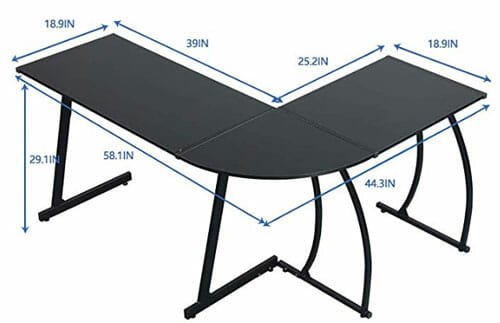
    Let’s assume that your room doesn’t have much space except in the corner. At such a moment, you can use that corner space to put a table and use it for study as well as work. This L-shaped desk will let you put everything on it. No matter whether you use one or two computers, a computer with some books, or anything else, you can do everything on the desk. It is made of P2 class MDF board and metal. Although the size of this table is bigger than usual, it won’t waste much space. Talking about the size, it is around 58.1 x 44.3 x 29.1 inches. Check the deal

    8] Sauder Computer Desk – $88

    Best Space Efficient Desks

    Although the manufacturer is selling this table as a computer desk, it is more like a study table. There is nothing fancy about this table, but you can get things done effortlessly. It some two storage units to store files and other stuff. The table is made of wood, and that is why you can rely on this table for a long time. If you put the computer on the desk, you should know that you can use the keyboard and mouse shelf to save some space. The size of this table is 46.5 x 18.5 x 30.2 inches. Check the deal

    There are more other space-saving tables available on Amazon. However, these are some of the best and trustworthy among them.

  • Best Pre-assembled Gaming PC Builds In 2020

    Best Pre-assembled Gaming PC Builds In 2020

    If you love to play games on the computer, you might have an interest in different PC builds. Many people spend countless amount of time to assemble a computer to play games. If you do not want to be someone like that, you should check out these gaming PC builds that you can buy at an affordable price. Although these builds have only the ‘gaming’ tag, you can do more than just gaming. In other words, these builds can do any work you want to do.

    Please note that these following setups do not include the monitor. You need to choose the monitor separately.

    Best Gaming PC Builds

    1] CyberpowerPC Gamer Xtreme VR Gaming PC – $1799

    Best Gaming PC Builds

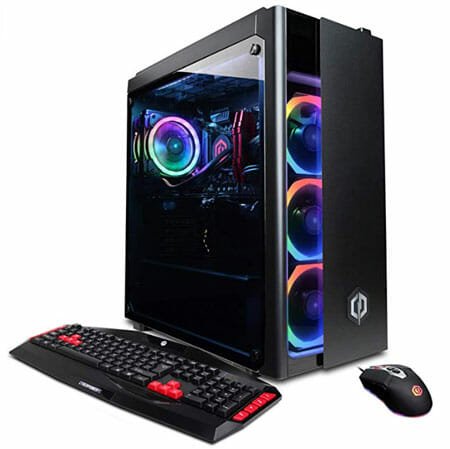
    This build probably has everything you might need. No matter how big your game is, you can play that on this computer without any issue. The case of this build is the first thing that you should check out, and that is because of the build quality and appearance. It has tempered glass on the side so that it looks pretty good when you turn on the machine.

    Talking about the processor, it has 6GHz Octa-core Intel Core I7-9700K processor alongside the Intel Z390 motherboard to power up the machine. On the other hand, you can see 16GB of DDR4 RAM, 1TB SSD, etc. As it is a gaming build, you need an impactful graphics card, and that is also included in this machine. To be precise, you can find an 8GB GeForce RTX 2080 Super graphics card. The same build also comes with RTX 2070 Super, but it is recommended to go with the higher model when you are spending so much money.

    Another essential feature of this build is that you can find liquid cooling, RGB 7-colour gaming mouse, RBG lighting in the fans inside the cabinet. You do not need to buy an operating system for this machine as it included the original Windows 10 Home edition for you.

    The overall appearance of this build is top-notch, and you should not find any issue while playing any game. Check the deal

    2] Alienware Aurora R8 – $1797

    Best Gaming PC Builds

    The Dell Alienware series is a popular series among gamers and heavy-duty PC users. Therefore, this build is from Dell, and there are multiple reasons why you should take a look at this gaming PC build.

    Let’s get started with the processor. It comes with 8th Gen Intel Core i7 8700, which is ready to produce 4.6GHz power without any issue. The processor will be kept on the MicroATX Z370 motherboard so that you can get some more power. Apart from that, it has 32GB DDR4 RAM, 256GB SSD, 1Tb HDD, Wi-Fi support, etc. Talking about the graphics, it includes 8GB of NVIDIA GeForce RTX 2080 graphics card so that you do not face any lag or anything while playing your favorite game. Alienware 850 Watt Multi-GPU PSU will provide power supply to the whole build. Like the first one, it also has liquid cooling so that you do not get any heating issues.

    Talking about the overall appearance of this build, it is probably the fanciest build you can find on this list. It might not have the tempered glass on the side panel, but it will attract you for sure. Check the deal

    3] Omen By HP – $2513.78

    Best Gaming PC Builds

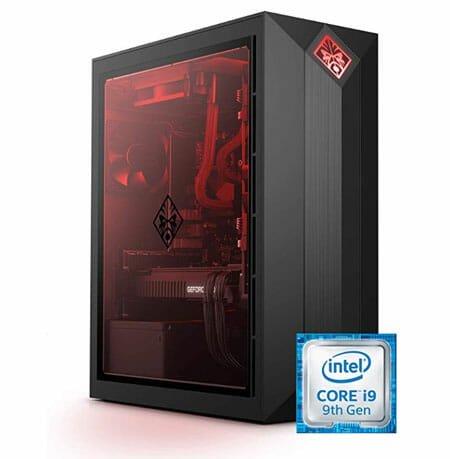
    If your gaming list contains Dota 2, Grand Theft Auto V, Overwatch, PUBG, etc., this build might be suitable for you. It got everything to fulfill your demand – from inside to outside. Talking about the outside, it looks clean with the red color lighting and glass panel on the left side.

    Now, regarding the central part, you are getting an 8-core Intel Core i9-9900K processor with 3.6Ghz speed and Intel H370 Chipset to spruce up the experience. It has 16GB DDR4 RAM, 1Tb SSD, and pre-installed Windows 10 Home. For the display function, it is offering 11GB NVIDIA GeForce RTX 2080Ti graphics card. It also has 750W Platinum PSU so that you do not face any issue related to the power supply.

    Some people might not like the one-color lighting, but it looks quite good in real life. However, it could have been better if they allow users to customize the light according to the desire. Check the deal

    4] Corsair Vengeance 5182 – $1999.99

    Best Gaming PC Builds

    The case of this build is big, and it is more like a combination of two cases. However, the RGB lighting looks fancy and not cheap at all. It has a glass panel on the top and left side to showcase your build to other people.

    Regarding the performance, it has Octa-core 4.7 GHz Intel 9th Gen Core i7-9700 processor with a B360 chipset. Along with that, you are getting 16GB DDR4 RAM, 480GB SSD, 2TB HDD, and Corsair TX650M 650W 80 Plus Gold PSU. The graphics is always essential for a gaming PC, and that is why they included 8GB NVIDIA GEFORCE RTX 2070 in this machine.

    It got the RGB lighting everything, including the RAM, and that is why it looks really good in low light areas. Check the deal

    5] SkyTech Oracle X – $1099.99

    Best Gaming PC Builds

    If your budget is not very high, but you want to get a build for gaming purposes, you should check out this one. The case of this build is unique, and the AMD processor power it.

    To be specific, you can find 3.7GHz Octa-core AMD RYZEN 7 2700X processor, B450 Motherboard, 16GB DDR4 RAM, 240GB SSD, 1TB HDD, etc. For the power supply, it has Corsair 650W 80 Plus PSU. Like some other builds on this list, you do not have to install the operating system separately unless you want a fresh installation, and that is because it comes with pre-installed Windows 10 Home.

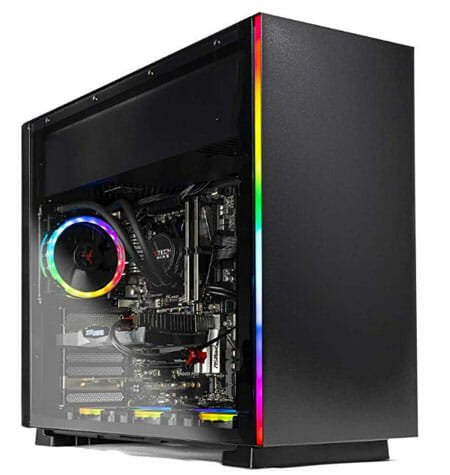
    It looks excellent because of the RGB light. The fans are bight enough to make your entire build more than impressive. Check the deal

    If you do not know which motherboard or processor you should buy, it is recommended to take advice from a professional, read forums, blogs, etc. before visiting Amazon and purchase something. However, if you know about the compatibility, you should opt for a custom build instead of pre-built.

    Read More: Best 5K And 8K Monitors For Gaming And Video Editing

  • Best 10 Apps For Samsung Galaxy S10 Lite

    Best 10 Apps For Samsung Galaxy S10 Lite

    Samsung has launched a new mobile called Galaxy S10 Lite. Although it holds the word “Lite,” this mobile can do many things that are not possible with some flagship mobiles of other companies. If you bought a Galaxy S10 Lite and you are looking for some apps that you can install on your mobile, here is a list for you. There are some of the best and useful apps for Samsung Galaxy S10 Lite.

    Best Apps For Samsung Galaxy S10 Lite

    1] Snapseed

    Best Apps For Samsung Galaxy S10 Lite

    Galaxy S10 Lite is a camera-focused mobile, and that is why you should have an application to edit your photos. If you buy this mobile, chances are you will capture a lot of images. Although the camera is good enough to fulfill your demands, sometimes you may want to do more with the images. If so, you can check out this photo editing application called Snapseed. It got everything, including filters, effects, brushes, HDR, drama, vintage, etc. No matter what you want to do with your image, you can do that with the help of Snapseed. Download

    2] Google Drive

    Google Drive

    Samsung mobiles offer OneDrive, but you need a more efficient cloud storage service, you should give Google Drive a try. It provides 17GB free storage, and you can purchase more at a very affordable price. It is possible to synchronize your data via Google Drive across multiple devices. On the other hand, you can upload images, photos, confidential documents, etc. to your Google Drive account. Download

    3] Evernote

    Evernote

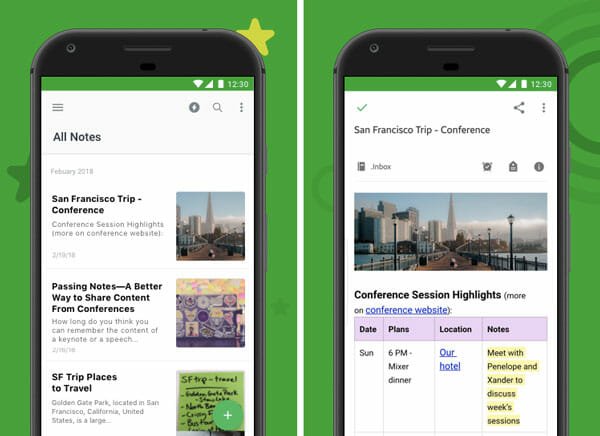
    If you often forget important things, you should install a note-taking app such as Evernote. Evernote is a free note-taking application for Android that you can use on up to two mobiles at free of cost. Although you can use this service on as many devices as you want, you need to use a browser to open the website. It has all the editing options so that you can write short notes as well as essays for your writing project. If you like to write whenever possible, you should install this note-taking application on your new mobile. Download

    4] ExpressVPN

    Nowadays, you should install a VPN right after setting up your new mobile. VPN will help you be anonymous and browse region-restricted content without any limitation. There was another excellent VPN called NordVPN, but they took almost forever to disclose the attack. That is not the only reason why you should opt for ExpressVPN instead of others. It offers 160 server locations, 24-hours live chat support, split tunneling, network lock, etc. The most important thing about this company is that they do not log any traffic data. Regarding the price, it costs $8.32/month when billed for one year. Download

    5] Video Streaming Apps – Netflix, Prime, Hotstar

    Netflix Best Android Apps to Watch Movies and TV Shows

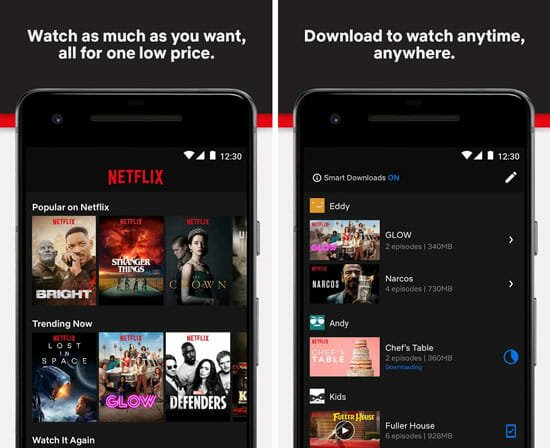
    If you like to watch many web series and movies, you should get a subscription on Netflix, Amazon Prime, and Hotstar. Although Hotstar is India-based, you can use the other two services from being anywhere. These three services will provide a countless number of excellent movies in English, and some regional languages as well. Also, you can use Hotstar to watch sports such as EPL, Cricket, etc. Download: Netflix, Amazon Prime, Hotstar

    6] Backdrops – Wallpapers

    Samsung is offering the same old wallpapers on Galaxy S10 Lite. If you like them, good! If you do not like to use old wallpapers on a brand-new mobile, you should check out this application that will let you download some awesome wallpapers for free. It has a huge amount of wallpapers that you choose, download, and set on your home and lock screen within moments. Although it is available for free, you can opt for a premium subscription to unlock even more and exclusive wallpapers for your mobile. Download

    7] SoundAssistant

    SoundAssistant is compatible with some Samsung mobiles as Samsung has made this app. It allows you to manage the sound of your mobile with ease. For example, you can add a floating button, control media volume, set individual app volume, use mono audio, etc. The best thing about this app is that you can play audio from two apps simultaneously. It also offers an equalizer so that you can tweak the sound of your mobile according to your requirements. Download

    8] SmartThings

    Best Apps For Samsung Galaxy S10 Lite

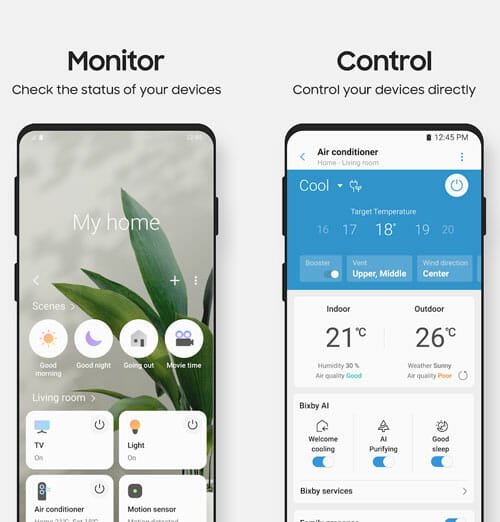
    If you have already installed some smart gadgets in your home, and you want to control them efficiently, you should install SmartThings. It is a Samsung-made Android application that allows you to monitor and control various gadgets from being anywhere in the world. It is handy when you have multiple smart home gadgets, and you want to organize them based on room, floor, etc. Download

    9] Borderlight Live Wallpaper

    Best Apps For Samsung Galaxy S10 Lite

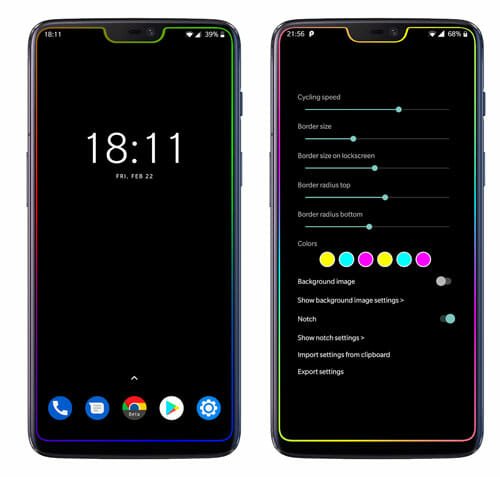
    The Samsung Galaxy S10 Lite has a great display, and Samsung is known for creating excellent panels. If you want to spruce it up with some lighting, you should install the Borderlight Live Wallpaper app on your phone. It lets you add a colorful live wallpaper on your phone. The best thing about this phone is that you can choose various colors according to your requirements. Another useful option of this application is that you can set a still image and the border lighting simultaneously. Download

    10] CamScanner

    If you often need to scan documents and save it in your phone, you might not want to use your default camera application. Instead of that, you can use this application called CamScanner that will let you scan a document and convert it into a PDF file. You can share that file with anyone via email, Facebook, or anything else. It detects the edges of a paper very quickly and finishes the whole process without any lag. Download

    It depends on the user how he/she is going to use a mobile. However, these are the common apps that almost every S10 Lite users will need.

  • Samsung Galaxy S10 Lite Review: Features, Specifications, Price In India

    Samsung Galaxy S10 Lite Review: Features, Specifications, Price In India

    Samsung recently announced its next smartphone called Samsung Galaxy S10 Lite, which will be available for Indian consumers soon. If you are willing to buy a new feature-rich smartphone for daily work, you should check out this new mobile before making a final decision. Spoiler alert! It comes with some impressive hardware so that users can do whatever they want. However, it is more like a camera-focused smartphone rather than anything else.

    Samsung Galaxy S10 Lite Features And Specifications

    Samsung Galaxy S10 Lite Features And Specifications

    Design And Build Quality: Samsung doesn’t compromise with the build quality of their high-end mobiles, and S10 Lite is not an exception. You can find an excellent finish with three different colour schemes – Prism Blue, Prism Black, and Prism White. The ‘blue’ edition looks quite good in real life, whereas the other two variants are equally excellent in hand.

    Talking about the dimension of this smartphone it is 162.5 x 75.6 x 8.1 mm in H x W x D. Even after being a massive smartphone with a big battery; it doesn’t weigh a lot as the weights of this mobile is 186gm. The back panel is quite glossy, and that might create a problem for you because it can keep fingerprint mark. Other than that, you won’t find any issue with this smartphone in terms of look and feel.

    Display: Samsung is all about graphics and camera. This smartphone carries the same methodology as the manufacturer. It sports a 6.7-inch FullHD+ panel to provide a crisp picture in every situation. The display is multifunctional as the fingerprint scanner is also included under the display. In other words, it has an in-display fingerprint scanner.

    Regarding the resolution, you can find 2400 x 1080 pixels of resolution with 394ppi of pixel density. The Super AMOLED display is bright (without any doubt) and you should not face any problem using it in broad daylight.

    Performance: Samsung Galaxy S10 Lite comes with 2.8Ghz Octa-core Snapdragon 855 chipset, and undoubtedly, that is fast enough to run multiple apps simultaneously. Many people face lagging issues after a couple of days of use, but that should be very common in this smartphone.

    On the other hand, you can find 8GB RAM and 128GB of storage on this phone. No matter whether you play PUBG or simple Sudoku game on your mobile, you won’t be in trouble in any way. Regarding playing high-end games, you can do that in high configuration since it includes Adreno 640 GPU.

    Camera: As mentioned earlier, Galaxy S10 Lite is more like a camera-focused smartphone; you can see numerous modes for the front as well as the back camera. Let’s start with the rear camera as you can see three-camera setup in this smartphone. There is f/2.20-2.4 48 MP primary camera alongside 5 MP macro camera, and 12 MP wide-angle camera included in this smartphone. The primary camera has tons of features, and the most important thing is the Super Steady OIS, which is slightly different from standard OIS and much better than that. It includes several modes such as Live Video Focus, Hyper lapse, Slow Motion, Night Mode, etc.

    Samsung Galaxy S10 Lite Features And Specifications

    On the front side, you can find f/2.2 32 MP camera, which can do several jobs effortlessly. The picture quality of the selfie camera is much better than some other old smartphones.

    Regarding the video recording, you can record 240fps FHD and 120fos FHD video with the rear camera. On the other hand, it can record 60fps video at 4K.

    Battery: Samsung has included a 4500mAh battery in this ‘lite’ version of the smartphone. Meaning to mention that it can provide a good battery backup if you do not spend a vast amount of time playing high-end games and watching online videos. If you do regular jobs like a little bit of WhatsApp, Facebook, internet browsing, Instagram, etc., it can last up to two days, according to Samsung.

    The best thing about the battery part of this smartphone is that you can find a 25-watt charger included in the box. An 18-watt charger takes around one hour to charge 4000mAh smartphone after a couple of weeks of use. Considering that in mind, you can put your phone on charge for a couple of minutes, and it can last the whole day without any issue.

    Price: Although the exact launch date is not announced until now, you can pre-order it on Flipkart for Rs. 39,999.

    Competition: the nearest competition of this smartphone is going to be with Google Pixel 3a XL. Although that smartphone is a bit old, people prefer Pixel for the camera. As Samsung Galaxy S10 Lite is a camera oriented smartphone, you should take a look at this competition for sure.

  • Best Wireless Chargers For Your Mobile

    Best Wireless Chargers For Your Mobile

    Nowadays, you do not need to connect your phone directly to a power outlet via USB cable to recharge the battery. There is a gadget called a wireless charger that does the job pretty well. If you are building a modern computer desk and looking for a wireless charger for your mobile, this article might be helpful. Here are some of the best wireless chargers for your mobile.

    Before getting started with this list, make sure that your mobile supports wireless charging. Otherwise, it will be a waste of money.

    Best Wireless Chargers For Your Mobile

    1] Google Pixel Stand – $79

    Best Wireless Chargers For Your Mobile

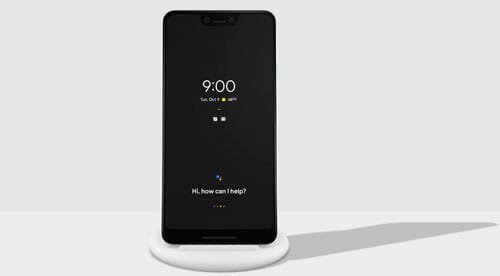
    If you have a wireless charging phone, and you want to get a standing wireless charger, you should find Google Pixel Stand very handy. It looks fancy, and it does the job without any issue. If you have a Pixel 3 later versions, you do not have to worry about the compatibility. However, if your phone supports Qi wireless charging, it should not be a problem for you. In the box, you can get an 18W power adapter, 1.5m USB C-to-C cable, etc. alongside the actual charger. You can place your phone horizontally as well as vertically. Check the deal

    2] Anker Wireless Charger – $18.99

    Best Wireless Chargers For Your Mobile

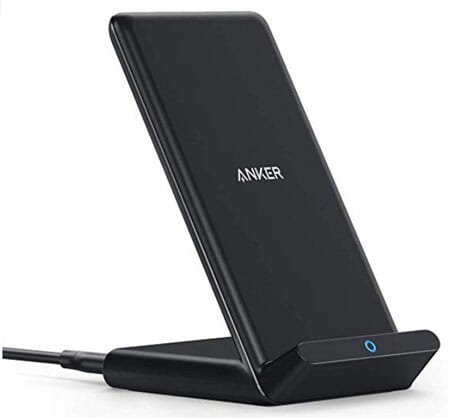
    If you do not need a fancy stand like Google Pixel Stand, you can try out Anker wireless charger. It is very cheap, and it does everything perfectly. No matter whether you have Samsung S9 or iPhone 11 Pro Max, you can charge all of them wirelessly using this charger. This is a Qi-certified charger, and that means all the wireless charging supported mobiles are compatible with it. The only problem with this charging station is that it doesn’t come with a fast charger, and it is not recommended to use a third-party fast charger along with it. Check the deal

    3] Yootech Wireless Charger – $10.95

    Best Wireless Chargers For Your Mobile

    It is a cheap wireless charger that sits flatly on your desk. In other terms, you must put your phone horizontally to start charging. Luckily, it has two cables – USB A-to-C and USB C-to-C. You can use either one to provide power sully to your charger. It is compatible with the 10W charging mode. It is safe to use this charger to charge any supported mobile as it is Qi certified. There is a reason why this charger is so cheap, and that is the lack of an adapter. You have to buy the charging adapter separately so that your wireless charger gets connected to a wall power outlet. Check the deal

    4] Upwade Wireless Charging Station – $39.99

    Best Wireless Chargers For Your Mobile

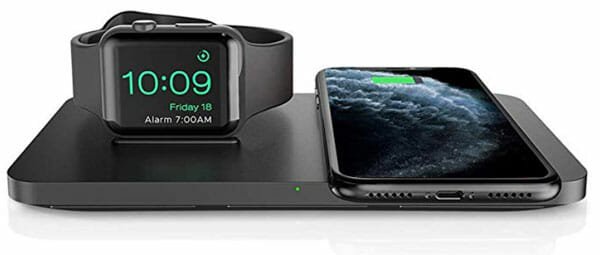
    If you are thinking about the high price, it should be changed after checking out all the facilities it offers. As the name suggests, it is a charging station or hub, which you can use to charge most of your Apple products. To be precise, it is possible to charge an iPhone, AirPods, as well as Apple Watch using the same charger and simultaneously. The essential part is you get a Quick Charge 3.0 adapter along with the wireless charger. If you rely on the Apple ecosystem, you should have to worry about the charging anymore after installing this wireless charging station on your desk. Check the deal

    5] XDODD Wireless Charger – $39.99

    Best Wireless Chargers For Your Mobile

    If you like the idea of Upware Wireless Charging Station, you should check out this wireless charger. It does the same job as earlier, and it looks fancy as well. The black-colored wireless charger has three charging facilities that you can use together. For instance, if you have an iPhone 8 or later version, AirPods, and Apple Watch, and you want to charge them simultaneously, you do so with the help of this wireless charger. A Quick Charge 3.0 adapter is also included in the box so that you do not need to buy anything separately. Another important thing about the AirPods charging socket is that you can use it to charge a second iPhone, but that won’t be a wireless charger. Check the deal

    6] Seneo Wireless Charger – $28.99

    Best Wireless Chargers For Your Mobile

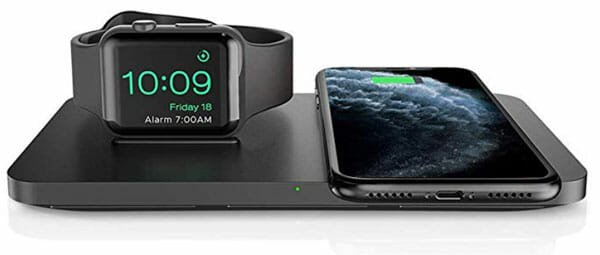
    It is a black platted wireless charger that you can use to charge two devices at a time. These two devices should be among an iPhone, Apple Watch, and AirPods. There is no limit on using any combination you want. This charging dock comes with Qi certification, over-voltage protection, short-circuit protection, etc. so that users do not have any worry while charging their expensive gadgets. The primary setback of this charger is that it doesn’t come with an adapter. That means you can use any 18W adapter to provide electric supply to the wireless charger. Check the deal

    7] Fuse Chicken Gravity Touch Wireless Charging Base – $39.95

    Best Wireless Chargers For Your Mobile

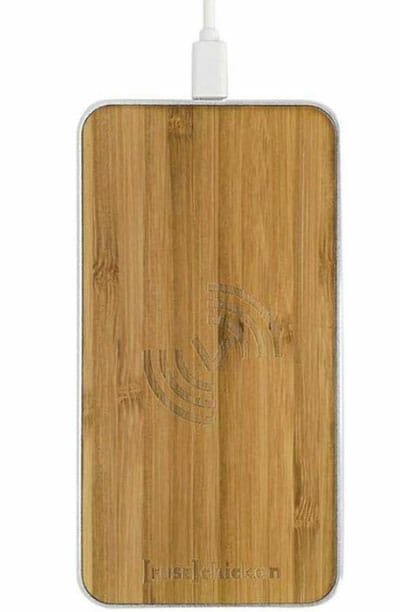
    If you do not need a wireless charger for all your gadgets, and instead, you want to buy something that can charge only a mobile, you should be happy to see this charger. It has a wooden finish that will give your desk a different look, and you can carry it in your backpack without feeling the weight. It can charge any Qi wireless charging supported mobiles, including Samsung S9, S8 Plus, iPhone 8 and newer versions. In the box, it has everything you need to charge your mobile wirelessly. Check the deal

    No matter which wireless charger you choose, you need to take the mobile case off. If your charger supports charging with the case, good! But the chances are that is not possible in most cases. Therefore, before complaining about the faulty wireless charger, do remove the cover or case from your mobile and put it onto the charger.

  • Best Cases For MacBook To Protect From Dust And Water

    Best Cases For MacBook To Protect From Dust And Water

    You can pick any MacBook, and you need to pay a minimum of $1000 to purchase it. No matter whether you have a brand-new MacBook or an old one, you should apply a case to protect your device from dust, water, and other liquids or foods. Keyboard damage is a prevalent problem with laptop users if they have kids at home. Even if you do not have any kid, but you often travel, you should install a case or cover for protection. Here is a list of best cases for MacBook that you can buy today.

    There are mainly three types of cases for MacBook – Waterproof, Soft, and Hard. We have all of them in the following list.

    Best Cases For MacBook Pro And Air

    1] Inateck – $11.49

    Best Cases For MacBook Pro And Air

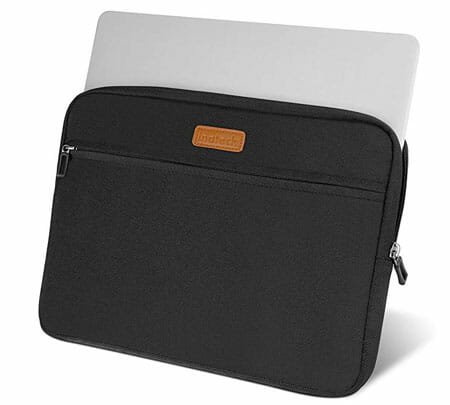
    Inateck is a soft case for MacBook that helps you carry your laptop whenever you want. It is more like a bag than a case. Regarding compatibility, you can buy it for any MacBook as it is available from 13-inch to 15.4 inches. There are three colors of this MacBook cover – Black, Grey, and Pink. If a MacBook launched between 2016-2019, you could purchase it without any issue. The material quality is not bad, and you can use it roughly. Check the deal

    2] Rinbers 2in1 Bundle – $14.99

    Best Cases For MacBook Pro And Air

    It is a mixture of soft and hard cases together, and it is not a bag like the first one. Instead, you need to apply it directly to your laptop. The only problem is the color. If pink is not your favorite color, you might not like it at all. However, the good news is that you can find a keyboard cover along with the MacBook case. You can purchase it for MacBook Air 13-inch A1369 and A1466. Check the deal

    3] UESWILL Crystal – $16.99

    Best Cases For MacBook Pro And Air

    It looks like a hard case, but it is more like a rubber case for your MacBook. It doesn’t carry any color because of the transparency so that you can get the same vivid Apple logo on the backside. This case is available for the 2016-2019 MacBook Pro as well as the 2016-2019 MacBook Pro with Touch Bar models. If you have a MacBook Air or MacBook Pro with CD-ROM, you should not purchase it. Check the deal

    4] MOSISO MacBook Air 13 inch Case – $17.99

    Best Cases For MacBook Pro And Air

    If you are looking for a leather cover, which is hard enough to protect your laptop from accidental damages, you should check out this case. It is compatible with MacBook Air 13-inch A1466, and A1369. It covers the whole MacBook, including the front side, backside, near the palms, etc. Also, you can find a magnetic strap to keep the lid closed all the time. As it is made of leather, the manufacturer has kept the brown color. The same cover is available in other colors as well. Check the deal

    5] Top Case Rubberized Hard Case – $28.99

    Best Cases For MacBook Pro And Air

    If you have a MacBook Pro 13-inch model with Retina display and it was released between 2012-2015, you can purchase this rubberized hard case. There are several colors available for this case, and the purple one looks excellent. The best thing about this case is that you can get four more stuff – a sleeve bag, keyboard cover, screen protector, and skin for the mouse. Before purchasing this case, make sure that your laptop comes within the A1425 and A1502 series. The case is good enough in terms of shock protection, dust, etc. Check the deal

    6] Runetz Hard Sleeve – $21.95

    Best Cases For MacBook Pro And Air

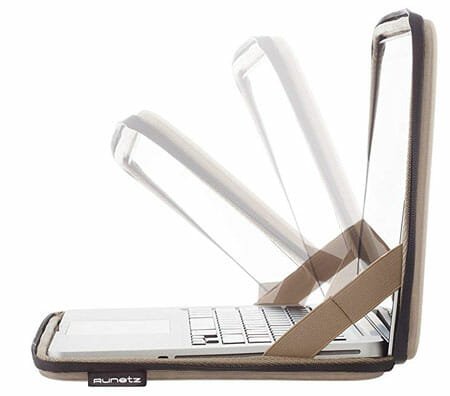
    If you travel frequently and you do not want to use a separate sleeve for your laptop, you should check out this case. It is a 2-in-1 cover that should be compatible with MacBook Pro 15-inch A1990, A1707, etc. series. In other words, this case fits your laptop, and you need to use the zip to prevent dust and water while travelling. The fitting is good enough for a 15-inch MacBook Pro, and you should not have any problem using it for a long time. The only drawback is that it doesn’t have protection near the palms. Check the deal

    7] NexCase – $26.99

    Best Cases For MacBook Pro And Air

    It is one of the best MacBook cases that you can find today. It has multi-layer protection so that you can prevent accidental tears effortlessly. You can apply the case on the front and backside of your laptop. NexCase is available in four different colors – Black, Black & Blue, Black & Green, and Black & Red. Regarding the compatibility, you should have a MacBook Air 13-inch model of A1466 and A1369 series. In other words, if you purchased your laptop from 2010-2017, you could buy this case also. Check the deal

    8] SUPCASE Unicorn Beetle Series – $29.99

    Best Cases For MacBook Pro And Air

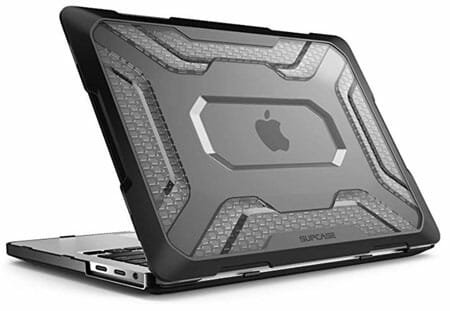
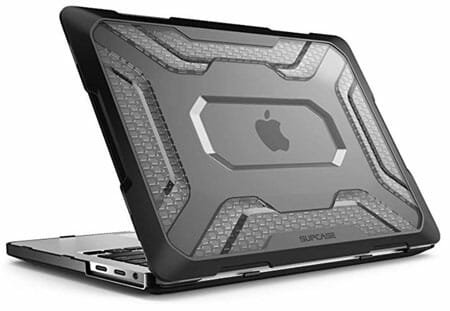
    It is another hard case for the MacBook, which is made of rubber. However, the case is strong enough to protect small accidental drops as well. It looks very fancy from the outside, and protection is top-notch from the inside. This case is compatible with the latest MacBook Pro – released after 2016. In simple terms, if your MacBook Pro has Retina display and no Touch Bar, you can purchase this case for protection. Check the deal

    Before purchasing a case for your MacBook, you should verify the compatibility. Also, if you need to know whether you want a soft case or a hard case. If you need a hard case, the last two cases are the best in the market in terms of build quality, materials, longevity, etc.

  • Best Security Camera With 1080p Recording

    Best Security Camera With 1080p Recording

    No matter if you are looking for a security camera for your home or office or anywhere else, you should check a few things before buying it. The first and most important thing is the 1080p recording. If a security camera doesn’t have a 1080p recording facility, it will be useless in many cases. Although there are countless number of CCTV cameras those, do not have such quality, and they work correctly, you should opt for the HD recording in 2020 when you need to protect a lot of expensive stuff. Here are some of the best security cameras with 1080p recording that you can buy in 2020.

    Best Security Camera With 1080p Recording

    1] Nest Cam IQ Outdoor – $399

    Best Security Camera With 1080p Recording

    Nest Cam IQ Outdoor is one of the best security cameras for home. No matter whether you often leave your kid or pet in your home, you can install this camera for smart notifications. This camera can send alerts to your mobile so that you can know who is standing in front of your main gate. The important thing is that it can differentiate between a human and a pet or anything else. The best thing is that you can record up to 1080p resolution with HDR. On the other hand, you can have the “Talk & Listen” facility included in this camera. This wireless security camera comes with 128-bit AES encryption, IP66 rating, 130-degree diagonal view, 850 nm infrared LEDs, etc. The package included everything you need to install and set up the camera in your home. Check the deal

    2] Amcrest Security Camera – $109.99

    Best Security Camera With 1080p Recording

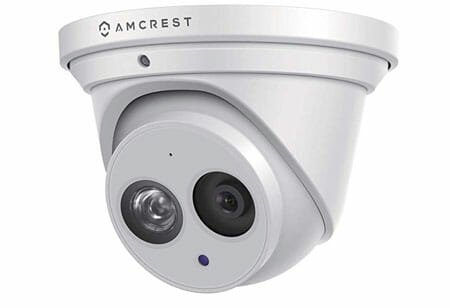
    This security camera has several variants, and they depend on the lens size. In this article, we have included the variant that comes with a 2.8mm lens with a 4K recording facility. It has some unique security features for the users so that they do not worry about anything. For example, you can get monition alerts on your mobile whenever someone walks by your front gate or wherever you have installed the camera. On the other hand, you can get an 8MP camera included in it that can record in very high resolution without missing out on any detail. It offers cloud backup so that you can store all the video footage and check them out whenever you want. It has a viewing angle of 112-degree and 16x digital zoom. Another handy feature is the in-built microphone. Talking about the water and dust protection, it offers an IP67 rating. Check the deal

    3] Arlo Pro 2 – $361

    Best Security Camera With 1080p Recording

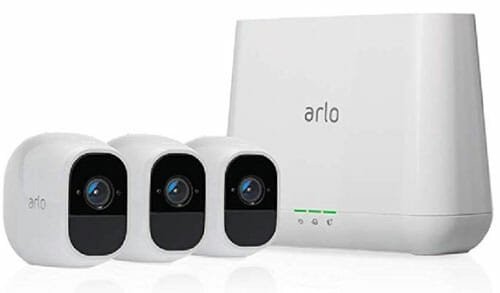
    If the price looks expensive, you should know that you are going to get three security cameras for $361. It can record in 4K resolution without blurring anything because of HDR support. This wireless camera has a great viewing angle – to be specific, it is 180-degree, which is not available in most of the popular security cameras. You can recharge it with a detachable battery and store all the recordings in a microSD card. Apart from that, you can get a cloud backup subscription to keep the same data. If you are going to use it for a long time, it is recommended to go for the cloud backup instead of relying on microSD cards. This camera comes with 850 nm LEDs that can light up a 25-feet area without any problem. The handiest feature is that you can use it with some famous smart home hubs such as Alexa, Google Assistant, etc. For your information, if you think that you do not need three cameras, you can opt for one or two variants as well. Check the deal

    4] Ring Indoor Cam – $59.99

    Best Security Camera With 1080p Recording

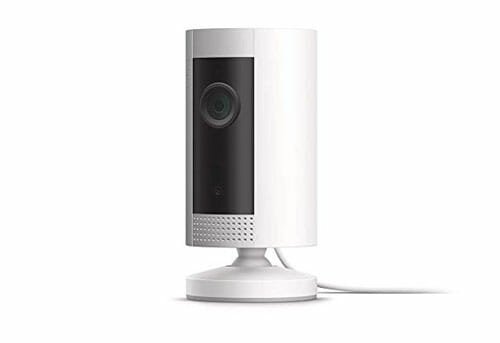
    Sometimes you may need an indoor security camera for any reason. For that, you can check out Ring Indoor Cam that is available at an affordable price. As it is an indoor camera, you might expect it to run with some voice assistants. For your information, you won’t be disappointed as you can use it alongside Amazon Alexa without any issue. The video recording quality of this security camera is pretty good, and you won’t miss out on anything while checking the footage. Also, it works smoothly with IFTTT, which will let you automate the recording efficiently. However, there are two major problems with this camera. First, you must have to buy a monthly subscription to keep running, and the price starts from $3/month. Second, it cannot record audio. If you can ignore these two drawbacks, you can find some great recordings. However, it offers night vision as well as motion detection notification on mobile. Check the deal

    5] Ring Spotlight Cam – $199

    Best Security Camera With 1080p Recording

    As the name suggests, this security camera can light up a lot of area with in-built spotlights, and that is why it is priced higher than other regular security cameras. It can record 1080p video without any issue, and you can check the live feed on your mobile as well. Night vision is also included in the feature list so that you can keep getting everything in the night as you get in the daytime. It also included motion detection so that you get notification whenever someone passes your main gate. However, you can set different filters to get a random notification. For example, it is possible to set custom motion zones. On the other hand, it has a viewing angle of 140-degree, two-way audio with noise cancellation, etc. The only problem with this camera is that it is a wired camera that is supposed to provide the power supply. Other than that, you need a wireless connection in your home to set it up correctly. Check the deal

    No matter which security camera you choose, you should check if the camera has night vision and motion detection or not.

  • Best Mesh Wi-Fi Routers For Home Of 2020

    Best Mesh Wi-Fi Routers For Home Of 2020

    A mesh network can help you get better coverage of your internet connection in your home as well as office. No matter whether you have a two or three-storied home, you will never see the buffering icon while watching a YouTube video or Netflix movie. Here are some of the best mesh Wi-Fi routers that you can buy for your home in 2020.

    What Is A Mesh Wi-Fi Network?

    Let’s assume that you have a Wi-Fi network in your home. That means you have a Wi-Fi router in your home, which broadcasts the signal that you use to watch videos or browse the internet. Depending upon the router, you can use it from being on the same floor as the router. People often face problems when they go upstairs or downstairs. The Wi-Fi router sends a weak signal, and thus, users get buffering a lot.

    A mesh network will help you fix that issue. A mesh network is a combination of more than one router that you need to install in various locations inside your home. All the routers will use one internet source to provide a better signal all over your home. No matter where you go, the mesh network will help you connect to the most reliable router instantly so that you do not see the buffering icon on your screen.

    If you are willing to create a mesh Wi-Fi network, you should check out this list. Here are some of the best mesh Wi-Fi network routers that you can use in your home. Although an office requires more routers than a home, you can arrange that in your office as well.

    Best Mesh Wi-Fi Routers For Home

    1] Google Nest Wi-Fi AC2200 Mesh System Router and Point – $269

    Best Mesh Wi-Fi Routers For Home

    Google Nest is probably the most advanced and handy mesh network creator that you can install in your home. It comes with two routers that you can install anywhere in your home. Setting them up in your home doesn’t require more than ten minutes, and that is why it is on the top of this list. It looks fancy, and it can match with your computer desk as well. It comes with Wi-Fi 5, which will let you get a faster speed than usual. On the other hand, you can find WPA3, device grouping, etc. According to the users, it can cover up to a 5800-square foot of area without any problem. If you want to allow the network to your kids or so, you will be happy to see the parental control included in these routers. On the other hand, IPv6 is also available with this router. The only problem with this mesh network is that it doesn’t have an anti-malware tool, and there is no USB port available in the routers. Check the deal

    2] TP-Link Deco M9 Plus Mesh Wi-Fi System – $223

    Best Mesh Wi-Fi Routers For Home

    TP-Link is a popular name in the network industry, and the same manufacturer is providing these mesh Wi-Fi routers for your home. There are tons of useful features that you can find in this router. For instance, there is an in-built antivirus so that you can protect your network from different online threats. On the other hand, you can use parental control to get control over all the users. No matter whether there is a party in your home, and you need to give access to almost fifty people, or you want to use it alone, you can make use of this mesh network. For your information, this network can allow access to over 100 users. Apart from there are Wi-Fi dead zone killer, fast tri-band speed, and in-built smart hub. Check the deal

    3] Linksys Velop AX MX10 – $699

    Best Mesh Wi-Fi Routers For Home

    First thing, first! You cannot set up this mesh network without having prior knowledge, and that is the first disadvantage of using these routers. The second drawback is the lack of in-built antivirus to protect your system. Although it has parental control, there is not many options to tweak the settings. Now, you should check out the advantages of using this mesh routers. Many people want to stream 4K content from anywhere in their home. If you are one of them, you should check out this mesh router as it can provide up to a 5.3Gbps connection over the network. It can cover up to 6000 square-foot without any problem, and you can connect more than fifty devices at a time. Talking about the speed, it comes with Wi-Fi 6, and that is the reason why there is so much speed included in this router. Check the deal

    4] NETGEAR Orbi Whole Home Tri-Band Mesh – $699.99

    Best Mesh Wi-Fi Routers For Home

    It doesn’t matter whether you have a 100Mbps or 1Gbps internet connection; you can set it up without any problem. To be precise, these mesh routers are compatible with an internet connection of up to 2.5Gbps. As it has Wi-Fi 6 compatibility, you can expect a high speed on multiple devices – no matter where you are in your home. Normal internet browsing, 4K video streaming, etc. are very common with this network. Regarding the number of devices you can connect, you can use it on more than sixty phones and computers without any issue. In simple words, you can consider it using in an office as well. Also, if you want to create an account for the guests, you can do that as well. It has three Gigabit Ethernet ports, and each port can carry 2Gbps connection without significant issues. Check the deal

    There are tons of other mesh Wi-Fi network routers in the market. Before purchasing one, you should check a couple of things. First, it should have parental control if you are going to use it in your office. Second, it should have an in-built anti-malware support. You can ignore it if you have networking knowledge. Third, it should have Wi-Fi 5 or Wi-Fi 6 support. Otherwise, it would be useful for you.