
How to Backup Social Media Data to Windows PC?
Everyone has an account in most of the Social Networking Websites like Facebook, Twitter, Linked In, Instagram, Pinterest and many more like them. We will be using them daily to stay in touch with our friends and loved ones. We often share photos, videos and our memorable moments over these social networking websites. Most of
Read moreThe latest Windows 10 build 9926 got released in the second half of January 2015 during a Microsoft event. This build version of Windows 10 Technical Preview contains several new features and Aero-Glass Transparency is not one of them. However, if sources are to be believed as well as some key images (of transparent Windows
Read more
It is February already and this is the month cricket lovers all over the world are more excited about for ICC Cricket World Cup 2015 rather than Valentine’s Day 2015. The Cricket World Cup 2015 tournament begins on 14th February 2015 and will last for 49 days with the final of ICC CWC 2015 being
Read more
Google Chrome is one of the fastest and mostly used Web browsers. It offers you many features and functionalities which are missing in other web browsers. Google Chrome apart from being a successful web browser, it offers you many extensions to meet your needs. These extensions might be useful in many ways. If you are
Read more
Microsoft adds many new features to Windows 10 Technical Preview. Like Windows 8 and Windows 8.1, in Windows 10, a user can use three types of accounts, i.e. local account, domain account and Microsoft account. Every time you start your PC, you will be asked for user password to sign in to Windows 10. Undoubtedly,
Read more
As we are well aware, VLC media player is the most popular video and music player for your computers today. It has a strong user base due to the fact that it is light and easy to use and can play almost any type of music or video file out there. But did you know
Read more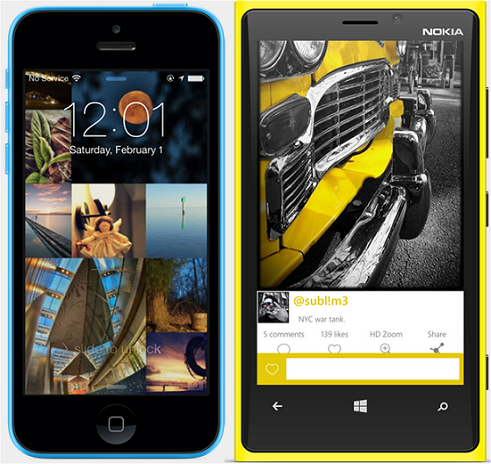
We normally use our Smartphone to capture photos. Image quality depends on the camera our Smartphone supports. We sometimes feel that, captured image is not as good as we want and we go for installing many photo editing apps. If you are a Windows Phone user and want to edit captured images, then I would
Read more
Cricket World cup 2015 is coming soon and the countdown has already been started. Cricket lovers all over the globe are eagerly waiting for the 2015 Cricket World cup. It starts in February 14, 2015 and ends on March 29, 2015 and is going to be held in Australia. Schedule has already been released and
Read more
Taptivate is an unusual app that enables you to use your smartphone without touching it’s screen. This is done with the help of inventive gestures or voice commands, which may be either predefined or user oriented. Simple actions like tapping your phone to your chest can be used to call someone on your speedial or
Read more
Even though tablets, phablets and smartphones have come up with new innovations, laptops have managed to hold their own. They have proved to be an ideal replacement for desktop PCs and their usage hasn’t decreased considerably even with other smaller devices coming in. In fact, the worst nightmare for a tech-savvy person would be to
Read more
Yes you read that right. Your smartphone just became smarter. With the right tool, you can use your smartphone (Android, iOS or Windows phone) as a means to control your computer by converting it into a keyboard or a touchpad (mouse). Gamers can also rejoice as they can further use their phones as a gamepad or
Read more
Normally, Twitter allows us to Tweet maximum of 140 characters. When we come across any Tweet and if we want to respond to that, then we are restricted to 140 characters only. If we want to say more, we would divide it in to multiple tweets. Some step ahead and chooses private messaging. So, that
Read more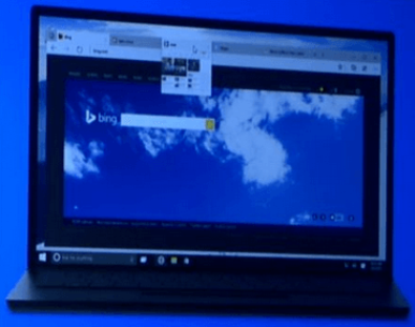
Tips to Enable Spartan Edge Rendering Engine within IE11 for Windows 10 build 9926
Microsoft has come up with the new build 9926 for Windows 10 following up the Technical Preview version. This new preview build 9926 has several modifications and additions as per the feedback received from Windows 10 TP users. There have been news about Windows 10 having a new high-speed Spartan browser as part of Microsoft’s
Read moreSetting File Explorer in Windows 10 Build 9926 to Open This PC View instead of Quick Access View
With Microsoft Windows 10 final version release just few months away, Microsoft has come up with a new build release for Windows TP. Once you install the new Windows 10 Preview Build 9926, you can see all latest changes Microsoft has introduced as acknowledgement of the feedback given by Windows 10 Technical Preview users. As
Read more
Before Cloud Storage was introduced, we used to mail important files as attachments to access them from wherever. Previously we used to have only emails and as we can access them from anywhere, we used to follow this method to access important files. We even do this sometimes now, but this is not a good
Read more