Author: Sudip Majhi

  • Olark – The Easiest Option to Integrate Live Chat into Any Website

    Olark – The Easiest Option to Integrate Live Chat into Any Website

    Live chat is the best option for any shopping website to provide customer support. Imagine a scenario in which you have created a shopping site on WordPress. Despite the fact that the WordPress Plugin repository provides many live chat plugins yet they have some kind of restrictions.

    To solve this problem, you can try a third party live chat kit. Today, here is Olark, which is an easy-to-use third party live chat support provider. If you have just started your business and your website has only one employee to provide customer support, the free plan of Olark is more than enough.

    Live Chat Support

    Olark Pricing

    Olark has several monthly, yearly even two year billing plan. All the features differs from plan to plan. (Features are mentioned below)

    Bronze Plan: It comes with almost all core features but has some limitations like number of operator, phone support etc. It costs $17 per month.

    Gold Plan: Alike Bronze plan, Gold Plan additionally has some confinement yet the impediments are less. It costs $49 for every month.

    Platinum Plan: It has eight operators support alongside Groups. It costs $129 per month.

    Ultimate Plan: You will get 15 operators support along with Groups and phone support.

    Olark Features

    Olark has tons of features to provide the best live chat support. Some of the most useful features are mentioned below.

    Conversations: Although, the free version of Olark provides only 20 conversations per month but you will get unlimited conversations support in all premium accounts.

    Operators: You will get only 1 operator support in Free and Bronze plan. Gold, Platinum and Ultimate plan has 4, 8 and 15 operators support respectively.

    CRM Integration: You can send chat transcript to Zendesk and other similar CRM and Helpdesktop software. All the plans have this facility. However, you can send only 5 transcripts in free plan, 10 transcripts in Bronze plan, 40 transcripts in Platinum plan and 150 transcripts in Ultimate plan.

    Phone Support: There are several times when your customer needs faster support and they can explain whole things over phone call. At such moment, you can provide Phone Support if you have Ultimate Plan.

    There are some other features those are not available in free version but you can get them on paid Olark account. For instance, you can get Hide the chat bubble when your operator(s) is/are offline, close the chat bubble when users hide that, chat statistics and all the reports and more others.

    Apart from the aforementioned features, you will get more standard features. You will get SSL support, mobile device support, Google apps for domain integration, visitor details (e.g. ISP, Location, IP, Operating System, and Browser etc.), Google Analytics integration and more others.

    Integrate Olark into WordPress

    This is very easy. Head over to Official Olark website and sign up for a plan. After signing up, Olark will ask you to verify your site. That verification means, you have to put a few lines to code in your website.

    Copy Code to Verify Website

    You will get the desired code on your screen after signing up. Just copy and paste that inside <body> tag.

    If you have done it successfully, you will get a success message like this.

    Success Message

    To start chatting, just click on the chat bubble and type your message. The operator will get customers’ query right away. Apart from the message, the operator will get customers’ IP address, browser information, operating system, ISP details, GPS location and more others.

    Start Chatting in Olark

    This is also possible to Transfer, Block, Unfollow and do more other things by an operator. If you have multiple operator support, you can also forward any chat from one operator to any other operator.

    So, this is Olark, the easiest method to integrate live chat support into any website.

    What do you think about this Olark?

  • Microsoft to Launch Next Lock Screen for Busy Professionals

    If you always stick with your busy schedule alongside your mobile for making calls, sending SMS/email etc. here is an app that will assist you to save a little amount of your valuable time. Microsoft has been developing so many apps and their current project called Microsoft Garage is now set to launch some apps for changing daily lifestyle.

    Microsoft has launched almost two apps called Journeys & Notes, which is perfect for travelers and Next Lock Screen, which is perfect for busy professionals. Security is a precious thing that you should be concerned for. To prevent others from using our personal information, we use password on our mobile and all the other gadgets. If you are being nuisance by your friends, you can set up parental control on your Android tablet.

    However, the problem is, sometime it becomes headache for yourself to unlock your phone even when you are alone. Everytime, you need to enter your phone password or pattern to unlock your phone. No matter whether you want to make a call or do anything else, you supposed to enter the credentials.

    Read Also: How To Control The Music App On Your Android When The Screen Is Locked

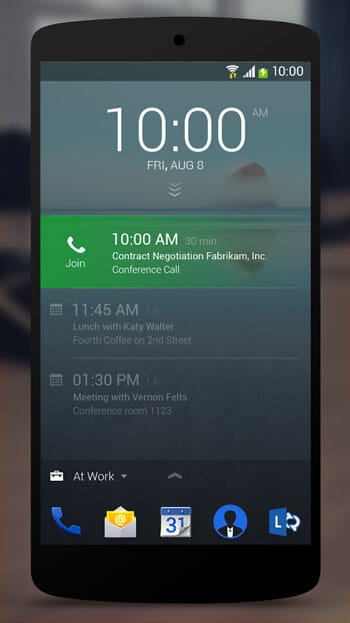
    To solve this issue, Microsoft has developed a great lock screen widget that will let you add some important apps on your lock screen. You can add various things including calendar, dial pad, quick app launch and more others. Each feature has its own quality of being worthy of attention.

    Add more Apps using Next Lock Screen

    You can download this lock screen replacement on Android 4.0 and later versions of Android. Through, this is not confirmed but Next Lock Screen is not available in all countries like India. Anyway, let’s take a look at the features.

    https://youtube.com/watch?v=1_Kvh9plAc8

    You cannot add your custom features because this is still in development phase. As of now, you can add dial pad, email, calendar, contacts etc. on your lock screen. On the other hand, you will get all your notifications right on your lock screen.

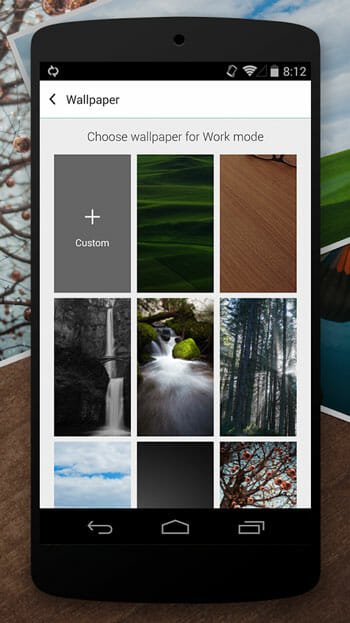
    In terms of customization, this is awesome since you can customize it according to your wish. You can set custom background wallpaper and do more others. To switch from one app to another app, you just need to swipe from bottom to top and vice versa.

    Add Wallpaper in Next Lock Screen

    Alike control center of iOS 7+, you can access several features of connectivity like Wifi, Bluetooth, Flash, Alarm and more others. According to Microsoft, this is also possible to some of the useful app on the lock screen but the number is very limited. Microsoft has set a limit because they want to offer an uncluttered visual design.

    To access or learn more about any notification you have received, just tap on that. You will be redirected to the corresponding application (e.g. Calendar, Call etc.) from the lock screen.

    Access Notifications from Next Lock Screen

    Although, there are plenty of lock screen replacements for Android but Next Lock Screen is better and simpler than them. You do not have to devote a lot of memory in order to install this app.

  • Google Launches Mailbox Competitor Called Inbox for Android and iOS

    Google Launches Mailbox Competitor Called Inbox for Android and iOS

    Have you used Mailbox? That is really great email client, which is available for major platforms including iOS, Android and Mac. Now, you can get a Mailbox substitute that is developed by Google, the web giant. This great email client is known as Inbox. But, unfortunately, this app is not launched for everyone. You need an invitation to get the app for iOS as well as Android.

    Inbox by Gmail

    Even if, people used SMS a lot but now the era is gone. Nowadays, people use email and other instant messenger more than SMS. Considering all the leaning of today’s people, Google has developed such a great email client that will do more than just sending and receiving email.

    Requirements

    Although, it is not cleared yet but you must have iOS 7 or later version, Android 4.1 or later version and Chrome web browser. Actually, you can use it as the web version as well as mobile app. As of now, Google has developed it for corresponding mobile phones and the tablet version is in the work.

    Deep Look into Google’s Inbox

    This is a lawful Gmail placement for those above-mentioned platforms. If users can get all the features what the intro video has shown, nobody will use Gmail app or web version of Gmail after launching Inbox. As mentioned above, you can do more than just send and receive email. This Inbox is well organized and you can get a neat and clean interface.

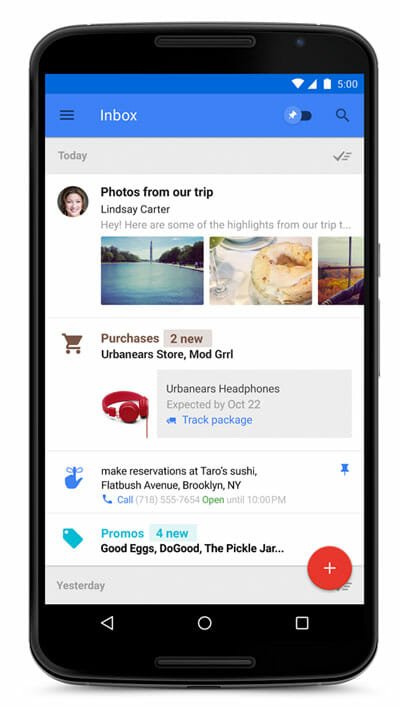
    Actually, Inbox has a synchronization process with Google Plus profile. This is confirmed because after signing in to Inbox with Gmail credential, you will get your Google+ profile picture. On the other hand, primary categories of Inbox has laid aside all it’s sub-options or features. It has some primary categories like Bundle, Highlights, Reminders, Snooze etc.

    Google Inbox

    Bundle

    The Bundle has few couple of labels like Purchase, Finance, Social, Update, Travel and more others. You can obviously create more Bundle and pitch any email. This option will help you manage your email just like Gmail’s label.

    Highlights

    The Highlights can easily display most significant part of your email such as even information, flight status, documents and so on. The real-time status will be shown right from internet if that is not mentioned in the email. Actually, Bundle and Highlights work together to provide a better performance.

    Reminder

    Suppose, you have received an email that is not much important or you do not have time to read an email, which is important for you. At such moment, you can easily set Reminder to read that email later. You can also use the Snooze option just like any other reminder app.

    Inbox has more other features and most of them similar to Mailbox. You can get To-Do’s and more other features. To get started with Inbox, you need an invitation. You can request as invitation by sending an email at inbox[at]google[dot]com.

    Via: Gmail Blog

  • HERE Maps is Now Available as Open Beta

    HERE Maps is Now Available as Open Beta

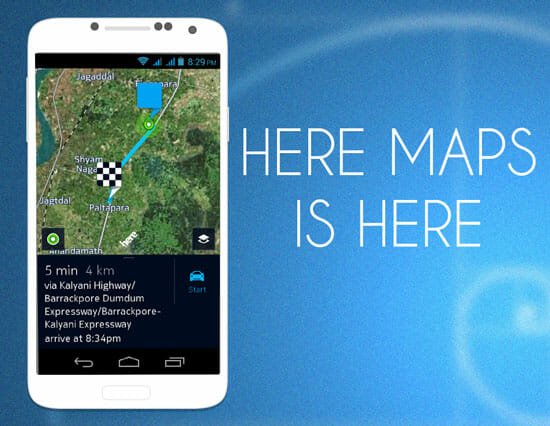
    If you have been waiting for the HERE maps for non-Samsung and HTC devices, here you go. Although, previously, it was launched only for couple of users to test. After that, they launched it in beta version only for Samsung and HTC users. However, now, anybody can get it for all compatible Android mobiles.

    HERE Maps is Now Available as Open Beta

    Android phone comes with some common apps and Google Maps is one of them. But if you do not like to use the native Google Maps application on your mobile, here is a substitute. HERE maps is a great map available for Android 4.1 and later versions of Android mobile. On the other hand, you must have minimum 1 GB of RAM and 4.5 to 6-inch of display to run it smoothly.

    There are no other system requirements for this app. To download it, head over to this link to get the .apk file. To install this APK file, you will have to make a small change in your mobile’s security settings. For reference, you can check the Sideloading Apps section of this guide.

    After installing and opening it on your phone, you will get a screen something like the following picture;

    Create HERE Account

    Although, you can skip the account creation process but this is recommended to create an account before going ahead. Because, if something goes wrong, you can still get your data back on other mobile from your account.

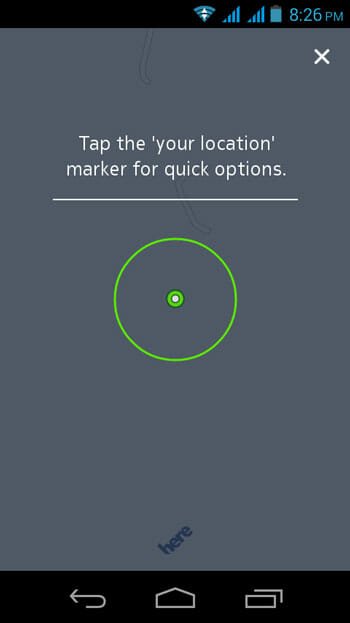
    After signing in, you will get the following screen;

    Tap on Your Location in HERE Maps

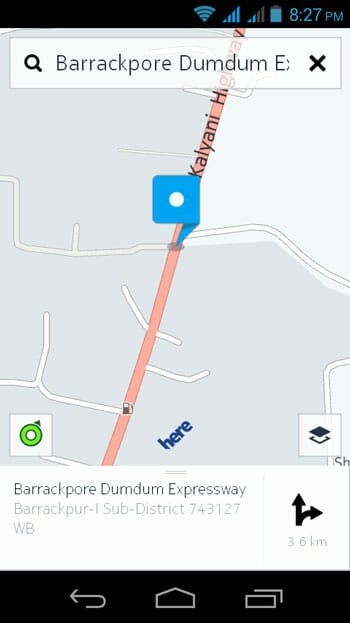
    Just tap on your location and Here Maps will start capturing your location automatically. The Search option looks pretty good and it works better than native Android map application. You can easily get your searched location like Google Instant Search.

    HERE Maps Search

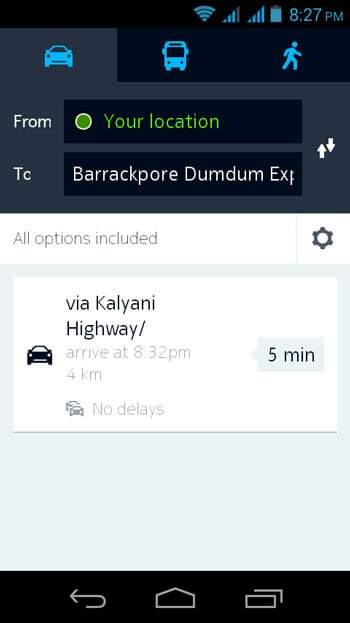
    After searching for and selection a location, HERE maps will display the route(s).

    HERE Maps Route Selection

    You chose anything among by walk, by car or by bus. You can also get the estimated time to reach to a particular location.

    If you are from one of those 40 countries where HERE Maps has the option to show live traffic, you are very lucky. Really! This is a great feature of HERE Maps that you can get live traffic report. Therefore, if you are late for your office, you can simply check the traffic report and take a different route to reach to your office faster. But this feature is limited in only 800 cities of 40 countries across the globe.

    Select Map Style in HERE Maps

    Although, Google Maps can help you to download a particular portion to the map to use offline, HERE Maps provides an option to download entire map. This is where it excels because you can keep using this app without having any data connection.

    Suppose, you want to go to somewhere with your friend who lives in the same city. At such moment, to avoid traffic, you can simply share HERE Maps data with your friends. This data includes traffic report (if possible), route and many other things.

    Share HERE Maps

    So, this is HERE Maps for Android. Hope this map data will be able to exclude Google Maps from your Android mobile. Don’t forget to share your view with us.

  • Top 5 Missing Features of Windows 10

    Top 5 Missing Features of Windows 10

    After a quite long time, Microsoft has done something great followed by Windows 7. Windows 7 was the biggest success of Microsoft. Even after launching Windows 8 as well as Windows 8.1, most of the people were using Windows 7 on their primary computer.

    Windows Logo

    You know that Microsoft has launched the technical preview version of Windows 10 that comes with some really useful features like Virtual Desktop, Start Menu and more others. However, many people are still feeling like something is missing in Windows 10. Windows 10 technical preview users can send and share their problems and suggestions to Microsoft directly from their PC. On the other hand, Windows 10 has a User Voice platform where people can share their needs and other people can vote for that. As per the result of vote, today I am going to enlist top useful features that should be added in the stable version of Windows 10.

    Merge PC Settings and Control Panel

    You know that Windows 8 and all the subsequent versions of Windows family have a separate PC Settings panel from where anybody can make various changes like connect/disconnect Microsoft account, manage privacy and more others. On the other hand, alike previous Windows operating systems, Windows 10 also has a separate PC settings and Control Panel. In fact, some control panel features works in PC Settings. That is why tons of people want to get a merged Control Panel so that they can manage their PC in a better and faster way.

    Junk File Cleaner

    Remove Junk File

    You have noticed previously, you might have seen that Windows doesn’t provide any option to delete all files after uninstalling any app. This is a common issue why Windows machine becomes slower after few days of using. At that time, you need to make a spring-cleaning. To do so, you supposed to have third party software like Privacy Eraser, Revo Uninstaller, CCleaner, Your Uninstaller and more others. Windows users do not want to get a third-party software to delete junk files. All they need is an in-built junk/temporary file cleaner in their Windows PC.

    Tabbed Windows Explorer

    Generally, web browsers have this feature to switch from one tab to another. This is really a great way to navigate to another tab. You can get same feature in Windows using third party software. However, Windows users would be happy if Microsoft adds the same feature in Windows Explorer. This tabbed file explorer can aid you to switch to another tab faster than using the native back button.

    Aero Glass

    Windows 8, Windows 8.1 and Windows 10 Technical Preview have no Aero Glass even though it was a great feature of Windows 7. The user interface of Windows 7 with Aero Glass looked great. Nowadays, Windows users do not want to use a third party software to bring Aero Glass in Windows. That’s why Microsoft must take care of this feature because more than 4k users have already voted for this.

    Support for .7z, .rar and other similar folder

    Compressor

    You know that .zip, .rar, .7z and other are the best formats for compressed folder. However, the problem is Windows Explorer doesn’t support any other formats except .zip. You can only open a zip file without any software. But, you must have third party software like WinRAR etc. to open those aforementioned files.

    There are also so many things what Microsoft should add in the next version of Windows. The funny thing is tons of users want Windows 10 stable version at free of cost like Mac OS X Mavericks and Yosemite.

  • Develop iOS Apps without Having Expert Knowledge

    Develop iOS Apps without Having Expert Knowledge

    If you have a keen interest to build an iOS app without any coding knowledge, you might have tried tons of websites to do so. MobileX Labs is one of the best website to build iOS app at free of cost. Their previous MobileX labs is now known as Nativ.

    Nativ is the rebranded version of MobileX Labs and you can get more flexibility at Nativ. Although, there are many iOS app development websites but Nativ is far better than that because of it’s usability. Anybody can us this development kit having zero experience. The most beautiful thing is Nativ provides a better dashboard to build a landing page for your developed app and also provides better statistics to optimize your apps.

    The co-founders of Nativ, Kiran Panesar and Dan Novaes have developed many other social media clients but Nativ is one of their best development projects. They also developed an Instagram client that helps them to get $1.5 million as fund to grow that startup. Hence, they have rebranded Nativ to provide more advantages than other similar apps.

    Nativ is a very easy to use iOS app development service that is generally available at free of cost. However, you need to purchase a premium account to get ore other features. One premium account costs only $49 per month.

    Features of Nativ

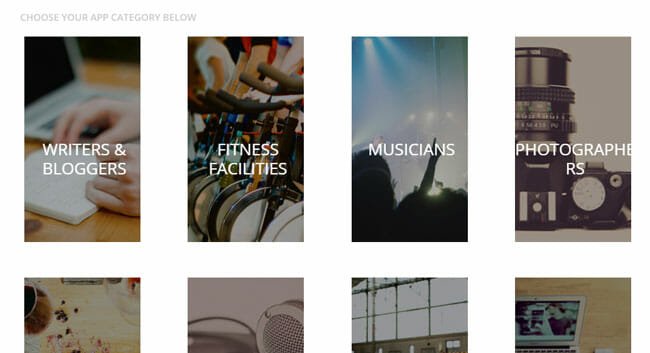
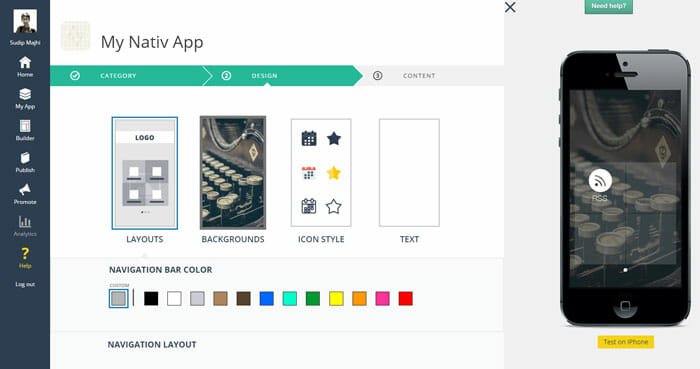
    You can develop different types of app including app for bloggers, writers, foodies, photographers, musicians and so on. Although, this is still is beta version, but you can get a better option in Design section. This is true that the number of layout is limited but I am sure that you will love those existing layouts for your app.

    Choose Layout in Nativ

    After creating an app through Nativ, you can preview that and obviously, publish that. You know that if any business needs success that should have 20% of great content and 80% promotion. Therefore, to promote your published app, Nativ provides a better interface to create landing page to so-called Micro Site.

    In the coming update, this service will let you add device mockup around your screenshot like PlaceIt. Apart from sharing on Facebook, twitter and other social networking websites, you can get a complete access to customize your own micro site. It takes only a little amount of time to build a better landing page for your app.

    Although, Nativ has no such analytics to optimize users’ interactions until now but you will get that in near future in the upcoming update.

    The app development interface is pretty much attractive. You can check the live update on your right hand side. The most beautiful thing is there is no need to save any change manually since it saves all the changes automatically. Anyway, you can choose various layouts, background image, icon and color schemes.

    Live Update of Changes

    This is also possible to use your own logo in the app. Nativ knows the power of promotion. That is why they have integrated different social networking websites inside the app.

    Bottom Line

    You can obviously use other iOS app development kits at free of cost but Nativ is far better than most of them. It has more features than just development.

    What do you think about this?

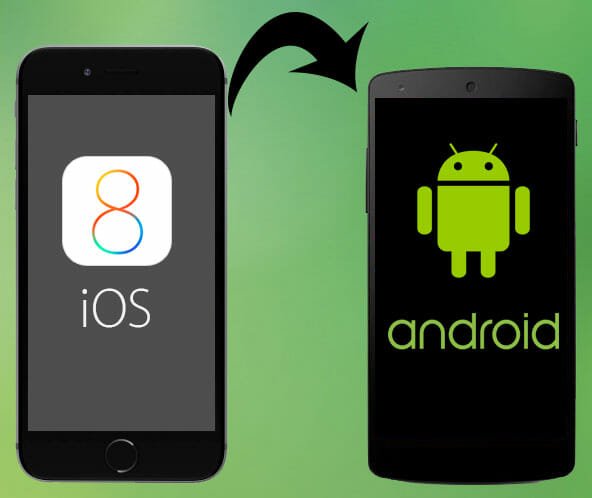
  • Official Guide to Switch from iOS to Android

    Official Guide to Switch from iOS to Android

    If you have been using iOS for a long time and want to try Android, you need to migrate all your data. This is the first step. Otherwise, you cannot keep using Android for a long time.

    Official Guide to Switch from iOS to Android

    You know that Apple has launched iPhone 6 and iPhone 6 Plus alongside iOS 8.1 update for Apple users. Apple has also published the actual guide to switch from Android to iOS. On the other hand, Google has launched couple of new gadgets and Android Lollipop. Just like Apple, Google has published a guide to transfer all your iOS data to Android.

    Here is what you get in the official guide.

    Google has offered four different guides to transfer media files, contacts, email and apps. Obviously, you cannot transfer iOS app to your Android but you can find similar apps to get things done.

    Migrate Photos and Music

    According to Google, this is the easiest task. You can simply use official Google Plus app on your iPhone to migrate all music and all the other media files. Just download the Google Plus app from iTunes and sign in using your Google credential. After that, turn on Auto Backup and now all of your gallery photos and other stuffs will be uploaded to your Google Drive account. If you want to get those photos on your Android mobile, just download the Google Plus app and sign in with same email ID and password. You will get all your iPhone photos on your Android.

    Migrate iTunes Library

    If you have a lot of songs in your iTunes library and want to get them on Android, here you go. At first, synchronize your iOS device to your PC’s iTunes app and then install Google Play Music Manager on your PC. It will synchronize to your iTunes library and you will get all your music on Android.

    Migrate Contacts

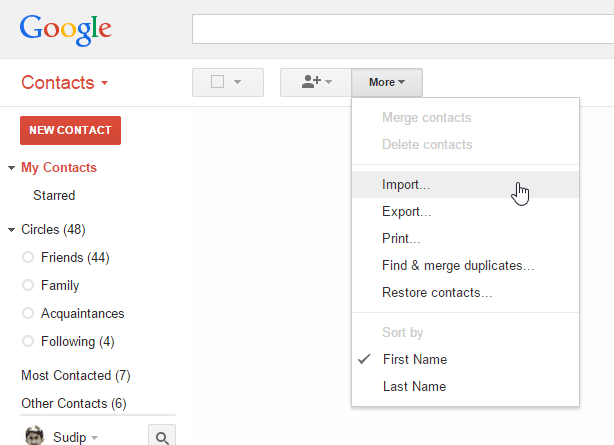
    This is another easy task. All you need to do it merge all the iPhone contact with your iCloud account. After that, head over to this link to sign in to your iCloud account. After that, go to Contacts and export all the contacts in vCard. Therefore, you will have to sign in to your Gmail account and open the Contact prompt.

    Import Contacts

    Then, you can Import your contact. You can also use iTunes to transfer all iPhone contacts on your Android device.

    Migrate Mail

    You can simply use your iCloud Mail and other email services on your Android. We have covered how to use Zoho Mail on Android. In that way, you can use all other email services on your Android.

    Find Apps

    Android-Apps-on-Google-Play

    Google Play Store has more than 1.3 million free and paid apps. You can easily find substitute of any iOS app for your Android mobile. In fact, most of the iOS compatible apps are available for Android as well. For example, you can get some must have apps like Facebook, Twitter, Spotify, Feedly and more others for Android.

    The official guide has more information to switch to Android from iOS. You can check the guide at here.

  • Workaround to Fix Two Errors in WAMP

    Workaround to Fix Two Errors in WAMP

    No matter what kind of blog you want build; WordPress is always a good solution. You can create regular blog, create basic product selling website and more others with the help of WordPress. WordPress is popular because this is an open source development kit for developers.

    Workaround to Fix Two Errors in WAMP

    We always want to try everything because using something professionally. WAMP or Windows – Apache – MySQL – PHP is a great development environment for Windows that lets you test WordPress locally. You can easily install WAMP server on your Windows and other platforms to use WordPress or any theme, plugin etc. before using that on your live site.

    This is very easy to install WordPress on your localhost using WAMP. Generally, WAMP doesn’t need any high system requirements to be installed. However, still it has some requirements and because of them, you can face numerous problems during installation.

    Today’s I am going to fix two different problems, what I have got recently while trying to install WAMP on a new Windows machine. The first problem was occurred on a new Windows PC and the second problem is a common issue among all new WAMP users.

    How to solve MSVCR110.dll missing problem?

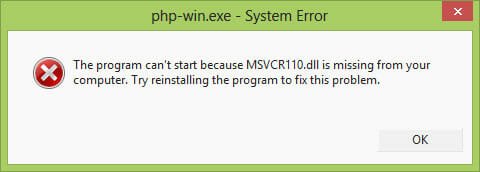
    This is the most awkward issue of new WAMP users. You can get it if you will go to install on your new Windows PC. You will be greeted to an error window that looks something like the following picture;

    MSVCR110 Error

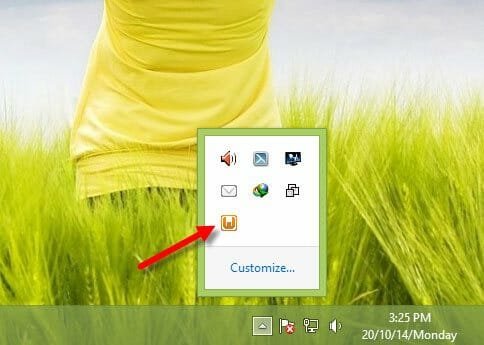
    You can get this problem when you will try to open WAMP after completing the installation. On the other hand, your WAMP server logo will be stuck to Orange button. You know that it should be Green.

    WAMP Stuck on Orange Logo

    To solve MSVCR110.dll missing problem in WAMP, all you need to do is install Visual C++ Redistributable for Visual Studio 2012 Update 4. Just head over to this link and download that. After that, install it on your PC. This should solve the error. You may have to restart your machine if you are still getting after installing the update.

    How to use Custom permalink in WAMP server?

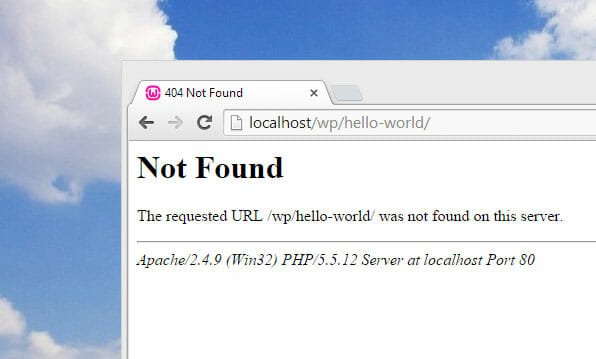
    Not Found Error for Custom Permalink

    Do you know that what does custom permalink mean? NO? No problem. Let me explain.

    You know that by default, WordPress selects http://sitename.com/post-id as permalink structure. If you have read couple of articles to make WordPress blog more SEO friendly, you might have also read that this permalink structure is not good in terms of SEO.

    Although, locally install WordPress doesn’t need any SEO but still sometime you need to change the permalink structure in order to use some plugins. Yes! There are some landing page creator plugins those do not run with the default permalink structure. So, if you want to change the permalink structure, you can simply open your WordPress dashboard and navigate to Settings >> Permalink and change the structure. But, the problem is WAMP doesn’t support other permalink structures except the default one.

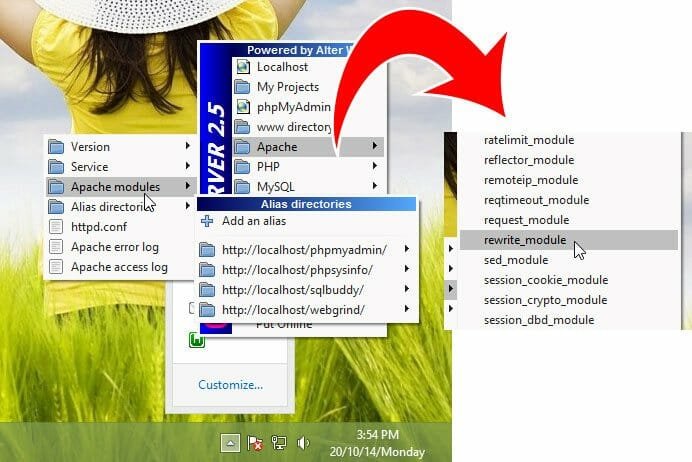
    You need to make a simply change to get custom permalink for posts. Just head over to the WAMP logo in your system tray and navigate to the following area;

    Apache >> Apache Modules

    After that, find out rewrite_module and click on that. That’s all! Now, you can use any permalink structure.

    Select Rewrite Module

    Hope these two common problems are now solved. Do let us know your problem with WAMP.

  • Technology has Replaced Our Wallet – here’s how

    Technology has Replaced Our Wallet – here’s how

    Technology is everywhere. I am writing this line using technology. Even you are reading it with the help of technology. This is not the era of technology. In fact, technology has a commiseration over civilization from the initial days. If there was no technology, this was impossible to discover different science laws and more others.

    Wallet and Money

    Technology has changed our lifestyle. Previously, we used to wait for the newspaper but now, we open our iPad to read morning newspaper. In this way, technology also replaced our wallets. Today, I am going to talk about few aspects of modern technology that make us wallet-free.

    Google Wallet

    Google Wallet

    Hope you have heard this previously. If yes, you know how much useful it is and what can be done using this virtual wallet. Google Wallet is such a great features that is integrated in Gmail. This is available in some limited countries but everybody knows about it across those limited countries. Whenever, you need to give some money to your friend, relative to anybody else, you can simply send that just like an email. You can use your Debit or Credit card to send payment and the transaction fee is also minimum. The minimum fee is only $0.30 (2.9%) per transaction. The recipient would not have to pay a single cent for receiving money. In some countries, people are using it more than PayPal since PayPal deducted a lot of money during a successful money transfer.

    Apple Pay

    Apple Pay

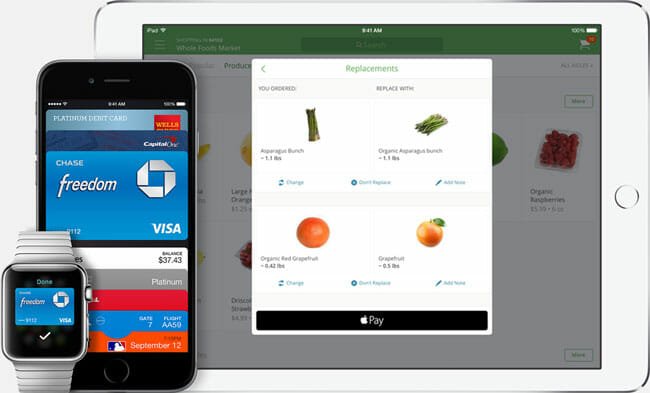
    This is yet another great payment system, which is introduced back in September 9 2014. The good news is, it is launched on October 16 at the Apple’s iPad and Mac event. As of now, Apple Pay is very limited. Only U.S. citizen can use this virtual wallet. You can get this Apple Pay on iPhone 6, iPhone 6 Plus etc. This is possible to make your payment using one touch. The most exciting thing is Apple do not record anything including your paid amount, place where you have made the payment and so on. More than 220k in the USA will be started accepting this payment system right after arriving this system to the market.

    Online Ticket Booking

    Just couple of years back, there used to be a huge crowd around the box office. However, the whole scenario is has been changed. Now, people do not rush to the box office to get the ticket of next film since almost all the multiplexes have their own website. Anybody can get the ticket of a particular day using online ticketing system. The same thing happens with other things like train ticket or even bus ticket.

    Online Shopping

    Whenever, any mobile or laptop company releases a new mobile or laptop, they choose various ecommerce websites to selling their products. Why? Because they know today’s busy people do not go to a shopping mall to purchase a mobile or laptop. What they do is they purchase their necessary products right from online shopping websites. There are tons of Ecommerce websites like Amazon, FlipKart, SnapDeal and more others. Most of the people consider to purchase anything online because they get decent discount, home delivery etc.

    Credit Card

    Online Recharge

    Do you want to recharge your mobile? No, No. this is not battery recharge.

    If you want to do so, head over to various online recharge website. In India, Freecharge and Paytm are the most popular online recharge websites out there. Free charge also provides a huge cashback offer on a minimum recharge. On the other hand, you can also head over to your bank’s official website if you have net banking. Generally, most of the banks offer this feature in various countries.

    There are also some other places, where technology has captured the human need and replaced the wallet. Where do and don’t you use your wallet?

  • 3 Things That New Retina Display iMac will Change Radically

    3 Things That New Retina Display iMac will Change Radically

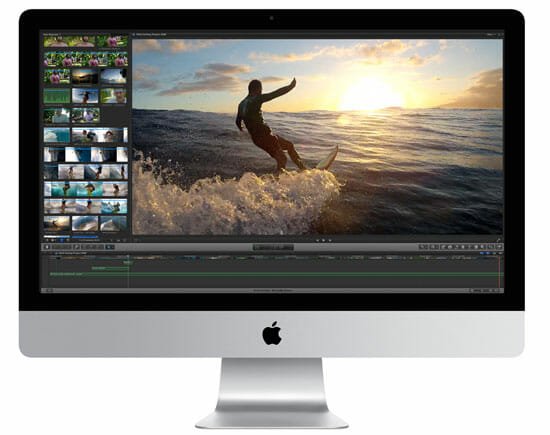
    After a long time, Apple has finally upgraded their most beloved gadget called iMac. They have changed and implemented couple of new features in this iMac. Although, the size of display is still the same but you can find a huge difference in resolution between previous 27-inch iMac and this brand new 27-inch iMac with Retina 5K display.

    Actually, the resolution is almost double of previous same size of iMac. You will get a resolution of 5120 x 2880 pixel of resolution alongside AMD Radeon R9 M290X graphics processor with 2GB of DDR5 memory. The most importantly, you will get 5K display, which is even better than HD and 4K display.

    In HD display, you will get 2 million pixels, 4K display has 808 million pixel and 5K display has 14.7 million pixel. It seems, Apple has done a great job with this for next generation technology/Apple lovers.

    3 Things That New Retina Display iMac will Change Radically

    Today, I am going to show you some facts what this new Retinal Display iMac can revolutionize in near future. Although, you can use it for any purpose but if you check the specifications minutely, you will realize that this iMac is developed for designers. Anyway, let’s take a look.

    Image Editing

    This is where you need a great display since a single RGB value can bring a huge change in the image. Although, previously, Apple developed Retina Display MacBook Pro to help designers to edit images perfectly, but that is an awkward device because of screen size. Nevertheless, you will not have any such issue since this time, the screen resolution as well as the screen size is really high.

    According to Apple, you can view 14.7 megapixels at one time. That means, you can edit any image by a single pixel. As you can display a high-resolution image without scrolling, certainly, it would bring a huge change in photo manipulating.

    Video Editing

    If this new iMac can manipulate images in such a great way, just think how much change it can bring in video editing. Video editing is really arduous in low screen resolution or small display. The same problem has occurred in 13-inch MacBook Pro Retina Display. Although, the previous 27-inch iMac was a great device for video editors but this new iMac can do that even better. You can view any 4K video at 100% on this 5K display. Any great video editing software + this new 27-inch iMac is the perfect resource for new and pre-professional video editors.

    3D Animation

    After video editing, obviously, most of the people want to learn animation. Previously, it was 2D animation but now, this is the era of 3D animation. Actually, this is the era of 3D. No matter, whatever you do, you must have to learn that same thing in 3D environment. In such a great display, it will be helpful for even animator to design more perfect models and get things done faster.

    This new Retina Display iMac can change more other things in near future. Just wait for couple of days to arrive it in the worldwide market.

  • Most Important Reasons to Buy Nexus 6 Instead of iPhone 6 Plus

    Most Important Reasons to Buy Nexus 6 Instead of iPhone 6 Plus

    Google and Apple are the best companies in their own field. But, when it comes to iPhone vs. Nexus, most of the people cannot elicit whether you should buy iPhone or Nexus.

    You know that Apple launched brand new iPhone 6 and iPhone 6 Plus on September 9. Their pre-order was started on October 7 in India and the sale is just started on October 17. On the other hand, Google has also launched another new Android version along with another new Nexus device called Nexus 6. Although, previously, Google had a tie up with LG to build their Nexus but this time, they have opted in to Motorola as manufacturer.

    iPhone 6 Plus vs. Nexus 6

    Both smartphones come with a great development in terms of hardware and software. If you have previously decided to purchase iPhone 6 Plus, now you may have to change your decision since Motorola Nexus 6 is launched in the market. Today, I am going to mention some key points for that you should go for Nexus 6 instead of iPhone 6 Plus.

    Display

    If you have thought that Apple has included the best display in iPhone 6 Plus, you are probably wrong. Here’s why.

    The iPhone 6 Plus has 5.5-inch display, which is the biggest display ever in iPhone series. But the Nexus 6’s screen size is 8.36% bigger than iPhone 6 Plus. You will get a 5.96-inch display in Nexus 6. Not only, the size but also you can find differences in pixel density. You will get 401ppi of pixel density in iPhone 6 Plus. On the other hand, Nexus 6 has a pixel density of 493ppi.

    But you supposed to know that the smaller display doesn’t mean a worse display. Although, iPhone 6 Plus smaller display than Nexus 6, but the pixel density will provide a better performance since each pixel has three sub pixel. That is where it excels. This technology will help you to display better picture and videos.

    Camera

    Apple has included 8 megapixel rear camera in iPhone 5 and all the newer iPhones. The same type of camera is also included in iPhone 6 Plus. However, surprisingly, you will get 13 megapixel of rear camera in Google’s Nexus 6. But you won’t get Optical Image Stabilization in Nexus 6, which is a key feature of iPhone 6 Plus’s camera. On the other end, the photo resolution would be bigger than iPhone in Nexus 6. In iPhone 6, you will get a resolution of 1920 x 1080 pixels. But, Nexus 6 has a resolution of 2560 x 1440 pixels.

    Apart from rear camera, you can also get better front facing camera. iPhone 6 Plus has a 1.2 megapixel of front camera when Nexus 6 has 2 megapixel of front camera.

    CPU & GPU

    You will get Apple A8 chipset in iPhone 6 Plus and Qualcomm Snapdragon 805 chipset in Nexus 6. The CPU clock speed of Nexus 6 is 2.7 GHz but iPhone 6 Plus has a CPU clock speed of only 1.4 GHz. Therefore, Nexus 6 is far better than that particular iPhone in terms of CPU. Isn’t it?

    If you want to know about GPU clock speed, I would like to announce Nexus 6 as the winner since it has 500 MHz Adreno 420 GPU whereas iPhone 6 Plus has 450 MHz PowerVR GPU.

    Battery

    Even the battery of Nexus 6 is better than iPhone 6 Plus. You will get non-removable Li-Po 3220 mAh battery in Nexus 6, which is capable to provide up to 330 hours of standby backup. On the other end, you will get non-removable Li-Po 2915 mAh battery in iPhone 6 Plus.

    Although, I have not used personally any one of them, this is quite impossible for me to compare it from the end of performance and stability. All I have seen that Google Nexus 6 comes with a better specification than Apple iPhone 6 Plus.

    What do you think about this comparison? Which one is better for you?

  • Top 5 New Features and Improvements in OS X Yosemite

    Top 5 New Features and Improvements in OS X Yosemite

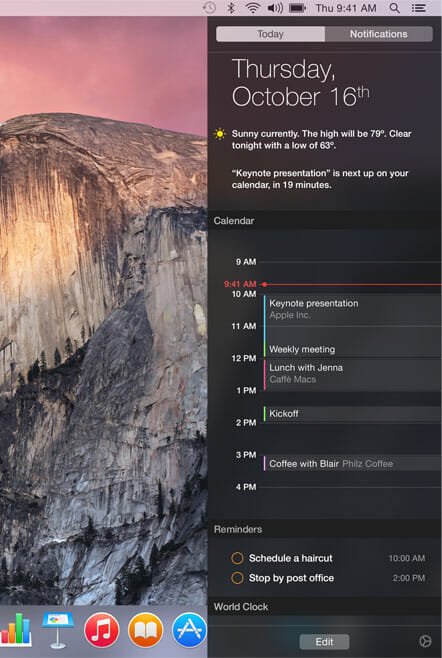
    OS X Yosemite beta version has been available since the summer and hundreds of thousands people has downloaded this beta version from all over the world. However, now you do not have to redeem any code to download OS X Yosemite since Apple has make it opened and now it is available to download by anybody right from App Store.

    To download the OS X Yosemite, head over to this link. Open it inside App Store and Sign in with your Apple ID credentials. Download will be started automatically.

    But, if you want to know about the new features of OS X Yosemite before downloading, here are some of them. The following list contains some inconceivable improvements and new features of OS X 10.10 Yosemite.

    User Interface

    If someone is talking about Yosemite, the first thing, what comes in mind is visual design. Although, Apple was far away from developing a flat UI in the past couple of years but now they have launched Yosemite, which has a flat user interface. In OS X 10.10 Yosemite, you will get a better design, which has two different versions i.e. Dark mode and Daylight.

    Flat UI of Yosemite

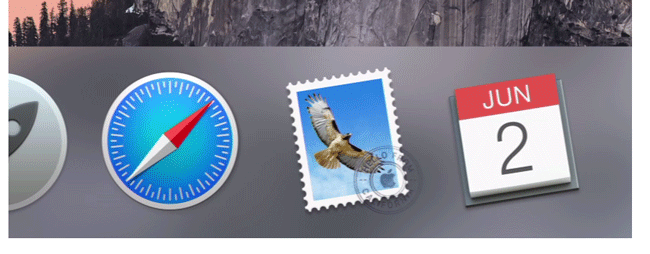
    You can also find a change in Dock as well as top Menu bar. The next big thing is app icons. Alongside other UI, you can find a huge change in app icons.

    Flat Icons for Yosemite

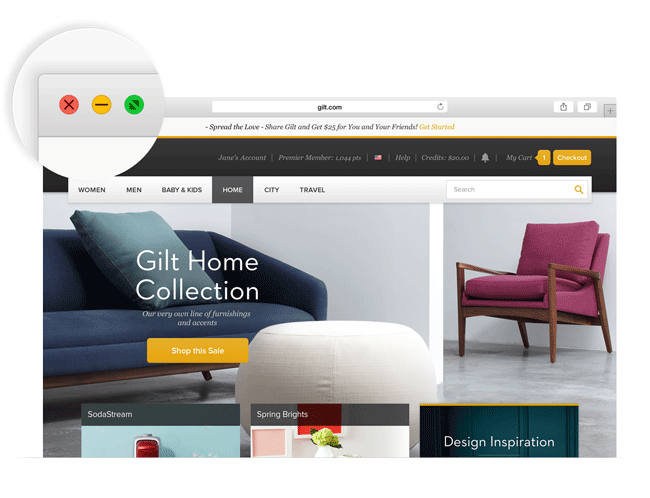
    All the icons are Flat UI ready. In the Yosemite, you cannot find a dedicated Full screen button in your top right corner since the green maximize button will let you open any window in full screen.

    Windows Buttons of Yosemite

    Therefore, you will also find a change in font. You can find the enhancement on Retina display. The Tanslucency will aid you to know what is running behind a specific window.

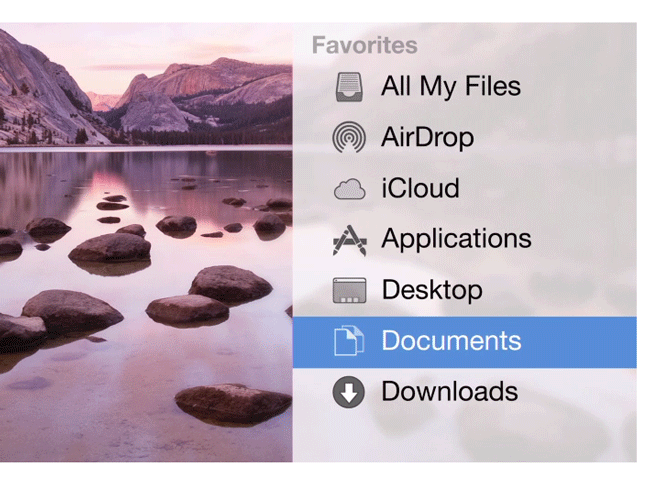
    Translucent Sidebar of Yosemite

    iCloud Drive

    Windows 8 and later versions have a dedicated cloud storage synchronization. You can get OneDrive in these Windows versions. Alike that, Apple has included iCloud Drive in OS X Yosemite. This is a cross-platform cloud storage which is accessible from different devices i.e. iPhone, iPad or even Windows.

    iCloud Drive in OS X Yosemite

    You can synchronize and edit anything from iCloud Drive. The most useful feature is you can access your files offline. This is also possible to edit files offline and all of your changes will be changed when your mac will get back the internet connection.

    Handoff

    This is one of the best features Apple has even included in their gadgets. This Handoff will let you access your iPhone right from your OS X Yosemite. By using this Handoff, you can remotely access your iPhone from Mac. You can access Mail, Maps, Safari, Messages and more others from your Mac. Read more about Handoff at here.

    Instant Hotspot

    This is yet another great feature introduced by Apple. If you are using internet on your iPhone and do not have any data connection on your Mac, here is the solution. You just need to turn on WiFi from your iPhone. After that, whenever your iPhone will be around your Mac, your Mac will be connected automatically without having any problem. All you need to do is select your iPhone from your Mac’s Wi-Fi menu.

    Surprisingly, this tethering requires minimum iPhone battery. This is where it excels. But make sure, you have enough bandwidth since Mac requires more bandwidth than a regular iPhone.

    Screen Sharing

    This is yet another great feature of Yosemite. Although, previous Mac OS X needed a third party software or internal tricks to share the screen but now, this is completely uncluttered.  Yosemite users can share their Mac screen by respective Apple ID. This is as easy as said. ON the other hand, this is also possible to prevent any user from sharing screen with you and vice versa. Another feature of screen sharing is Pause session. This is does what it says.

    Bottom Line

    Here is not the end of the new feature list. This is just starting. You will get tons of other new features in OS X Yosemite. However, just start downloading from the aforementioned link to get a completely new experience of Mac.

  • Top 3 Announcements at Apple’s iPad and Mac Event

    Apple has announced huge number of updates those are coming soon to the market. If you are an Apple lover, you might have seen the live event of Apple. However, if you have not seen the event and if you would like to know what did Apple announce today, here is a brief list of most significant announcements.

    Mac Mini

    Although, Apple has not made any change in terms of overlook but they have couple of changes inside the box. Now, you will get Mac Mini in three different versions. You can get 1.4GHz, 2.6GHz and 2.8GHz dual-core Intel Core i5 processor. The turbo boost also depends on the processor. You will get 2.7GHz, 3.1GHz and 3.3GHz Turbo boost respectively. Although, the entry level version of Mac Mini will be arrived with 500Gb of hard disk, you will get 1TB hard drive in 2nd version and 1TB Fusion drive in 3rd version.

    new Mac Mini


    In terms of RAM, you will get much difference. For instance, you will get4GB of RAM in 1st version, which can be expanded up to 16GB. But the 2nd and 3rd version of Mac Mini come with 8GB of RAM. Obviously, you can expand it up to 16GB. Apart from 1st version of Mac Mini, both are coming with Intel Iris graphics.

    Apart from these aforementioned features, you won’t find any huge change in this new Mac Mini(s). Obviously, the price differs according to the features.

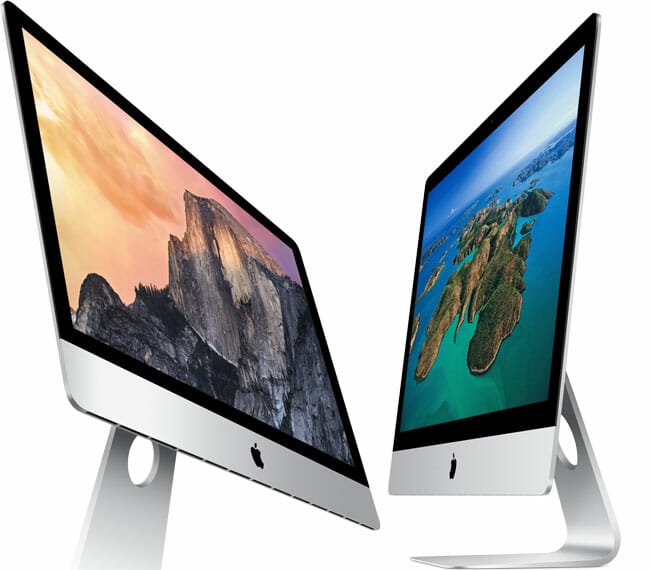
    iMac with Retina Display

    Are your surprised after reading the new iMac term called 27-inch iMac with Retina Display? Don’t be so since this is true. Apple has just announced a 27-inch iMac with Retina display. The display is actually 5K ready, which is far better than 4K. According to some computer professionals, Apple has launched this brand new iMac considering the designer’s needs.

    27 inch iMac with Retina Display

    You will get 2.8 GHz Intel Core i5 or i& processor in new iMac. ON the other hand, it comes with 16GB of RAM and 1TB of SSD. Alike 2nd and 3rd version of Mac Mini, you will get Intel Iris Pro graphics and NVIDIA GeForce GT 750M with 2GB of DDR5 graphics card. Except these features, you cannot find any difference between previous iMac and this new Retinal Display iMac. The price is obviously more than older iMac.

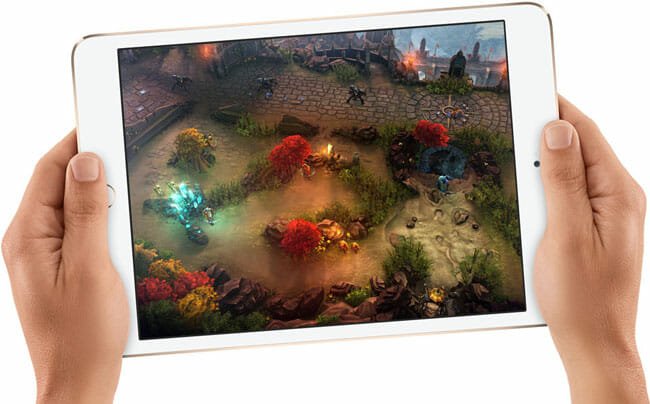
    iPad Mini 3

    As per the expectations, iPad Mini 3 is announced today but you cannot find any major improvement in this new gadget. Almost all the features of iPad Mini 2 and iPad Mini 3 are quite same. However, you will get iPad Mini 3 in three different versions including 16GB, 64GB and 128GB. You cannot get the 32GB iPad Mini 3. Only WiFi version of ipad Mini 3 is available at $599 and the WiFi + Cellular version of iPad Mini 3 is available at $729.

    iPad Mini 3

    If you really want to know about the actual new feature of iPad Mini 3, you supposed to know that you will get Fingerprint Identity Sensor or Touch ID in this gadget. Apart from this, all the other sensors like Accelerometer, Ambient Light Sensor etc. are available in both devices.

    Apple has also launched some other stuffs like iPad Air 2, OS X Yosemite, Apple Pay and more others. But these are the most interesting announcements at this special event of Apple.

  • Everything You Need to Know about Nexus Player

    Everything You Need to Know about Nexus Player

    Yesterday was a remarkable date for Google or mainly Nexus lovers since Google launched two new Nexus devices i.e. Nexus 9 and Nexus 6 along with Android Lollipop. If you have not checked the complete list of launched products/stuffs, here is another good news for you.

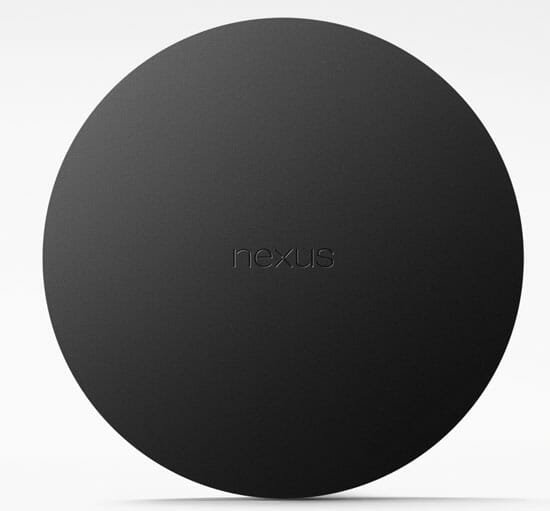
    Google has launched their first ever TV streaming toolkit called Nexus Player. Nexus Player comes with a set-top box looking awning. Although, Google has not told a lot about this new type of technology (of Google) but we have accumulated some information about this that you should know.

    http://www.youtube.com/watch?v=rqFdNvxLjCY

    You know that previously, Google launched Chromecast. Nevertheless, there is no such interlinking between AndroidTV and Chromecast. However, both devices’ workflow are quite same. You can stream TV channels as per your requirements. After looking into all the information we have gathered, it seems, as of now, you would be able to stream some online TV channels providers like HULU, Netflix etc. On the other hand, you can stream YouTube videos alongside other sites.

    Nexus Player Available Apps

    As Google has brought Google Play on TV, this will be possible to get other apps to stream something that you wish. Although, it depends on app developers but you will get most of the popular applications in near future after releasing Nexus Player.

    Actually, Nexus Player is a blending version of three toolkits i.e. set-top box, corresponding remote controller and a gamepad.

    The dimension of actual component of Nexus Player is 120 x 120 x 20mm. Yes, unlike regular set-top box or any other TV streaming toolkits, it is round. The Apple TV is ~272g whereas Nexus Player is only 235g.

    Nexus Player Set Top Box

    The Nexus Player has 1GB of RAM and 8GB of internal memory. Obviously, there is no need to extend it. It has 1.8 GHz Quad-Core Intel Atom processor and PowerVR Series 6 graphics.

    The tidy remote has only couple of buttons. You might are thinking, if remote has *only* couple of buttons then how do I control such a high-end TV. Isn’t it?

    That is where voice search comes in. This is really a great development by Google has the Nexus Player’s remote has a voice search button. It does what it says. You can operate your smart TV using your voice command. This remote is also not much big. The dimension of the remote is 37 x 140 x 16mm.

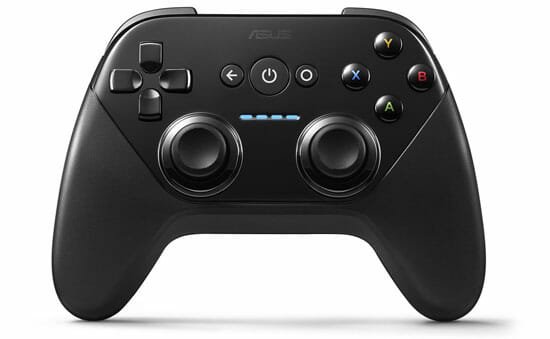
    The last but not least toolkit of Nexus Player family is Gamepad. Google has brought Android games on TV too. To play games and better user experience, you supposed to have the corresponding gamepad.

    Nexus Player Gamepad

    The complete package of Nexus Player is really great and you will obviously get a better TV experience using it. Nexus Player would be available for pre-order on October 17. Google has also confirmed that you can book your Nexus Player only from Google Play Store.

    It seems Google wants to compete with more than one thing in the market. For example, they would like to compete with Apple TV as well as Amazon Fire TV using it. On the other hand, they would also like to compete with different gaming consoles using this gamepad.

    What is your opinion? Does Nexus Player worth buying for $99? Or is it more/less?

  • Full Specifications of Nexus 9 with Android Lollipop

    Are you surprised? There are several things what make your surprised. The first thing is brand new Nexus 9 and the second thing is Android 5.0 or Android Lollipop or Android L.

    You might have heard about Android L, which has been available only for developers. However, now you can get this Android L with brand new Nexus devices, which is going to launch in the next month. Although, Google gave a hint to recognize the name of latest Android software update even before releasing but it was not confirmed. But, now, you can call it Android 5.0 or Android Lollipop.

    Android Lollipop

    On the other hand, Google has also launched Nexus 9 with this latest version of Android, Android 5.0. Although, previously, Google had a tie up with LG to build Nexus devices but the Nexus 9 is manufactured by HTC. This new Nexus device will be launched for consumers in the next month (November).

    Full specifications of Nexus 9

    Although, we cannot say anything about the performance and stability of Nexus 9 but we can certainly write about the specifications. You may have to wait for more couple of days to know more about the performance.

    Nexus 9 Colors

    Body and Dimension

    At the first impression, Nexus 9 looks really awesome. Even it not comparable with previous Nexus devices like Nexus 7 or Nexus 10 in terms of body and overlook. The dimension of Nexus 9 is 153.68 x 228.25 x 7.95 mm. This is much bigger than Nexus 7 and smaller than Nexus 10.

    In terms of weight, Nexus 9 is pretty lighter. This is just 425gm when Nexus 7 is 290gm and Nexus 10 is 603gm.

    Display

    The display is far better than previously launched Nexus devices. You will get 8.9-inch IPS display, what makes it even better. You will get a resolution of 2048 x 1536 pixels and the aspect ratio is 4:3. Although, the aspect ratio is not much good for watching videos but you will get a better browsing experience on this tablet. The screen is protected by Corning Gorilla Glass 3, which is available on most of the recent mobiles and tablets.

    Processor and Graphics

    Obviously, you can have a better performance only when you have a better hardware. To compete with most of the recently launched tablets by other companies, Google has included 64-bit NVIDIA Tegra K1 chipset along 2.3 GHz dual Denver processor. On the other hand, you will get 192-core Kepler graphics.

    Memory

    Although, there is no such external memory slot but the internal memory would be enough for you. You can get 16GB and 32GB of internal memory in Nexus 9. Alike other Nexus devices, you will get 2GB of RAM in this new gadget.

    Camera

    If you have used Nexus 7 or Nexus 10, I am sure you know that both have 5 megapixel of rear camera. But you will get better camera capturing experience since it has 8 megapixel of rear camera with auto-focus and LED flash. Along with the rear camera, you can also get 1.6 megapixel of front facing camera.

    Some other features

    You will obviously get better battery life in Nexus 9 since it has 6700 mAh battery, which can provide 9.5 hours of backup on Wi-Fi. On the other hand, you will get better battery backup for video playback, LTE browsing and LTE standby as well. All the other common features like Micro-USB 2.0 post, 3.5mm audio jack, NFC, Bluetooth, GPS are also obtainable in this device. You will also get Ambient light sensor, Accelerometer and Magnetometer.

    http://www.youtube.com/watch?v=yYHY3MFiq1o

    Availability

    Although, Google announced this device yesterday but it will be available from November 3. You can book your Nexus 9 from October 17.